
Zavedení
The Silverlit Exost Loop Gravity Challenge Set is an innovative racing system designed for endless creativity and thrilling challenges. This set allows you to build and race without limits, defying gravity with the vehicle's speed through various track configurations.
This manual provides essential information for setting up, operating, maintaining, and troubleshooting your Exost Loop Gravity Challenge Set. Please read it carefully before use to ensure safe and optimal performance.
Obsah balení
- 1 x Exost Loop Remote Controlled Car (rechargeable)
- 1 x Dálkový ovladač
- 31 x Track Tubes (various shapes for building)
- 1 x Recharging Cable for the car
- Návod k použití (tato příručka)
Note: 2 x AAA batteries for the remote controller are není součástí dodávky a musí se zakoupit samostatně.
Pokyny pro nastavení
1. Instalace baterií (dálkový ovladač)
- Vyhledejte přihrádku na baterie na zadní straně dálkového ovladače.
- Pomocí malého šroubováku otevřete kryt přihrádky na baterie.
- Vložte 2 baterie typu AAA a dbejte na správnou polaritu (+/-).
- Zavřete kryt prostoru pro baterie a zajistěte jej šroubem.
2. Nabíjení vozidla
The Exost Loop car is rechargeable. Before first use, fully charge the vehicle.
- Connect the provided recharging cable to the charging port on the car.
- Druhý konec kabelu připojte k vhodnému zdroji napájení USB (např. k portu USB počítače, adaptéru USB do zásuvky).
- The charging indicator light on the car will illuminate during charging and turn off when fully charged.
- Charging typically takes approximately 1 hour.
Důležité: Do not overcharge the vehicle. Disconnect the charging cable once charging is complete.
3. Assembling the Track
The set includes 31 tubes allowing for various track designs, including 2 loops, 1 vertical zone, 1 jump zone, and 1 overtake section. Use your creativity to build different challenging layouts.

Image: The complete Exost Loop Gravity Challenge Set, showcasing an assembled track with loops, the remote-controlled car, and the remote controller.
- Connect the tube pieces firmly together to form your desired track layout. Ensure all connections are secure to prevent the car from derailing.
- Experiment with different configurations to create unique challenges.
- Place the starting gate or a flat section of the track on a stable, flat surface.

Obrázek: Bývalý/áample of a complex track layout, demonstrating how the various tube pieces can be connected to create loops and turns.
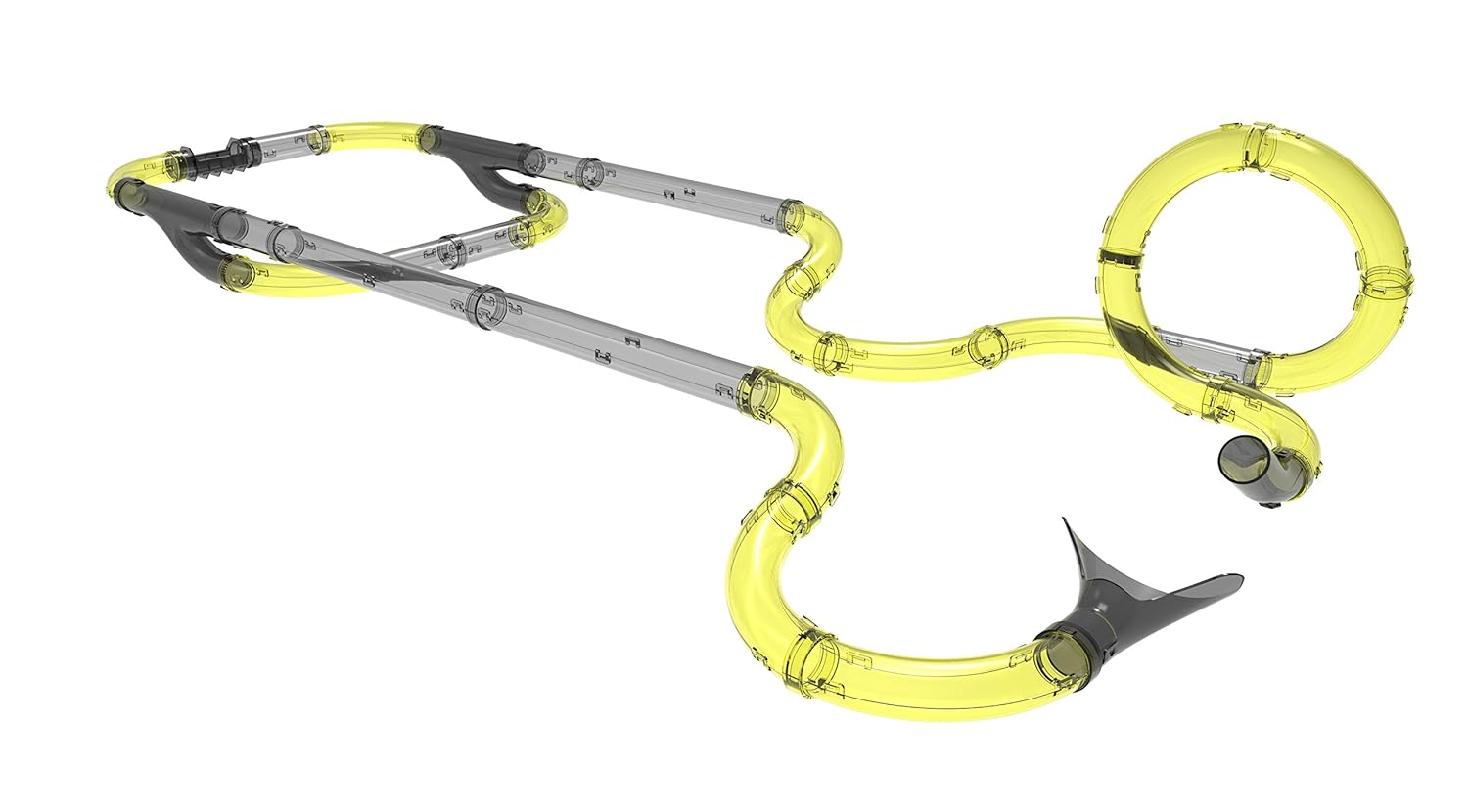
Image: A different perspective of an assembled track, highlighting the flexibility in design and the potential for varied challenges.
Návod k obsluze
1. Zapnutí
- Ensure the remote controller has fresh batteries.
- Turn on the power switch on the Exost Loop car. The car's LED light will illuminate.
2. Párování dálkového ovladače
The car and remote should automatically pair when both are powered on. If they do not pair, try turning both off and then on again.
3. Driving the Car
The remote controller features controls for forward, backward, and a 5-second high-speed boost function.

Obrázek: Podrobný view of the Exost Loop remote-controlled car, highlighting its sleek design and LED light feature.
- Use the joystick or directional buttons (depending on remote design) to move the car forward or backward.
- Press the "Boost" button for a temporary burst of high speed (up to 8 km/h) to tackle loops and vertical zones.
- The car's LED light provides an excellent lighting effect during operation.
Tip: Practice controlling the car's speed to master gravity-defying maneuvers and navigate challenging track sections.
Typical playtime is over 10 minutes on a full charge.
Údržba
- Čištění: Wipe the car and track tubes with a soft, dry cloth. Do not use water or cleaning solvents, as this may damage the electronic components.
- Skladování: Pokud sadu nepoužíváte, skladujte ji na chladném a suchém místě mimo dosah přímého slunečního záření a extrémních teplot.
- Péče o baterie: Remove batteries from the remote controller if the set will not be used for an extended period to prevent leakage.
- Nabíjecí kabel: Keep the recharging cable free from kinks and damage.
Odstraňování problémů
| Problém | Možná příčina | Řešení |
|---|---|---|
| Auto se nehýbe. |
|
|
| Car derails on track. |
|
|
| LED light on car not working. |
|
|
Specifikace
| Číslo modelu | 20233 |
| Značka | SilverLit |
| Maximální rychlost | 8 km/h |
| Počet trubek | 31 |
| Challenges Included | 2 Loops, 1 Vertical Zone, 1 Jump Zone, 1 Overtake |
| Autobaterie | Rechargeable (via included USB cable) |
| Baterie do dálkového ovladače | 2 x AAA (nejsou součástí balení) |
| Prázdno | Over 10 minutes (per charge) |
| Doporučený věk | 5 - 7 let |
| Montáž Vyžadována | Ano |
| Rozměry produktu (DxŠxV) | 60 x 94.5 x 55 cm |
| Hmotnost položky | 850 g |
Záruka a podpora
For warranty information and customer support, please refer to the contact details provided on the product packaging or visit the official SilverLit webwebu. Uschovejte si účtenku jako doklad o koupi.
Manufacturer: Silverlit
Date First Available: 4 September 2018