
1. Úvod
This manual provides essential information for setting up, operating, maintaining, and troubleshooting your HP EliteDesk 800 G4 Small Form Factor (SFF) Desktop. Please read this manual thoroughly before using your device to ensure proper functionality and longevity.
2. Konec produktuview
The HP EliteDesk 800 G4 SFF is a compact and powerful desktop computer designed for business and personal use. It features an 8th Generation Intel Core i5-8500 processor, 8GB DDR4 RAM, and a 256GB Solid State Drive, running on Windows 10 Pro.
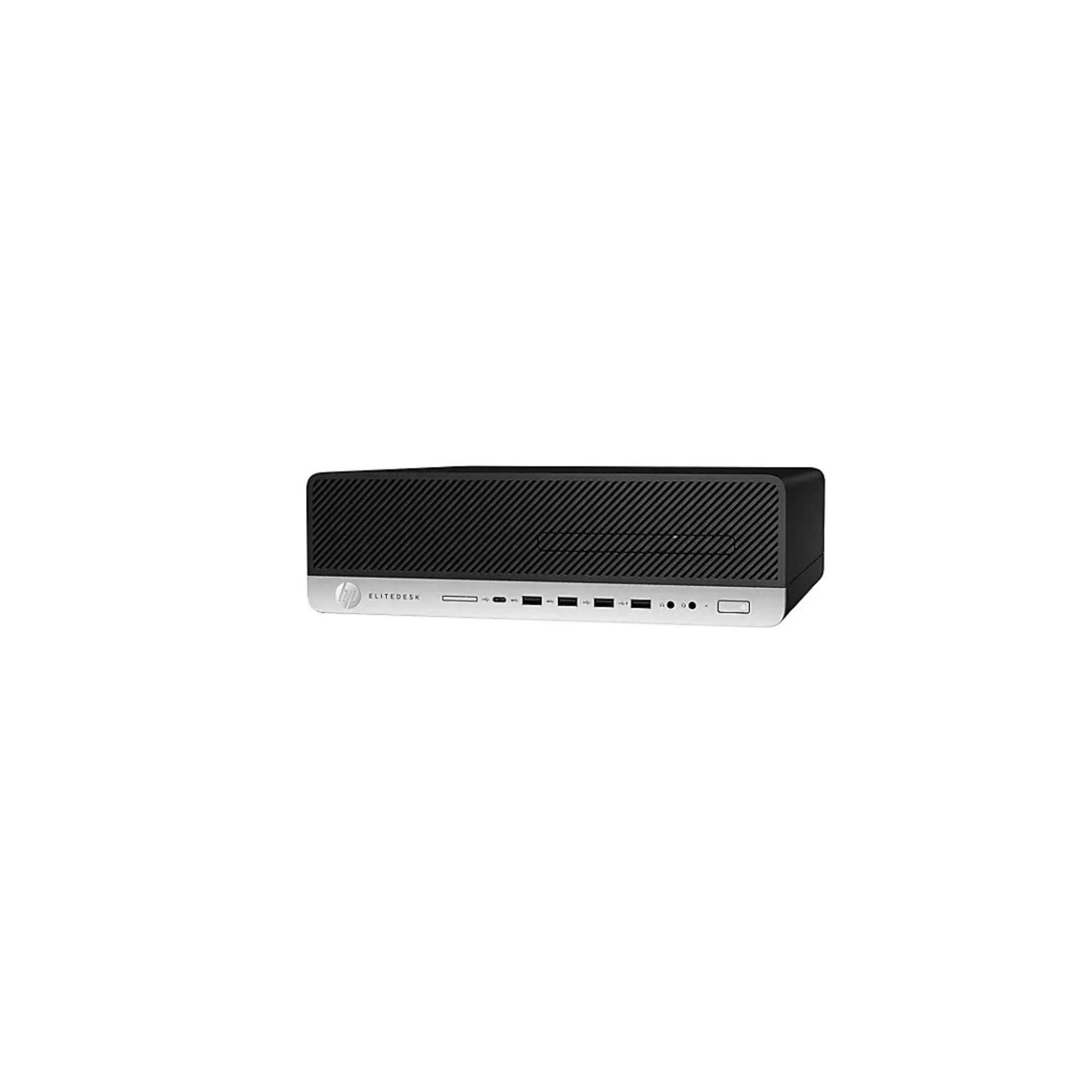
Obrázek 2.1: Přední strana View of HP EliteDesk 800 G4 SFF Desktop. This image displays the front of the HP EliteDesk 800 G4 Small Form Factor Desktop. The top section is black with a diagonal grille pattern for ventilation. The bottom section is silver, featuring the HP logo, 'ELITEDESK' branding, an optical drive bay (empty in this image), a USB-C port, multiple USB-A ports, headphone and headset jacks, and a power button.
Klíčové vlastnosti:
- 8th Generation Intel Core i5-8500 Processor (SIX Core, 9MB Cache, up to 4.1 GHz with Turbo Boost)
- 8GB DDR4 RAM
- 256GB Jednotka SSD
- Grafická karta Intel HD Graphics 630
- Windows 10 Professional 64-bit
- Multiple USB ports (Type-C, USB 3.1 Gen 1, USB 2.0, USB 3.1 Gen 2)
- DisplayPort 1.2 for video output
3. Pokyny k nastavení
3.1 Rozbalení krabice
Opatrně vyjměte všechny součásti z obalu. Ujistěte se, že jsou přítomny následující položky:
- HP EliteDesk 800 G4 SFF Desktop
- Napájecí kabel
- Myš
- Klávesnice
- Dokumentace (tato příručka, informace o záruce)
3.2 Připojení periferních zařízení
- Připojení monitoru: Use a DisplayPort cable to connect your monitor to one of the DisplayPort 1.2 ports on the rear of the desktop.
- Připojení klávesnice a myši: Plug the USB keyboard and mouse into any available USB ports on the front or rear of the desktop.
- Připojení k síti (volitelné): Pro kabelové připojení k internetu připojte ethernetový kabel z routeru nebo modemu k portu RJ-45 na zadní straně stolního počítače.
- Připojit zvuk (volitelné): If using external speakers or a headset, connect them to the appropriate audio-out or headset connector ports.
- Připojte napájení: Plug the power cord into the desktop's power input and then into a grounded electrical outlet.
4. Návod k obsluze
4.1 Zapnutí/vypnutí
- Zapnutí: Press the power button located on the front of the desktop. The power indicator light will illuminate.
- Vypnutí: Click the Start button in Windows, then select Power > Shut down. Alternatively, you can press and hold the power button for several seconds to force a shutdown (use only if the system is unresponsive).
- Restartovat: V systému Windows klikněte na tlačítko Start a poté vyberte Napájení > Restartovat.
4.2 Initial Setup (Windows 10 Pro)
Upon the first power-on, Windows 10 Pro will guide you through the initial setup process, including:
- Region and language selection
- Nastavení síťového připojení
- Microsoft account sign-in or local account creation
- Privacy settings configuration
5. Údržba
Regular maintenance helps ensure the optimal performance and longevity of your HP EliteDesk 800 G4 SFF Desktop.
5.1 Čištění
- Vnější: Použijte měkký hadřík, který nepouští vlákna dampVnější povrchy omyjte vodou nebo jemným čisticím roztokem. Vyhněte se agresivním chemikáliím.
- Větrání: Periodically check and clean the ventilation grilles to prevent dust buildup, which can impede airflow and cause overheating. Use compressed air to gently clear dust.
- Porty: Ujistěte se, že porty jsou bez prachu a nečistot.
5.2 Aktualizace softwaru
Keep your operating system and drivers updated:
- Aktualizace systému Windows: Regularly check for and install Windows updates via Settings > Update & Security > Windows Update.
- Aktualizace ovladačů: Navštivte oficiální podporu HP website for your model to download and install the latest drivers for optimal hardware performance.
6. Řešení problémů
Tato část se zabývá běžnými problémy, se kterými se můžete setkat při používání počítače.
6.1 Bez napájení
- Ensure the power cord is securely connected to both the desktop and a working electrical outlet.
- Otestujte zásuvku pomocí jiného zařízení, abyste se ujistili, že je pod proudem.
- Zkontrolujte, zda ventilátor napájecího zdroje (PSU) funguje.
6.2 Žádný displej
- Verify that the monitor is powered on and connected correctly to the desktop's DisplayPort.
- Ujistěte se, že je na monitoru vybrán správný vstupní zdroj.
- Zkuste monitor připojit k jinému DisplayPortu, pokud je k dispozici.
6.3 Zpomalení systému
- Zavřete nepotřebné aplikace běžící na pozadí.
- Check for and remove any malware or viruses using reputable antivirus software.
- Ujistěte se, že máte aktuální operační systém a ovladače.
- Monitor system resource usage (CPU, RAM, Disk) via Task Manager (Ctrl+Shift+Esc).
For more advanced troubleshooting or issues not covered here, please refer to the official HP support webwebu nebo se obraťte na zákaznický servis HP.
7. Specifikace
| Funkce | Specifikace |
|---|---|
| Procesor | Intel Core i5-8500 (6 Cores, up to 4.1 GHz) |
| BERAN | 8 GB DDR4 (2666 MHz) |
| Skladování | 256GB SSD (sériový ATA) |
| Grafika | Grafická karta Intel HD 630 (integrovaná) |
| Operační systém | Windows 10 Pro |
| Optická mechanika | DVD-RW |
| Porty USB 2.0 | 4 |
| USB 3.0/3.1 Gen 1 Ports | 4 |
| Porty USB 3.1 2. generace | 1 |
| Porty USB typu C | 1 (charging) |
| Video výstup | 2 x DisplayPort 1.2 |
| Audio porty | 1 x Headphone, 1 x Headset connector, 1 x Audio-in, 1 x Audio-out |
| Síť | Ethernet RJ-45 |
| Rozměry (DxŠxV) | 3.94 x 13.31 x 12.13 palce |
| Hmotnost | 14.8 libry |
| Číslo modelu | 4DP54UT |
8. Záruka a podpora
8.1 Informace o záruce
This HP EliteDesk 800 G4 SFF Desktop typically comes with a 3-3-3 Warranty (3 Year) in the U.S. Please refer to your specific purchase documentation for exact warranty terms and conditions, as these may vary.
8.2 Technická podpora
Pro technickou pomoc, stažení ovladačů nebo další informace o produktech navštivte oficiální stránky podpory HP. website. You can typically find support resources by searching for your product model number (4DP54UT) on the HP support portal.
Podpora HP Webmísto: www.hp.com/support