
1. Konec produktuview
The ENHANCE PBT Keycaps Set is designed to upgrade your mechanical gaming keyboard. This kit features durable double-shot PBT keycaps with textured and contoured surfaces for improved grip and finger positioning. The keycaps are backlit compatible, allowing your keyboard's illumination to shine through. The set includes essential tools for installation and maintenance.

Image: The complete ENHANCE PBT Keycaps Set in blue, ready for installation.
2. Obsah balení
Ověřte, zda jsou v balení přítomny všechny položky:
- ENHANCE PBT Keycaps (Blue)
- Stahovač klíčů
- Kartáč na prach
- Mikrovlákna čistící hadřík
- Úložné pouzdro se stahovací šňůrkou

Image: The ENHANCE PBT Keycap Mod Kit packaging, displaying the included keycaps and tools.
3. Nastavení a instalace
This section guides you through the process of replacing your existing keycaps with the ENHANCE PBT Keycaps. The keycaps are compatible with Cherry MX switches, Kailh, Gateron, Outemu, Greetech, KBT, and any MX Style switch, including those with dust shield stems.
3.1 Removing Existing Keycaps
- Identify the keycaps you wish to replace.
- Gently place the included keycap puller over the keycap, ensuring the two loops hook underneath the keycap's edges.
- Apply even upward pressure to carefully pull the keycap off the switch stem. Avoid excessive force to prevent damage to the switch.
- Repeat for all keycaps you intend to replace.

Image: A red keycap puller being used to remove a keycap from a mechanical keyboard, demonstrating the removal process.
3.2 Installing New Keycaps
- Align the new ENHANCE PBT keycap with the corresponding switch stem on your keyboard. The keycaps feature a cross-shaped stem for secure attachment.
- Press down firmly and evenly on the keycap until it clicks into place on the switch stem.
- Ensure the keycap is seated properly and does not wobble.
- Install the WASD and arrow keycaps in their respective positions.
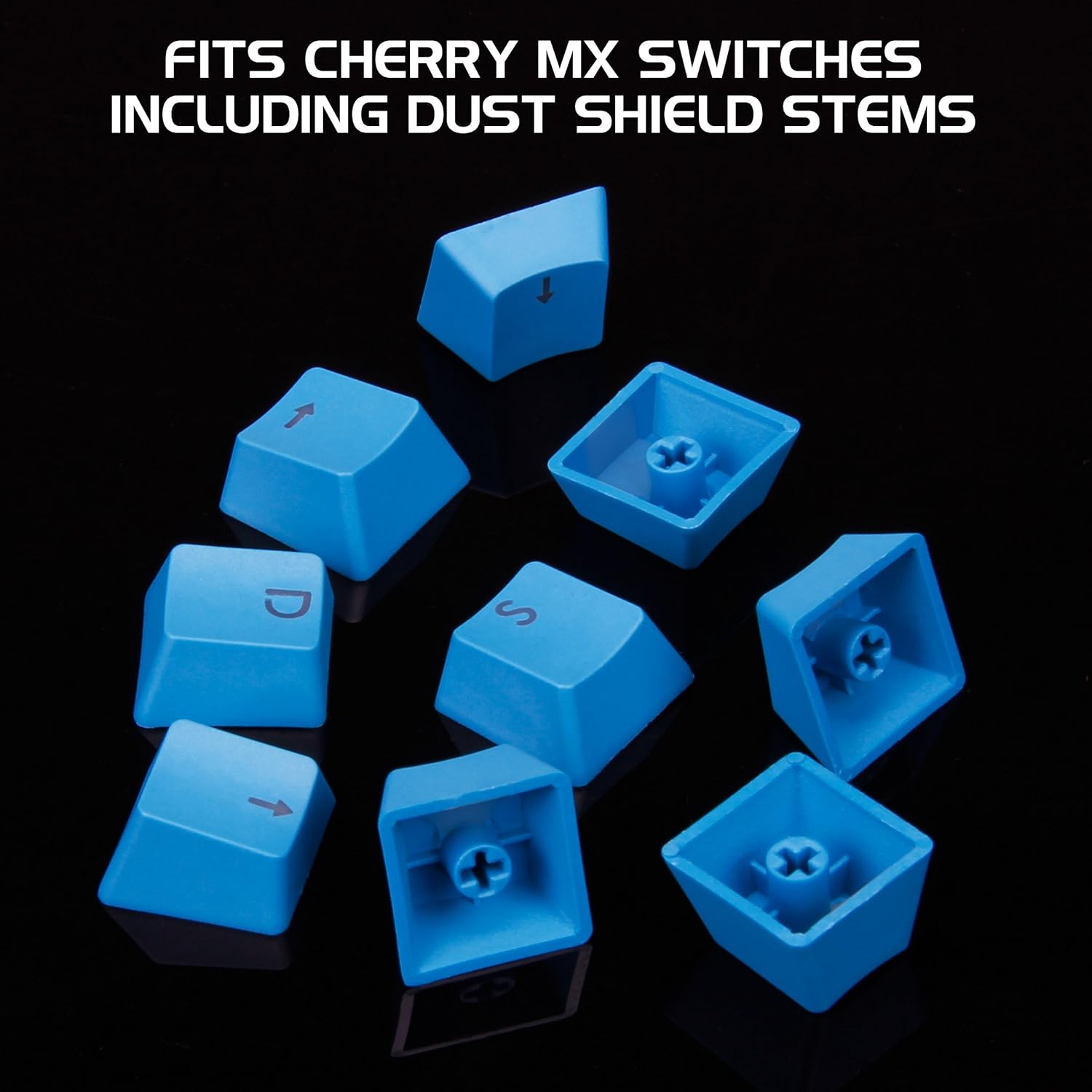
Obrázek: Detailní záběr view of the blue keycaps, highlighting the cross-shaped stems designed for mechanical keyboard switches.

Image: The blue WASD and arrow keycaps arranged, ready for installation on a gaming keyboard.

Image: Blue arrow keycaps successfully installed on a mechanical keyboard, with the keyboard's backlighting visible.

Image: Blue WASD and ESC keycaps installed on a mechanical keyboard, showcasing their distinct appearance and placement.
3.3 Video Guide: Keycap Installation
Video: A detailed demonstration of how to install keycaps on a mechanical keyboard, including removal and placement techniques.
4. Použití a provoz
The ENHANCE PBT Keycaps are designed to enhance your gaming and typing experience through several key features:
- Zlepšená odolnost: Made from double-shot PBT plastic, these keycaps are resistant to wear, fading, and shine, ensuring longevity even with high usage.
- Vylepšený grip: The textured surface provides a better tactile feel, reducing slippage during intense gaming sessions.
- Optimized Finger Positioning: Contoured key profiles help maintain consistent finger placement, improving typing accuracy and speed.
- Backlit Compatibility: The translucent legends allow your keyboard's backlighting to shine through, maintaining visibility in low-light conditions.

Image: Hands demonstrating active use of a mechanical keyboard featuring the installed blue WASD keycaps, highlighting ergonomic positioning.
5. Údržba
Regular cleaning helps maintain the appearance and functionality of your keycaps and keyboard.
- Odstranění prachu: Use the included dust brush to gently sweep away dust and debris from between the keycaps and around the keyboard switches.
- Čištění povrchu: For smudges or fingerprints, lightly dampen the microfiber cleaning cloth with water (or a mild, keyboard-safe cleaner) and wipe the keycap surfaces. Avoid harsh chemicals.
- Hloubkové čištění: For a more thorough clean, you may remove the keycaps using the keycap puller (refer to Section 3.1) and clean them individually. Ensure keycaps are completely dry before reinstallation.
- Skladování: When not in use, store spare keycaps and cleaning tools in the provided drawstring pouch to keep them clean and organized.

Image: A hand utilizing the provided dust brush to clean a mechanical keyboard, with the microfiber cleaning cloth positioned nearby for convenience.
6. Řešení problémů
If you encounter issues with your ENHANCE PBT Keycaps, consider the following:
- Keycap Not Fitting: Ensure your keyboard uses MX-style switches (Cherry MX, Kailh, Gateron, Outemu, Greetech, KBT). These keycaps are not compatible with other switch types. Verify the keycap orientation before pressing it onto the switch.
- Klávesnice se zdá být uvolněná: Re-seat the keycap by pressing down firmly and evenly. If it continues to feel loose, inspect the switch stem for damage.
- Backlighting Not Visible: Confirm your keyboard has backlighting functionality. The keycaps are designed for translucent legends, but the keyboard itself must emit light.
- Difficulty Removing Keycaps: Ensure the keycap puller is correctly hooked under the keycap. Apply steady, even pressure. Avoid twisting or prying aggressively.
7. Specifikace
| Značka | ZVÝŠIT |
| Číslo modelu | B07DMB1XTB |
| Materiál | Polybutylen tereftalát (PBT) |
| Barva | Modrý |
| Kompatibilita | Cherry MX, Kailh, Gateron, Outemu, Greetech, KBT, and any MX Style switch |
| Hmotnost položky | 2 unce |
| Rozměry produktu | 7.5 x 4.5 x 1 palce |
| UPC | 637836603855 |
8. Záruka a podpora
For warranty information or technical support, please refer to the official ENHANCE webnebo se obraťte přímo na jejich zákaznický servis. Uschovejte si doklad o koupi pro případ reklamace.