
1. Úvod
The Temtop H2 is a professional air quality detector designed for real-time monitoring of Formaldehyde (HCHO) and Total Volatile Organic Compounds (TVOC). This device provides accurate readings to help assess indoor air quality. This manual provides essential information for the safe and effective use of your Temtop H2 detector.

Image: Temtop H2 Air Quality Detector and accessories in its box.
2. Bezpečnostní informace
- Před použitím zařízení si pečlivě přečtěte všechny pokyny.
- Nepokoušejte se zařízení rozebírat ani upravovat. Mohlo by dojít k jeho poškození a zrušení záruky.
- Keep the device away from water, high humidity, and extreme temperatures.
- Avoid placing the device near strong chemical sources or in areas with high dust concentration, as this may affect sensor accuracy.
- Use only the specified batteries and charging cable.
3. Komponenty produktu
The Temtop H2 package includes the following items:
- Temtop H2 Air Quality Detector
- Nabíjecí kabel
- Resetovat PIN
- Uživatelská příručka (tento dokument)
Zařízení skončiloview
The Temtop H2 features a clear display, intuitive control buttons, and a high-accuracy sensor for detecting HCHO and TVOC levels.

Obrázek: Detail view of the Temtop H2 detector showing the high-accuracy sensor for HCHO/TVOC.

Obrázek: Zadní view of the Temtop H2 detector, showing the sensor vent and battery compartment cover.
4. Nastavení
4.1. Instalace baterie
- Locate the battery compartment on the back of the Temtop H2 detector.
- Vysuňte kryt přihrádky na baterie.
- Insert 3 AA batteries (included), ensuring correct polarity (+/-).
- Bezpečně zavřete kryt bateriového prostoru.

Image: The open battery compartment of the Temtop H2, showing the placement for 3 AA batteries.
4.2. Počáteční zapnutí
After installing the batteries, press and hold the red power button (U) located on the front of the device to turn it on. The device will perform a brief self-check before displaying readings.
5. Návod k obsluze
5.1. Zapnutí/vypnutí
- To power on: Press and hold the red power button (U), dokud se obrazovka nerozsvítí.
- Vypnutí: Stiskněte a podržte červené tlačítko napájení (U) until the screen turns off.
5.2. Zobrazení informací
The device's screen displays real-time measurements and status indicators:
- HCHO: Formaldehyde concentration in milligrams per cubic meter (mg/m³).
- TVOC: Total Volatile Organic Compounds concentration in milligrams per cubic meter (mg/m³).
- Indikátor baterie: Zobrazuje aktuální stav baterie.
- Audio Alarm Icon: Indicates if the audible alarm is active.
- Ikona podsvícení: Indicates if the screen backlight is active.

Image: The Temtop H2 detector displaying real-time HCHO and TVOC readings in an indoor setting.
5.3. Funkce tlačítek
The control panel features several buttons for device operation:

Image: Close-up of the Temtop H2 control buttons, including Set, OK, Up, Down, Speaker, and Backlight.
- Tlačítko nastavení: Enters the settings menu.
- Tlačítko OK: Confirms selections or exits menus.
- Tlačítka se šipkami nahoru/dolů: Prochází možnostmi nabídky nebo upravuje hodnoty.
- Speaker Icon Button: Zapíná nebo vypíná zvukový alarm.
- Lightbulb Icon Button: Toggles the screen backlight on or off.
5.4. Zvukový alarm
The Temtop H2 is equipped with an audible alarm that activates when HCHO or TVOC levels exceed preset thresholds. To enable or disable the alarm, press the Speaker Icon Button. When enabled, an alarm icon will appear on the display.
5.5. Health Parameter Guide
Refer to the following guide for understanding the health implications of detected HCHO and TVOC levels:
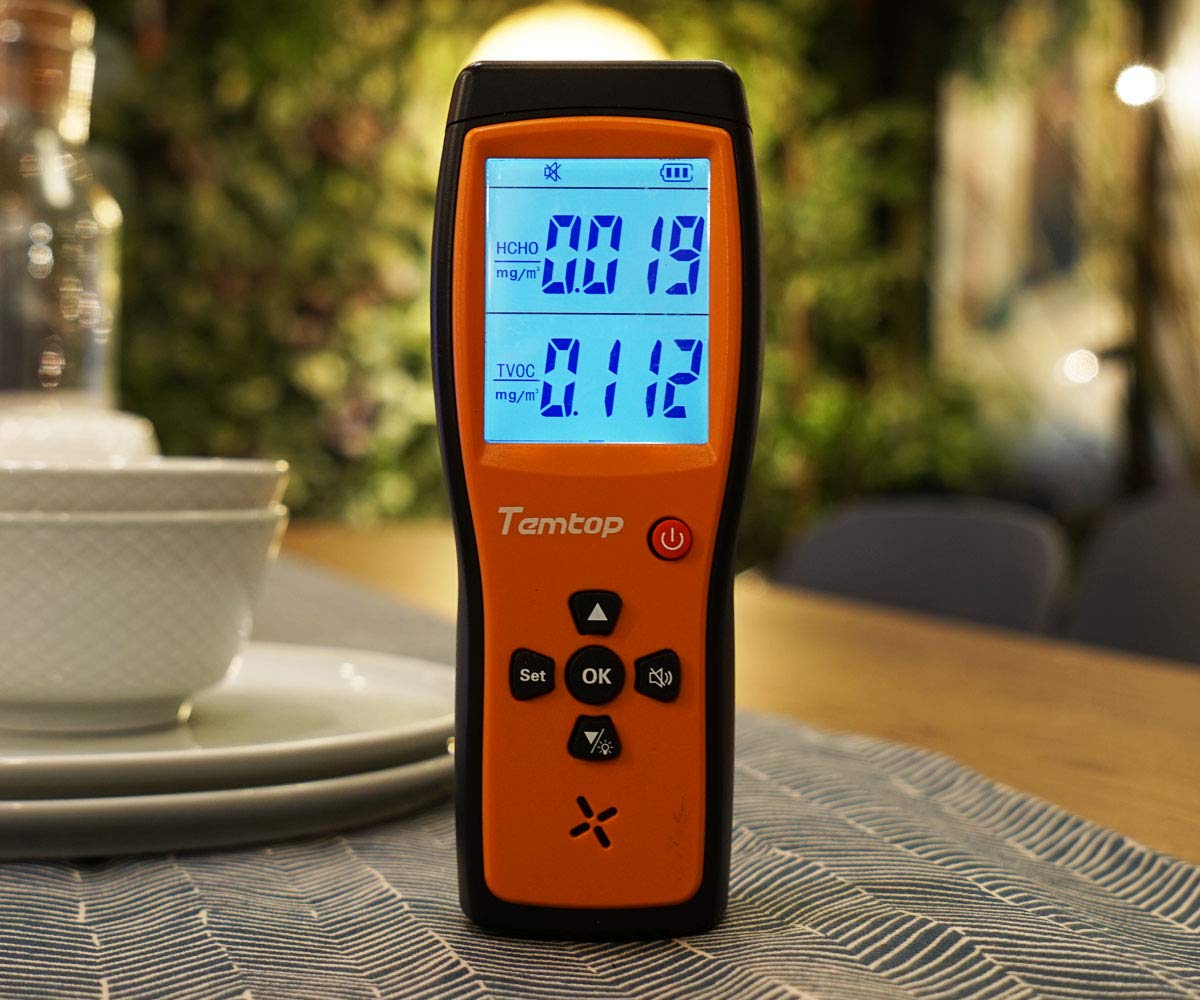
Image: A table illustrating HCHO and TVOC concentration ranges and their corresponding levels of health concern (Healthy or Unhealthy).
| HCHO (mg/m³) | TVOC (mg/m³) | Úrovně obav o zdraví |
|---|---|---|
| 0–0.1 | 0–0.5 | Zdravý |
| > 0.1 | > 0.5 | Nezdravý |
6. Údržba
6.1. Čištění
To clean the device, gently wipe the exterior with a soft, dry cloth. Do not use liquid cleaners, abrasive materials, or solvents, as these can damage the device or affect sensor performance.
6.2. Skladování
When not in use for extended periods, store the Temtop H2 in a cool, dry place, away from direct sunlight and extreme temperatures. Remove batteries if storing for several months to prevent leakage.
6.3. Výměna baterie
Replace the 3 AA batteries when the low battery indicator appears on the screen to ensure continuous and accurate operation. Follow the battery installation steps outlined in Section 4.1.
7. Řešení problémů
- Zařízení se nezapne:
Check if the batteries are installed correctly with the right polarity. Ensure the batteries have sufficient charge. Try replacing the batteries. - Readings appear inaccurate or fluctuate significantly:
Allow the device to stabilize for at least 5-10 minutes after powering on, especially in a new environment. Ensure the device is not placed near strong sources of chemicals (e.g., cleaning products, fresh paint) or in areas with high airflow that could interfere with readings. - Alarm zní nepřetržitě:
Check the HCHO and TVOC readings on the display. If levels are genuinely high, ventilate the area. If readings appear normal but the alarm persists, try resetting the device using the provided reset pin by inserting it into the reset hole. - Screen is dim or off:
Stiskněte tlačítko Lightbulb Icon Button to toggle the screen backlight. Check battery level and replace if low.
8. Specifikace
| Funkce | Specifikace |
|---|---|
| Značka | Temptop |
| Model | H2 |
| Typ snímače | HCHO, TVOC |
| Zdroj napájení | Battery Powered (3 AA batteries required, 1 Lithium Metal battery included) |
| Hmotnost položky | 0.49 kilogramů (1.08 liber) |
| Rozměry produktu | 6.02 x 1.81 x 8.86 palce |
| Poplach | Slyšitelný |
| Provozní vlhkost | Až 90 % (bez kondenzace) |
| Hodnocení vyšší teploty | 50 stupňů Celsia |
| Materiál | Plast |
9. Záruka a podpora
9.1. Informace o záruce
Please refer to the warranty card included with your product or visit the official Temtop webPodrobné záruční podmínky naleznete na webových stránkách. Uschovejte si účtenku jako doklad o koupi pro případ reklamace.
9.2. Zákaznická podpora
For technical assistance, troubleshooting not covered in this manual, or other inquiries, please contact Temtop customer support. Contact information can typically be found on the official Temtop webmístě nebo na obalu produktu.