
1. Úvod
This manual provides detailed instructions for the installation, operation, and maintenance of your UHPPOTE 2-Channel Color Quad System Video Splitter. This device is designed to process and display video feeds from up to two analog security cameras, offering various display modes and image adjustments. Please read this manual thoroughly before using the product to ensure proper functionality and safety.
Poznámka: This device is only compatible with AHD/TVI analog cameras.
2. Bezpečnostní informace
- Zajistěte napájení objtage matches the device's requirements (DC 12V).
- Nevystavujte zařízení vlhkosti nebo extrémním teplotám.
- Neumisťujte zařízení na přímé sluneční světlo nebo do blízkosti zdrojů tepla.
- Nepokoušejte se zařízení otevírat ani opravovat sami. Veškerý servis svěřte kvalifikovanému personálu.
- Udržujte zařízení mimo dosah silných magnetických polí.
3. Obsah balení
Ověřte, zda jsou v balení obsaženy všechny níže uvedené položky:
- 1 x UHPPOTE 2-Channel Video Splitter/Processor
- 1 x Dálkové ovládání
- 1 x anglická uživatelská příručka
- 1 x napájecí adaptér
- 3 x BNC Adapters
4. Konec produktuview
Přední panel
The front panel features control buttons and indicators for managing video inputs and display modes.

Obrázek 4.1: Přední view of the video splitter. It displays buttons for MENU, ENTER, A/B, PB, directional arrows, ZOOM, FREEZE, MODE, AUTO, and a POWER switch.
Zadní panel
The rear panel provides all necessary connection ports for video input, video output, and power.

Obrázek 4.2: Zadní view of the video splitter. It shows two BNC video input ports labeled VIDEO1 and VIDEO2, one BNC monitor output port, and a DC 12V power input jack.
Dno View
The bottom of the device features rubber feet for stability and ventilation holes.
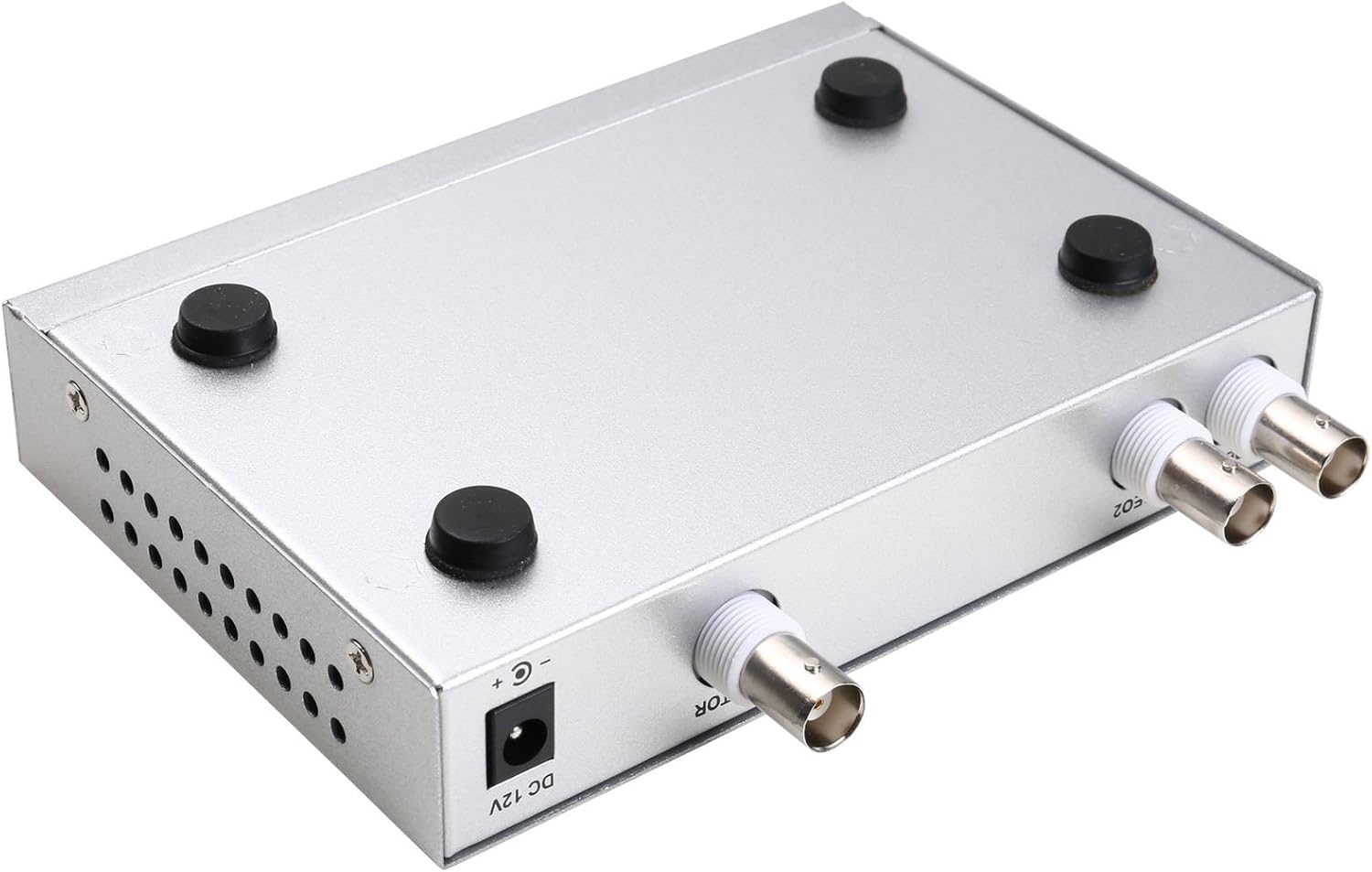
Obrázek 4.3: Dno view of the video splitter, highlighting the four rubber feet for stable placement.
Napájecí adaptér
The included power adapter supplies the necessary DC 12V power to the unit.

Obrázek 4.4: The power adapter provided with the unit, rated for DC 12V output.
5. Nastavení
Follow these steps to connect your video splitter:
- Připojení kamer: Connect your AHD/TVI analog cameras to the VIDEO1 and VIDEO2 BNC input ports on the rear panel of the splitter. Use the provided BNC adapters if necessary.
- Připojení monitoru: Connect your display monitor to the MONITOR OUT BNC port on the rear panel.
- Připojte napájení: Plug the DC 12V power adapter into the DC 12V input jack on the rear panel, then plug the adapter into a power outlet.
- Zapnutí: Flip the POWER switch on the front panel to the 'ON' position.

Obrázek 5.1: Connection schematic. (1) Video input from cameras (CAM1, CAM2) to VIDEO1, VIDEO2. (2) Video output from MONITOR OUT to a display monitor. (3) Power input to DC 12V.
6. Návod k obsluze
The video splitter offers various display modes and image adjustment features. Use the front panel buttons or the remote control to operate the device.
6.1. Režimy zobrazení
Stiskněte tlačítko MODE button to cycle through different display layouts:
- Single Channel Display: View one camera feed in full screen (Full 1, Full 2).
- Dual Panoramic Display: View two camera feeds side-by-side (left/right split) or top/bottom split.
- Obraz v obraze (PIP): View one main camera feed with a smaller inset window of the second camera. PIP positions are switchable (top-left, top-right, bottom-left, bottom-right).
6.2. Úpravy obrazu
You can adjust image parameters for each camera channel:
- Stiskněte tlačítko MENU button to access the on-screen display (OSD) menu.
- Use the directional arrow buttons (▲ / ▼ / ◀ / ▶) to navigate through menu options.
- Stiskněte ENTER pro výběr možnosti nebo potvrzení nastavení.
- Adjust parameters such as Brightness, Contrast, Saturation, Hue, a Ostrost for each camera channel individually.
- Stiskněte MENU znovu pro opuštění nabídky OSD.
6.3. Speciální funkce
- ZMRAZIT: Stiskněte tlačítko ZMRAZIT button to pause the current video frame. Press again to resume live video.
- ZOOM: Stiskněte tlačítko ZOOM button to activate electronic zoom. Use the directional arrows to select the enlarged area. Press ZOOM znovu k výstupu.
- AUTO: Stiskněte tlačítko AUTO button to enable auto-cruise mode, which cycles through different camera views or display modes automatically. Each channel can be set for auto-cruise.
- A/B: Switch between camera inputs.
- PB: Playback function (if supported by connected DVR/NVR, otherwise may not be active).
7. Údržba
- Čištění: K čištění vnější strany zařízení používejte měkký, suchý hadřík. Nepoužívejte tekuté čisticí prostředky ani aerosoly.
- Větrání: Ujistěte se, že větrací otvory nejsou zablokované, aby nedošlo k přehřátí.
- Skladování: Pokud zařízení delší dobu nepoužíváte, skladujte jej na chladném a suchém místě, mimo dosah přímého slunečního záření a prachu.
8. Řešení problémů
If you encounter issues with your video splitter, refer to the following common problems and solutions:
- Bez napájení:
- Zkontrolujte, zda je napájecí adaptér bezpečně připojen k zařízení a do elektrické zásuvky.
- Ujistěte se, že je vypínač na předním panelu v poloze „ON“.
- Zkontrolujte, zda je elektrická zásuvka funkční.
- Žádný video výstup:
- Confirm that cameras are properly connected to the VIDEO IN ports.
- Ensure the monitor is correctly connected to the MONITOR OUT port and is powered on.
- Check the video cables for damage or loose connections.
- Verify that the cameras are AHD/TVI analog cameras, as other types are not supported.
- Try cycling through display modes using the MODE button.
- Špatná kvalita obrazu:
- Adjust Brightness, Contrast, Saturation, Hue, and Sharpness settings via the OSD menu.
- Ensure video cables are of good quality and not excessively long.
- Check the camera's own settings and lens focus.
- Dálkové ovládání nefunguje:
- Check and replace the remote control batteries.
- Ensure there are no obstructions between the remote control and the device's IR receiver.
9. Specifikace
| Funkce | Specifikace |
|---|---|
| Značka | Uhppote |
| Číslo modelu | 402 |
| Materiál | Metal Shell |
| Barva | Stříbro |
| Video vstup | 2-way (BNC) |
| Video výstup | 1-way (BNC) |
| PAL Resolution | 720 x 576 @ 50 Hz |
| NTSC Resolution | 720 x 480 @ 60 Hz |
| Hmotnost položky | 0.88 libry |
| Kompatibilita | AHD/TVI Analog Cameras Only |
10. Záruka a podpora
For warranty information or technical support, please refer to the contact details provided with your purchase or visit the official UHPPOTE webUschovejte si účtenku jako doklad o koupi pro případné reklamace.