
Arctic-Pro 21599
Arctic-Pro Mini Desk Oscillating Tower Fan User Manual
Model: 21599
Zavedení
This manual provides important information regarding the safe operation, installation, and maintenance of your Arctic-Pro Mini Desk Oscillating Tower Fan. Please read this manual thoroughly before using the product and retain it for future reference.
The Arctic-Pro Mini Desk Oscillating Tower Fan is designed to provide personal cooling with its compact size and quiet operation. It features two speed settings and a 75-degree oscillation function for effective air circulation in small spaces such as offices, bedrooms, and cubicles.
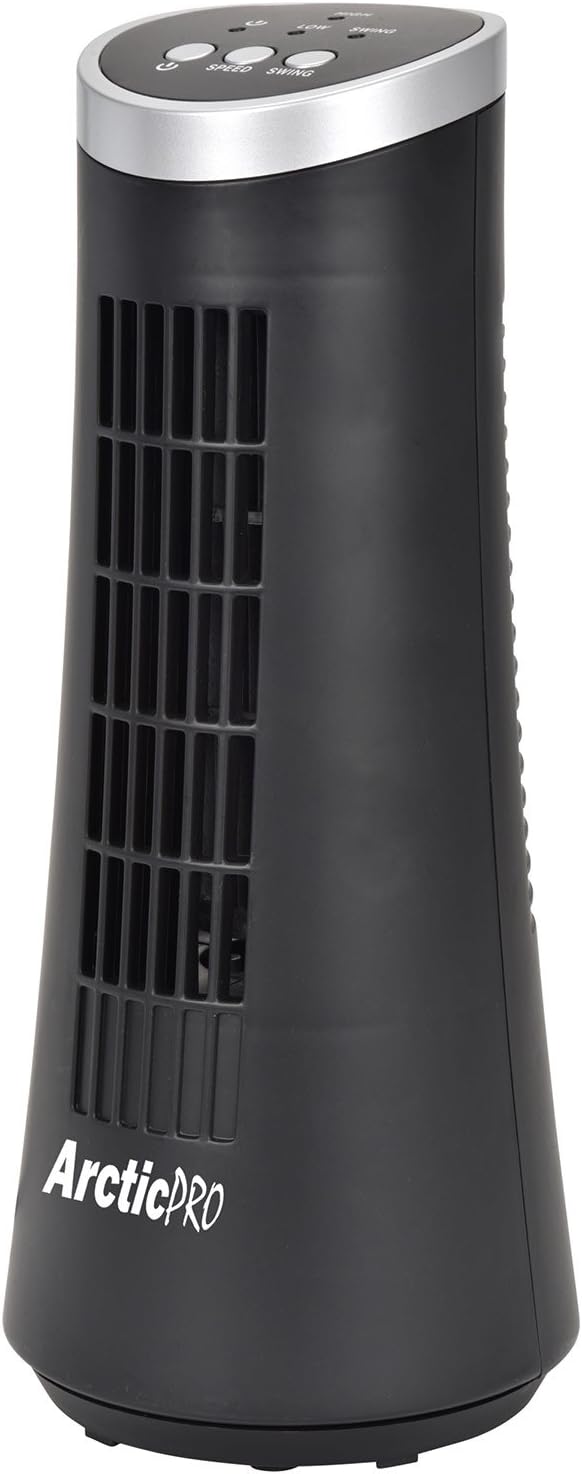
Figure 1: Arctic-Pro Mini Desk Oscillating Tower Fan, a compact black tower fan with a silver top panel.
Vlastnosti a komponenty produktu
Familiarize yourself with the key features and components of your fan for optimal use.
- Tichý provoz: Engineered to produce minimal operational noise, ensuring no distractions during work or sleep.
- Přenosný a kompaktní design: Features a convenient carrying handle for easy transport between rooms. Ideal for desks, nightstands, and small spaces. Dimensions: 5 x 12 inches.
- Dvě nastavení rychlosti: Adjustable airflow from Low to High wind via electronic touch controls with LED indicators.
- 75-Degree Oscillation: Provides wide-angle air distribution and circulation to cool your entire area effectively.
- Electronic Touch Controls: Intuitive controls located on the top panel for power, speed, and oscillation.

Obrázek 2: Přesview of fan components, highlighting the user controls on top, the front grill, the handle on the back, and the oscillating base.
Nastavení
The Arctic-Pro Mini Desk Oscillating Tower Fan requires no assembly. Simply remove it from its packaging and place it on a stable, flat surface.
- Unpack the fan carefully from its box.
- Place the fan on a firm, level surface, ensuring adequate space around it for air circulation and oscillation.
- Plug the power cord into a standard electrical outlet (AC 120V, 60Hz).
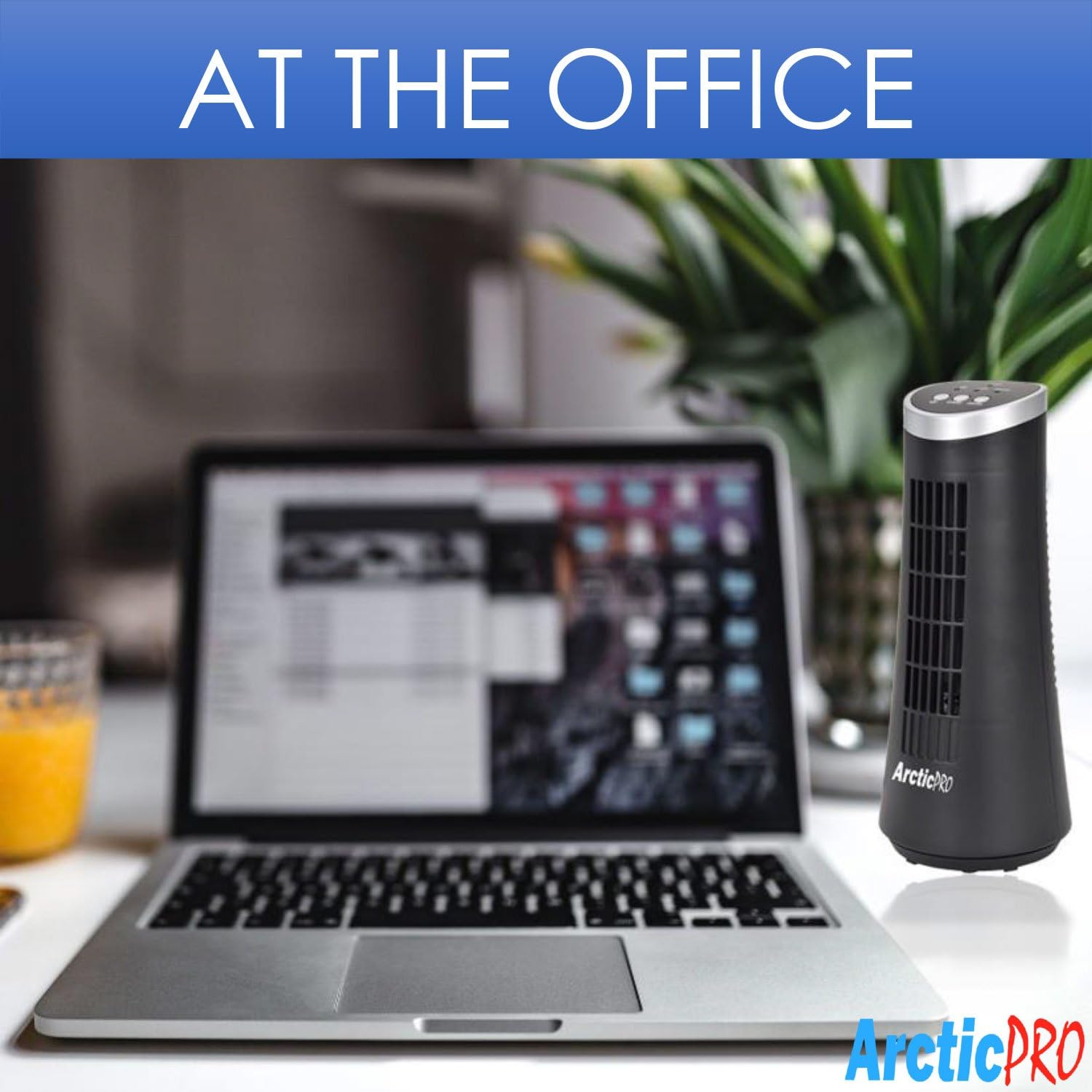
Figure 3: The product packaging, indicating the fan is ready to use out of the box.
Návod k obsluze
The fan is operated using the touch controls located on the top panel.

Obrázek 4: Detailní view of the fan's touch control panel, showing buttons for On/Off, Speed (Low/High), and Oscillation (Swing).
- Zapnutí/vypnutí: Stiskněte tlačítko Tlačítko napájení to turn the fan on or off. An LED indicator will illuminate when the fan is on.
- Nastavení rychlosti: Stiskněte tlačítko Tlačítko rychlosti to cycle between Low and High speed settings. Corresponding LED indicators will show the selected speed.
- Ovládání oscilace: Stiskněte tlačítko Swing tlačítko to activate or deactivate the 75-degree oscillation function. When active, the fan will rotate from side to side to distribute air across a wider area.
Údržba a péče
Regular cleaning and proper care will ensure the longevity and efficient operation of your fan.
- Čištění:
- Před čištěním vždy odpojte ventilátor ze zásuvky.
- Použijte měkký, damp hadříkem otírejte vnější povrchy ventilátoru. Nepoužívejte abrazivní čisticí prostředky ani rozpouštědla.
- To clean the fan grill, use a vacuum cleaner with a brush attachment to remove dust and debris. Do not attempt to disassemble the fan for cleaning.
- Skladování:
- If storing the fan for an extended period, clean it thoroughly and place it back in its original packaging or a suitable box.
- Ventilátor skladujte na chladném a suchém místě, mimo dosah přímého slunečního záření a extrémních teplot.
Note: Do not immerse the fan in water or allow water to drip into the motor housing.
Odstraňování problémů
Pokud narazíte na jakékoli problémy s ventilátorem, podívejte se prosím na následující běžné problémy a jejich řešení:
| Problém | Možná příčina | Řešení |
|---|---|---|
| Ventilátor se nezapne. | Není zapojeno do zásuvky; zásuvka nefunguje; ventilátor je vypnutý. | Ensure the power cord is securely plugged into a working electrical outlet. Press the Power button. Test the outlet with another device. |
| Slabé nebo žádné proudění vzduchu. | Fan speed set to low; air intake/output blocked; excessive dust buildup. | Increase the fan speed using the Speed button. Ensure nothing is obstructing the front grill or rear air intake. Clean the fan grill to remove dust. |
| Ventilátor neosciluje. | Funkce oscilace je vypnutá. | Press the Swing button to activate the oscillation function. |
| Neobvyklý hluk během provozu. | Fan not on a level surface; internal obstruction. | Place the fan on a stable, level surface. Unplug the fan and check for any visible obstructions in the grill. If the noise persists, discontinue use and contact customer support. |
Specifikace
| Atribut | Detail |
|---|---|
| Značka | Arctic-Pro |
| Číslo modelu | 21599 |
| Rozměry produktu | 5"H x 5"Š x 12"V (12.7 cm H x 12.7 cm Š x 30.48 cm V) |
| Barva | Černý |
| Zdroj napájení | Elektrický kabel |
| Kontrolní metoda | Dotek |
| Speciální funkce | Oscillating, Portable, Ultra-Quiet Operation |
| Hmotnost položky | 2.45 liber (1.11 kg) |
| UPC | 815691021599 |

Figure 5: Dimensions of the fan, indicating a height of 12.5 inches (31.75 cm) and a base width of 5 inches (12.7 cm).
Důležité bezpečnostní informace
Please read and follow all safety instructions to prevent injury or damage.
- Neprovozujte žádný ventilátor s poškozeným kabelem nebo zástrčkou. Ventilátor zlikvidujte nebo jej vraťte do autorizovaného servisního zařízení ke kontrole a/nebo opravě.
- Neveďte kabel pod koberec. Nezakrývejte kabel kluznými koberci, běhouny nebo podobnými kryty. Neveďte kabel pod nábytkem nebo spotřebiči. Kabel umístěte mimo dopravní oblast a tam, kde o něj nikdo nezakopne.
- Chcete-li ventilátor odpojit, vypněte ovládací prvky a poté vytáhněte zástrčku ze zásuvky.
- Nevkládejte ani nedovolte, aby se do ventilačních nebo výfukových otvorů dostaly prsty nebo cizí předměty, mohlo by dojít k úrazu elektrickým proudem, požáru nebo k poškození ventilátoru.
- Neblokujte žádným způsobem přívod ani odvod vzduchu. Nepoužívejte na měkkých površích, jako je postel, kde by se otvory mohly ucpat.
- Tento ventilátor není určen k použití za mokra nebo damp umístění.
- Během provozu vždy umístěte ventilátor na stabilní, rovný povrch, aby se nepřevrátil.
- Když je jakýkoli spotřebič používán dětmi nebo v jejich blízkosti, je nutný pečlivý dohled.
Zákaznická podpora
For any questions, concerns, or assistance with your Arctic-Pro Mini Desk Oscillating Tower Fan, please contact your retailer or the manufacturer's customer service. While specific warranty details are not provided in this manual, the product is backed by a 30-day full money-back guarantee from the point of purchase, as per product information.
Uschovejte si prosím účtenku jako doklad o koupi pro případné dotazy ohledně podpory.
Ask a question about this manual
Ask about setup, troubleshooting, compatibility, parts, safety, or missing instructions. Manuals+ will review the question and use this page’s manual context to help answer it.