
1. Úvod
The VILTROX L116T is a compact and versatile 15W LED video light panel designed for various photography and video recording applications, including studio photography, video recording, and live streaming. It features adjustable brightness and color temperature, a lightweight design, and an intuitive LCD display for easy operation.
2. Obsah balení
Upon unpacking your VILTROX L116T LED Video Light Panel, please ensure all the following items are present:
- VILTROX L116T LED Video Light Panel
- Baterie NP-F550
- Battery Charger (Micro USB)
- Hot Shoe adaptér
- Micro USB kabel
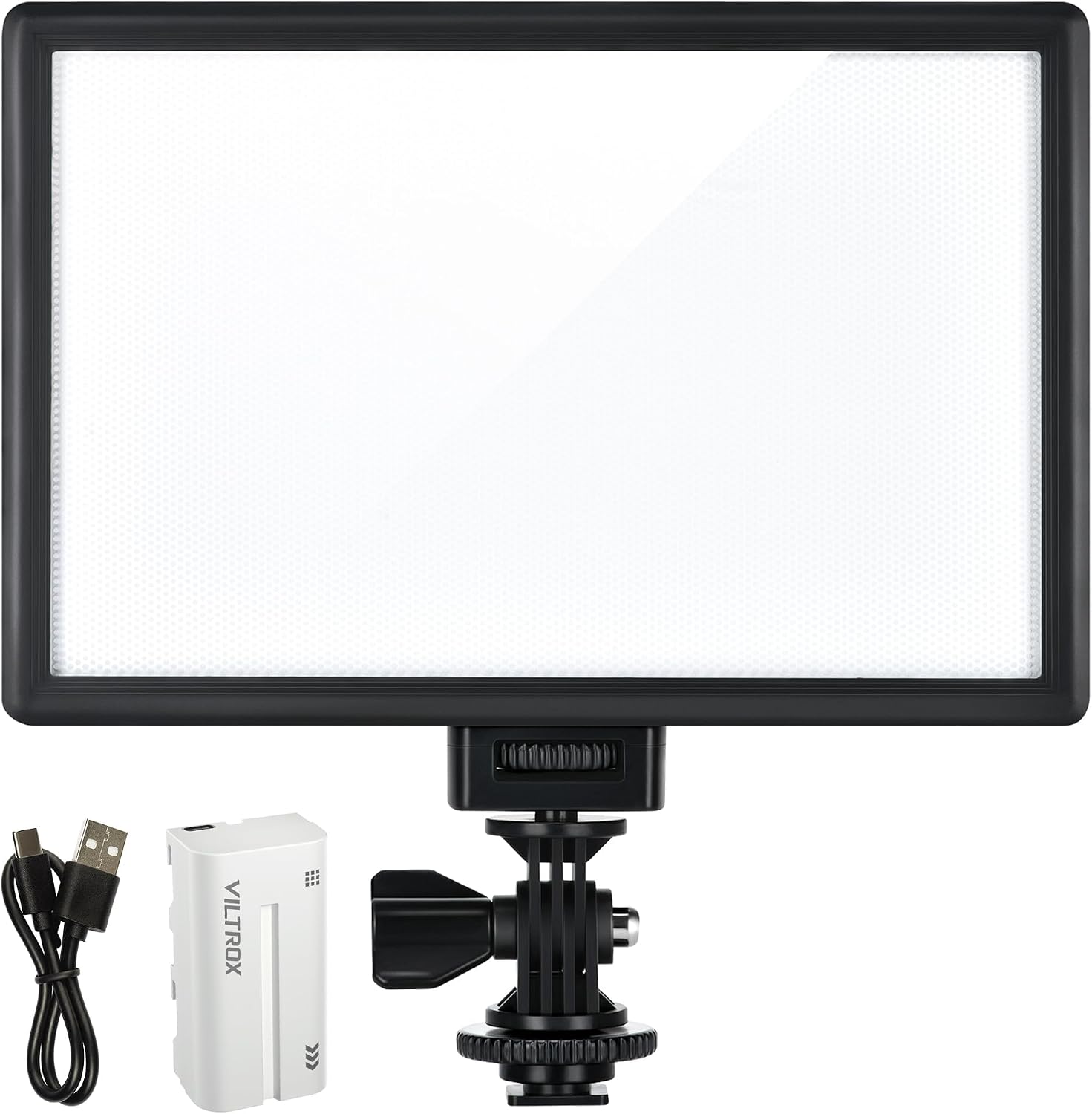
Image: The VILTROX L116T kit includes the LED panel, an NP-F550 battery, a battery charger, a hot shoe adapter, and a micro USB cable.
3. Vlastnosti produktu
- Adjustable Brightness & Color Temperature: The light offers 20%-100% brightness adjustments and 3300K-5600K color temperature adjustments, allowing precise control over lighting conditions for various shooting needs.
- Super Lightweight & Portable: With dimensions of 192 x 128 x 25mm and a net weight of only 260g, the L116T is designed for portability, easily fitting into a camera bag for on-the-go use.

Image: The VILTROX L116T LED panel is shown with its compact dimensions (192x128x25mm) and lightweight design (260g), highlighting its portability.
- Snadno použitelné ovládací prvky: Switch between brightness and color temperature modes by pressing the adjustment button. Rotate the button to change the percentage of brightness or the Kelvin value for color temperature. The light remembers previous settings upon restart.
- Displej LCD: A clear LCD screen displays real-time information on brightness percentage, color temperature, and remaining battery life, facilitating professional operation.

Image: A hand adjusts the control knob on the back of the VILTROX L116T, with the LCD screen clearly showing brightness and color temperature settings.
- Soft Diffuser Surface: The honeycomb diffuser surface provides ample brightness while ensuring soft, eye-friendly illumination, suitable for various subjects including people and pets.
4. Nastavení
- Vložte baterii: Slide the provided NP-F550 battery into the battery compartment on the back of the LED panel until it clicks securely into place. Ensure the battery is charged before use.

Image: A hand demonstrates inserting the NP-F550 battery into the designated slot on the back of the VILTROX L116T LED panel.
- Attach Hot Shoe Adapter: Screw the hot shoe adapter into the 1/4-inch screw hole at the bottom of the LED panel. Tighten it securely.
- Mount to Camera/Tripod: Slide the hot shoe adapter into your camera's hot shoe mount or attach it to a tripod using the 1/4-inch screw thread on the adapter. Tighten the locking mechanism to secure the light.
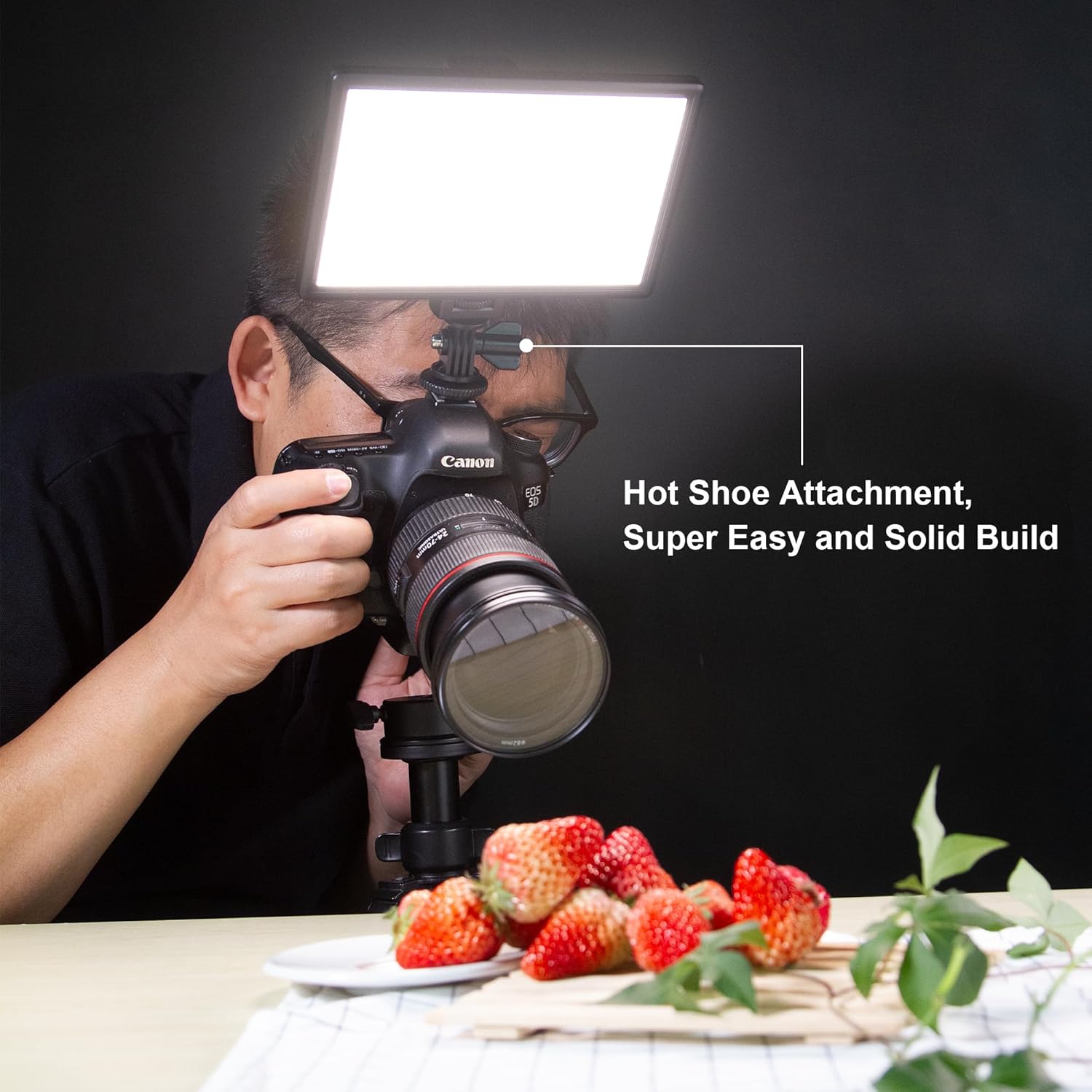
Image: The VILTROX L116T LED panel is shown mounted on top of a DSLR camera using the hot shoe attachment, illuminating a subject.
- Externí napájení (volitelné): For continuous power without relying on the battery, connect a 12V DC power adapter (not included) to the DC input port at the bottom of the light.
5. Návod k obsluze
- Zapnutí/vypnutí: Flip the ON/OFF switch located on the back of the panel to power the device on or off.
- Upravit jas: When the light is on, the LCD screen will display the current brightness percentage. Rotate the control knob to increase or decrease the brightness from 20% to 100%.
- Úprava teploty barev: Press the control knob once to switch from brightness adjustment mode to color temperature adjustment mode. The Kelvin value (e.g., 3300K) will flash on the LCD screen. Rotate the control knob to adjust the color temperature from 3300K (warm) to 5600K (cool). Press the knob again to confirm the setting or switch back to brightness adjustment.

Image: A collage showing the VILTROX L116T LED panel illuminating small astronaut figurines at various brightness levels (10%, 50%, 100%) and color temperatures (3300K, 5600K).
- Nastavení monitoru: The LCD display continuously shows the current brightness percentage, color temperature, and battery status.
6. Údržba
- Čištění: Use a soft, dry cloth to clean the light panel and its display. Avoid using harsh chemicals or abrasive materials.
- Skladování: Store the light in a cool, dry place away from direct sunlight and extreme temperatures. Remove the battery if storing for extended periods.
- Péče o baterie: Fully charge the battery before first use. Avoid overcharging or completely draining the battery to prolong its lifespan.
7. Řešení problémů
- Světlo se nerozsvítí:
- Ujistěte se, že je baterie správně vložena a nabita.
- Ověřte, zda je vypínač ZAP/VYP v poloze „ZAPNUTO“.
- If using external DC power, ensure the adapter is properly connected and functioning.
- Jas/teplota barev se neupravuje:
- Check the LCD display to confirm you are in the correct adjustment mode (brightness or Kelvin value flashing).
- Rotate the control knob firmly.
- Krátká výdrž baterie:
- Operating at 100% brightness will consume battery faster. Reduce brightness for longer usage.
- Consider carrying spare batteries for extended shoots.
8. Specifikace
| Rozměry produktu | 7.56"L x 5.04"W x 0.98"H (192 x 128 x 25mm) |
| Hmotnost položky | 9.1 unce (260 g) |
| Číslo modelu položky | L116T |
| Baterie | Vyžaduje 1 lithium-iontovou baterii (součástí balení) |
| Životnost baterie | Up to 1.75 Hours (depending on brightness/temperature) |
| Technologie připojení | USB |
| Hardwarové rozhraní | USB |
| Značka | VILTROX |
| Výrobce | Shenzhen Jueying Technology Co., Ltd. |
9. Záruka a podpora
For warranty information or technical support, please refer to the official VILTROX webwebu nebo se obraťte přímo na jejich zákaznický servis. Uschovejte si účtenku jako doklad o koupi.