
1. Úvod
The Aputure Amaran MC is a compact and versatile RGBWW LED on-camera light designed for photographers and videographers. It offers full Hue, Saturation, and Intensity (HSI) color control, adjustable white light in CCT mode, and various built-in lighting effects. With its high color rendition, Sidus Mesh technology for app control, and multiple charging options, the Amaran MC provides flexible lighting solutions for diverse creative needs.
2. Co je v krabici
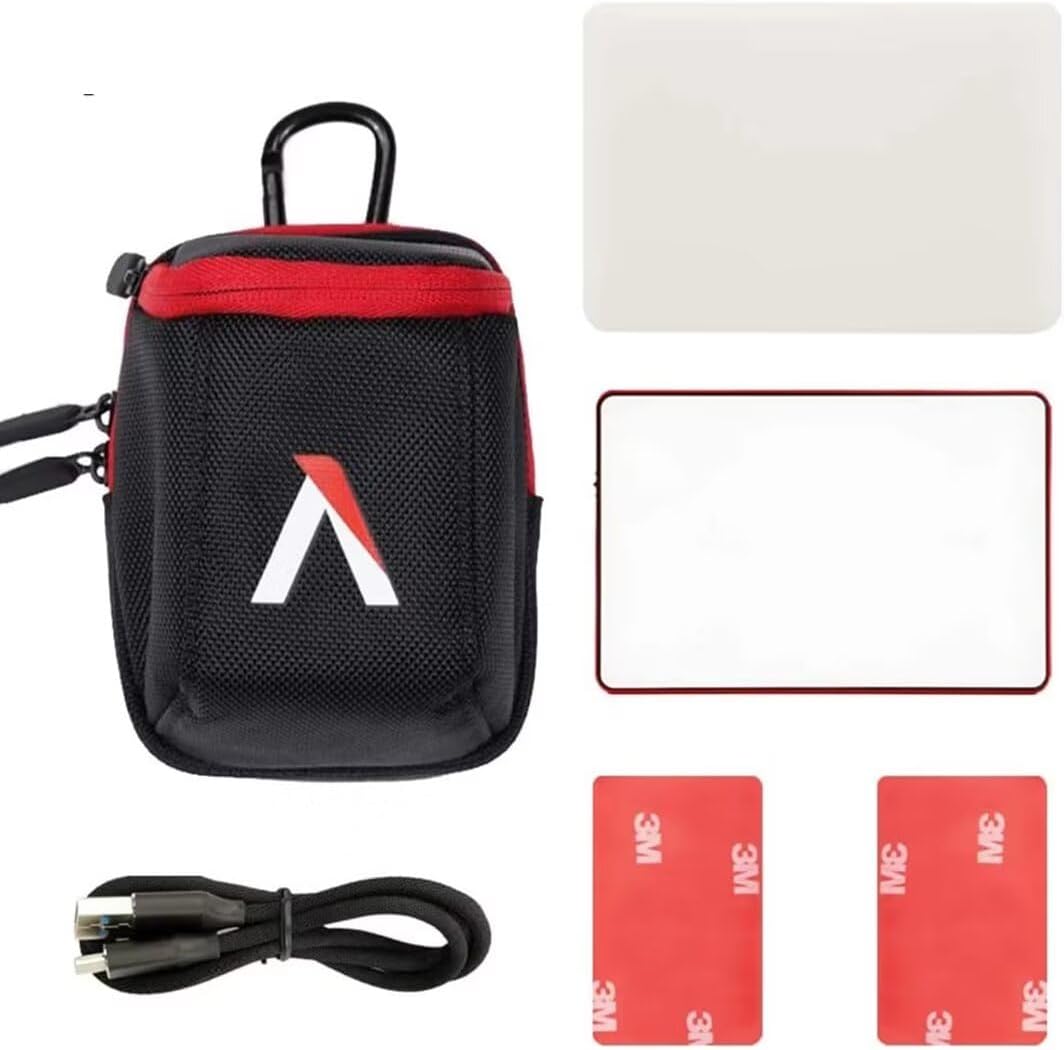
- Aputure MC Light *1
- Nabíjecí kabel USB Type-C *1
- Silicone Rubber Diffuser *1
- Adhesive Mounting Tape *2
- Aputure Carrying Bag *1
3. Vlastnosti produktu
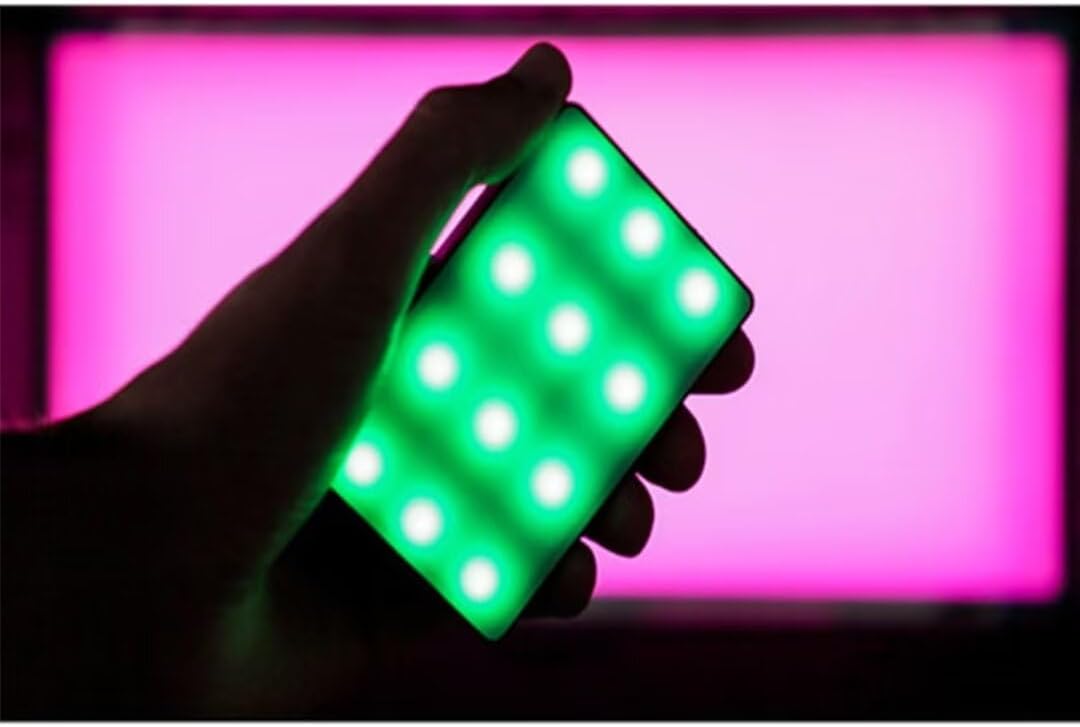
- Full HSI Color Control: The Amaran MC offers 360° of hue and 100 levels of saturation adjustment, allowing for convenient reproduction of any color.
- Režim CCT: Adjust white light color temperature from 3200K to 6500K.
- FX Lighting Modes: Includes 9 built-in lighting effects: Paparazzi, Fireworks, Faulty bulb, Lightning, TV, Pulsing, Fire, Party, and Cop Car.
- Stellar Color Quality: Achieves high color rendition with CRI and TLCI scores of 96+, and SSI scores of 84 (tungsten) and 74 (daylight).
- Sidus Link Control: Utilizes Sidus Mesh technology for controlling up to 100 lights simultaneously via the Sidus Link mobile app. Features a Color Picker function to match colors from your phone's camera.
- USB Type-C PD Charging & Wireless Charging: Supports 18W USB-C Power Delivery (PD) for a full charge in approximately 90 minutes. Compatible with Qi wireless charging protocols.


4. Nastavení
4.1 Nabíjení zařízení
Before initial use, fully charge your Amaran MC. You have two charging options:
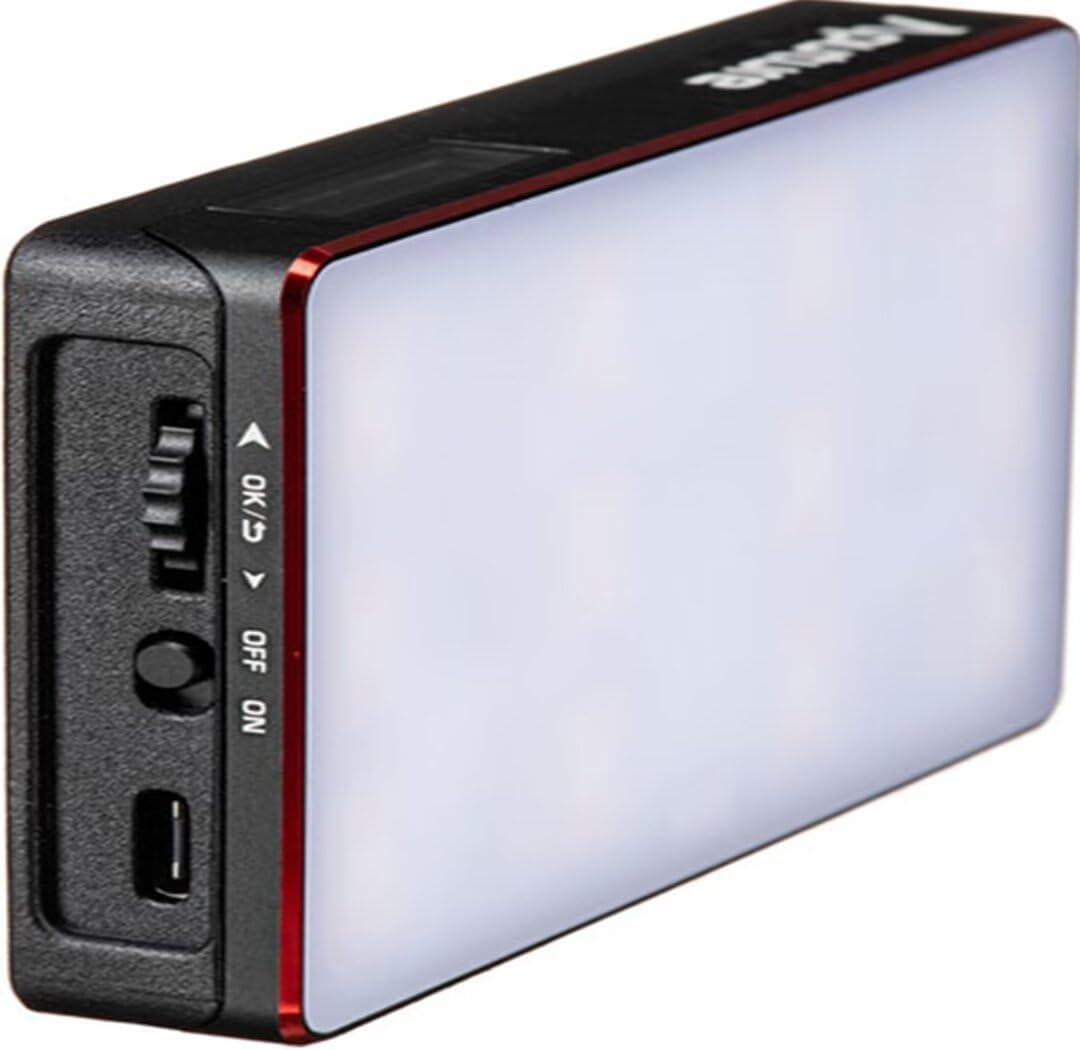
- USB Type-C: Connect the provided USB Type-C charging cable to the USB-C port on the side of the Amaran MC and to a compatible USB power adapter (not included). The device supports 18W PD quick charging.
- Bezdrátové nabíjení: Place the Amaran MC on any Qi-compatible wireless charging pad. Ensure the light is properly aligned for efficient charging.

4.2 Možnosti montáže
The Amaran MC offers several versatile mounting options:
- 1/4"-20 Screw Mount: Use the integrated 1/4"-20 screw mount to attach the light to tripods, light stands, or camera rigs.
- Magnetická adsorpce: The light features built-in magnets, allowing it to be securely attached to metallic surfaces.
- Adhesive Mounting Tape: For non-metallic surfaces, use the included adhesive mounting tapes to create a temporary mounting point for the magnets.

5. Návod k obsluze
5.1 Zapnutí/vypnutí
Locate the power switch on the side of the Amaran MC. Slide the switch to the 'ON' position to power on the device. Slide it to 'OFF' to power it down.
5.2 Úprava nastavení osvětlení
The Amaran MC features a function control wheel and an OLED screen for on-device adjustments:
- Výběr režimu: Press the control wheel to cycle through different lighting modes: HSI, CCT, and FX.
- Úprava parametrů: Rotate the control wheel to adjust parameters within the selected mode (e.g., Hue, Saturation, Intensity, Color Temperature).
- Intenzita: In any mode, rotate the wheel to adjust the brightness (0-100% stepless dimming).
5.3 Sidus Link App Control
For advanced control and features, download the Sidus Link mobile app (available on iOS and Android).
- Párování: Ensure Bluetooth is enabled on your mobile device. Open the Sidus Link app and follow the on-screen instructions to discover and pair with your Amaran MC.
- Dálkové ovládání: Adjust HSI, CCT, and FX functions remotely.
- Výběr barvy: Use your phone's camera to capture a color from your environment, and the Amaran MC will reproduce it instantly.
- Síť Mesh: Control multiple Amaran MC lights (up to 100) in a stable network, extending the control range.
6. Údržba
- Čištění: K čištění vnějšího povrchu světla používejte měkký, suchý hadřík. Nepoužívejte agresivní chemikálie ani abrazivní materiály.
- Skladování: Store the Amaran MC in its carrying bag in a cool, dry place away from direct sunlight and extreme temperatures.
- Péče o baterie: Pro optimální životnost baterie se vyvarujte častého úplného vybíjení. Pokud baterii delší dobu skladujete, nabijte ji přibližně na 50–70 %.
7. Řešení problémů
| Problém | Možná příčina | Řešení |
|---|---|---|
| Světlo se nerozsvítí | Low battery or power switch off | Charge the battery or ensure the power switch is in the 'ON' position. |
| Cannot connect to Sidus Link app | Bluetooth off, app not updated, or light not in pairing mode | Ensure Bluetooth is on, update the app, and restart the light. Refer to app instructions for pairing. |
| Nekonzistentní světelný výkon | Slabá baterie nebo rušení | Charge the light fully. Ensure no strong magnetic or electronic interference nearby. |
8. Specifikace
| Funkce | Detail |
|---|---|
| Rozměry produktu | 6.22 x 3.43 x 1.34 palce (15.8 x 8.7 x 3.4 cm) |
| Hmotnost položky | 1.12 libry (0.51 kg) |
| Číslo modelu položky | 926308 |
| Baterie | Vyžaduje se 1 nestandardní baterie |
| Výrobce | Aputura |
| Technologie připojení | Bluetooth |
| Hardwarové rozhraní | USB, USB typu C |
| UPC | 712350147426 |
9. Záruka a podpora
For warranty information and technical support, please refer to the official Aputure webnebo se obraťte přímo na jejich zákaznický servis. Uschovejte si doklad o koupi pro případ reklamace.
Aputure Official Webmísto: www.aputure.com