
1. Úvod
Thank you for choosing the NeeGo Portable Boombox B07CLH45SL. This versatile audio system combines a CD player, cassette player, AM/FM radio, and includes a NeeGo Bluetooth receiver for wireless audio streaming. This manual provides detailed instructions for setup, operation, maintenance, and troubleshooting to ensure you get the best experience from your device.
2. Bezpečnostní informace
- Před použitím jednotky si přečtěte všechny pokyny.
- Chraňte jednotku před vodou, vlhkostí a přímým slunečním zářením.
- Nezakrývejte ventilační otvory.
- Use only the power sources specified in this manual.
- Nepokoušejte se jednotku opravovat sami. Veškerý servis svěřte kvalifikovanému personálu.
- Baterie zlikvidujte zodpovědně v souladu s místními předpisy.
3. Obsah balení
Zkontrolujte prosím, zda jsou ve vašem balení obsaženy všechny níže uvedené položky:
- NeeGo Portable Boombox (Main Unit)
- NeeGo Bluetooth Receiver
- AC napájecí kabel
- 3.5mm Audio Cable (for Bluetooth receiver connection)
- USB Charging Cable for Bluetooth Receiver

Figure 3.1: Contents of the NeeGo Portable Boombox bundle, including the main unit, Bluetooth receiver, and necessary cables.
4. Konec produktuview
4.1. Main Boombox Unit
The main unit features controls for CD, cassette, and radio functions, along with volume and input selection. Key features include:
- AM/FM rádiový tuner
- CD Player (supports standard and MP3 CDs)
- Kazetový přehrávač/rekordér
- Headphone Output (3.5mm stereo mini)
- Pomocný vstup (3.5 mm)
- Automatic Shut-off Sleep Timer

Figure 4.1: Front panel and key features of the NeeGo Portable Boombox.
4.2. NeeGo Bluetooth Receiver
The included NeeGo Bluetooth receiver allows you to stream audio wirelessly to your boombox. It is compact and connects via the 3.5mm auxiliary port.
- Universal 3.5mm Stereo Port
- Micro Charge Port (for charging the receiver)
- Built-in Microphone (for hands-free calls, if supported by your device)

Obrázek 4.2: Detailní view of the NeeGo Bluetooth Receiver ports.
5. Nastavení
5.1. Powering the Boombox
Boombox lze napájet buď střídavým proudem, nebo bateriemi.
Připojení střídavého proudu:
- Ensure the boombox is turned off.
- Connect the supplied AC power cord to the AC IN jack on the back of the boombox.
- Zapojte druhý konec napájecího kabelu do standardní zásuvky ve zdi.
Instalace baterie:
For portable use, the boombox requires 6 'C' size batteries (not included).
- Otevřete kryt prostoru pro baterie umístěný na spodní straně jednotky.
- Insert 6 'C' size batteries, ensuring correct polarity (+/-) as indicated inside the compartment.
- Bezpečně zavřete kryt bateriového prostoru.
5.2. Connecting and Charging the Bluetooth Receiver
The NeeGo Bluetooth receiver allows your boombox to receive wireless audio signals.
Nabíjení Bluetooth přijímače:
Before first use, fully charge the Bluetooth receiver.
- Connect the micro USB charging cable to the micro charge port on the Bluetooth receiver.
- Druhý konec kabelu USB připojte k napájecímu zdroji USB (např. k portu USB počítače, síťovému adaptéru USB).
- The indicator light on the receiver will show charging status (e.g., red while charging, off when fully charged). A full charge provides approximately 6 hours of operation.
Connecting to the Boombox:
- Plug the 3.5mm audio cable into the universal 3.5mm stereo port on the Bluetooth receiver.
- Plug the other end of the 3.5mm audio cable into the AUX IN jack on the boombox.
- Set the boombox's function selector to 'AUX' or 'AUDIO IN'.

Figure 5.1: The NeeGo Bluetooth Receiver connected to the boombox for wireless audio.
6. Návod k obsluze
6.1. Základní obsluha
- Zapnutí/vypnutí: Stisknutím tlačítka POWER zapněte nebo vypněte jednotku.
- Ovládání hlasitosti: Otáčením ovladače VOLUME nastavte úroveň zvuku.
- Výběr funkce: Use the FUNCTION selector (e.g., CD, TAPE, RADIO, AUX) to choose your desired audio source.
6.2. Ovládání CD přehrávače
- Set the FUNCTION selector to 'CD'.
- Open the CD compartment cover by pressing the 'OPEN/CLOSE' button or lifting the cover.
- Vložte CD na vřeteno potištěnou stranou nahoru.
- Zavřete kryt prostoru pro CD. Na displeji se zobrazí celkový počet skladeb.
- Press the PLAY/PAUSE button (►/❚❚) to start playback.
- Stisknutím tlačítka STOP (■) zastavíte přehrávání.
- Use the SKIP buttons (◀◀ / ►►) to skip tracks or fast forward/rewind within a track.
- The unit may feature a 'REPEAT' or 'PROGRAM' function for customized playback. Refer to the on-unit labels for specific controls.
6.3. Obsluha kazetového přehrávače
- Set the FUNCTION selector to 'TAPE'.
- Press the STOP/EJECT button (■/▲) to open the cassette compartment.
- Vložte kazetu otevřeným okrajem nahoru.
- Zavřete přihrádku na kazetu.
- Press the PLAY button (►) to start playback.
- Press the FAST FORWARD (FF) or REWIND (REW) buttons to advance or reverse the tape. Note that the unit may not have an auto-stop feature for FF/REW, so manually press STOP when desired.
- Press the STOP/EJECT button (■/▲) to stop playback and eject the tape.
6.4. Provoz AM/FM rádia
- Set the FUNCTION selector to 'RADIO'.
- Select 'AM' or 'FM' band using the band selector switch.
- Rotate the TUNING knob to find your desired station.
- Extend and adjust the telescopic antenna for optimal FM reception. For AM reception, rotate the unit for best signal.
6.5. Bluetooth Connectivity (via NeeGo Receiver)
- Ensure the NeeGo Bluetooth receiver is charged and connected to the boombox's AUX IN port (as described in Section 5.2).
- Set the boombox's FUNCTION selector to 'AUX' or 'AUDIO IN'.
- Turn on the NeeGo Bluetooth receiver. It will automatically enter pairing mode (indicated by a flashing LED).
- On your Bluetooth-enabled device (smartphone, tablet, etc.), go to its Bluetooth settings and search for available devices.
- Select 'NeeGo BT' or a similar name from the list to pair.
- Once paired, the receiver's LED will stop flashing and remain solid. You can now play audio from your device, and it will be heard through the boombox speakers.
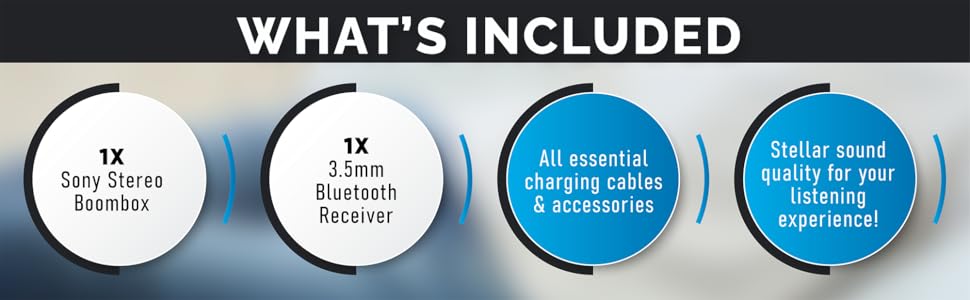
Figure 6.1: The boombox's classic stereo functions enhanced by the NeeGo Bluetooth receiver.
6.6. Pomocný vstup
To play audio from an external device directly:
- Connect a 3.5mm audio cable from the headphone jack or line-out of your external device to the AUX IN jack on the boombox.
- Set the boombox's FUNCTION selector to 'AUX' or 'AUDIO IN'.
- Spusťte přehrávání na externím zařízení.
6.7. Výstup pro sluchátka
For private listening, plug any standard 3.5mm stereo headphones into the HEADPHONE jack on the boombox. The speakers will automatically mute when headphones are connected.
6.8. Automatic Shut-off / Sleep Timer
This feature allows the unit to automatically turn off after a set period. Consult the specific buttons or menu options on your unit for activating and setting the sleep timer, typically labeled 'SLEEP' or 'TIMER'.
7. Údržba
7.1. Čištění jednotky
- Vnější povrch jednotky otřete měkkým, suchým hadříkem.
- Nepoužívejte abrazivní čisticí prostředky, vosky ani rozpouštědla, protože by mohly poškodit povrchovou úpravu.
- Pro čočky CD použijte specializovaný čistič čoček CD.
- Pro zajištění optimální kvality zvuku používejte pravidelně sadu na čištění kazetové hlavy.
7.2. Výměna baterie
When the unit's performance degrades or the battery indicator (if present) shows low power, replace all 6 'C' batteries with new ones. Do not mix old and new batteries, or different types of batteries.
8. Řešení problémů
If you encounter issues with your NeeGo Portable Boombox, refer to the following common problems and solutions:
| Problém | Možná příčina | Řešení |
|---|---|---|
| Jednotka se nezapne. | Napájecí kabel není správně připojen; Baterie jsou vybité nebo nesprávně vložené. | Zkontrolujte připojení síťového kabelu; vyměňte baterie nebo zajistěte správnou polaritu. |
| Žádný zvuk z reproduktorů. | Příliš nízká hlasitost; Připojena sluchátka; Vybrána nesprávná funkce. | Increase volume; Disconnect headphones; Select correct function (CD, TAPE, RADIO, AUX). |
| CD not playing or skipping. | CD je znečištěné, poškrábané nebo nesprávně vložené; čočka CD je znečištěná. | Clean or replace CD; Reinsert CD correctly; Clean CD lens with a specialized cleaner. |
| Cassette tape not playing or poor sound. | Tape is damaged; Cassette head is dirty or demagnetized. | Try a different tape; Clean cassette head with a cleaning kit. |
| Poor radio reception (static). | Antenna not extended or adjusted; Weak signal. | Extend and adjust the telescopic antenna; Try repositioning the unit for AM. |
| Bluetooth receiver not pairing. | Receiver not in pairing mode; Receiver battery low; Device too far. | Ensure receiver is on and flashing; Charge receiver; Move device closer (within 10 meters). |
Sound quality is
Ask a question about this manualAsk about setup, troubleshooting, compatibility, parts, safety, or missing instructions. Manuals+ will review the question and use this page’s manual context to help answer it. |