
Akuvox Akuvox SP-R50
Uživatelská příručka k firemnímu IP telefonu Akuvox SP-R50
Model: SP-R50
Zavedení
The Akuvox SP-R50 is a business IP phone designed to provide high-quality, cost-effective communication solutions. It features HD Voice, a 2.3-inch 132x64 graphical LCD with backlight, and supports 3-way conferencing. This manual provides essential information for setting up, operating, maintaining, and troubleshooting your SP-R50 IP phone.
Obsah balení
Než začnete, ověřte si prosím, zda jsou v balení přítomny všechny položky:
- IP Phone (Akuvox SP-R50) x 1
- Stojan x 1
- Handset with Cord x 1
- Ethernetový kabel x 1
- Napájecí adaptér x 1
Nastavení
Follow these steps to set up your Akuvox SP-R50 IP Phone:
- Připevněte stojan: Securely attach the stand to the back of the IP phone.
- Připojení sluchátka: Zapojte jeden konec spirálového kabelu sluchátka do sluchátka a druhý konec do portu pro sluchátko na telefonní základně.
- Připojit k síti:
- If using Power over Ethernet (PoE), connect one end of the Ethernet cable to the LAN port on the phone and the other end to a PoE-enabled network switch or router.
- If not using PoE, connect one end of the Ethernet cable to the LAN port on the phone and the other end to your network switch or router. Then, connect the power adapter to the phone's power port and plug it into a power outlet.
- Počáteční spuštění: The phone will power on automatically. The LCD screen will display the boot-up sequence. Once complete, it will attempt to obtain an IP address and register with your SIP server.
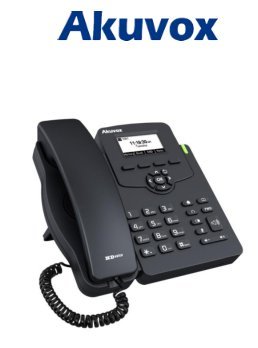
Image: Akuvox SP-R50 Business IP Phone, showing the main unit with the handset resting on its cradle and the stand attached, ready for setup.
Návod k obsluze
This section covers the basic operation of your Akuvox SP-R50 IP Phone.
Uskutečňování a přijímání hovorů
- Chcete-li zavolat: Pick up the handset or press the Speaker button. Dial the desired number and press the Vytáčení or # klíč.
- Chcete-li přijmout hovor: Zvedněte sluchátko nebo stiskněte Reproduktor tlačítko, když telefon zvoní.
- Ukončení hovoru: Zavěste sluchátko nebo stiskněte tlačítko Reproduktor tlačítko.
Funkce volání
- Čekající hovor: Allows you to answer a second incoming call while on an active call.
- Call Forward: Redirects incoming calls to another number.
- Přepojení hovoru: Transfers an active call to another party.
- Čekající hovor: Puts an active call on hold.
- Ztlumit: Ztlumí mikrofon během hovoru.
- Automatická odpověď: Configures the phone to automatically answer incoming calls.
- Opakovaná volba: Vytočí poslední volané číslo.
- Nerušit (DND): Blocks all incoming calls.
- Local 3-Way Conference: Allows you to conduct a three-way conference call.
Phonebook and Settings
- Telefonní seznam: The phone supports a phonebook of up to 500 groups and 5 remote phone book URLs. Access and manage contacts through the menu.
- Nastavení hlasitosti: Use the volume keys on the phone to adjust the handset, speaker, or ringer volume.
- Vyzváněcí tóny: Select from various ring tones through the phone's settings menu.
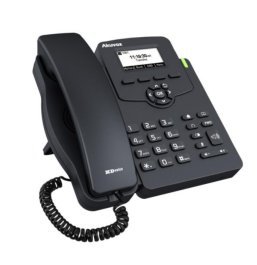
Image: Akuvox SP-R50 Business IP Phone, showcasing its ergonomic design and key layout from a slightly elevated angle, highlighting the display and navigation buttons.
Údržba
Proper maintenance ensures the longevity and optimal performance of your IP phone.
- Čištění: Use a soft, dry cloth to clean the phone's surface. For stubborn marks, slightly dampOpláchněte hadřík vodou. Nepoužívejte agresivní chemikálie, abrazivní čisticí prostředky ani rozpouštědla.
- Prostředí: Keep the phone away from direct sunlight, excessive heat sources, and moisture. Ensure it is placed on a stable surface to prevent accidental falls.
- Kabely: Periodically check all connected cables (handset, Ethernet, power) for any signs of wear or damage. Replace damaged cables immediately.
Odstraňování problémů
If you encounter issues with your Akuvox SP-R50, refer to the following common problems and solutions:
| Problém | Možná příčina | Řešení |
|---|---|---|
| Telefon se nezapne. | No power connection or faulty power adapter/PoE. | Check if the power adapter is securely plugged in or if the Ethernet cable is connected to a PoE-enabled port. Try a different power outlet or PoE port. |
| Žádný oznamovací tón. | Network connection issue or SIP registration failure. | Verify the Ethernet cable is properly connected. Check the network status on the phone's display. Contact your network administrator or SIP service provider if the issue persists. |
| Nelze uskutečňovat ani přijímat hovory. | SIP registration failed, DND enabled, or network problem. | Ensure the phone is registered (check display). Disable DND if active. Confirm network connectivity. |
| Špatná kvalita hovoru (ozvěna, statický šum). | Přetížení sítě nebo rušení. | Ensure your network has sufficient bandwidth. Avoid placing the phone near other electronic devices that may cause interference. |
Specifikace
Key technical specifications for the Akuvox SP-R50 Business IP Phone:
| Funkce | Popis |
|---|---|
| Značka | Akuvox |
| Model | Akuvox SP-R50 |
| Zobrazit | 2.3'' 132*64 Graphical LCD with Backlight |
| SIP účty | 1 Line (Support 1 SIP account) |
| Hlasové funkce | HD Voice, 3-Way Conference |
| Kapacita telefonního seznamu | 500 groups, 5 Remote Phone Book URL Podporováno |
| Protokoly hovorů | 100 záznamů |
| Moc | PoE Support, Power Adapter (included) |
| Speciální funkce | Call Waiting, Call Forward, Call Transfer, Call on Hold, Mute, Auto-answer, Redial, DND, Speed Dial, Hotline, Direct IP call, Music on hold, Intercom, Call Pickup, Group Call Pickup, Anonymous Call, Anonymous Call Rejection |
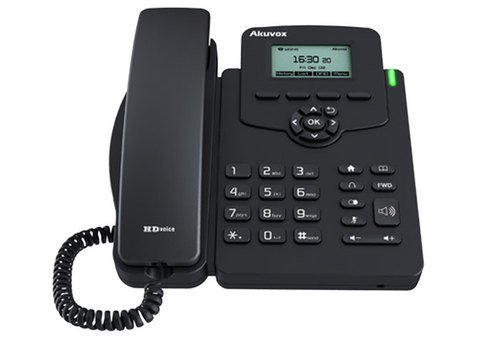
Obrázek: Přední strana view of the Akuvox SP-R50 Business IP Phone, clearly showing the display, navigation keys, and numeric keypad.
Informace o záruce
The Akuvox SP-R50 Business IP Phone comes with a 2 rok záruka from the date of purchase. This warranty covers manufacturing defects and malfunctions under normal use. Please retain your proof of purchase for warranty claims. For detailed terms and conditions, refer to the warranty card included with your product or contact Akuvox customer support.
Podpora
If you require further assistance or have questions not covered in this manual, please contact your vendor or Akuvox customer support. You may also visit the official Akuvox website for additional resources and frequently asked questions.
Ask a question about this manual
Ask about setup, troubleshooting, compatibility, parts, safety, or missing instructions. Manuals+ will review the question and use this page’s manual context to help answer it.