
1. Úvod
This manual provides essential information for the safe and effective use of your Amcrest IP8M-2493EB Outdoor PoE Bullet Camera. Please read these instructions thoroughly before installation and operation to ensure optimal performance and to prevent damage to the device.
2. Konec produktuview
2.1 Klíčové vlastnosti
- 2MP IP PoE Bullet Camera
- 1920x1080p @30fps Video Resolution
- Nightvision up to 98 feet (30 meters)
- IP67 Weatherproof Rating for outdoor use
- Cloud Storage Capability
- Wall Mount Design
- 4K Video Capture Resolution (for recording)
- Motion Sensor Special Feature
2.2 Obsah balení
Ověřte, zda jsou v balení přítomny všechny komponenty:
- Amcrest IP8M-2493EB Outdoor PoE Bullet Camera
- Montážní materiál (šrouby, hmoždinky)
- Rychlý průvodce (tento návod)
2.3 Součásti kamery
Seznamte se s fyzickými součástmi fotoaparátu:

Obrázek 1: Přední strana view of the Amcrest IP8M-2493EB Bullet Camera, showing the lens, IR LEDs, and housing.
3. Nastavení
3.1 Než začnete
Ensure you have the following items and conditions:
- A Power over Ethernet (PoE) switch or PoE injector (802.3af/at compliant)
- Cat5e or Cat6 Ethernet cable
- A stable internet connection (recommended for remote viewing and cloud features)
- A drill and screwdriver for mounting
3.2 Fyzická instalace
- Vyberte místo montáže: Select a suitable wall location that provides the desired viewing angle and is within reach of your Ethernet cable.
- Označte otvory pro vrtání: Use the provided mounting template (if included) or the camera base to mark the positions for drilling.
- Vrtací otvory: V případě montáže na sádrokarton nebo zdivo vyvrtejte pilotní otvory a vložte do nich hmoždinky.
- Zabezpečte kameru: Attach the camera base to the wall using the provided screws.
- Upravit úhel: Loosen the adjustment screws on the camera body to position the camera for optimal coverage, then tighten them securely.
3.3 Síťové připojení
Connect one end of the Ethernet cable to the camera's Ethernet port and the other end to a PoE port on your PoE switch or injector. The camera will power on automatically.
3.4 Počáteční konfigurace
For initial setup and configuration, download the Amcrest View Pro app on your mobile device or use the Amcrest web interface via a computer connected to the same network. Follow the on-screen instructions to discover and add your camera to your system.
4. Ovládání fotoaparátu
4.1 Přístup k živému vysílání View
Access the live video feed through the Amcrest View Pro app or the web interface. This allows real-time monitoring of your surveillance area.
4.2 Nahrávání a ukládání
Kamera podporuje různé možnosti nahrávání:
- Místní úložiště: If equipped with a microSD card slot (card sold separately), recordings can be stored directly on the camera.
- Síťový videorekordér (NVR): Connect the camera to a compatible Amcrest NVR for continuous recording and extended storage.
- Cloudové úložiště: Utilize Amcrest Cloud services for off-site storage of event-triggered recordings. Refer to the Amcrest webstránky s podrobnostmi o předplatném.
4.3 Detekce pohybu
Configure motion detection settings via the camera's interface. You can define detection zones, sensitivity levels, and set up alerts (e.g., email notifications, push notifications to your phone) when motion is detected.
4.4 Noční vidění
The camera features infrared (IR) LEDs for night vision, providing clear surveillance footage in low-light or no-light conditions up to 98 feet. The camera automatically switches between day and night modes.
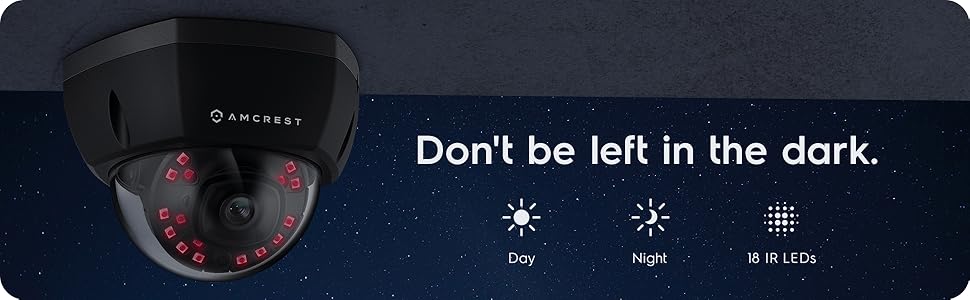
Obrázek 2: Přample of night vision capability, illustrating clear image capture in dark conditions.
5. Údržba
5.1 Čištění
Pravidelně čistěte objektiv a kryt fotoaparátu měkkým hadříkemamp hadříkem. Nepoužívejte agresivní chemikálie nebo abrazivní materiály, které by mohly poškrábat čočku nebo poškodit povrchovou úpravu.
5.2 aktualizací firmwaru
Regularly check for and install firmware updates from the Amcrest webwebu. Aktualizace firmwaru často zahrnují vylepšení výkonu, nové funkce a vylepšení zabezpečení.
5.3 Ochrana proti povětrnostním vlivům
The IP8M-2493EB camera has an IP67 weatherproof rating, meaning it is protected against dust ingress and can withstand immersion in water up to 1 meter for 30 minutes. While designed for outdoor use, ensure all cable connections are properly sealed to maintain water resistance.
6. Řešení problémů
6.1 Běžné problémy a řešení
- No Power/No Video: Ensure the Ethernet cable is securely connected to both the camera and a functioning PoE port. Check the PoE switch/injector for power.
- Špatná kvalita obrazu: Clean the camera lens. Check network bandwidth. Adjust resolution and compression settings in the camera interface. Ensure sufficient lighting for optimal image clarity.
- Night Vision Halo Effect: This can occur if the IR light reflects off nearby surfaces or the camera housing. Ensure there are no obstructions close to the lens.
6.2 Video Support
For visual guidance on resolving common issues, including potential IR reflection, please refer to the following video:
Video 1: This video from Amcrest Direct provides instructions on resolving IR reflection issues that can affect night vision clarity in Amcrest cameras.
7. Specifikace
| Funkce | Specifikace |
|---|---|
| Název modelu | IP8M-2493EB |
| Vnitřní/venkovní použití | Venkovní |
| Zdroj napájení | AC/DC (via PoE) |
| Protokol připojení | Ethernet |
| Typ montáže | Držák na zeď |
| Rozlišení záznamu videa | 4K |
| Barva | Černý |
| Počet položek | 1 |
| Počet kanálů | 1 |
| Technologie bezdrátové komunikace | POE (Power over Ethernet) |
| Form Factor | Kulka |
| Rozsah nočního vidění | 98 30 stop (XNUMX XNUMX metrů) |
| Snímková frekvence | 30 snímků za sekundu |
| Rozměry položky (D x Š x V) | 6.1 x 6.1 x 5.4 palce |
| Hmotnost položky | 1.3 libry |
| Jsou vyžadovány baterie? | Žádný |
| Technologie nízkého osvětlení | Noční barva |
| Hodnocení mezinárodní ochrany | IP67 |
| Maximum WebRozlišení obrazu kamery | 2 MP |
| Kontrolní metoda | App |
| Doporučená použití pro produkt | Venkovní zabezpečení |
| Technologie připojení | Kabelové |
| Speciální funkce | Pohybový senzor |
8. Záruka a podpora
Amcrest products typically come with a limited warranty. For specific warranty terms, registration, and technical support, please visit the official Amcrest website or contact Amcrest customer service directly. Keep your purchase receipt for warranty claims.
Podpora Amcrestu: https://amcrest.com/support