
1. Úvod
The Feiyu Vimble 2 is a 3-axis handheld gimbal stabilizer designed for smartphones, offering enhanced stability and creative control for video recording and photography. It features an extendable handle, intelligent tracking, and versatile shooting modes to capture smooth, professional-looking footage.
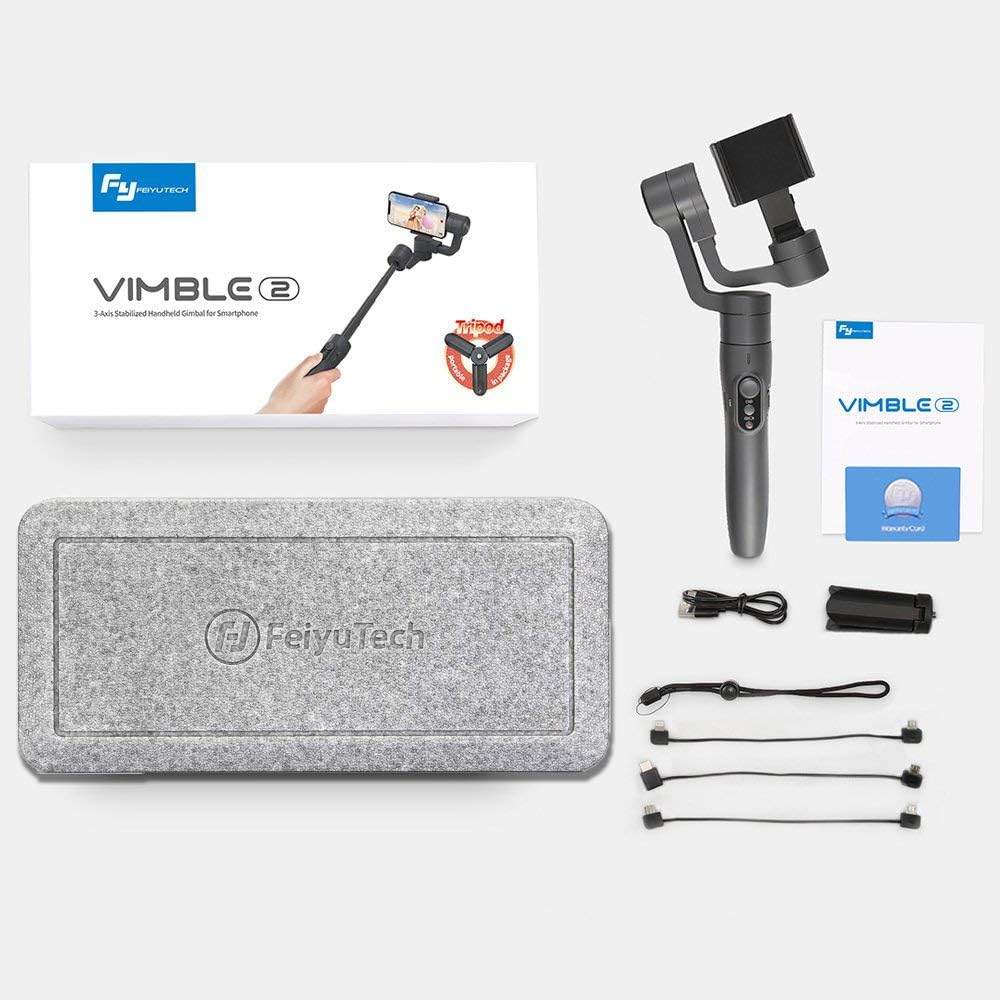
2. Obsah balení
Zkontrolujte prosím balení, zda jsou všechny položky přítomny:
- 1 x Feiyu Vimble 2 Gimbal Body
- Stativ 1 x Mini
- 1 x USB nabíjecí kabel
- 1 x Anti-loss Rope
3. Konec produktuview a funkce
The Vimble 2 incorporates several features to enhance your mobile videography experience:
- Integrated Extension Bar: A newly added 18cm extendable bar allows for wider shots, perfect for selfies and group photos.
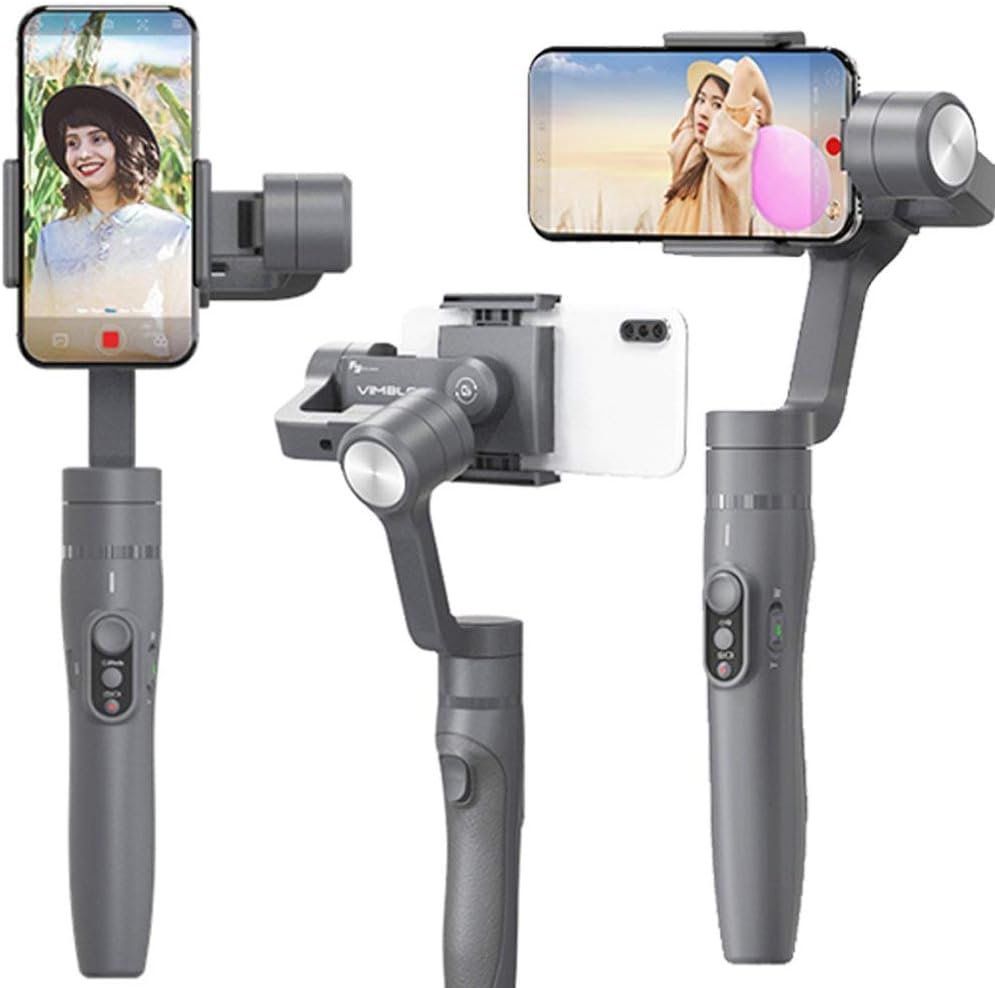
- Quick Shooting Direction Change: Easily switch between horizontal and vertical shooting orientations to adapt to various scenes.
- Bluetooth Shutter Button: Control your smartphone's camera directly from the gimbal handle via Bluetooth for convenient photo and video capture.
- Sledování obličeje a objektů: Utilize intelligent tracking features to keep your subject in focus and within the frame.
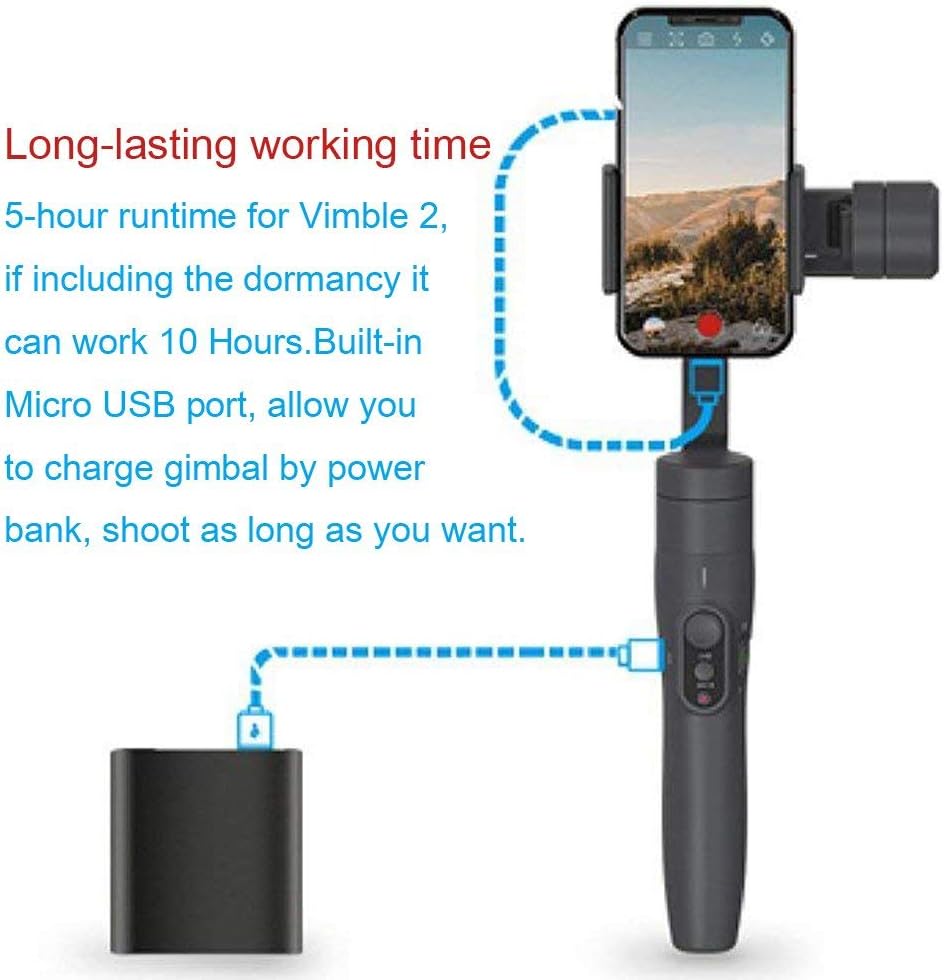
- Baterie s dlouhou výdrží: Enjoy up to 5 hours of continuous operation, extending to 10 hours with dormancy. The built-in Micro USB port allows charging via a power bank.
- Self-Adaptive Control: An advanced algorithm simplifies smartphone balancing and provides gradual power-off descent for phone protection.
- Ergonomický design: Constructed from durable, lightweight, and high-strength materials with an ergonomic shape for comfortable handling.


4. Nastavení
4.1. Nabíjení gimbalu
Before first use, fully charge the gimbal. Connect the provided USB cable to the Micro USB port on the gimbal and to a 5V/2A power adapter (recommended). Charging typically takes 2 hours or more.
4.2. Montáž smartphonu
- Prodloužení výdrže smartphonuamp a opatrně do něj vložte smartphone.
- Ensure the phone is securely held and centered within the clamp.
4.3. Vyvažování závěsu
Proper balancing is crucial for optimal performance and battery life. The Vimble 2 features a self-adaptive control algorithm that reduces strict balancing requirements, but manual adjustment is still recommended:
- With the smartphone mounted, adjust the sliding arm until the phone remains level when the gimbal is powered off.
- The phone should stay relatively horizontal without external support.
4.4. Připojení přes Bluetooth
- Download and install the 'Vicool' app on your smartphone.
- Zapněte gimbal.
- Enable Bluetooth on your smartphone and open the Vicool app.
- Hledat and connect to the 'Vimble 2' device within the app.
5. Návod k obsluze
5.1. Zapnutí/vypnutí
- Zapnutí: Stiskněte a podržte tlačítko napájení, dokud se nerozsvítí kontrolka.
- Vypnout: Stiskněte a podržte tlačítko napájení, dokud kontrolka nezhasne.
5.2. Přepínání režimů
The gimbal offers several operating modes, which can typically be cycled through using the mode button:
- Režim posouvání (výchozí): Kamera se pohybuje doleva a doprava a sleduje pohyby vaší ruky, zatímco osy naklápění a rotace jsou zablokované.
- Režim sledování: The camera follows both pan and tilt movements of your hand, keeping the roll axis locked.
- Režim zámku: Všechny tři osy (otáčení, naklápění, rotace) jsou zablokovány, takže kamera zůstává namířena v pevném směru.
- Resetovat: Returns the gimbal to its initial position and Pan Mode.
- Motion Control Mode: Allows for programmed movements, often used for time-lapse photography.

5.3. Shutter Button and Zoom Control
- Tlačítko spouště: Press once to take a photo or start/stop video recording (requires Bluetooth connection to the Vicool app).
- Posuvník přiblížení: Use the slider on the handle to zoom in or out within the Vicool app.

5.4. Quick Shift to Selfie Mode
With the gimbal connected to the Vicool app, quickly switch your smartphone's camera between front and rear lenses by clicking the function button three times consecutively.
5.5. Quickly Change Shooting Direction
The innovative smartphone mount allows for rapid switching between horizontal (landscape) and vertical (portrait) shooting orientations. Simply adjust the phone holder as needed.

5.6. Face and Object Tracking
Within the Vicool app, tap on the screen to select a face or object. The gimbal will then intelligently track the selected subject, keeping it centered in the frame.
6. Údržba
- Udržujte gimbal čistý a bez prachu a nečistot. K čištění používejte měkký, suchý hadřík.
- Nevystavujte gimbal extrémním teplotám nebo vlhkosti.
- Store the gimbal in its protective case when not in use.
- Nepokoušejte se rozebírat gimbal, jinak ztratíte záruku.
7. Řešení problémů
- Gimbal se nezapíná: Ujistěte se, že je baterie plně nabitá.
- Nestabilní jídlotage: Verify that the smartphone is properly balanced on the gimbal. Recalibrate the gimbal if necessary (refer to the Vicool app for calibration options).
- Problémy s připojením Bluetooth: Ensure Bluetooth is enabled on your phone and the gimbal is powered on. Restart both devices and try reconnecting via the Vicool app.
- Motors behaving erratically: This can occur if the gimbal is not properly balanced or if there is an obstruction. Ensure the phone is balanced and there are no physical impediments to the motors' movement.
- Aplikace nereaguje: Close and reopen the Vicool app. Ensure your smartphone's operating system is up to date.
8. Specifikace
| Nakloněný úhel | 320° |
| Rolling Angle | 320° |
| Úhel natočení | 320° |
| Doba běhu | 5 hours (up to 10 hours including dormancy) |
| Baterie | Built-in, 7.4V / 9.62Wh |
| Doba nabíjení | ≥ 2 hours (with 5V/2A adapter) |
| Maximum Payload (Landscape) | 210 g |
| Maximum Payload (Portrait) | 200 g |
| Hmotnost produktu | 0.43 kg |
| Kompatibilní zařízení | Smartphones, Cameras (within payload limits) |
9. Záruka a podpora
Informace o záruce a technickou podporu získáte od oficiálního zástupce společnosti FeiyuTech. webnebo se obraťte na místního distributora. Uschovejte si účtenku jako doklad o koupi pro případ reklamace.
Oficiální FeiyuTech Webmísto: www.feiyu-tech.com