
1. Úvod
The ADA Cosmo 120 Video is a professional digital laser distance meter designed for precise measurements up to 120 meters (394 feet). It features a unique combination of a digital viewfinder and a 360° tilt sensor, enabling measurements that are challenging for ordinary laser distance meters. This device is ideal for both indoor and outdoor applications, providing accurate results with an error margin of ±1.5 mm.
Mezi klíčové vlastnosti patří:
- Digitální Viewfinder with 3X Zoom: Allows for precise targeting and measurement in unfavorable light conditions or over long distances, even when the laser dot is not visible.
- Integrated 360° Tilt Sensor: Enables horizontal distance measurement even with obstacles, and functions as a digital level for surface inclination.
- Bluetooth připojení: Facilitates data transmission to other devices.
- Painter Function: Automatically calculates the total area of walls in a room.

Image 1.1: The ADA Cosmo 120 Video displaying multiple distance measurements on its digital screen.
2. Obsah balení
Zkontrolujte prosím balení, zda neobsahuje následující položky:
- ADA Cosmo 120 Video Laser Distance Meter
- Pouzdro
- 2 x AA baterie
- Reflexní deska
- Uživatelská příručka
3. Nastavení
3.1 Instalace baterie
Zařízení vyžaduje dvě baterie typu AA. Instalace:
- Vyhledejte kryt přihrádky na baterie na zadní straně zařízení.
- Otevřete kryt.
- Vložte dvě baterie typu AA a dbejte na správnou polaritu (+/-).
- Bezpečně zavřete kryt bateriového prostoru.
3.2 Zapnutí/vypnutí
- Zapnutí: Stiskněte tlačítko MEAS tlačítko.
- Vypnutí: Stiskněte a podržte tlačítko VYMAZAT/VYPNOUT tlačítko na několik sekund.
3.3 Změna měrných jednotek
The device can display measurements in meters (m) or feet (ft). To change the unit:
- Ujistěte se, že je jednotka vypnutá.
- Stiskněte a podržte MEAS tlačítko po dobu přibližně 8–10 sekund.
- The unit will beep, and the measurement unit displayed on the screen will change.
4. Návod k obsluze
4.1 Základní měření vzdálenosti
Pro provedení měření jedné vzdálenosti:
- Point the laser distance meter at the target object.
- Stiskněte tlačítko MEAS tlačítko. Laser se aktivuje.
- Stiskněte tlačítko MEAS znovu stiskněte tlačítko pro provedení měření. Výsledek se zobrazí na obrazovce.
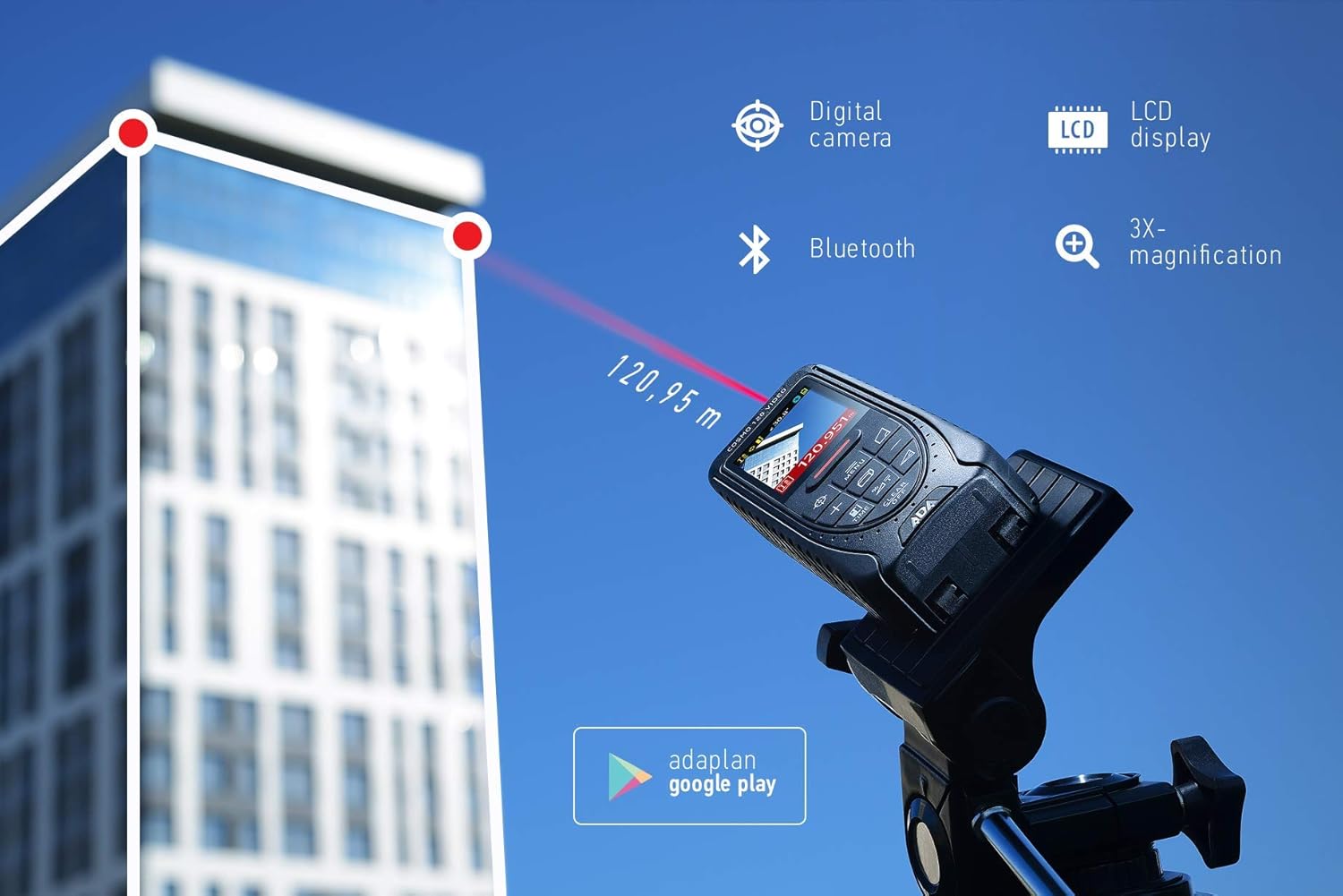
Image 4.1: The ADA Cosmo 120 Video in use, measuring a distance of 120.95 meters to a building.
4.2 Používání digitálního Viewnálezce
Integrovaný digitál viewfinder with 3X zoom allows for accurate targeting, especially in bright outdoor conditions or when measuring long distances where the red laser dot might be invisible. The viewfinder displays a reticle on the screen, helping you precisely aim the device at your target.
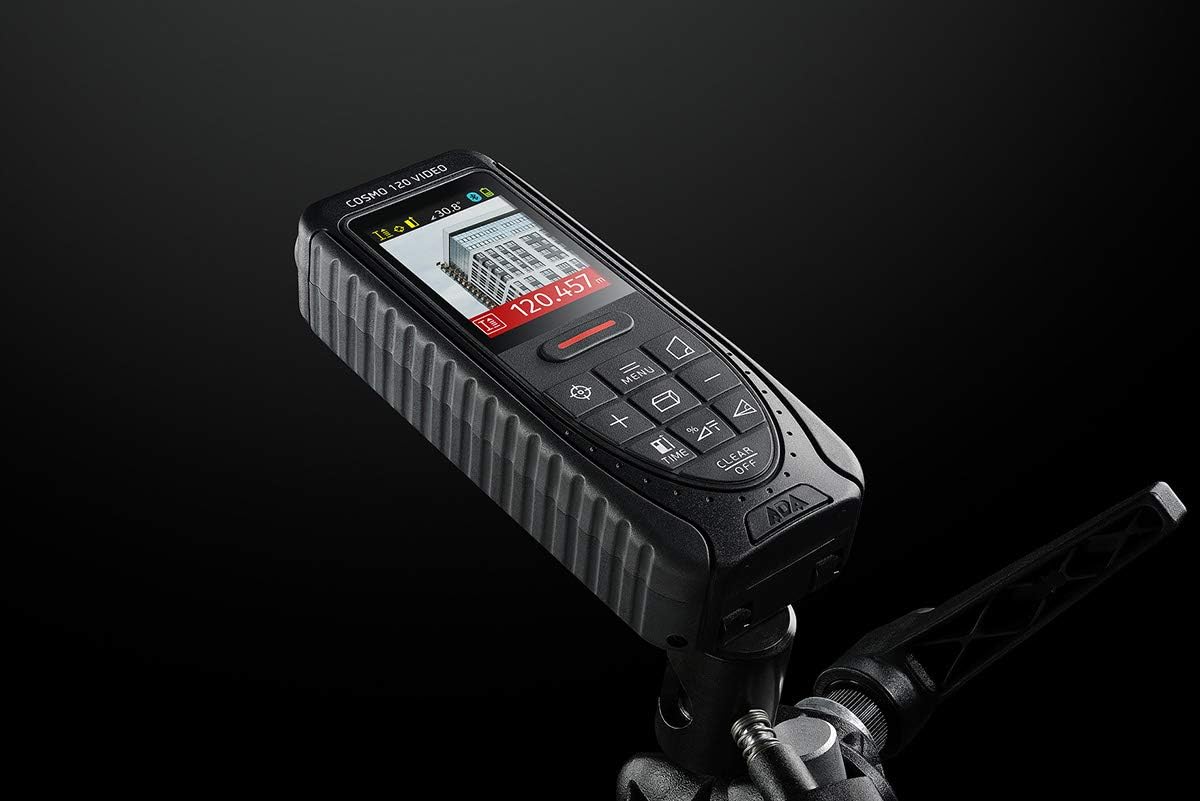
Image 4.2: The ADA Cosmo 120 Video mounted on a tripod, with its screen displaying a digital view of a building and measurement data.
4.3 360° Tilt Sensor
The integrated 360° tilt sensor allows for:
- Horizontal Distance Measurement: Combine distance and inclination measurements to determine horizontal distances, even when direct line-of-sight is obstructed.
- Digital Level Function: Use the device to measure the inclination of any surface.
4.4 Painter Function
This function simplifies the calculation of the total wall area in a room. To use:
- Measure the height of the wall once.
- Measure the length of all walls.
- The device will automatically calculate the total area.
4.5 Připojení Bluetooth
The ADA Cosmo 120 Video supports Bluetooth for transmitting measurement data to compatible applications or devices. Refer to the specific application's instructions for pairing and data transfer procedures.
4.6 Using the Reflective Plate
For measurements over very long distances, in bright sunlight, or on surfaces with poor reflection properties, use the included reflective plate. Place the plate at the target point to improve laser detection and measurement accuracy.

Image 4.3: The reflective plate included with the ADA Cosmo 120 Video, used to enhance laser detection.
5. Údržba
To ensure the longevity and accuracy of your ADA Cosmo 120 Video, follow these maintenance guidelines:
- Čištění: Použijte měkký, damp cloth to clean the device. Do not use harsh chemicals or abrasive cleaners. Pay special attention to the lens and display, keeping them free of dust and smudges.
- Skladování: Store the device in its holster in a dry, cool place, away from direct sunlight and extreme temperatures.
- Baterie: Pokud zařízení nebudete delší dobu používat, vyjměte baterie, abyste zabránili jejich vytečení.
- Vyhněte se dopadu: Protect the device from drops and impacts, as this can affect its calibration and functionality.
6. Řešení problémů
If you encounter issues with your ADA Cosmo 120 Video, try the following solutions:
- Zařízení se nezapíná: Zkontrolujte, zda jsou baterie správně vloženy a zda jsou dostatečně nabité. V případě potřeby baterie vyměňte.
- Nepřesné údaje: Ensure the target surface is suitable for laser measurement. Use the reflective plate for difficult surfaces or long distances. Check for obstructions in the laser path.
- Laser dot not visible: This is normal in bright conditions or over long distances. Use the digital viewfinder for targeting.
- Problémy s připojením Bluetooth: Ensure Bluetooth is enabled on both the device and your receiving unit. Check the pairing process according to your application's instructions.
If problems persist, contact ADA Instruments customer support for assistance.
7. Specifikace
| Funkce | Specifikace |
|---|---|
| Výrobce | Nástroje ADA |
| Číslo modelu | A00502 |
| Rozměry | 13.7 x 5.2 x 2.8 cm |
| Hmotnost | 150 g |
| Zdroj napájení | 2 x AA baterie (alkalické) |
| Pracovní rozsah | 0.05 až 120 m |
| Přesnost měření | ±1.5 mm |
| Tilt Sensor Accuracy | ±0.3° |
| Typ zobrazení | Digitální |
| Materiál | Plastic with rubber coating |
| Prostředí použití | Vnitřní a venkovní |
8. Záruka a podpora
For warranty information or technical support, please refer to the documentation provided with your purchase or visit the official ADA Instruments webUschovejte si doklad o koupi pro případ reklamace.