
Zavedení
This manual provides detailed instructions for the proper use and maintenance of your Sharp EL-W531TG-WH Scientific School Calculator. This calculator features a 4-line WriteView display, D.A.L. input method, and 414 pre-programmed functions, making it suitable for various mathematical and scientific calculations required in secondary education.

Image: The Sharp EL-W531TG-WH Scientific Calculator, showcasing its keypad and 4-line WriteView zobrazit.
Nastavení
Zdroj napájení
The Sharp EL-W531TG-WH calculator operates using both solar power and a backup battery (1 LR44 battery included). The solar panel provides power in well-lit environments, while the battery ensures operation in low-light conditions.
Instalace/výměna baterie
- Ujistěte se, že je kalkulačka vypnutá.
- Najděte kryt přihrádky na baterie na zadní straně kalkulačky.
- Using a small screwdriver, carefully remove the screw securing the battery cover.
- Remove the cover and replace the old LR44 battery with a new one, ensuring correct polarity (+/-).
- Nasaďte kryt baterie a zajistěte jej šroubem.
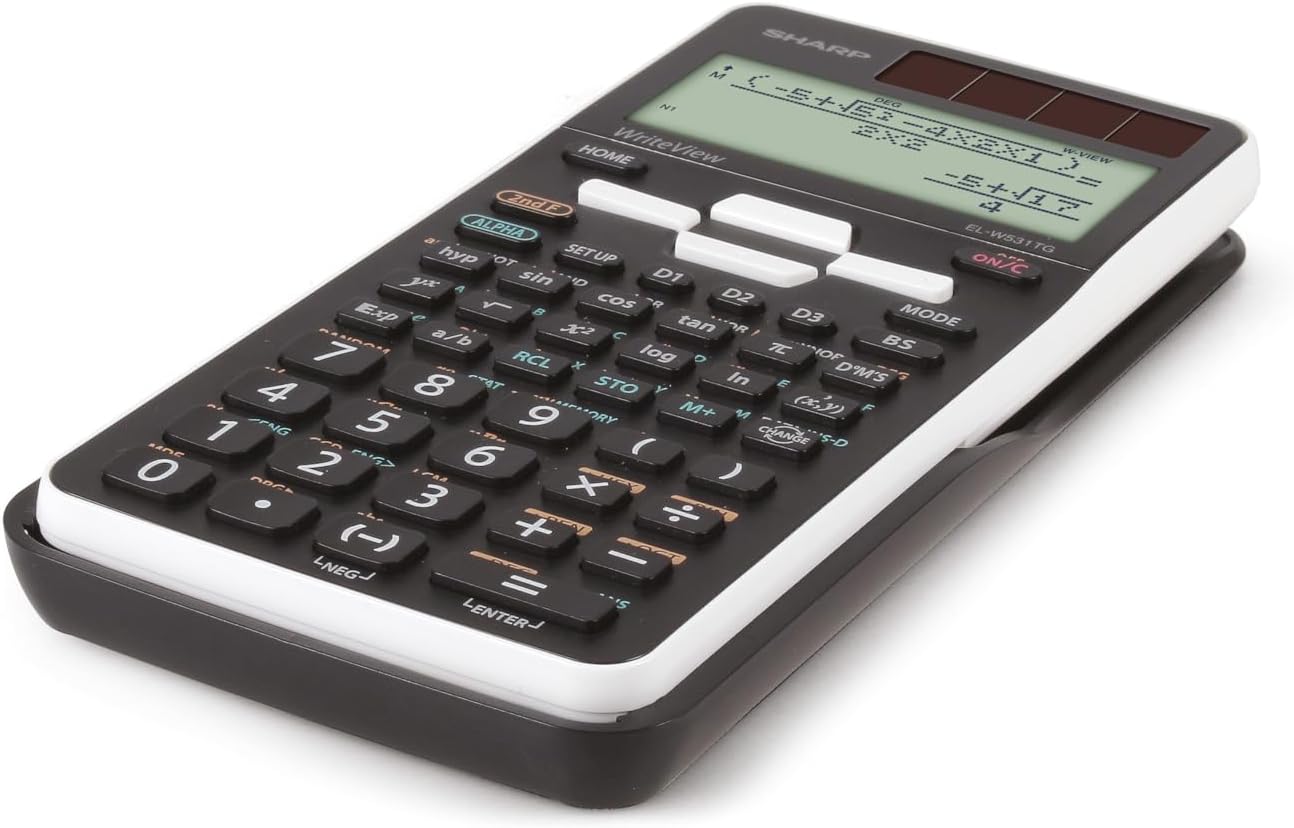
Obrázek: Side profile of the Sharp EL-W531TG-WH calculator, illustrating its compact design.
Návod k obsluze
Zapnutí/vypnutí
- Zapnutí: Stiskněte tlačítko ON/C klíč.
- Vypnutí: Stiskněte 2. F pak VYPNUTO (usually located above the ON/C key).
Display Modes (WriteView / Line)
The calculator features a WriteView display that shows fractions, roots, and formulas as they appear in textbooks. You can switch to a traditional line mode if preferred.
- To toggle between WriteView and Line mode: Press MODE and select the desired display option. Refer to the on-screen menu for specific selections.
Základní aritmetické operace
Enter numbers and operations in sequence. The D.A.L. (Direct Algebraic Logic) input method allows you to input equations exactly as they are written.
- Přidání: +
- Odčítání: -
- Násobení: x
- Divize: ÷
- rovná se: =
Vědecké funkce
The calculator includes 414 pre-programmed functions covering statistics, n-base calculations, logical operators, trigonometry, logarithms, and more. Access these functions using the dedicated keys or by pressing 2. F followed by the key with the desired secondary function.
- Goniometrické funkce: hřích, cos, opálení and their inverse functions (accessed via 2. F).
- Logaritmické funkce: log, ln.
- Mocnina a odmocninové funkce: x², √, xʸ.
- Statistika: Enter STAT mode via MODE to perform statistical calculations.
- N-Base Calculations: Perform calculations in binary, octal, decimal, and hexadecimal bases.
Paměťové funkce
The calculator features 4 shortcut memory buttons (D1, D2, D3, D4) for quick access to frequently used functions or constants. Additionally, standard memory functions (M+, M-, RCL, STO) are available.
- STO (Obchod): Stores a value into a memory variable.
- RCL (Odvolání): Recalls a value from a memory variable.
- M+ / M-: Adds to or subtracts from the independent memory.

Obrázek: Podrobný view of the calculator's keypad, showing various function keys and their secondary operations.
Údržba
Čištění
To clean the calculator, wipe it gently with a soft, dry cloth. Do not use abrasive cleaners, solvents, or wet cloths, as these can damage the casing nebo vnitřních součástí.
Skladování
When not in use for extended periods, store the calculator in a cool, dry place away from direct sunlight and extreme temperatures. Keep it in its protective cover to prevent scratches and damage.
Péče o baterie
If the calculator will not be used for a very long time, it is advisable to remove the LR44 battery to prevent potential leakage and damage to the device.
Odstraňování problémů
Problémy se zobrazením
- Prázdný displej: Check battery level. Replace the LR44 battery if necessary. Ensure sufficient light for solar operation.
- Slabý displej: This may indicate a low battery. Replace the LR44 battery.
Nesprávné výpočty
- Nesprávné výsledky: Verify the input method (D.A.L.) and ensure all values are entered correctly. Check if the calculator is in the correct mode (e.g., DEG/RAD for trigonometric functions, STAT mode for statistics).
- Chybová zpráva: Refer to the calculator's on-screen error codes (if any) for specific issues. Common errors include division by zero or invalid function arguments.
Resetování kalkulačky
If the calculator behaves erratically or freezes, a reset may resolve the issue. Locate the small reset button (often on the back or side, requiring a thin object like a paperclip to press) or perform a soft reset via the NASTAVENÍ menu. Note that resetting may clear all memory and settings.
Specifikace
| Funkce | Detail |
|---|---|
| Model | EL-W531TG-WH |
| Typ zobrazení | Dot Matrix LCD, 4-line (96 x 32 mm) |
| Velikost displeje | 2.5 palce |
| Metoda zadávání | D.A.L. (Direct Algebraic Logic) |
| Funkce | 414 pre-programmed functions (statistics, n-base, logical operators, etc.) |
| Zdroj napájení | Solar and Battery Operated (1 x LR44 included) |
| Rozměry (D x Š x V) | 16.6 x 8 x 1.5 cm |
| Hmotnost | 108 g |
| Materiál | Plast |
Záruka a podpora
For warranty information and technical support, please refer to the documentation included with your purchase or visit the official Sharp website. A PC simulator for this model may be available for download from the manufacturer's support page.