
1. Konec produktuview a kompatibilita
This MMOBIEL Digitizer Touch Screen Front Display Glass Assembly is designed for the iPad 5 2017 models. It includes pre-installed components for easier installation and supports the Smart Sleep and Wake up function.
1.1. Obsah balení
- Digitizer Touch Screen Front Display Glass Assembly
- Pre-installed Flex Cable
- Pre-installed Camera Bracket Holder
- Pre-installed Adhesive Stickers
- Comprehensive Tool Kit (see Section 3)
1.2. Kompatibilita
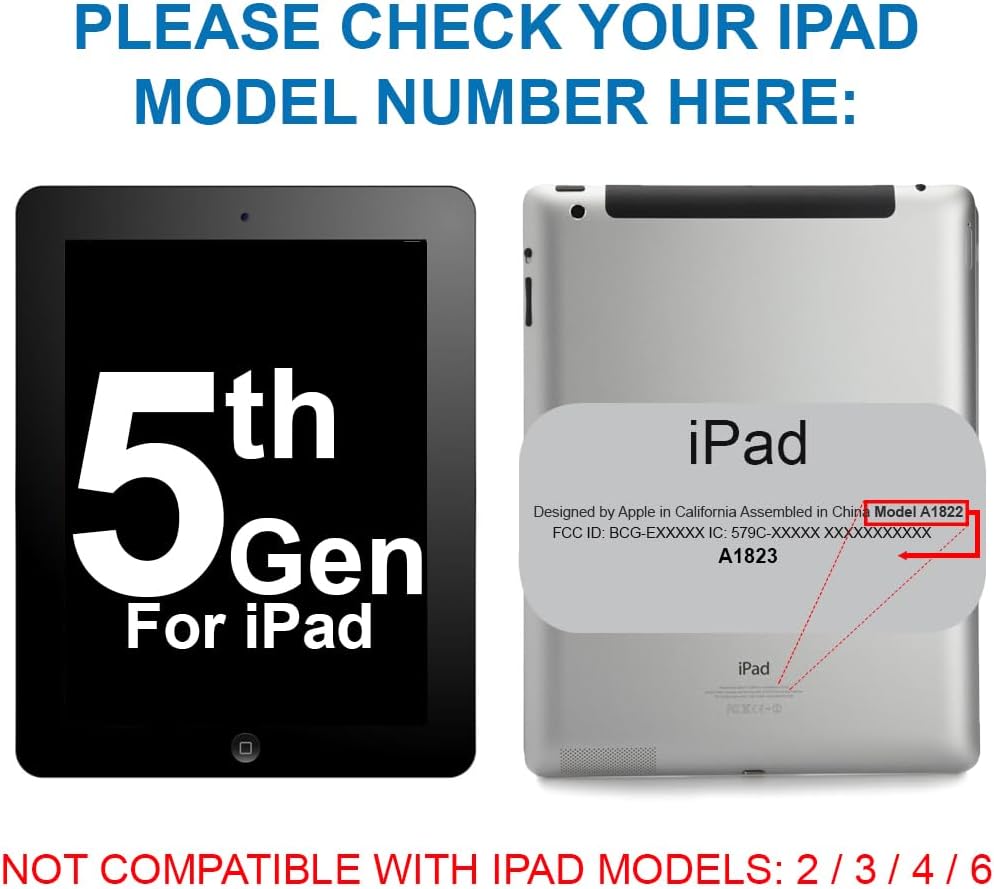
This digitizer is compatible POUZE with the following iPad 5 2017 9.7 Inch models:
- A1822 (Wi-Fi)
- A1823 (Wi-Fi + Cellular)
Important: Please verify your iPad's model number before proceeding with installation. The model number is located on the back of your device.

2. Bezpečnostní informace
Performing electronic repairs requires caution. Please read and adhere to the following safety guidelines:
- Vypnout: Always ensure your device is completely powered off before beginning any repair.
- Odpojení baterie: If possible, disconnect the battery to prevent accidental short circuits.
- Statická elektřina: Work in a static-free environment. Use an anti-static wrist strap if available.
- Zacházejte opatrně: Electronic components, especially flex cables and glass, are fragile. Avoid excessive force.
- Ochrana očí: Consider wearing safety glasses to protect against small flying debris, especially when dealing with cracked glass.
- Ostré nástroje: Exercise extreme care when using sharp tools like spudgers and tweezers.
- Retain Original Home Button: For Touch ID functionality, you must transfer the original home button from your old digitizer to the new one.
3. Požadované nástroje
The MMOBIEL Digitizer comes with a comprehensive tool kit to assist with the installation. The kit typically includes:
- 1 x pinzeta
- 1 x čisticí hadřík z mikrovlákna
- 1 x Přísavka
- 2 x Spudger (plastic opening tools)
- 1 x Plectrum (guitar pick style opening tool)
- 1 x Screwdriver (Phillips)
- 1 x SIM-Needle (for SIM tray removal, if applicable)

4. Instalační příručka
This section outlines the general steps for replacing your iPad's digitizer. It is highly recommended to watch a detailed video tutorial specific to your iPad model (iPad 5 2017, A1822/A1823) before starting.
4.1. Příprava
- Záložní data: Ensure all important data on your iPad is backed up.
- Vypnout: Completely power off your iPad.
- Heat Edges: Carefully apply heat to the edges of the old digitizer using a heat gun or hairdryer. This softens the adhesive. Do not overheat.
4.2. Removing the Old Digitizer
- Pry Open: Use the suction cup to create a small gap, then insert a plectrum or spudger to carefully pry around the edges, separating the old digitizer from the frame. Be extremely gentle, especially near the home button and camera.
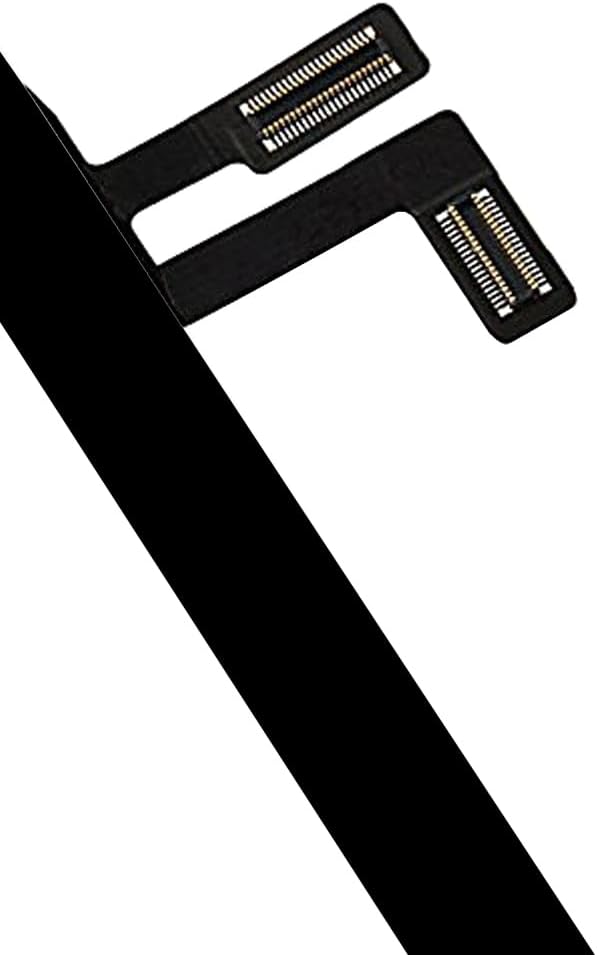
- Odpojit kabely: Once the digitizer is partially lifted, locate and carefully disconnect the flex cables connecting it to the iPad's logic board. There are usually two flex cables for the digitizer and one for the home button.
- Remove Home Button: Carefully remove the home button assembly from the old digitizer. This is crucial for retaining Touch ID functionality.
4.3. Installing the New Digitizer
- Čistý rám: Thoroughly clean the iPad's frame, removing any old adhesive residue or glass fragments.
- Install Home Button: Transfer your original home button assembly to the new MMOBIEL digitizer. Ensure it is correctly aligned and secured.
- Připojit kabely: Carefully connect the new digitizer's flex cables to the logic board. Ensure they are seated correctly and securely.
- Test funkčnosti: Before fully sealing, power on the iPad and test the touchscreen responsiveness across the entire screen, as well as the home button and front camera. If issues arise, power off and recheck cable connections.
- Remove Adhesive Film: Once tested and confirmed working, remove the protective film from the pre-installed adhesive on the new digitizer.
- Bezpečný digitalizátor: Carefully align the new digitizer with the iPad frame and gently press down along the edges to secure it. Apply even pressure.
- Závěrečná kontrola: Power on your iPad and perform a final check of all functions.


5. Ovládání digitalizátoru
The MMOBIEL Digitizer is designed to restore full touch functionality to your iPad. It also supports the Smart Sleep and Wake up function, allowing your iPad to automatically sleep or wake when a compatible cover is opened or closed.
- Dotyková citlivost: The digitizer provides precise and responsive touch input.
- Vícedotyková gesta: All standard multi-touch gestures (pinch-to-zoom, swipe, etc.) will function as expected.
- Smart Sleep/Wake: This feature works with compatible iPad covers that utilize magnets to detect opening and closing.
6. Údržba
To ensure the longevity and optimal performance of your new digitizer, follow these maintenance tips:
- Čištění: Use a soft, lint-free cloth (like the included microfiber cloth) to gently wipe the screen. For stubborn smudges, slightly dampOtřete hadřík vodou nebo čisticím prostředkem na obrazovky. Vyhněte se agresivním chemikáliím.
- Ochrana: Consider using a screen protector and a protective case to prevent future damage.
- Vyhněte se tlaku: Do not apply excessive pressure to the screen, as this can damage the digitizer or underlying LCD.
- Teplota: Avoid exposing your iPad to extreme temperatures, which can affect adhesive and component integrity.
7. Řešení problémů
If you encounter issues after installation, refer to the following troubleshooting steps:
7.1. Touchscreen Not Responding or Partial Response
- Recheck Flex Cables: Power off the iPad, carefully reopen it, and ensure all digitizer flex cables are securely and correctly connected to the logic board. A loose connection is a common cause.
- Zkontrolujte kabely: Visually inspect the flex cables for any tears, creases, or damage. Damaged cables will need replacement.
- Restartujte iPad: Sometimes a simple restart can resolve minor software glitches affecting touch input.
7.2. Home Button Not Working (No Touch ID)
- Original Home Button: Ensure you have transferred the originál home button from your old digitizer. Touch ID functionality is tied to the original home button and cannot be replaced.
- Home Button Flex Cable: Check the home button's flex cable connection to the logic board.
- Fyzické poškození: Inspect the home button assembly for any physical damage during transfer.
7.3. Display Issues (e.g., No Image, Lines, Flickering)
Note: This product is a digitizer (touch screen glass) only, not the LCD (display screen). If you have display issues, it indicates a problem with the LCD or its connection, not the digitizer.
- LCD Flex Cable: Power off and recheck the LCD's flex cable connection to the logic board.
- LCD Damage: The LCD itself might be damaged and require replacement.
8. Specifikace
| Funkce | Detail |
|---|---|
| Značka | MMOBIEL |
| Kompatibilní zařízení | iPad 5 2017 (Models A1822, A1823) |
| Velikost obrazovky | 9.7 palce |
| Materiál | Sklo |
| Tvrdost položky | 9H |
| Speciální funkce | Smart Sleep and Wake Functionality |
| Barva | Černý |
| Hmotnost položky | 14.1 unce |
| Rozměry produktu | 9.45 x 9.45 x 0.5 palce |
9. Záruka a podpora
MMOBIEL strives to provide high-quality products and customer satisfaction. For any questions, concerns, or support regarding your digitizer replacement, please contact MMOBIEL customer service through the retailer where the product was purchased.
Please note that improper installation or physical damage during the repair process may void any applicable warranty. Always follow installation instructions carefully.