
1. Konec produktuview
This manual provides instructions for the PowerTrust AHDBT-301/302 Li-ion camera batteries and the accompanying LCD USB Dual Charger. This product is designed to provide reliable power for your compatible GoPro Hero3 and Hero3+ cameras.

Image 1.1: PowerTrust AHDBT-301/302 batteries and LCD USB Dual Charger kit.
Obsah balení:
- 3 x AHDBT-301/302 Batteries
- 3 x Battery Storage Cases
- 1 x LCD Dual USB Charger
- 1 x USB kabel
- 1 x Návod k obsluze (tento dokument)
2. Kompatibilita
The PowerTrust AHDBT-301/302 batteries and charger are fully compatible with the following GoPro camera models and battery types:
- GoPro Hero3 (Black, Silver, White editions)
- GoPro Hero3+
- Original GoPro AHDBT-201, AHDBT-301, AHDBT-302 batteries

Image 2.1: Visual representation of compatible GoPro Hero3 and Hero3+ cameras.
3. Nastavení a první použití
3.1. Inserting Batteries into the Charger
- Ujistěte se, že je nabíječka odpojena od jakéhokoli zdroje napájení.
- Align the metal contacts of the AHDBT-301/302 battery with the pins inside one of the charger slots (CH1 or CH2).
- Gently push the battery into the slot until it is securely seated. The battery should fit snugly.
- Pokud nabíjíte dvě baterie současně, opakujte pro druhou baterii.
3.2. Connecting the Charger to Power
The LCD Dual USB Charger offers multiple charging options for convenience:
- USB Wall Adapter: Connect the provided USB cable to a standard USB wall adapter (not included) and then to the charger.
- Computer/Laptop USB Port: Connect the USB cable to a USB port on your computer or laptop.
- Záložní baterie: Use a portable power bank with the USB cable.
- Nabíječka do auta: Connect to a car USB charger (not included) for on-the-go charging.

Image 3.1: The charger supports multiple power sources including laptops, wall chargers, power banks, and car chargers.
4. Obsluha nabíječky
4.1. Proces nabíjení
Once the batteries are inserted and the charger is connected to a power source, the charging process will begin automatically. The charger is designed to charge two batteries simultaneously and independently.
4.2. LCD Charging Indicator
The smart LCD screen displays the charging status for each battery slot (CH1 and CH2). The indicator bars will progressively fill to show the charge level.
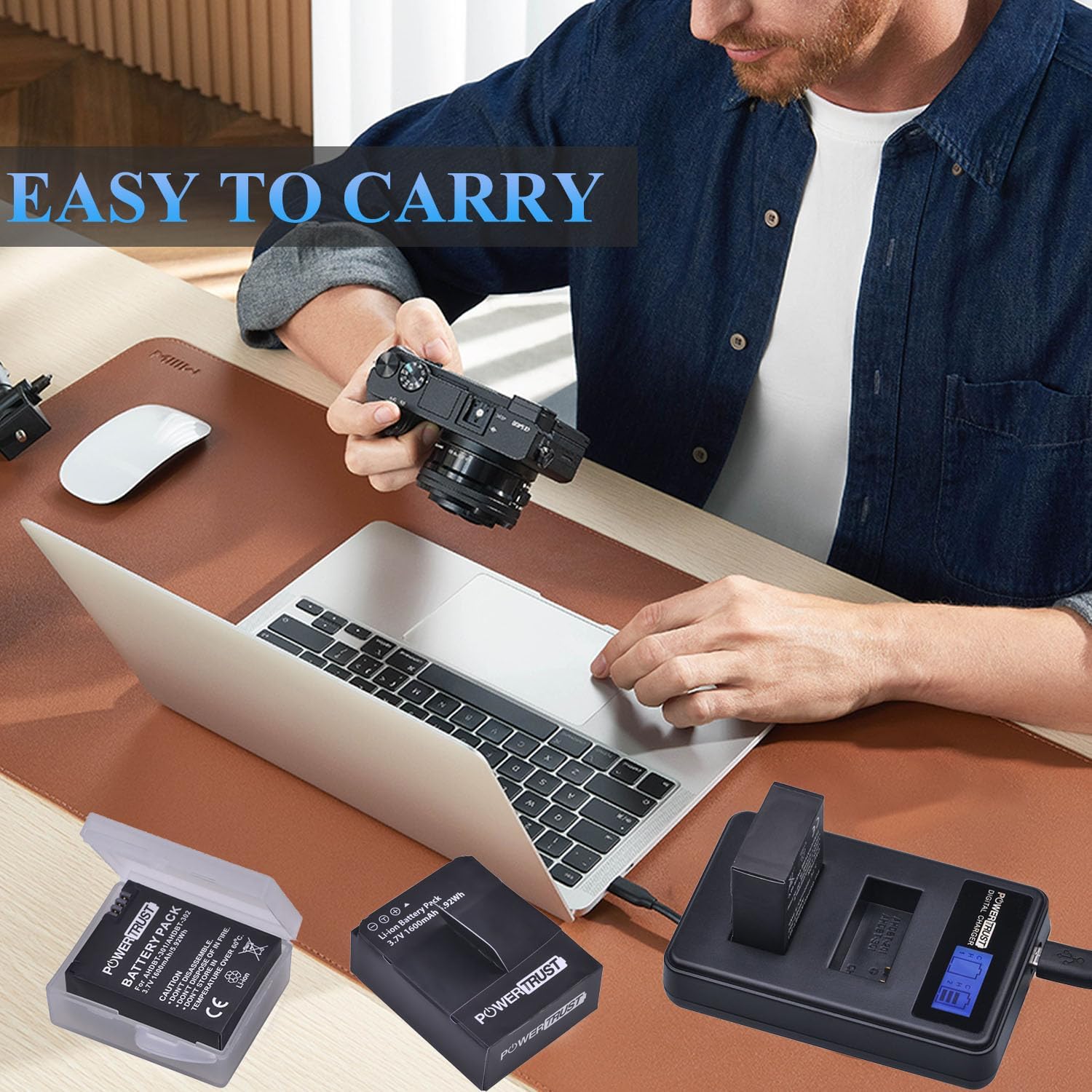
Image 4.1: The LCD screen provides a clear visual of each battery's charge status.
| Stav indikátoru | Výkonový poměr |
|---|---|
| [ ] | 0–25 % |
| [= ] | 26–50 % |
| [== ] | 51–75 % |
| [===] | 76-100% (Fully Charged) |
4.3. Bezpečnostní prvky
The charger incorporates multiple circuit protection mechanisms to ensure safe and efficient charging:
- Ochrana proti přebití: Prevents batteries from being overcharged.
- Voltage ochrana: Ochranná opatření proti nadměrnému objemutage vstup.
- Nadproudová ochrana: Chrání před nadměrným průtokem proudu.
- Ochrana proti zkratu: Zabraňuje poškození zkratem.
- Over-power protection: Manages power output to prevent overload.
- Ochrana před přehřátím: Monitors and prevents overheating during charging.
- Soft-start function: Avoids damage from large initial charge currents.

Image 4.2: The charger is equipped with multiple safety features for secure operation.
5. Péče a údržba
5.1. Péče o baterie
- Baterie skladujte na chladném a suchém místě, mimo dosah přímého slunečního záření a extrémních teplot.
- Use the provided battery storage cases to protect batteries from dust and physical damage when not in use.
- Do not disassemble, crush, or puncture the batteries.
- Nevystavujte baterie ohni ani vodě.
- Avoid storing batteries in temperatures above 60°C (140°F).
5.2. Péče o nabíječku
- Keep the charger clean and dry. Wipe with a soft, dry cloth if necessary.
- Nevystavujte nabíječku kapalinám ani nadměrné vlhkosti.
- Zabraňte pádu na zem nebo vystavení nabíječky silným nárazům.
- Pokud nabíječku nepoužíváte, odpojte ji od zdroje napájení.

Image 5.1: The compact design of the charger and batteries makes them easy to carry and store.
6. Řešení problémů
| Problém | Možná příčina | Řešení |
|---|---|---|
| Baterie se nenabíjejí | Loose connection; Faulty USB cable/power source; Incorrect battery insertion. | Ensure USB cable is securely connected to both charger and power source. Try a different USB cable or power source. Re-insert batteries, ensuring contacts align. |
| LCD obrazovka se nerozsvítí | Nabíječka není napájena; porucha nabíječky. | Verify power connection. Try a different power source. If problem persists, contact support. |
| Pomalé nabíjení | Low power USB port; Charging two batteries simultaneously. | Use a higher-power USB wall adapter (e.g., 5V/2A). Charging two batteries will naturally take longer than one. |
| Baterie nedrží nabití | Battery degradation; Extreme temperatures. | All rechargeable batteries degrade over time. Ensure batteries are used and stored within recommended temperature ranges. Replace if necessary. |
7. Specifikace produktu
7.1. Battery Specifications (AHDBT-301/302)
- Kapacita: 1600 XNUMX mAh
- svtage: 3.7V
- Typ baterie: Lithium Ion
- Energie: 5.92 Wh
- Číslo modelu: AHDBT-301/302
7.2. Charger Specifications
- Vstup: USB (5V)
- výstup: 4.2V (for each slot)
- Počet portů: 2 (simultaneous charging)
- Zobrazit: Smart LCD Screen
- Typ konektoru: Micro USB
8. Informace o záruce
PowerTrust products are manufactured to high-quality standards. For specific warranty details, please refer to the warranty card included with your purchase or contact PowerTrust customer support. Keep your proof of purchase for warranty claims.
9. Zákaznická podpora
If you encounter any issues or have questions regarding your PowerTrust AHDBT-301/302 batteries or LCD USB Dual Charger, please contact our customer support team. Contact information can typically be found on the product packaging or the official PowerTrust webmísto.