
1. Konec produktuview
The CHACON 54661 Set provides a convenient solution for wirelessly controlling your electrical appliances and lighting. This set includes two remote-controlled sockets and one remote control, allowing you to switch devices on or off from a distance within your home.
- Bezdrátové ovládání: Operate devices without direct access to the wall socket.
- Snadná instalace: Jednoduché nastavení typu „plug-and-play“.
- Široká kompatibilita: Suitable for various household appliances.
- Provozní frekvence: 433.92 MHz.
- Maximální výkon: 2000 wattů.
- Přenosový rozsah: Up to 25 meters in open field conditions.

Image: CHACON remote control and a socket in a typical home environment, demonstrating wireless control.
2. Bezpečnostní informace
Před použitím tohoto výrobku si prosím přečtěte a pochopte všechny bezpečnostní pokyny. Nedodržení těchto pokynů může vést k úrazu elektrickým proudem, požáru nebo vážnému zranění.
- Pouze pro vnitřní použití: This product is designed for indoor use in dry locations. Do not expose to rain or moisture.
- Maximální zatížení: Do not exceed the maximum load of 2000 Watts. Overloading can cause overheating and fire.
- Větrání: Ensure adequate ventilation around the sockets. Do not cover them.
- Děti a domácí mazlíčci: Uchovávejte mimo dosah dětí a domácích zvířat.
- Demontáž: Do not attempt to open, modify, or repair the device. Refer all servicing to qualified personnel.
- Čištění: Před čištěním odpojte přístroj od napájení. Použijte suchý, měkký hadřík. Nepoužívejte tekuté čisticí prostředky.
- Likvidace: Baterie a výrobek zlikvidujte v souladu s místními předpisy.
3. Obsah balení
Ověřte, zda jsou v balení přítomny všechny položky:
- 2 x CHACON Remote Controlled Sockets
- 1 x CHACON Remote Control
- 1 x Lithium-ion Battery (pre-installed in remote or supplied separately)
- 1 x Uživatelská příručka (tento dokument)
4. Nastavení
4.1. Instalace baterie dálkového ovládání
The remote control requires one Lithium-ion battery. If not pre-installed, follow these steps:
- Najděte přihrádku na baterie na zadní straně dálkového ovladače.
- Otevřete kryt bateriového prostoru.
- Insert the Lithium-ion battery, ensuring correct polarity (+ and -).
- Bezpečně zavřete kryt bateriového prostoru.

Obrázek: Detail view of the CHACON remote control, showing the ON/OFF buttons and channel selectors (1, 2, 3, 4).
4.2. Pairing Sockets with Remote Control
Each socket needs to be paired with the remote control to establish communication. The remote control has four channels (1, 2, 3, 4) which can be used to control individual sockets or groups of sockets.
- Plug one CHACON remote controlled socket into a standard wall outlet. The LED indicator on the socket may flash.
- Within 5 seconds of plugging in the socket, press and hold the small pairing button located on the side or front of the socket until the LED indicator starts flashing rapidly.
- While the socket's LED is flashing, press the desired "ON" button (e.g., "1 ON") on the remote control.
- The socket's LED indicator will stop flashing and remain solid for a moment, then turn off, indicating successful pairing.
- Repeat this process for the second socket, assigning it to a different channel (e.g., "2 ON") or the same channel if you wish to control both simultaneously.
- To unpair a socket, plug it in, then press and hold the pairing button until the LED flashes rapidly. Then, press the corresponding "OFF" button on the remote control.

Image: A CHACON remote controlled socket plugged into a wall outlet, ready for pairing.
5. Návod k obsluze
Once your sockets are paired, you can easily control your connected devices.
- Plug the appliance you wish to control into the CHACON remote controlled socket.
- Ensure the appliance's own power switch is in the "ON" position (if applicable).
- To turn the appliance ON, press the corresponding "ON" button (1, 2, 3, or 4) on your remote control.
- To turn the appliance OFF, press the corresponding "OFF" button (1, 2, 3, or 4) on your remote control.
You can control devices individually or, if multiple sockets are paired to the same channel, control them simultaneously.
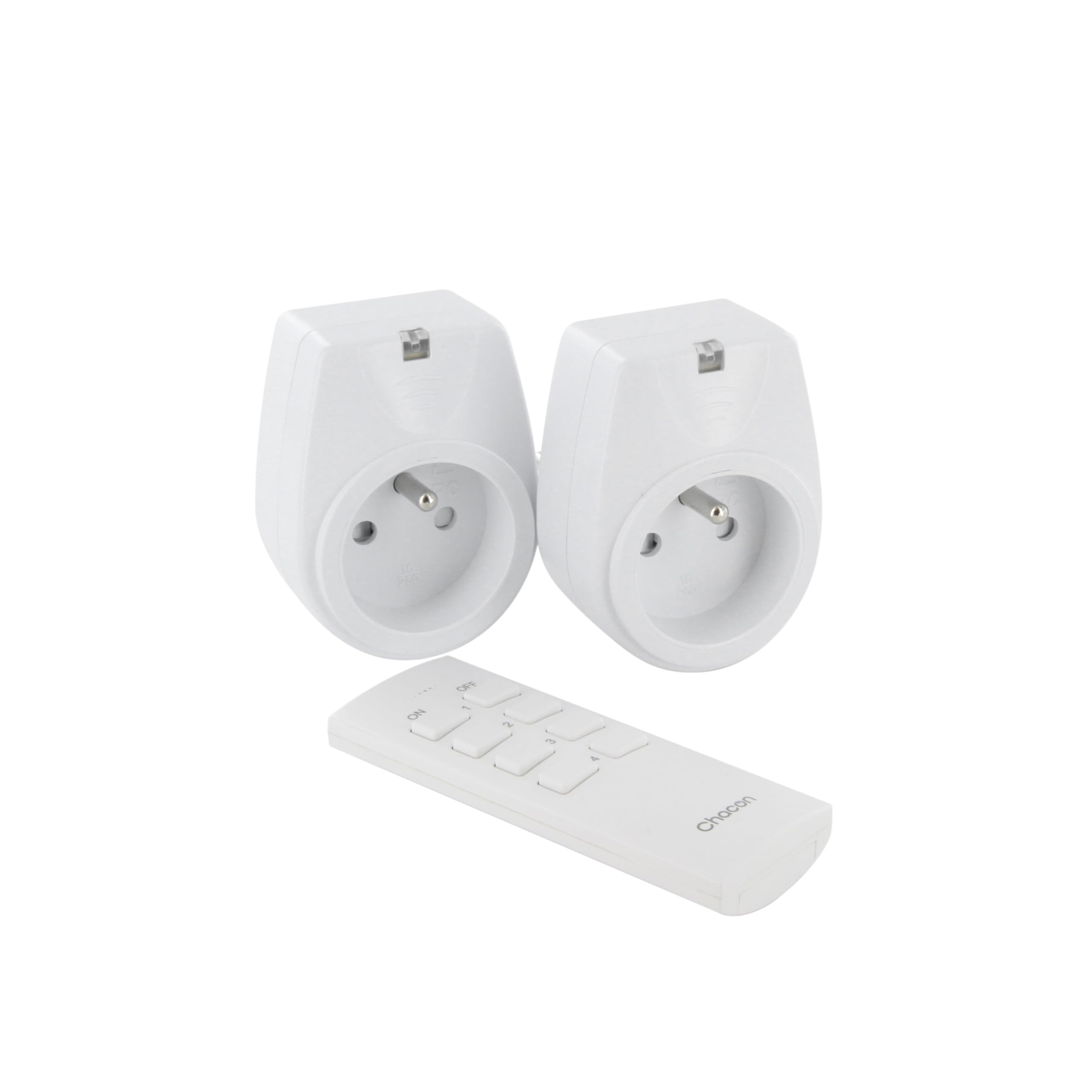
Image: A hand holding the CHACON remote control, demonstrating its use to switch on a lamp.
6. Údržba
6.1. Čištění
To clean the sockets and remote control, ensure they are disconnected from power. Use a soft, dry cloth. Do not use abrasive cleaners, solvents, or immerse in water.
6.2. Výměna baterie v dálkovém ovladači
If the remote control's range decreases or it stops responding, the battery may need replacement. Follow the steps in Section 4.1 to replace the Lithium-ion battery with a new one of the same type.
7. Řešení problémů
| Problém | Možná příčina | Řešení |
|---|---|---|
| Socket does not respond to remote control. |
|
|
| Connected appliance does not turn on/off. |
|
|
| Reduced transmission range. |
|
|
8. Specifikace
| Značka | CHACON |
| Číslo modelu | 54661 |
| Barva | Bílý |
| Speciální funkce | Bezdrátový |
| Kompatibilní zařízení | Air conditioner, Game console, Iron, Speaker, Lamp, DVD player, MP3 player, E-reader, Coffee machine, Modem, Laptop, Heater, Router, Refrigerator, Set-top box, Smartphone, Smartwatch, Audio system, Hair dryer, Tablet, Television |
| Vzdálený typ baterie | Lithium-iontová (1 součástí balení) |
| Maximální výkon | 2000 wattů |
| Přenosová vzdálenost | 25m (otevřené pole) |
| Frekvence | 433.92 MHz |
| svtage | 230V |
| Počet zásuvek | 2 |
| Typ zástrčky | FR (Type E/F) |
| Materiál | Polyvinylchlorid (PVC) |
| Země původu | Čína |
9. Záruka
This CHACON product is covered by a 2-letá záruka from the date of purchase. This warranty covers manufacturing defects and material faults under normal use. It does not cover damage caused by misuse, accident, unauthorized modification, or improper installation.
Uschovejte si prosím doklad o koupi pro uplatnění záruky.
10. Podpora
For technical assistance, troubleshooting not covered in this manual, or warranty inquiries, please contact CHACON customer support.
Visit the official CHACON webweb, kde najdete nejaktuálnější informace o podpoře a kontaktní údaje.
Note: Specific contact information may vary by region.