
1. Konec systémuview
This manual provides instructions for the SANNCE 16-channel 8MP NVR Wireless WiFi Security Camera System. This system is designed for comprehensive surveillance, offering high-resolution video recording and remote monitoring capabilities.
Klíčové vlastnosti:
- 16-Channel 8MP NVR: Supports up to 16 cameras with 8-megapixel resolution for clear video.
- Bezdrátové WiFi připojení: Utilizes 2.4/5.8GHz dual-band WiFi for stable and long-distance connections up to 985ft in open environments.
- H.264+ Video Coding: Advanced compression technology to optimize storage space while maintaining video quality.
- IP66 Outdoor Cameras: Weatherproof cameras suitable for various environmental conditions (-20℃ to 60℃).
- Noční vidění: Features up to 98ft IR night vision and 33ft full-color night vision for 24/7 monitoring.
- Human Motion Detection & Two-Way Talk: Enhanced security with intelligent detection and audio communication.
- Rozšiřitelné úložiště: Supports up to 8TB local HDD storage and cloud storage options.
- Inteligentní integrace: Compatible with Alexa for voice control.
2. Nastavení systému
The SANNCE security system is designed for quick and easy plug-and-play installation. Follow these steps for initial setup.
2.1 Unpacking and Initial Connection
- Carefully unpack all components: NVR, cameras, power adapters, and accessories.
- Připojte NVR k monitoru pomocí kabelu HDMI nebo VGA.
- Připojte NVR ke zdroji napájení pomocí dodaného napájecího adaptéru.
- Connect the cameras to their respective power sources. The cameras will automatically pair with the NVR.
- Connect the NVR to your router via an Ethernet cable for network access and remote viewIng.

Obrázek 2.1: Přesview of system installation, WiFi connection, and remote access via mobile application.
2.2 Konfigurace sítě
Once the NVR is connected to your router, access the NVR's interface on the connected monitor to configure network settings. Ensure DHCP is enabled on your router or assign a static IP address to the NVR if required by your network setup.
2.3 Nastavení mobilní aplikace
- Download the SANNCE mobile application from your device's app store.
- Zaregistrujte si účet a přihlaste se.
- Add your NVR to the app by scanning the QR code displayed on the NVR's interface or by manually entering its ID.
- Po přidání můžete view live feeds, playback recordings, and receive alerts remotely.

Obrázek 2.2: Vzdálené viewing of camera feeds on various devices.
3. Provoz systému
This section details the various operational modes and features of your SANNCE security system.
3.1 Režimy nahrávání
Systém nabízí flexibilní možnosti nahrávání:
- Nepřetržité nahrávání: Nahrává 24 hodin denně, 7 dní v týdnu bez přerušení.
- Záznam detekce pohybu: Nahrává pouze při detekci pohybu.
- Detekce lidského pohybu: Advanced detection specifically for human shapes, reducing false alarms.
- Plánované nahrávání: Nastavte si konkrétní časy pro nahrávání.
- Alarm Triggered Recording: Records when an alarm event (e.g., motion, human detection) is triggered.

Figure 3.1: Intelligent human detection feature and various recording options.
3.2 Noční vidění
The cameras are equipped with advanced night vision technology to ensure clear surveillance in low-light conditions.
- IR noční vidění: Provides black and white video up to 98 feet in complete darkness.
- Plně barevné noční vidění: Offers color video up to 33 feet in low-light conditions, enhancing detail and identification.

Figure 3.2: Demonstration of full-color night vision capability.
3.3 Obousměrný zvuk
Utilize the built-in microphone and speaker on the cameras for two-way communication. This feature allows you to speak to individuals near the camera and hear their responses through the mobile app or NVR interface.

Figure 3.3: System features including two-way audio.

Obrázek 3.4: Přample of two-way audio communication.
3.4 Vzdálené monitorování a upozornění
Stay informed with real-time notifications and remote access:
- Mobile App Notifications: Receive instant alerts on your smartphone when motion or human detection is triggered.
- E-mailová upozornění: Configure the system to send email notifications with snapshots of events.
- Integrace Alexa: Use voice commands with Alexa-enabled devices to view kamerové kanály.

Figure 3.5: Notifications for intelligent people detection.

Figure 3.6: Seamless integration with Alexa for voice control.
4. Údržba
Pravidelná údržba zajistí optimální výkon a dlouhou životnost vašeho bezpečnostního systému.
4.1 Čištění fotoaparátu
- Pravidelně čistěte objektivy fotoaparátu měkkým hadříkemamp hadříkem odstraňte prach, nečistoty nebo skvrny od vody, které by mohly zablokovat view.
- Avoid using harsh chemicals or abrasive materials that could damage the lens coating.
4.2 NVR and Storage Management
- Ujistěte se, že je NVR umístěn v dobře větraném prostoru, aby se zabránilo přehřátí.
- Regularly check the hard drive status through the NVR interface to ensure it is functioning correctly.
- Manage storage space by configuring recording settings or backing up important footage to external storage or cloud services.
4.3 aktualizací firmwaru
Check the SANNCE official website or the mobile application periodically for firmware updates. Keeping your system's firmware updated ensures access to the latest features, security patches, and performance improvements.
5. Řešení problémů
Tato část se zabývá běžnými problémy, se kterými se můžete setkat, a nabízí řešení.
5.1 Žádné zobrazení videa
- Zkontrolujte napájení: Ensure the NVR and all cameras are properly connected to power outlets and are turned on.
- Připojení monitoru: Verify the HDMI/VGA cable connection between the NVR and your monitor.
- Párování fotoaparátu: Confirm that cameras are successfully paired with the NVR. Refer to the setup section for pairing instructions if needed.
5.2 Poor Wireless Connection
- Síla signálu: Check the wireless signal strength of the cameras in the NVR interface.
- překážky: Reduce obstacles (thick walls, metal structures) between cameras and the NVR.
- Vzdálenost: Ensure cameras are within the effective wireless range (up to 985ft in open environments).
- Rušení: Minimize interference from other wireless devices. The system supports dual-band WiFi (2.4/5.8GHz) which can help.
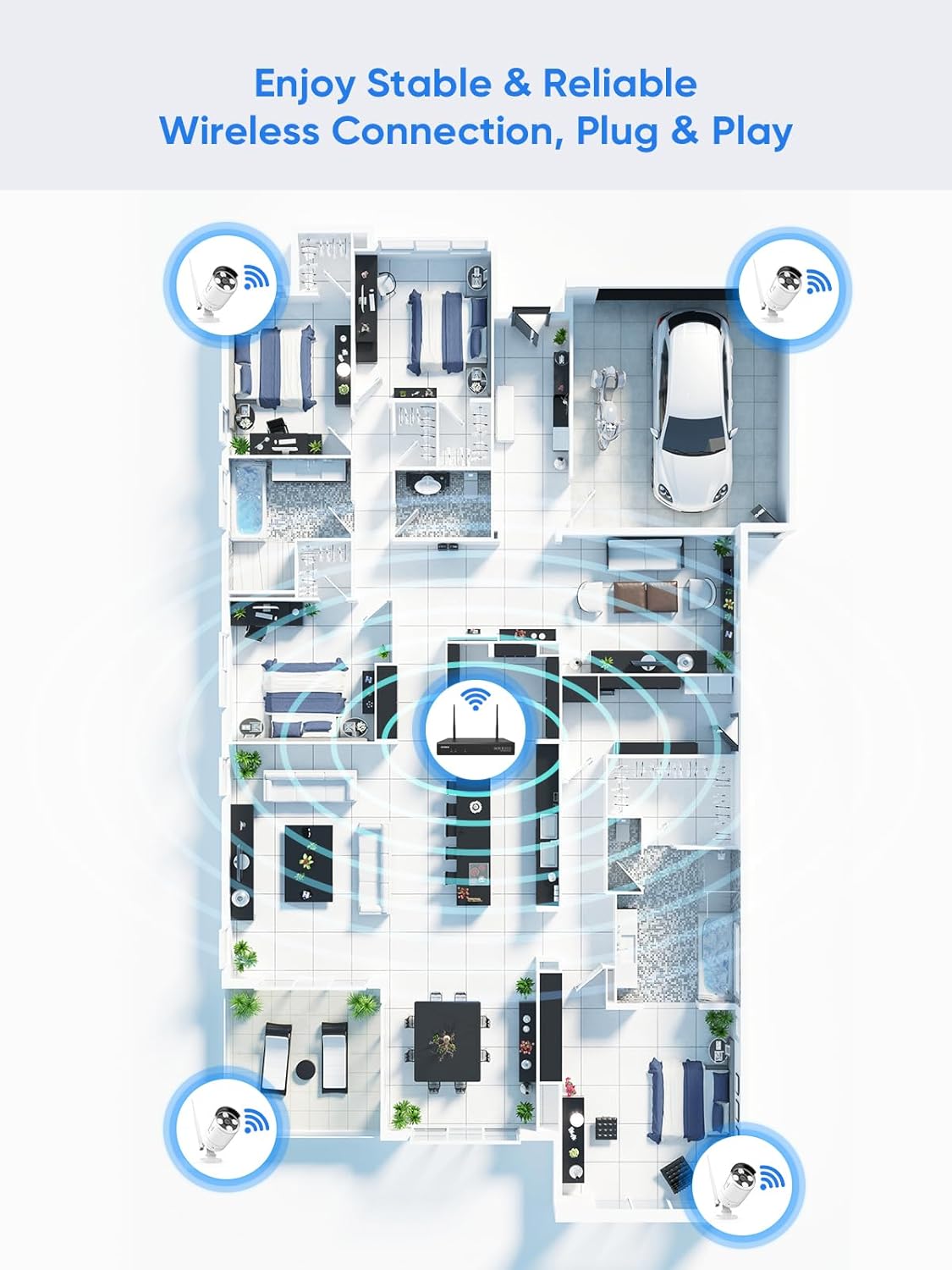
Figure 5.1: Wireless coverage and connection stability.
5.3 Problémy se záznamem
- Pevný disk: Verify the hard drive is installed correctly and is not full. Format the HDD if necessary (this will erase all data).
- Plán nahrávání: Check your recording schedule and motion detection settings to ensure they are configured as desired.
- Citlivost na pohyb: Adjust motion detection sensitivity if recordings are too frequent or not frequent enough.
5.4 Remote Access Problems
- Připojení k internetu: Ensure both your NVR and mobile device have a stable internet connection.
- Nastavení sítě NVR: Confirm the NVR's network settings are correct and it has access to the internet.
- Přihlášení do aplikace: Verify you are logged into the SANNCE app with the correct account.
6. Specifikace
| Funkce | Detail |
|---|---|
| Číslo modelu | 4335041969 |
| Značka | SANNCE |
| Technologie připojení | HDMI, USB, VGA, Wireless WiFi (2.4/5.8GHz) |
| Kompatibilní zařízení | Kamery |
| Kapacita paměti | Up to 8 TB (HDD) |
| Velikost pevného disku | 8 TB (Maximum Supported) |
| Hodnocení IP | IP66 (Outdoor Cameras) |
| Provozní teplota | -20 ℃ až 60 ℃ |
| Rozměry balení | 13.78 x 11.42 x 3.19 palce |
| Hmotnost položky | 3.14 libry |
| Datum první dostupnosti | 11. prosince 2017 |
7. Záruka a podpora
7.1 Zásady vrácení
This product is subject to a 30-day return policy from the date of purchase. Please refer to your retailer's specific return guidelines for detailed information.
7.2 Záruka výrobce
SANNCE provides a limited warranty for this product against defects in materials and workmanship. For specific warranty terms, duration, and conditions, please refer to the warranty card included with your product or visit the official SANNCE webmísto.
7.3 Zákaznická podpora
If you encounter any issues or have questions regarding the installation, operation, or maintenance of your SANNCE security system, please contact SANNCE customer support for assistance. You can typically find contact information on the SANNCE official webna místě nebo v obalu produktu.
Pro více informací navštivte SANNCE Store.