
Zavedení
The HP Wireless Mouse 200 provides a reliable and comfortable wireless experience for your computing needs. Designed for ease of use, this mouse features a 2.4 GHz wireless connection, a contoured shape for ambidextrous comfort, and a 1,000 DPI optical sensor for precise tracking. This manual provides instructions for setting up, operating, and maintaining your HP Wireless Mouse 200.
Obsah balení

Figure 1: Package Contents. The image displays the HP Wireless Mouse 200, two AAA batteries, a 2.4GHz wireless receiver, a quick start poster, product notices, and a warranty card.
Ověřte, zda váš balíček obsahuje následující položky:
- HP Wireless Mouse 200
- 2 AAA baterie
- 2.4 GHz Wireless USB Receiver
- Rychlý průvodce
- Oznámení o produktu
- Záruční list
Nastavení
1. Instalace baterie
- Najděte přihrádku na baterie na spodní straně myši.
- Otevřete kryt bateriového prostoru.
- Insert the two AAA batteries (included) into the compartment. Ensure correct polarity (+ and - ends) as indicated inside the compartment. Note: Some users have reported that batteries may need to be inserted in opposite directions for proper function.
- Zavřete kryt prostoru pro baterie.
2. Connect the USB Receiver
- Locate the 2.4 GHz wireless USB receiver. This is typically stored inside the battery compartment or packaged separately.
- Zapojte USB přijímač do volného USB portu na vašem počítači.
- Your computer should automatically detect the mouse.
3. Zapněte myš
- On the underside of the mouse, locate the On/Off switch.
- Slide the switch to the "On" position. The optical sensor light (red LED) should illuminate.
- If the mouse does not connect automatically, press the "Connect" button located near the On/Off switch on the underside of the mouse.
Ovládání myši

Figure 2: Key Features of the HP Wireless Mouse 200. This image illustrates the mouse's features such as battery life, wireless range, button layout, and operating system compatibility.
The HP Wireless Mouse 200 is designed for intuitive navigation and control.
- Levé tlačítko myši: Používá se k výběru položek, otevírání filea provádění příkazů.
- Kliknutí pravým tlačítkem: Používá se pro přístup k kontextovým nabídkám a dalším možnostem.
- Rolovací kolečko: Používá se k procházení dokumentů a web stránky. Rolovací kolečko funguje také jako prostřední tlačítko.
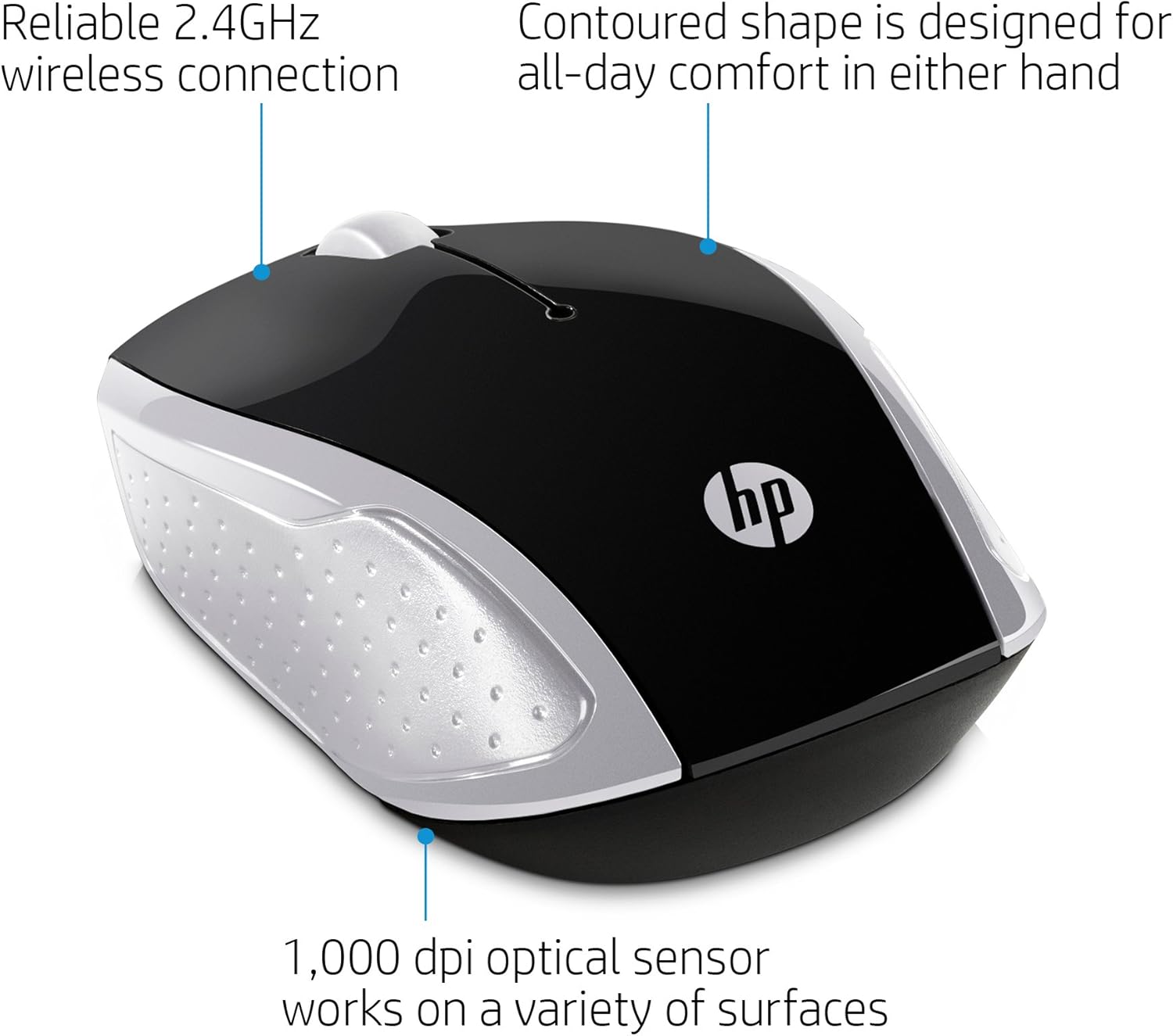
Figure 3: Ergonomic Design and Optical Sensor. This image emphasizes the comfortable, contoured shape suitable for both left and right-handed users, and the precision of the 1,000 DPI optical sensor.
The mouse features a contoured shape that fits comfortably in either hand, making it suitable for both left-handed and right-handed users. Its 1,000 DPI optical sensor provides accurate and responsive tracking on various surfaces.
Údržba
Výměna baterie
When the mouse performance degrades or stops responding, it may be time to replace the batteries. Follow the battery installation steps in the Nastavení section to replace the two AAA batteries.
Čištění
K čištění myši použijte měkký, suchý hadřík. V případě odolných nečistot lehceampen the cloth with water. Avoid using harsh chemicals or abrasive cleaners, as these can damage the mouse's surface.
Odstraňování problémů
- Myš nereaguje:
- Ensure the mouse is powered on using the On/Off switch on the underside.
- Zkontrolujte, zda jsou baterie správně vloženy a zda jsou dostatečně nabité. V případě potřeby je vyměňte.
- Verify that the USB receiver is securely plugged into a working USB port on your computer.
- Zkuste zapojit USB přijímač do jiného USB portu.
- Press the "Connect" button on the underside of the mouse to re-establish the connection.
- Nepravidelný pohyb kurzoru:
- Ujistěte se, že optický senzor na spodní straně myši je čistý a bez překážek.
- Use the mouse on a clean, uniform surface. Avoid highly reflective or transparent surfaces.
- Short wireless range:
- Ensure there are no large metal objects or other electronic devices interfering with the 2.4 GHz signal between the mouse and the USB receiver.
- Přibližte myš k USB přijímači. Efektivní dosah je až 10 metrů (30 stop).
Specifikace

Figure 4: HP Wireless Mouse 200 Dimensions. The image provides a top-down view of the mouse with its length (3.74 inches) and width (2.3 inches) clearly marked.
| Funkce | Detail |
|---|---|
| Značka | HP |
| Název modelu | HP Wireless Mouse 200 |
| Číslo modelu | 200 (2HU84AA) |
| Barva | Černá/Stříbrná |
| Technologie připojení | USB (2.4 GHz Wireless Receiver) |
| Detekce pohybu | Optical (Red LED) |
| Citlivost DPI | 1000 DPI |
| Množství tlačítek | 3 (Levé, Pravé, Kolečko pro rolování/Kliknutí prostředním tlačítkem) |
| Orientace rukou | Obouruký |
| Bezdrátové Dosah | Až 10 metrů (30 stop) |
| Zdroj napájení | Napájení z baterie |
| Jsou vyžadovány baterie | 2 x AAA (součástí balení) |
| Kompatibilní operační systémy | Windows 7 and above, Mac OS 10.x and above, Chrome OS |
| Hmotnost položky | 2.72 unce |
| Rozměry položky (D x Š) | 5" x 3" |
| Materiál | Plast |
Záruka a podpora
The HP Wireless Mouse 200 comes with a standard 1letá omezená záruka HP. For warranty claims, technical support, or additional product information, please refer to the official HP support website or contact HP customer service. Details can be found on the warranty card included in your package.