
Capcom Resident Evil 5 PS4
Resident Evil 5 (PS4) Official Instruction Manual
Capcom
Zavedení
Welcome to the world of Resident Evil 5. This manual provides essential information to help you get started and navigate the game's challenging environments. Prepare to face new bio-organic threats as you uncover a global conspiracy.

Image: The official game cover for Resident Evil 5 on PlayStation 4, featuring protagonists Chris Redfield and Sheva Alomar.
Nastavení a instalace
To install Resident Evil 5 on your PlayStation 4 console, follow these steps:
- Insert the Resident Evil 5 game disc into the PlayStation 4 console's disc drive.
- The system will automatically begin the installation process. Follow any on-screen prompts.
- Ensure your PlayStation 4 is connected to the internet to download any available game updates or patches for optimal performance.
- Once installation is complete, select the Resident Evil 5 icon from your PlayStation 4 home screen to launch the game.
Systémové požadavky
- Konzole PlayStation 4
- Minimum 18 GB available storage space
- Internet connection for updates and online features
Operating the Game: Basic Controls
Resident Evil 5 utilizes the standard PlayStation 4 controller layout. Familiarize yourself with the basic controls before beginning your mission.
| Vstup regulátoru | Akce |
|---|---|
| Levá analogová páka | Přesunout postavu |
| Pravá analogová páka | Ovládání kamery |
| Tlačítko X | Confirm / Action |
| Tlačítko kruhu | Cancel / Dodge |
| Čtvercové tlačítko | Reload Weapon |
| Trojúhelníkové tlačítko | Access Inventory |
| Tlačítko R2 | Fire Weapon |
| Tlačítko L2 | Aim Weapon |
| Tlačítko R1 | Melee Attack |
| Tlačítko L1 | Partner Command |
Detailed control schemes and customizable options can be found within the game's settings menu.
Konec hryview
Resident Evil 5 is a third-person shooter with survival horror elements. Players control Chris Redfield, accompanied by his partner Sheva Alomar, as they investigate a bioterrorism threat in Africa. The game emphasizes cooperative play, with an AI partner or another player controlling Sheva.
Klíčové vlastnosti:
- Cooperative Gameplay: Work together with your partner to overcome challenges, solve puzzles, and defeat enemies.
- Správa zdrojů: Strategically manage your limited ammunition, health items, and weapons.
- Enemy Variety: Encounter a diverse range of infected humans and mutated creatures.
- Weapon Upgrades: Collect currency to upgrade your weapons and unlock new ones.

Image: Chris Redfield and Sheva Alomar surveying a desolate village environment, typical of the game's setting.

Image: An intense combat scene where characters are engaging multiple infected enemies in a confined space.
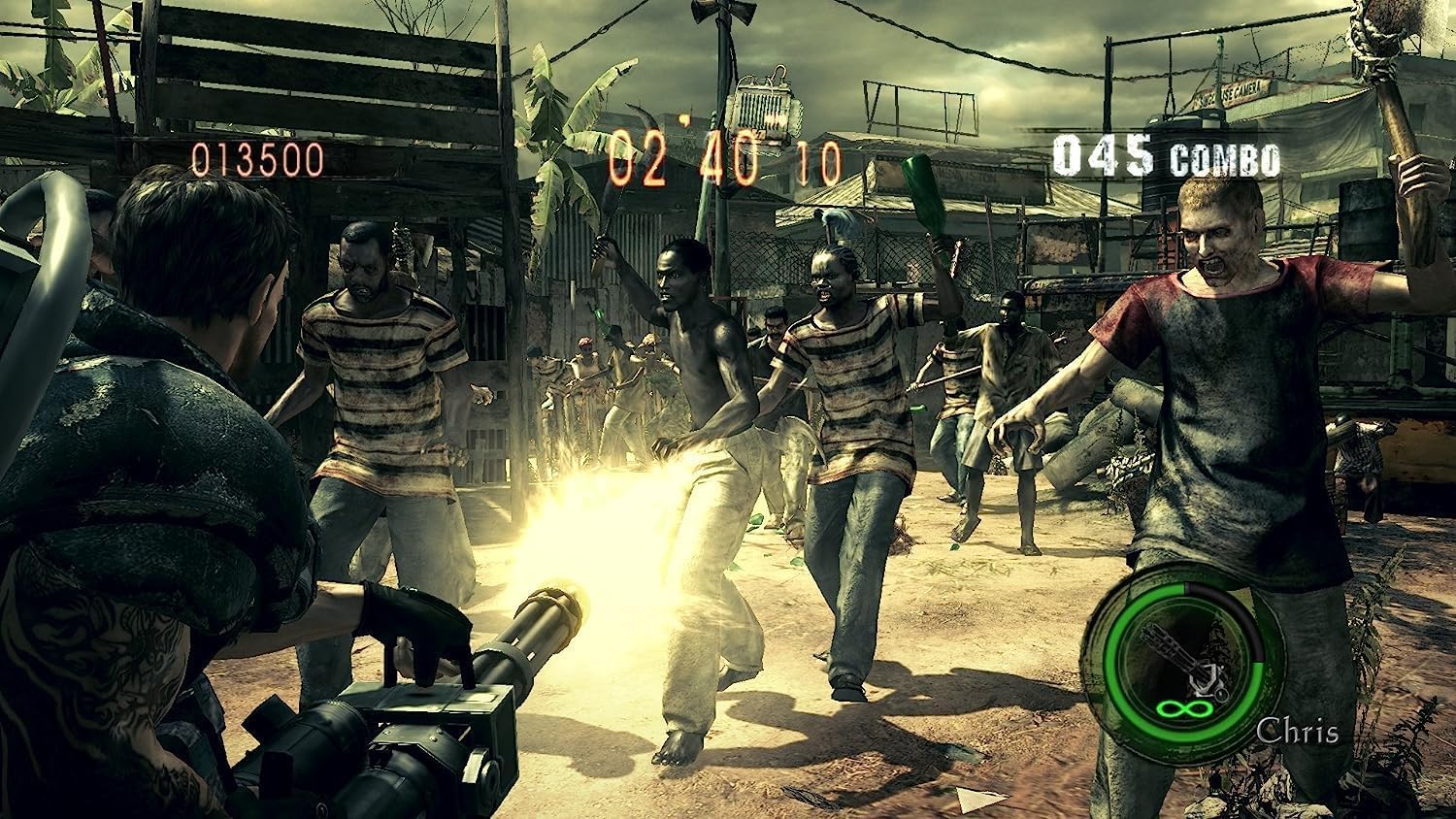
Image: Chris Redfield wielding a powerful minigun against a horde of approaching enemies.

Image: Chris and Sheva exploring a dark, cavernous area, encountering a mutated creature.

Image: Excella Gionne observing as zombies approach in a futuristic-looking facility.

Image: Chris and Sheva engaging in combat against flying, mutated enemies in an outdoor environment.
Údržba a péče
To ensure the longevity of your Resident Evil 5 game disc and optimal performance:
- Herní disk vždy držte za okraje, abyste zabránili otiskům prstů a poškrábání.
- Pokud disk nepoužíváte, uložte jej do originálního obalu.
- Keep the disc away from direct sunlight, extreme temperatures, and humidity.
- Pokud se disk znečistí, jemně jej otřete měkkým hadříkem, který nepouští vlákna, směrem od středu směrem ven. Nepoužívejte abrazivní čisticí prostředky.
- Ensure your PlayStation 4 console's disc drive is clean and free of dust.
Odstraňování problémů
If you encounter issues while playing Resident Evil 5, refer to the following common solutions:
- Game Not Starting / Disc Read Error:
- Check the game disc for scratches or smudges. Clean if necessary.
- Ujistěte se, že je disk správně vložen do konzole.
- Restartujte konzoli PlayStation 4.
- Verify that your console's system software is up to date.
- Freezing / Crashing:
- Close the game application and restart it.
- Ensure there is sufficient free space on your console's hard drive.
- Check for and install any available game updates.
- Problémy s online připojením:
- Ověřte, zda je vaše internetové připojení stabilní.
- Check PlayStation Network (PSN) status for any service outages.
- Restartujte router/modem.
For persistent issues, consult the official Capcom support website or the PlayStation support resources.
Specifikace
| Atribut | Detail |
|---|---|
| Název produktu | Resident Evil 5 (PS4) |
| Výrobce | Capcom |
| Platforma | PlayStation 4 |
| ASIN | B07831LNP3 |
| Hodnocení ESRB | Zralý |
| Rozměry produktu | 13.49 x 1.4 x 17.2 cm; 68 g (Disc and Case) |
Záruka a podpora
For information regarding product warranty, technical support, or customer service for Resident Evil 5, please refer to the official Capcom support channels.
- Capcom Official Webmísto: Návštěva www.capcom.com for general information and news.
- Capcom Support: For technical assistance, FAQs, and troubleshooting guides, please visit the dedicated support section on the Capcom website. Specific support details may vary by region.
- Podpora PlayStationu: For console-related issues or PlayStation Network support, visit the official PlayStation support webmísto na www.playstation.com/support.
Uschovejte si prosím doklad o koupi pro případné reklamace.
Ask a question about this manual
Ask about setup, troubleshooting, compatibility, parts, safety, or missing instructions. Manuals+ will review the question and use this page’s manual context to help answer it.