
1. Úvod
The Darkglass Microtubes B7K V2 is a versatile bass preamp pedal designed to provide a wide range of tonal options for electric bass players. It combines a powerful overdrive circuit with a comprehensive 4-band equalizer and a balanced XLR output, making it suitable for both live performance and studio recording. This manual provides detailed instructions for setting up, operating, and maintaining your B7K V2 pedal.
2. Vlastnosti
- Combines a preamp, EQ, and overdrive in one unit for powerful tone shaping.
- Features a blend control to mix clean and overdriven signals for perfect balance.
- Includes a 4-band active EQ with bass, low mids, high mids, and treble controls.
- Grunt switch adds three levels of low-end boost for a thicker sound.
- Attack switch adjusts treble content, offering boost, flat, and cut settings.
- Low mids switch changes the center frequency from 1 kHz to 500 Hz.
- Hi mids switch changes the center frequency from 3 kHz to 1.5 kHz.
- Parallel output for running the input signal through unaffected.
- Direct output provides a balanced version for PA systems or studio consoles.
- Operates with a regulated 9V DC adapter (not included).
3. Ovládací prvky a připojení
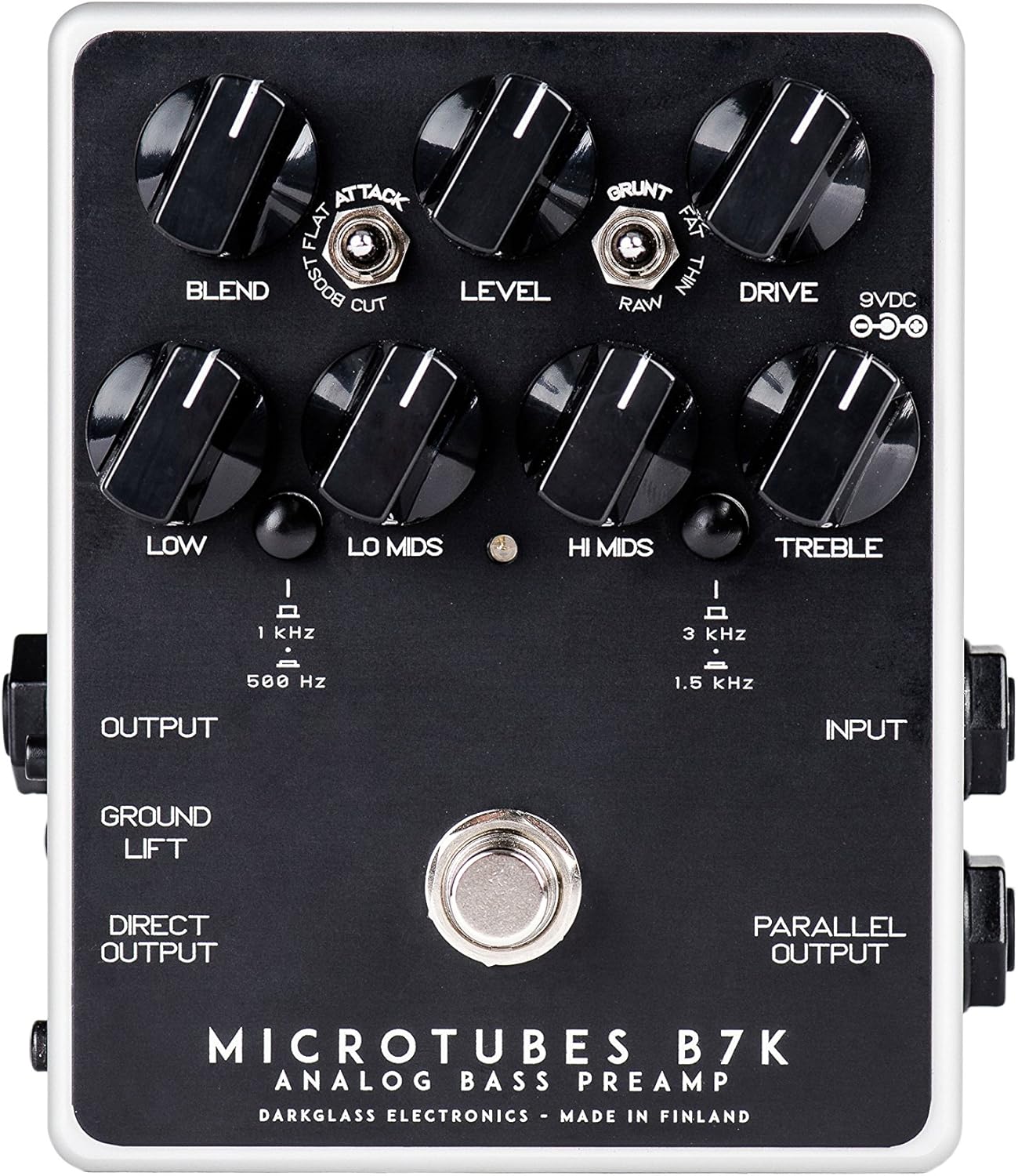
Obrázek 1: Nahoře view of the B7K V2 pedal.
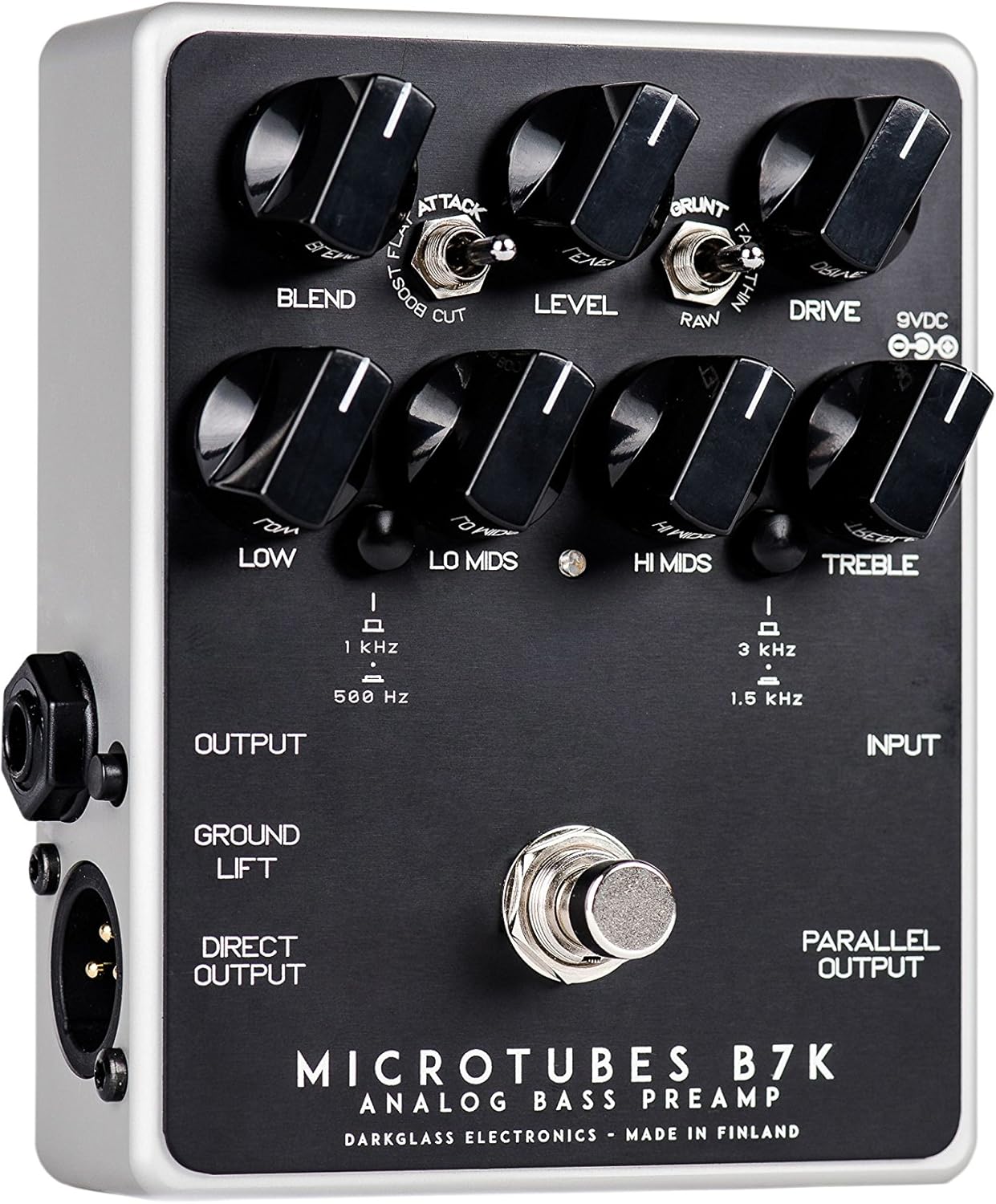
Figure 2: Left side connections.

Figure 3: Right side connections.
3.1 ovládacích knoflíků
- blend: Mixes the clean input signal with the overdriven signal. The clean signal remains at unity gain while the volume of the overdriven signal is controlled by the Drive knob, allowing for fine-tuning of the blend ratio.
- Úroveň: Nastavuje celkovou výstupní hlasitost pedálu.
- Řídit: Řídí míru zesílení v přebuzeném signálu.
- Nízký: Adjusts the level of the low frequencies.
- Lo Mids: Adjusts the level of the low-mid frequencies. The center frequency can be switched between 500 Hz and 1 kHz.
- Ahoj Mids: Adjusts the level of the high-mid frequencies. The center frequency can be switched between 1.5 kHz and 3 kHz.
- Ztrojnásobit: Adjusts the level of the high frequencies.
3.2 Spínače
- Přepínač útoku: Modifies the treble content of the overdriven signal. Options are Boost, Flat, and Cut.
- Grunt Switch: Modifies the low-end content of the overdriven signal. Options are Thin, Raw, and Fat.
- Lo Mids Switch: Selects the center frequency for the Lo Mids knob (500 Hz or 1 kHz).
- Hi Mids Switch: Selects the center frequency for the Hi Mids knob (1.5 kHz or 3 kHz).
- Spínač zemního zdvihu: Disconnects the ground from the XLR output to help eliminate hum or ground loops when connected to external equipment.
3.3 Připojení
- Input (1/4" Jack): Connect your bass guitar or other instrument here.
- Output (1/4" Jack): Connect to your bass amplifikátor nebo jiné efektové pedály.
- Přímý výstup (XLR): Provides a balanced output for connecting directly to a PA system, mixing console, or audio interface.
- Parallel Output (1/4" Jack): Outputs the unaffected input signal, useful for parallel processing or sending a clean signal to another device.
- Vstup 9V DC: Connect a regulated 9V DC power supply (center negative, minimum 30mA).
4. Nastavení
- Ensure the pedal is powered off before making any connections.
- Připojte baskytaru k Vstup zvedák na pravé straně pedálu.
- Připojte Výstup jack on the left side to your bass ampvstup od lifiera.
- If using the balanced output, connect the Direct Output (XLR) to a PA system, mixing console, or audio interface.
- If you need an unaffected signal, connect the Paralelní výstup na jiné zařízení.
- Connect a regulated 9V DC (center negative) power supply to the 9VDC vstup. The pedal requires a minimum of 30mA. Poznámka: Napájecí zdroj není součástí dodávky pedálu.
- Once all connections are secure, you can power on the pedal.
5. Návod k obsluze
5.1 Základní obsluha
To activate the pedal, press the footswitch. The LED indicator will illuminate. To bypass the effect, press the footswitch again.
5.2 Tone Shaping
- Start with all EQ knobs (Low, Lo Mids, Hi Mids, Treble) at the 12 o'clock position for a flat response.
- Upravte Řídit knob to achieve your desired level of overdrive. Higher settings will produce more distortion.
- Použijte Směs knob to mix the clean signal with the overdriven signal. This allows you to retain clarity and low-end presence while adding grit.
- Experimentujte s Útok a Grunt switches to fine-tune the treble and bass characteristics of the overdriven tone.
- Utilize the 4-band EQ to sculpt your overall tone. The Lo Mids a Ahoj Mids switches allow you to select different frequency centers for precise control.
- Upravte Úroveň knob to match the output volume with your bypassed signal or to boost your signal for solos.
6. Údržba
- Udržujte pedál čistý otíráním měkkým, suchým hadříkem. Nepoužívejte abrazivní čisticí prostředky ani rozpouštědla.
- Protect the pedal from extreme temperatures, moisture, and direct sunlight.
- Ujistěte se, že všechny kabely jsou v dobrém stavu a správně připojeny, aby nedošlo ke ztrátě nebo poškození signálu.
- Always use a regulated 9V DC center-negative power supply to avoid damage to the unit.
7. Řešení problémů
| Problém | Možná příčina | Řešení |
|---|---|---|
| Žádný zvuk | Incorrect power supply; cables not connected properly; pedal bypassed. | Verify 9V DC center-negative power supply is connected. Check all input/output cables. Ensure pedal is engaged (LED illuminated). |
| Nadměrný hukot nebo šum | Ground loop; faulty cables; interference from other equipment. | Zapojte se Pozemní výtah switch on the XLR output. Try different cables. Ensure power supply is isolated and free from noise. Move pedal away from power transformers or other noisy electronics. |
| Weak or distorted signal (unintended) | Nesprávné zesílenítaging; faulty instrument cable. | Upravit Úroveň a Řídit knobs. Test with a different instrument cable. |
8. Specifikace
- Hmotnost položky: 1.1 liber (0.5 kilogramů)
- Rozměry produktu: 6 x 7 x 10 palce
- Číslo modelu položky: B7K2
- Barva: Černý
- Typ konektoru: 1/4" (aux), XLR
- Hardwarové rozhraní: USB (for potential future firmware updates, not for audio)
- Formát signálu: Analogový
- Zdroj napájení: Elektrický kabel
- svtage: 9 voltů stejnosměrného proudu (záporný střed)
- Aktuální losování: Minimálně 30 mA
9. Záruka a podpora
Darkglass Electronics products are designed for reliability and performance. For specific warranty information and support, please refer to the documentation included with your purchase or visit the official Darkglass Electronics webUschovejte si doklad o koupi pro případ reklamace.
For technical assistance or service inquiries, please contact Darkglass Electronics customer support through their official channels.