
UDIRC U46
Uživatelská příručka k mini dronu UDIRC U46
Model: U46
1. Úvod
The UDIRC U46 Mini Drone is a compact quadcopter designed for beginners and recreational flying. It features user-friendly controls and safety mechanisms to ensure an enjoyable experience. This manual provides essential information for operating and maintaining your drone.

Image 1.1: The UDIRC U46 Mini Drone, its remote controller, and three included batteries.
2. Bezpečnostní pokyny
- Doporučený věk: Tento produkt je doporučen pro uživatele od 14 let.
- Vnitřní použití: The U46 drone is primarily designed for indoor use. Avoid flying in windy conditions outdoors, as this can lead to loss of control.
- Vyčistit oblast: Operate the drone in an open area free from obstacles, people, and pets.
- Bezpečnost vrtule: Keep fingers, hair, and loose clothing away from the spinning propellers. The drone features propeller guards for added safety.
- Bezpečnost baterie: Do not overcharge batteries. Use only the provided USB charger. Discontinue use if batteries show signs of damage or swelling.
- Vystavení vodě: Zabraňte kontaktu s vodou nebo vlhkostí, abyste zabránili poškození elektronických součástek.
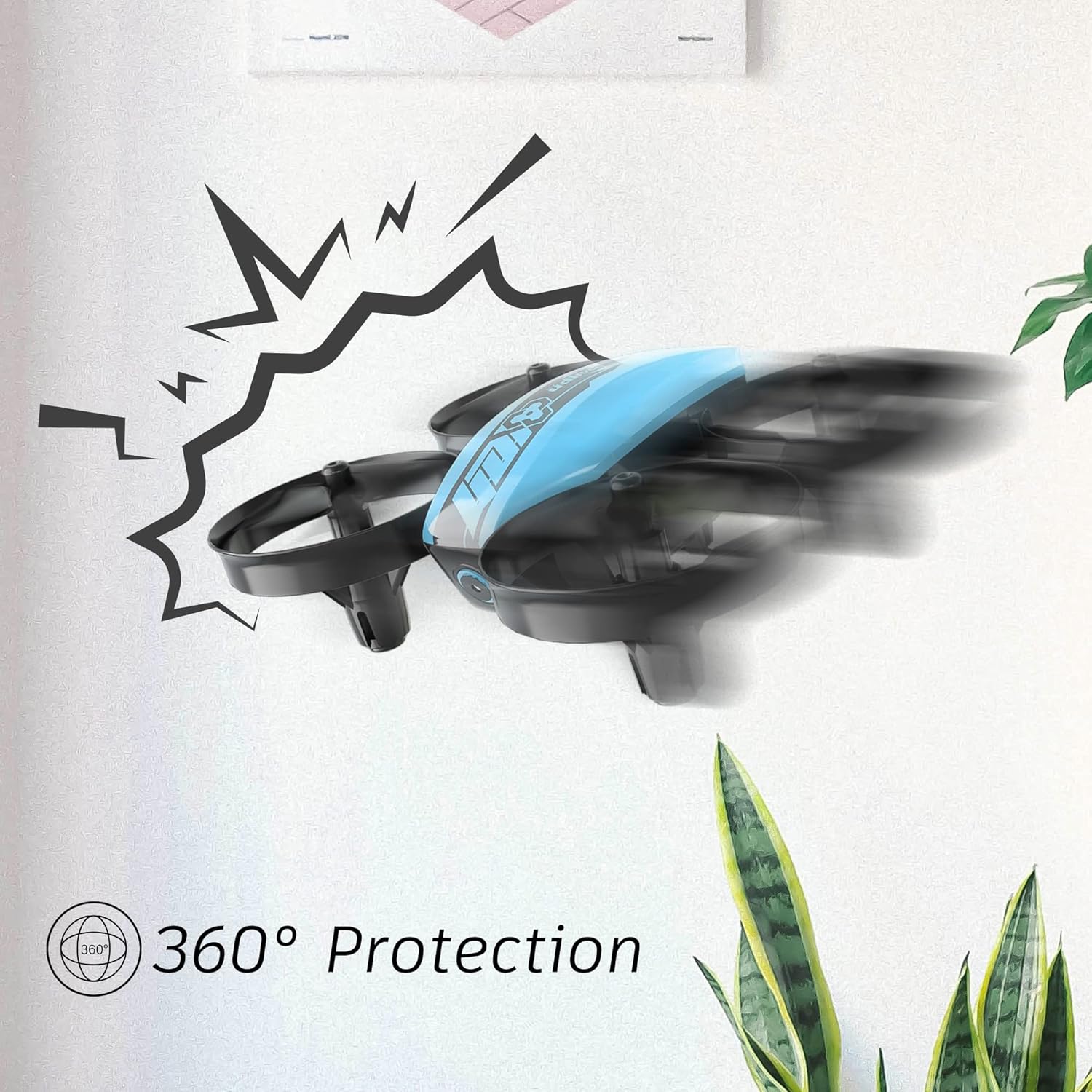
Image 2.1: The drone's 360-degree propeller protection guards help prevent damage during minor collisions.
3. Obsah balení
Ověřte, zda jsou v balení přítomny všechny položky:
- 1 x U46 Mini Drone
- Řídicí jednotka 1 x
- 3 x baterie do dronu
- 1x USB nabíječka
- 4 x náhradní vrtule
- 1 x Uživatelská příručka

Image 3.1: All components included in the UDIRC U46 Mini Drone package.
4. Komponenty přesview
Familiarize yourself with the drone and controller components.
4.1 Součásti dronu
- Vrtule: Four rotating blades for lift and movement.
- Kryty vrtule: Integrated protective rings around each propeller.
- Hlavní tělo: Houses the electronics and battery.
- Kontrolky: Provide status information (e.g., pairing, low battery).
4.2 Součásti řídicí jednotky
- Levý joystick (plyn/stáčení): Řídí nadmořskou výšku a rotaci.
- Pravý joystick (náklon/klopení): Ovládá pohyb vpřed/vzad a vlevo/vpravo.
- One Key Take-off/Landing Button: Zahájí automatický vzlet nebo přistání.
- Tlačítko režimu rychlosti: Přepíná mezi různými rychlostmi letu.
- Tlačítko režimu bez hlavy: Aktivuje bezhlavý let.
- Vypínač: Zapíná/vypíná ovladač.
- Kontrolka: Zobrazuje stav ovladače.
5. Nastavení
5.1 Nabíjení baterie dronu
- Connect the drone battery to the USB charger.
- Plug the USB charger into a USB power source (e.g., computer, USB wall adapter).
- The indicator light on the USB charger will illuminate during charging and turn off when fully charged.
- Charging time is approximately 30 minutes per battery.
5.2 Instalace baterií do ovladače
- Otevřete kryt baterie na zadní straně ovladače.
- Insert 3 x 1.5V AA batteries (not included), ensuring correct polarity.
- Bezpečně uzavřete přihrádku na baterie.
5.3 Párování dronu a ovladače
- Umístěte dron na rovný a rovný povrch.
- Zapněte dron. Kontrolky dronu začnou blikat.
- Turn on the controller's power switch. The controller's indicator light will flash.
- Zatlačte levý joystick (plyn) úplně nahoru a poté úplně dolů.
- The drone and controller indicator lights will become solid, indicating successful pairing.
Video 5.1: This video demonstrates the simple frequency pairing process, one-key take-off/landing, headless mode, altitude hold, and low battery alarm features of the UDI U46 Mini Drone.
6. Ovládání dronu
6.1 Vzlet a přistání s jedním klíčem
- After pairing, press the One Key Take-off/Landing button. The drone will automatically ascend to a stable hovering altitude.
- To land, press the One Key Take-off/Landing button again. The drone will slowly descend and land.
6.2 Řízení letu
- Levý joystick (plyn): Push up to increase altitude, pull down to decrease altitude.
- Levý joystick (stáčení): Push left or right to rotate the drone horizontally.
- Right Joystick (Pitch): Push up to fly forward, pull down to fly backward.
- Right Joystick (Roll): Push left to fly left, push right to fly right.
6.3 Bezhlavý režim
- Press the Headless Mode button to activate. In this mode, the drone's orientation is irrelevant; it will always move relative to the pilot's position.
- Press the button again to exit Headless Mode.
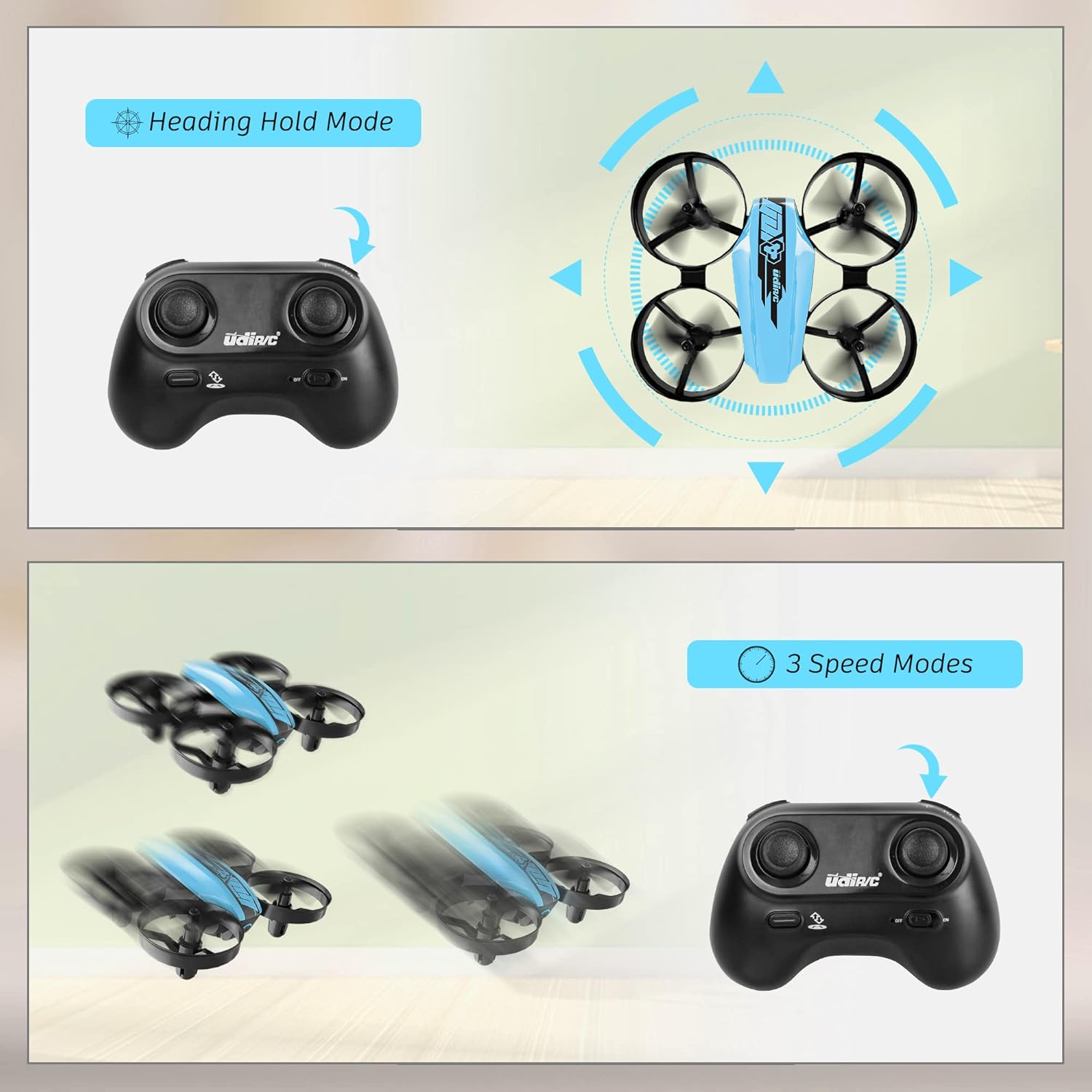
Image 6.1: Illustration of the Headless Mode feature and its activation on the controller.
6.4 Funkce udržování nadmořské výšky
- The U46 drone features an altitude hold function, allowing it to maintain a stable height automatically. This simplifies control, especially for beginners.

Image 6.2: Visual representation of Altitude Hold Mode, One Button Take Off/Landing, and Emergency Stop features.
6.5 rychlostní režimy
- The drone has three speed modes (low, medium, high). Press the Speed Mode button to cycle through them.
- Start with low speed for learning and gradually increase as you gain proficiency.
6.6 Nouzové zastavení
- In case of an emergency or loss of control, press and hold the One Key Take-off/Landing button for a few seconds to perform an emergency stop. The propellers will immediately cease rotation.
7. Údržba
7.1 Výměna vrtule
- If a propeller is damaged, carefully remove it and replace it with a new one from the spare parts. Ensure the correct propeller (A or B) is installed on the corresponding motor.
7.2 Čištění a skladování
- Wipe the drone with a soft, dry cloth after use. Avoid using water or cleaning agents.
- Dron a ovladač skladujte na chladném a suchém místě, mimo dosah přímého slunečního záření a extrémních teplot.
- Remove batteries from the controller if storing for extended periods.
8. Řešení problémů
- Dron nereaguje: Ensure both drone and controller are powered on and successfully paired. Check controller batteries.
- Dron se během letu unáší: Perform calibration on a flat surface. Use the trim buttons on the controller to adjust for minor drifts.
- Krátká doba letu: Ensure batteries are fully charged. Flight time can vary based on flight style and environmental factors.
- Vrtule se neotáčejí: Check for obstructions or damage to propellers. Ensure they are correctly installed.
- Alarm slabé baterie: The controller will emit an alarm sound when the drone's battery is low, indicating it's time to land and recharge.
9. Specifikace
| Značka | UDIRC |
| Název modelu | U46S |
| Hmotnost dronu | 0.05 libry (přibližně 22.68 gramů) |
| Rozměry dronu | 3.54 cm D x 3.54 cm Š x 1.25 cm V |
| Doba letu | 6–7 minut na baterii (až 21 minut se 3 bateriemi) |
| Frekvence ovladače | 2.4 GHz |
| Baterie ovladače | 3 x 1.5V AA baterie (nejsou součástí balení) |
| Kapacita baterie | 180 miliamp Hodiny (Li-Po) |
| Úroveň dovedností | Začátečník |
| Speciální funkce | Altitude Hold, Headless Mode, One Key Take-off/Landing, 3 Speed Modes, 360° Protection |

Image 9.1: Flight time illustration, showing extended flight with multiple batteries.

Image 9.2: Dimensions of the UDIRC U46 Mini Drone, shown next to a smartphone for size comparison.
10. Záruka a podpora
For warranty information or technical support, please refer to the contact details provided with your purchase or visit the official UDIRC webUschovejte si doklad o koupi pro případ reklamace.
Ask a question about this manual
Ask about setup, troubleshooting, compatibility, parts, safety, or missing instructions. Manuals+ will review the question and use this page’s manual context to help answer it.