
1. Konec produktuview
The MERCUSYS MW300UM N300 Wireless Mini USB Adapter is designed to connect your desktop or laptop computer to a wireless network. It provides Wi-Fi connections up to 300Mbps, suitable for online gaming, HD streaming, and web browsing. Its compact, mini USB design ensures portability and convenience.
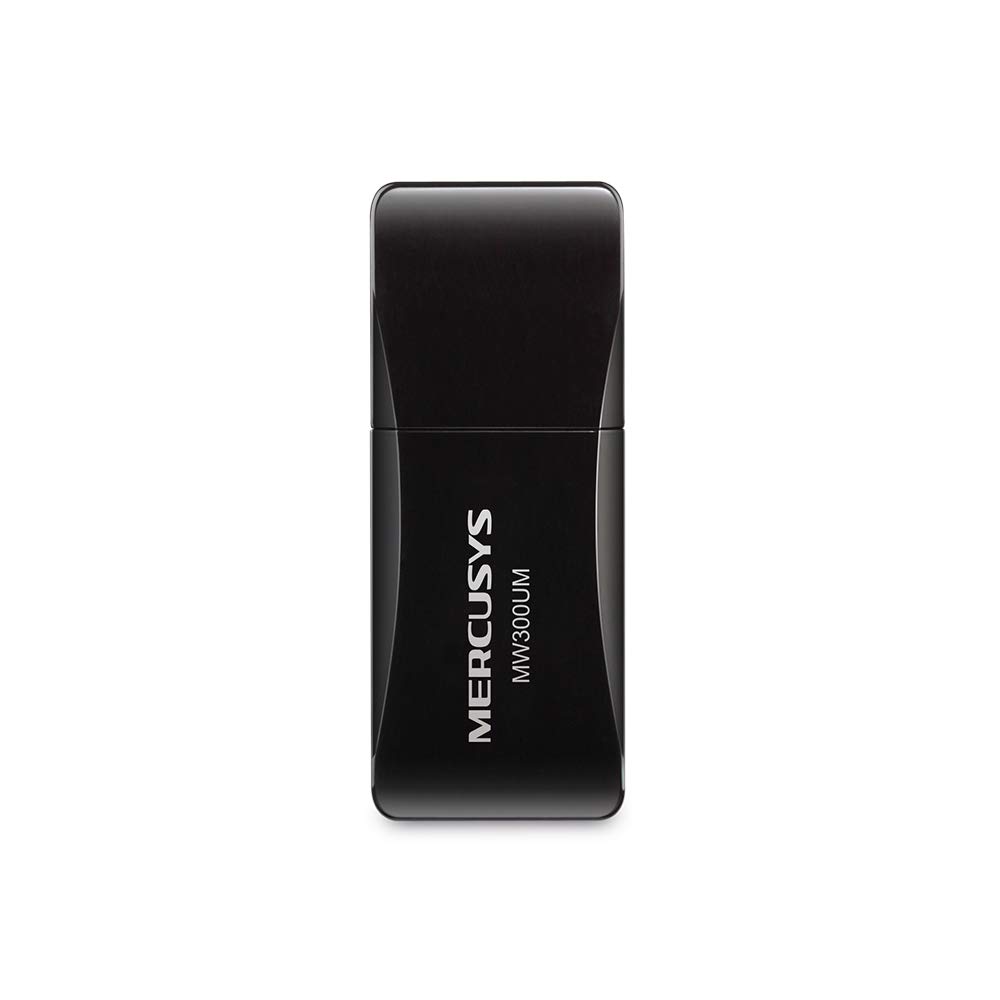
Figure 1: MERCUSYS MW300UM N300 Wireless Mini USB WiFi Adapter

Figure 2: Portable design for convenient use with laptops.
2. Obsah balení
Ověřte, zda váš balíček obsahuje následující položky:
- MERCUSYS MW300UM Wireless Mini USB Adapter
- Průvodce rychlou instalací
- Zdrojový CD (s ovladači a nástroji)

Figure 3: MW300UM product packaging and contents.
3. Průvodce nastavením
Follow these steps to install and set up your MW300UM Wireless Mini USB Adapter:
- Vložte adaptér: Plug the MW300UM adapter into an available USB port on your desktop or laptop computer.
- Nainstalujte ovladače:
- Insert the provided Resource CD into your computer's CD-ROM drive and follow the on-screen instructions to install the drivers and utility.
- Alternatively, if your computer does not have a CD-ROM drive or if you prefer the latest drivers, download them from the official MERCUSYS webstránky. The website link is typically provided in the Quick Installation Guide.
- Připojení k Wi-Fi: Once the drivers are installed, your computer will detect the adapter. Scan for available wireless networks, select your desired network, and enter the password to connect.

Figure 4: Easy setup process for the MW300UM adapter.
4. Návod k obsluze
The MW300UM adapter provides reliable wireless connectivity and can also function as a Wi-Fi hotspot.
4.1 Bezdrátové připojení
After successful driver installation, the adapter will enable your computer to connect to 2.4GHz wireless networks at speeds up to 300Mbps. This is suitable for various online activities including video streaming, voice calls, and online gaming.

Figure 5: MW300UM performance for various applications.
4.2 Soft AP Function
The MW300UM supports Soft AP (Access Point) functionality. If your computer has an existing wired internet connection, you can use the adapter to turn your PC or laptop into a Wi-Fi hotspot, allowing other wireless devices to connect to the internet through it. Refer to the utility software for instructions on enabling and configuring Soft AP mode.
4.3 Podporované operační systémy
The MW300UM adapter is compatible with a wide range of Windows operating systems:
- Windows 11 (32 / 64bit)
- Windows 10 (32 / 64bit)
- Windows 8.1 (32 / 64bit)
- Windows 8 (32 / 64bit)
- Windows 7 (32 / 64bit)
- Windows XP (32/64bit)

Figure 6: Supported Operating Systems.
5. Údržba
To ensure optimal performance and longevity of your MW300UM adapter, follow these maintenance guidelines:
- Čištění: Use a soft, dry cloth to gently wipe the adapter. Avoid using liquid cleaners or solvents, as they may damage the device.
- Skladování: Pokud adaptér nepoužíváte, uložte jej na chladném a suchém místě mimo přímé sluneční světlo a extrémní teploty.
- Zacházení: Zabraňte pádu adaptéru ani jeho vystavování silným nárazům. Nepokoušejte se zařízení rozebírat ani upravovat.
- USB port: Ensure the USB port on your computer is clean and free of debris before inserting the adapter.
6. Řešení problémů
If you encounter issues with your MW300UM adapter, refer to the following common problems and solutions:
- Adaptér nebyl detekován:
- Ensure the adapter is firmly plugged into a working USB port. Try a different USB port.
- Restartujte počítač.
- Verify that the drivers are correctly installed. Reinstall drivers if necessary.
- Nelze se připojit k síti Wi-Fi:
- Zkontrolujte, zda se ostatní zařízení mohou připojit ke stejné síti Wi-Fi.
- Ujistěte se, že zadáváte správné heslo Wi-Fi.
- Restart your wireless router/modem.
- Update the adapter's drivers to the latest version from the MERCUSYS webmísto.
- Pomalá rychlost Wi-Fi:
- Ensure your computer is within a reasonable range of your wireless router.
- Zkontrolujte, zda nedochází k rušení jinými elektronickými zařízeními (např. mikrovlnnými troubami, bezdrátovými telefony).
- Verify that your internet service plan supports the expected speeds.
- Update the adapter's drivers.
7. Specifikace
| Funkce | Specifikace |
|---|---|
| Značka | MERCUSYS |
| Číslo modelu | MW300UM |
| Hardwarové rozhraní | USB 2.0 |
| Data Link Protocol | IEEE 802.11n, IEEE 802.11g, IEEE 802.11b |
| Rychlost přenosu dat | 300 megabitů za sekundu |
| Kompatibilní operační systémy | Windows 11/10/8.1/8/7/XP (32/64bit) |
| Rozměry produktu (D x Š x V) | 17L x 9W x 43H Millimeters |
| Barva | Černý |
| Obsah krabice | Wireless Mini USB Adapter, Quick Installation Guide, Resource CD |
8. Informace o záruce
The MERCUSYS MW300UM Wireless Mini USB Adapter typically comes with a 3-letá záruka from the date of purchase. This warranty covers manufacturing defects and ensures the product functions as intended under normal use. Please retain your purchase receipt for warranty claims.
For detailed warranty terms and conditions, refer to the official MERCUSYS webwebu nebo záruční list, který je součástí balení produktu.
9. Podpora
For further assistance, technical support, or to download the latest drivers and firmware, please visit the official MERCUSYS support webmísto:
You may also find contact information for customer service in your region on the website or in the Quick Installation Guide.