
DOOGEE BL5000
DOOGEE BL5000 Smartphone User Manual
Model: BL5000
Zavedení
This user manual provides essential information for the safe and efficient operation of your DOOGEE BL5000 smartphone. Please read this manual thoroughly before using your device to ensure proper functionality and to avoid damage.
The DOOGEE BL5000 is a high-performance smartphone featuring a 5.5-inch FHD display, powered by an Octa-core processor, and equipped with 4GB RAM and 64GB internal storage. It runs on Android v7.0 (Nougat) operating system.
Zařízení skončiloview
Familiarize yourself with the physical components of your DOOGEE BL5000 smartphone.

Obrázek 1: Přední a boční view of the DOOGEE BL5000 smartphone, highlighting its sleek design and button placement.
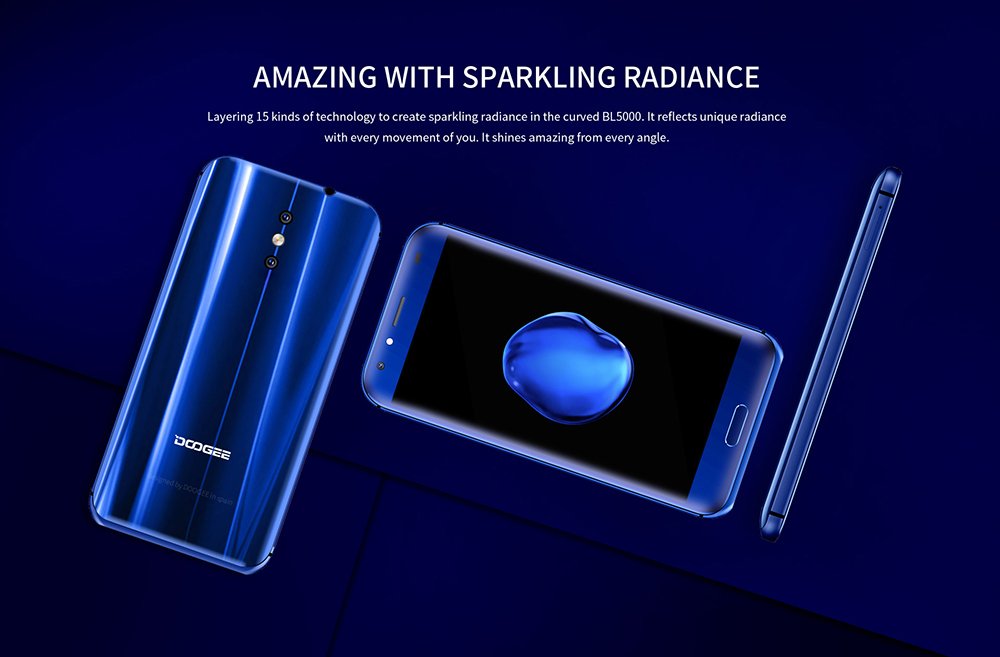
Obrázek 2: Zadní a přední view of the DOOGEE BL5000, showcasing its curved design and sparkling radiance achieved through 15 layers of technology.

Obrázek 3: A display of multiple DOOGEE BL5000 smartphones in blue, gold, and black, emphasizing the 8-sided curved design that provides an ergonomic grip.
Nastavení
1. Vložení SIM karet a SD karty
The DOOGEE BL5000 supports dual SIM cards and an expandable memory card. Locate the SIM tray on the side of the device. Use the provided SIM ejector tool to open the tray. Carefully place your Nano-SIM cards and/or microSD card into the designated slots. Ensure the cards are correctly oriented as indicated on the tray. Gently push the tray back into the device until it clicks into place.
2. Průvodce počátečním zapnutím a nastavením
Press and hold the Power button on the side of the phone until the DOOGEE logo appears. The phone will boot up and guide you through the initial setup wizard. Follow the on-screen prompts to select your language, connect to a Wi-Fi network, set up your Google account, and configure security settings (fingerprint, PIN, pattern, or password).
3. Nabíjení baterie
Before first use, it is recommended to fully charge the device. Connect the USB cable to the phone's charging port and the other end to a power adapter. Plug the adapter into a wall outlet. The battery indicator on the screen will show charging progress. The BL5000 features a 5050mAh battery and supports 12V-2A quick charging.

Obrázek 4: Illustration of the DOOGEE BL5000's large 5050mAh battery, designed for extended usage.

Obrázek 5: The DOOGEE BL5000 supports 12V-2A quick charging, allowing for significant battery charge in a short period, such as 40% in 10 minutes.
Ovládání smartphonu
Základní navigace
- Vypínač: Stisknutím probudíte/uspíte obrazovku. Stisknutím a podržením zapnete/vypnete nebo restartujete zařízení.
- Tlačítka hlasitosti: Upravte hlasitost médií během přehrávání nebo hlasitost vyzvánění.
- Tlačítko Domů: Klepnutím se vrátíte na domovskou obrazovku.
- Tlačítko Zpět: Klepnutím se vrátíte na předchozí obrazovku.
- Tlačítko Nedávné aplikace: Klepněte na view a přepínání mezi naposledy použitými aplikacemi.
Displej a jas
The BL5000 features a 5.5-inch FHD (1920x1080) display with 650nit brightness, ensuring clear visibility even in bright sunlight. You can adjust the brightness manually or enable auto-brightness in the display settings.

Obrázek 6: The DOOGEE BL5000's 650nit display ensures excellent visibility and vivid colors, even under direct sunlight.
Vlastnosti fotoaparátu
The DOOGEE BL5000 is equipped with a dual 13.0MP rear camera system that supports PDAF and a soft flashlight. It can create a blur effect for professional-looking portraits.

Obrázek 7: The DOOGEE BL5000's dual camera system can produce a natural blur effect, similar to DSLR cameras, enhancing portrait photography.
Konektivita
The device supports 4G and 4G+ networks with LTE Cat-6, offering faster download and upload speeds. It also includes Wi-Fi, Bluetooth, and USB connectivity options.

Obrázek 8: The DOOGEE BL5000 supports advanced 4G+ (LTE Cat-6) network technology, providing significantly faster internet speeds compared to standard 4G.
Údržba
- Čištění: K čištění obrazovky a těla telefonu používejte měkký hadřík, který nepouští vlákna. Nepoužívejte agresivní chemikálie ani abrazivní materiály.
- Aktualizace softwaru: Regularly check for system updates to ensure optimal performance and security. Go to Settings > About phone > System updates.
- Péče o baterie: To prolong battery life, avoid exposing the phone to extreme temperatures. Do not let the battery drain completely before recharging frequently.
- Správa úložiště: Pravidelně mazejte mezipaměť, odinstalujte nepoužívané aplikace a přenášejte velké soubory. files to external storage (SD card) to maintain sufficient free space. The BL5000 comes with 64GB of internal storage.
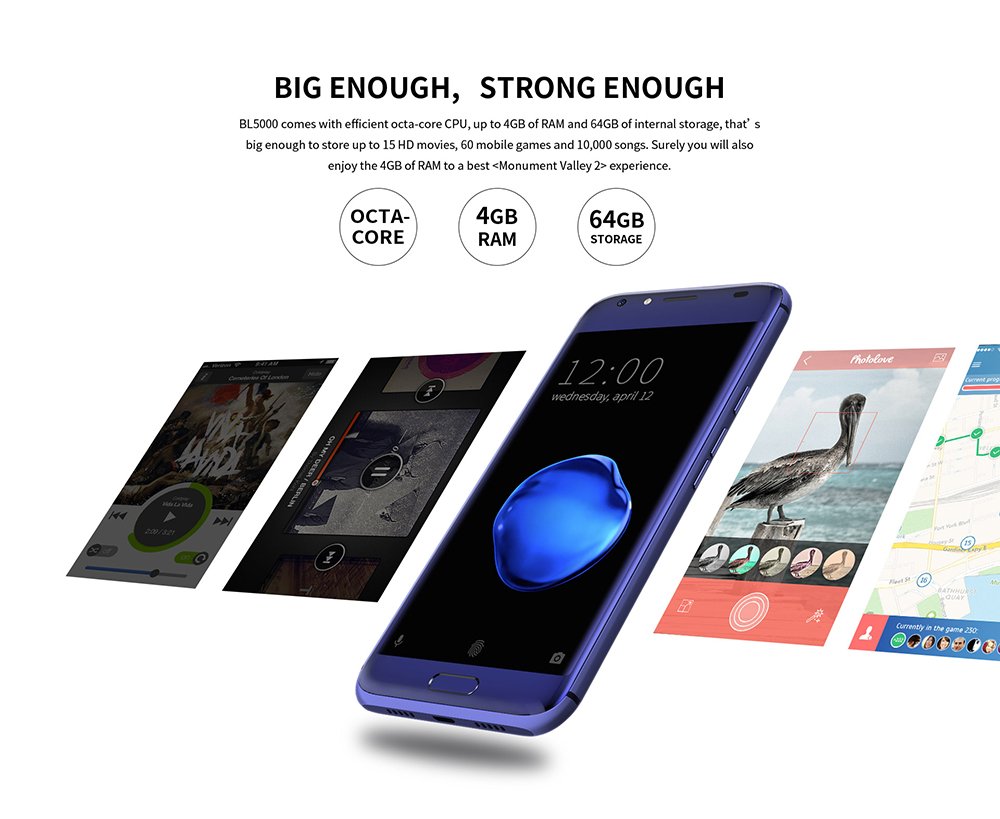
Obrázek 9: The DOOGEE BL5000 is powered by an efficient Octa-core CPU, 4GB RAM, and 64GB internal storage, providing ample power and space for applications and media.
Odstraňování problémů
| Problém | Možné řešení |
|---|---|
| Telefon se nezapne | Ujistěte se, že je baterie nabitá. Připojte k nabíječce a před zapnutím počkejte několik minut. |
| Aplikace padá nebo zamrzávají | Clear the app's cache (Settings > Apps > [App Name] > Storage > Clear cache). If the issue persists, try reinstalling the app or performing a factory reset (backup data first). |
| Slabý signál sítě | Check if SIM card is properly inserted. Try restarting the phone. Ensure you are in an area with network coverage. |
| Baterie se rychle vybíjí | Reduce screen brightness, disable unused features like Wi-Fi/Bluetooth when not in use, close background apps, and limit location services. |
Specifikace
| Funkce | Detail |
|---|---|
| Model | DOOGEE BL5000 |
| Operační systém | Android v7.0 (Nougat) |
| Zobrazit | 5.5-inch FHD (1920 x 1080) LCD, 650nit brightness |
| Procesor | Octa core (1.5 GHz Quad core + 1 GHz Quad core, Cortex A53) |
| BERAN | 4 GB |
| Interní úložiště | 64 GB |
| Zadní kamera | Dual 13.0 MP with PDAF and soft flashlight |
| Baterie | 5050 mAh, supports 12V-2A Quick Charge |
| Rozměry (DxŠxV) | 15.5 x 7.6 x 1 cm |
| Hmotnost | 210 g |
| Konektivita | 4G/4G+ (LTE Cat-6), Wi-Fi, Bluetooth, USB |
| GPS | GLONASS |
| Barva | Modrý |
Záruka a podpora
For warranty information and technical support, please refer to the warranty card included with your product packaging or visit the official DOOGEE webUschovejte si účtenku jako doklad o koupi pro případ reklamace.
For further assistance, you may contact DOOGEE customer service through their official channels. Details can typically be found on the manufacturer's webna webu nebo v originální dokumentaci k produktu.
Ask a question about this manual
Ask about setup, troubleshooting, compatibility, parts, safety, or missing instructions. Manuals+ will review the question and use this page’s manual context to help answer it.