
Micca MPLAY-HD Mini
Micca MPLAY-HD Mini Digital Media Player User Manual
Model: MPLAY-HD Mini
1. Úvod
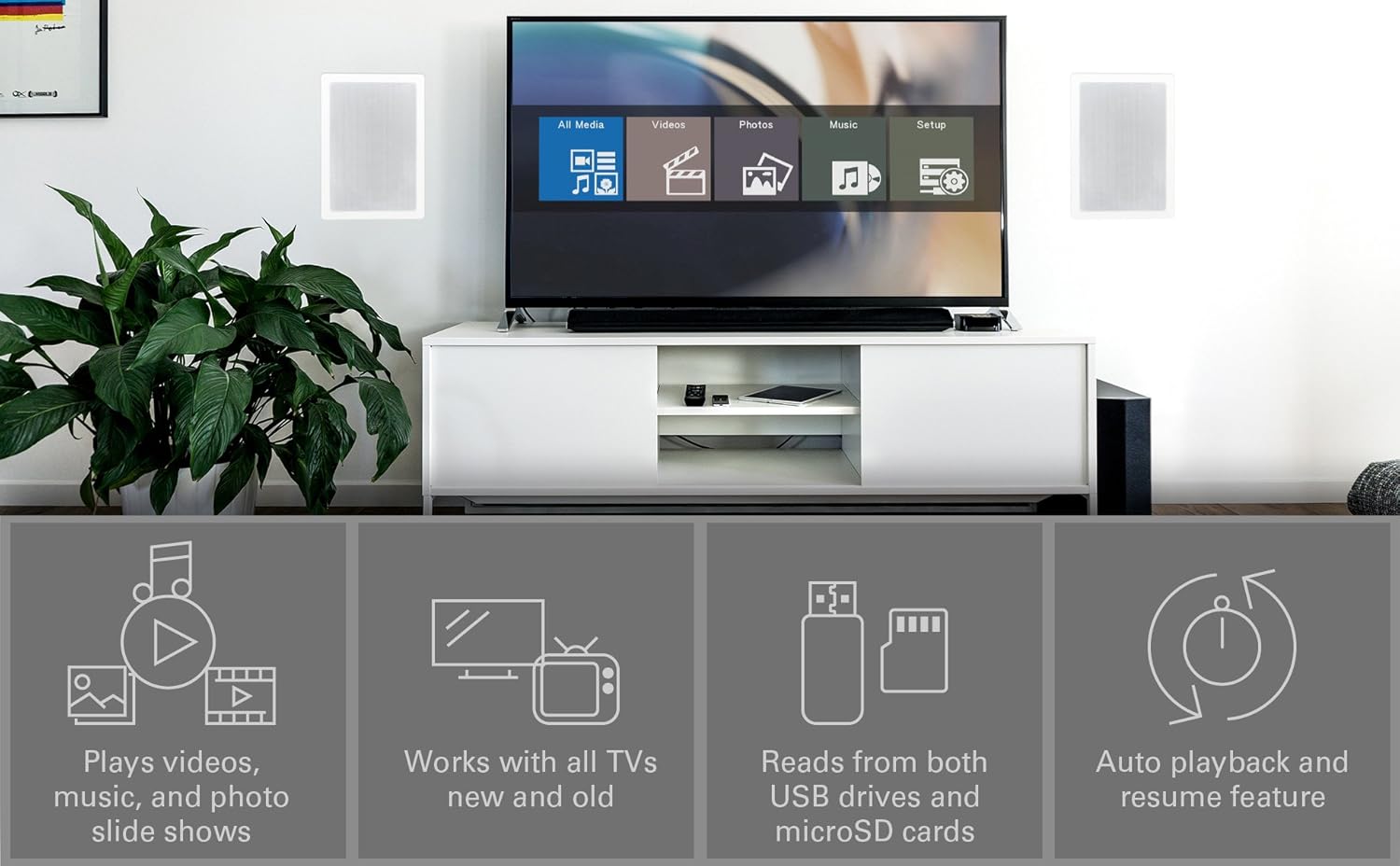
The Micca MPLAY-HD Mini is a compact 1080P Full-HD digital media player designed to play videos, music, and photo slideshows from USB drives or microSD cards on your television or projector. It offers universal compatibility with both modern and older displays through HDMI and analog audio/video connections. Its automatic playback and resume features enhance user convenience, making it suitable for various environments including home, office, or RV use.
2. Konec produktuview
Familiarize yourself with the components and ports of your MPLAY-HD Mini player.

Obrázek 2.1: Micca MPLAY-HD Mini player with its remote control.
Obrázek 2.2: Rear panel connections including HDMI output and AV output.
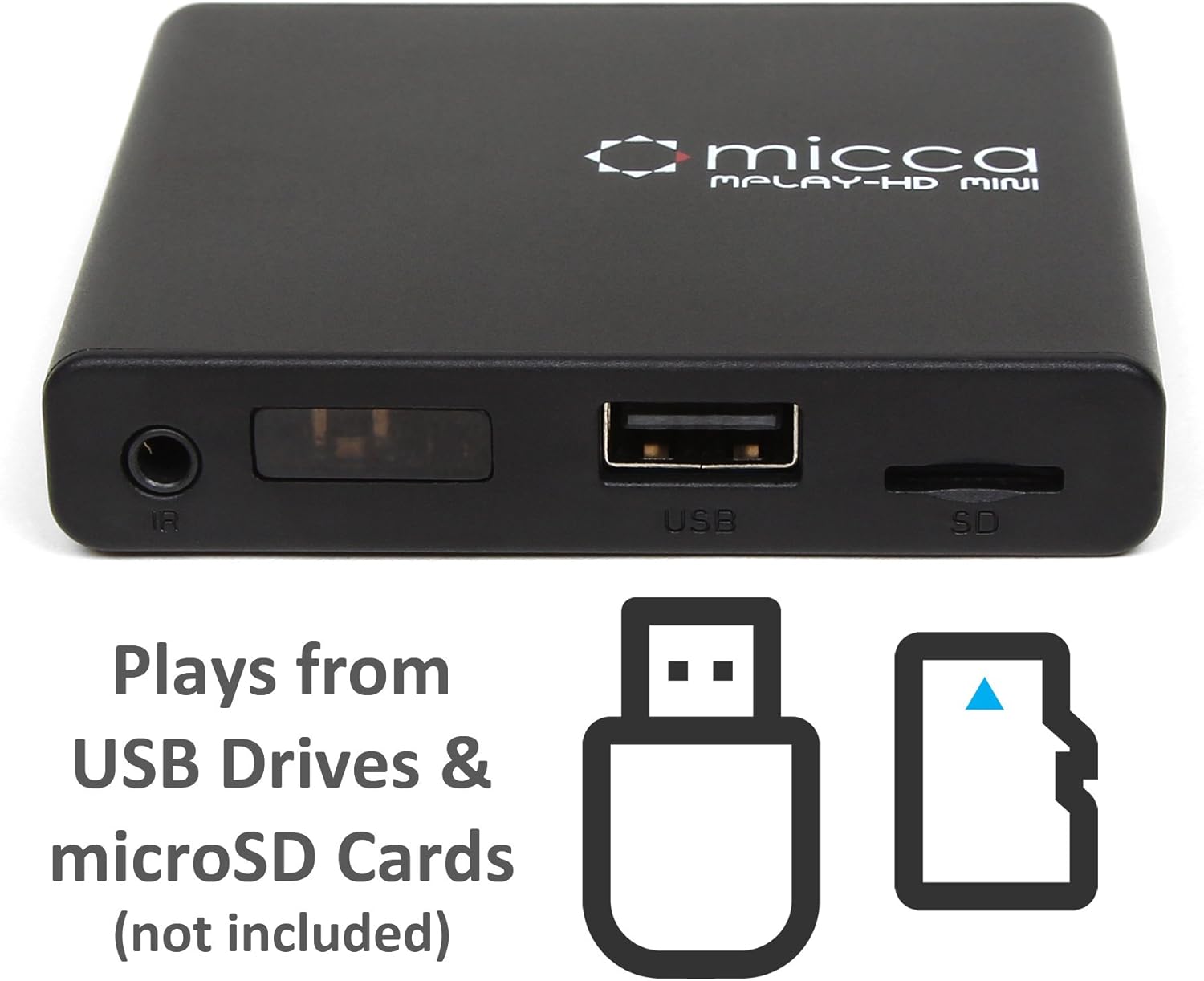
Obrázek 2.3: Side panel with USB port and microSD card slot.
2.1. Front/Side Panel
- IR přijímač: Přijímá signály z dálkového ovladače.
- USB port: Connect USB flash drives or external hard drives.
- Slot pro microSD kartu: Insert microSD cards for media playback.
2.2. Zadní panel
- HDMI výstup: Connect to an HDMI-enabled TV or projector for high-definition video and audio.
- AV výstup: Connect to older TVs or displays using the included AV cable for standard definition video and stereo audio.
- Vstup DC 5V: Připojte dodaný napájecí adaptér.
3. Nastavení
Follow these steps to set up your Micca MPLAY-HD Mini player.
- Připojení k televizi:
- For High Definition: Connect an HDMI cable (not included) from the MPLAY-HD Mini's HDMI output to an HDMI input on your TV or projector.
- For Standard Definition: Connect the included AV cable from the MPLAY-HD Mini's AV output to the corresponding composite video (yellow) and stereo audio (red/white) inputs on your TV.
- Připojte napájení: Plug the provided power adapter into the DC 5V input on the MPLAY-HD Mini, then plug the adapter into a wall outlet. The player will power on automatically.
- Vložit médium: Insert your USB flash drive or external hard drive into the USB port, or your microSD card into the microSD card slot. Ensure media is formatted as FAT32, NTFS, or exFAT.
- Vyberte vstup: On your TV, select the correct input source (e.g., HDMI 1, AV) that corresponds to where you connected the MPLAY-HD Mini.
- Dálkové ovládání: Vložte dvě baterie AAA (nejsou součástí balení) do dálkového ovladače.
4. Návod k obsluze
This section details how to navigate and play media on your device.
4.1. Navigace v hlavní nabídce
Upon powering on, the player will display a main menu with options such as "All Media", "Videos", "Photos", "Music", and "Setup". Use the arrow keys on the remote to navigate and the "OK" button to select.

Obrázek 4.1: Example of the main menu interface on a connected display.
4.2. Přehrávání médií Files
- From the main menu, select the desired media type (e.g., "Videos").
- Navigate through your connected USB drive or microSD card to locate the desired file nebo složku.
- Press "OK" to select and play the file.
- Use the remote control buttons for playback functions: Play/Pause, Stop, Fast Forward, Rewind, Next/Previous Track.
The MPLAY-HD Mini supports automatic playback, which can be configured in the settings to start playing media immediately after power on. It also features a resume capability, allowing you to continue watching a video from where you left off.
4.3. Podporované formáty médií
The player supports a wide range of media formats:
- Video: MKV, AVI, MOV, MP4, ISO with MPEG4 or H.264/AVC encoding, up to 1920x1080p resolution and 30fps.
- Zvuk: MP3, WMA, OGG, FLAC, APE, AAC.
- Fotografie: JPG, JPEG, BMP, GIF, PNG.
- titulky: SRT, SSA, SMI, SUB.
Důležitá poznámka: The MPLAY-HD Mini does ne support HEVC/H.265, 10-bit MKV, and 4K videos.
5. Údržba
Správná péče zajistí dlouhou životnost a optimální výkon vašeho zařízení.
- Čištění: K čištění vnějšího povrchu přehrávače používejte měkký, suchý hadřík. Nepoužívejte tekuté čisticí prostředky ani aerosoly.
- Větrání: Ujistěte se, že je přehrávač umístěn v dobře větraném prostoru, aby nedošlo k jeho přehřátí. Neblokujte žádné větrací otvory.
- Skladování: Pokud přehrávač delší dobu nepoužíváte, odpojte napájecí adaptér a uložte jej na chladném a suchém místě.
- Péče o přístav: Keep USB and microSD card slots free from dust and debris.
6. Řešení problémů
Řešení běžných problémů naleznete v této části.
6.1. Žádné napájení / Žádný displej
- Ensure the power adapter is securely connected to the player and a working power outlet.
- Verify that your TV is set to the correct input source (HDMI or AV).
- Check all cable connections between the player and the TV.
6.2. No Audio
- Check the volume level on your TV and the player.
- Ensure audio cables (HDMI or AV stereo) are correctly connected.
- Nějaké video files may have unsupported audio codecs. Try playing a different file.
6.3. Dálkové ovládání nereaguje
- Ensure fresh AAA batteries are correctly inserted into the remote.
- Point the remote directly at the IR receiver on the front of the player.
- Odstraňte všechny překážky mezi dálkovým ovladačem a přehrávačem.
- Consider updating the firmware if available, as some remote issues (e.g., fast forward functionality) have been addressed in updates.
6.4. Média Files Not Playing / Recognized
- Ověřte, zda média file format is supported (refer to Section 4.3).
- Ensure the USB drive or microSD card is properly inserted and recognized by the player.
- Zkontrolujte file system of your USB drive/microSD card (FAT32, NTFS, exFAT are supported).
- Large USB drives (128GB or larger) might take longer to be recognized or display files.
- Zajistit files are not corrupted. Try playing them on a computer.
6.5. Aktualizace firmwaru
Periodically check the official Micca website for firmware updates. Firmware updates can improve performance, add features, and resolve known issues. Instructions for updating firmware are typically provided on the Micca support page for your specific model.
7. Specifikace
| Značka | Micca |
| Název modelu | MPLAY-HD Mini |
| Rezoluce | 1080p (Full-HD) |
| Technologie připojení | HDMI, USB |
| Typ konektoru | HDMI, AV (Composite Video + Stereo Audio) |
| Ukládání médií | USB Drives, MicroSD Cards |
| Podporováno File Systémy | FAT32, NTFS, exFAT |
| Kódování videa | MPEG4, H.264/AVC (up to 1080p 30fps) |
| Rozměry | 2.98 x 2.55 x 0.59 palce |
| Hmotnost položky | 3 unce |
| Barva | Černý |
| Typ ovladače | Dálkové ovládání |
8. Podpora a záruka
For technical support, warranty information, or further assistance, please visit the official Micca website or contact Micca customer service. Details can typically be found on the product packaging or the manufacturer's webmísto.
Official Micca Webmísto: miccatron.com
Ask a question about this manual
Ask about setup, troubleshooting, compatibility, parts, safety, or missing instructions. Manuals+ will review the question and use this page’s manual context to help answer it.