
1. Úvod
This manual provides essential information for the safe and efficient operation, installation, and maintenance of your Gree Multi21+ Dual-Zone Mini Split Air Conditioner Heat Pump. Please read this manual thoroughly before using the unit and retain it for future reference. Proper installation by a state-licensed HVAC contractor is required to ensure warranty validity and safe operation.
The Gree Multi21+ Dual-Zone VIREO 24,000 BTU System is designed to provide both heating and cooling for two separate zones without the need for distribution boxes. It features Gree's G10 inverter-driven compressor and utilizes eco-friendly R410A refrigerant.
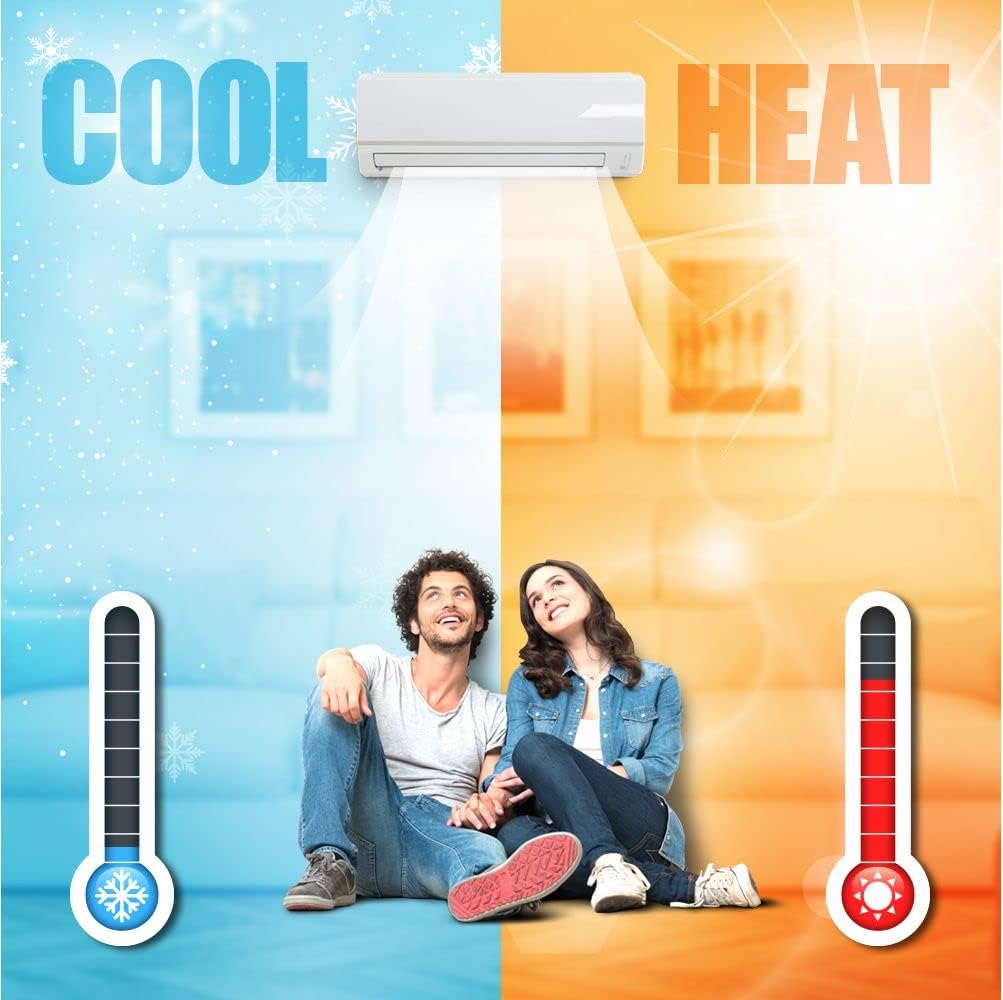
Figure 1.1: Dual-zone cooling and heating capability.
2. Bezpečnostní informace
Vždy dodržujte následující bezpečnostní opatření, abyste předešli zranění nebo poškození jednotky.
- Profesionální instalace: Installation, maintenance, and repair must be performed by a qualified, state-licensed HVAC technician. Improper installation can lead to electric shock, fire, water leakage, or other hazards.
- Elektrická bezpečnost: Ensure the power supply matches the unit's specifications. Do not operate the unit with wet hands. Disconnect power before any cleaning or maintenance.
- Chladivo: The unit uses R410A refrigerant. Do not attempt to handle refrigerant yourself. Contact a qualified technician for any refrigerant-related issues.
- Vůle: Maintain adequate clearances around the indoor and outdoor units for proper airflow and service access.
- Děti a domácí mazlíčci: Udržujte děti a domácí zvířata v dostatečné vzdálenosti od jednotky, zejména během provozu a údržby.
- Hořlavé materiály: Neumisťujte do blízkosti jednotky hořlavé materiály ani nestříkejte aerosoly.
3. Konec produktuview
3.1 Komponenty
The Gree Multi21+ system consists of:
- Venkovní jednotka: The condenser unit responsible for heat exchange.
- Indoor Units (2): Wall-mounted units that deliver conditioned air to each zone.
- Dálkové ovládání: For convenient operation of the indoor units.

Figure 3.1: Indoor unit and remote control.
3.2 Klíčové vlastnosti
- Technologie invertoru G10: Saves energy, reduces outdoor noise, and maintains stable room temperature by eliminating frequent starts and stops.
- Možnost dvouzónového provozu: Heats and cools two separate areas independently.
- Ekologické chladivo: Používá chladivo R410A.
- Podpora Wi-Fi: An optional field-installed Wi-Fi kit (sold separately) allows remote control via a smartphone.
- Kompaktní design: Wall-mounted indoor units blend with various decors.

Figure 3.2: Product feature icons.
4. Nastavení a instalace
Důležité: Installation of this Gree Multi21+ system must be performed by a state-licensed HVAC contractor. Failure to do so will void the manufacturer's warranty and may result in unsafe operation.
4.1 Předinstalační požadavky
- Line Sets: The system requires specific line sets, which are not included. You will need one 1/4" x 3/8" line set and one 1/4" x 1/2" line set.
- Elektrické napájení: Ensure a dedicated 208/230V electrical circuit is available and properly sized for the unit.
- Místo montáže: Select appropriate locations for both indoor and outdoor units, considering clearances, drainage, and structural support.
4.2 Wi-Fi Module Installation (Optional)
The unit is Wi-Fi capable. A field-installed Wi-Fi kit accessory is sold separately. Refer to the instructions provided with the Wi-Fi kit for installation and setup procedures. Once installed, this allows for remote control of the unit via a smartphone application.
5. Návod k obsluze
The unit is primarily controlled using the wireless remote control. Ensure the remote has fresh batteries and is pointed towards the indoor unit when sending commands.
5.1 Funkce dálkového ovládání
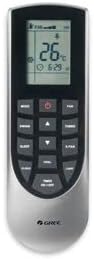
Obrázek 5.1: Bezdrátové dálkové ovládání.
- Tlačítko ON/OFF: Zapíná nebo vypíná jednotku.
- Tlačítko MODE: Cykluje mezi provozními režimy: Automatický, Chlazení, Odvlhčování, Topení, Ventilátor.
- Tlačítka pro nastavení teploty (▲/▼): Zvyšuje nebo snižuje nastavenou teplotu.
- Tlačítko FAN: Upravuje rychlost ventilátoru (Automaticky, Nízká, Střední, Vysoká).
- Tlačítko SWING: Controls the louver's vertical swing direction.
- Tlačítko SLEEP: Activates sleep mode for energy-saving and quiet operation during sleep.
- Tlačítko TURBO: Aktivuje rychlé chlazení nebo ohřev na krátkou dobu.
- Tlačítko SVĚTLO: Zapíná nebo vypíná podsvícení displeje vnitřní jednotky.
- Tlačítko TIMER: Nastaví časovač zapnutí/vypnutí.
5.2 Provozní režimy
- Režim chlazení: Pro ochlazení místnosti. Nastavte požadovanou teplotu a rychlost ventilátoru.
- Režim ohřevu: Pro vytápění místnosti. Nastavte požadovanou teplotu a rychlost ventilátoru.
- Suchý režim: Snižuje vlhkost v místnosti.
- Režim ventilátoru: Cirkuluje vzduch bez ohřevu nebo chlazení.
- Automatický režim: Jednotka automaticky volí provozní režim (Chlazení, Topení, Ventilátor) na základě teploty v místnosti a nastavené teploty.
6. Údržba
Regular maintenance ensures optimal performance and longevity of your unit. Always disconnect power before performing any maintenance.
6.1 Čištění vzduchového filtru
Vzduchové filtry čistěte každé dva týdny nebo častěji v závislosti na používání a kvalitě vzduchu.
- Otevřete přední panel vnitřní jednotky.
- Vyjměte vzduchové filtry.
- Filtry vyčistěte vysavačem nebo je omyjte vlažnou vodou s jemným čisticím prostředkem.
- Před opětovnou instalací nechte filtry zcela vyschnout.
- Pevně zavřete přední panel.
6.2 Čištění venkovní jednotky
Periodically check the outdoor unit for debris, leaves, or obstructions around the coils and fan. Gently clean with a soft brush or vacuum. Do not spray water directly onto electrical components.
6.3 Profesionální servis
It is recommended to have a qualified HVAC technician perform an annual inspection and professional cleaning of the entire system.
7. Řešení problémů
Než kontaktujete servis, znovuview následující běžné problémy a jejich řešení.
| Problém | Možná příčina | Řešení |
|---|---|---|
| Jednotka nefunguje | Žádné napájení Slabé baterie v dálkovém ovladači Funkce časovače aktivní | Zkontrolujte jistič Vyměňte baterie Zrušit nastavení časovače |
| Nedostatečné chlazení/topení | Znečištěné vzduchové filtry Okna/dveře otevřené Nesprávné nastavení teploty Venkovní jednotka je zablokovaná | Vyčistěte vzduchové filtry Zavřete okna/dveře Upravte teplotu Odstraňte překážky |
| Neobvyklý hluk | Volné části Zablokování ventilátoru | Contact HVAC technician Check for obstructions (after disconnecting power) |
| Únik vody z vnitřní jednotky | Ucpané odtokové potrubí Nesprávná instalace | Contact HVAC technician |
Pokud problém přetrvává i po vyzkoušení těchto řešení, obraťte se na kvalifikovaného technika HVAC.
8. Specifikace
Key technical specifications for the Gree Multi21+ Dual-Zone Mini Split System (Model: MULTI24CVIR201).
- Značka: GREE
- Název modelu: MULTI24CVIR201 4000
- Číslo modelu: MULTI24CVIR201
- Kapacita: 2 tuny (24 000 BTU)
- Chladicí výkon: 24,000 britských tepelných jednotek
- Sezónní energetický poměr (SEER): 21.2
- svtage: 230 voltů
- Hladina hluku: 56 decibelů (venkovní jednotka)
- Chladivo: R 410A
- Form Factor: Mini-Split
- Typ měniče: Has Inverter (G10 Inverter Technology)
- Typ instalace: Split systém
- Typ kompresoru: Rotační rolování
- Outdoor Unit Required: Ano
- Způsob ovládání: Dálkové ovládání
- UPC: 841999166618
- GTIN: 841999166618
8.1 Rozměry jednotky

Figure 8.1: Vireo+ Multi Indoor and Outdoor Unit Measurements.
9. Informace o záruce
The manufacturer's warranty terms for this Gree Multi21+ system are:
- Části: 5 rok omezená záruka
- Kompresor: 7 rok omezená záruka
Důležitá poznámka: To be eligible for the warranty, installation must be performed by a state-licensed HVAC contractor. Any damage or malfunction resulting from improper installation or unauthorized service will void the warranty.
10. Podpora
For technical assistance, warranty claims, or service inquiries, please contact your installing HVAC contractor or the Gree customer support directly. Ensure you have your model number (MULTI24CVIR201) and purchase date available when contacting support.
For additional resources and product information, you may visit the official GREE website or consult the documentation provided by your installer.


