
1. Úvod
Děkuji za nákupasing the LONPOO LP-077 Multi-Region DVD Player. This manual provides essential information for setting up, operating, and maintaining your new DVD player. Please read it thoroughly before use to ensure proper functionality and to maximize your viewzkušenosti.
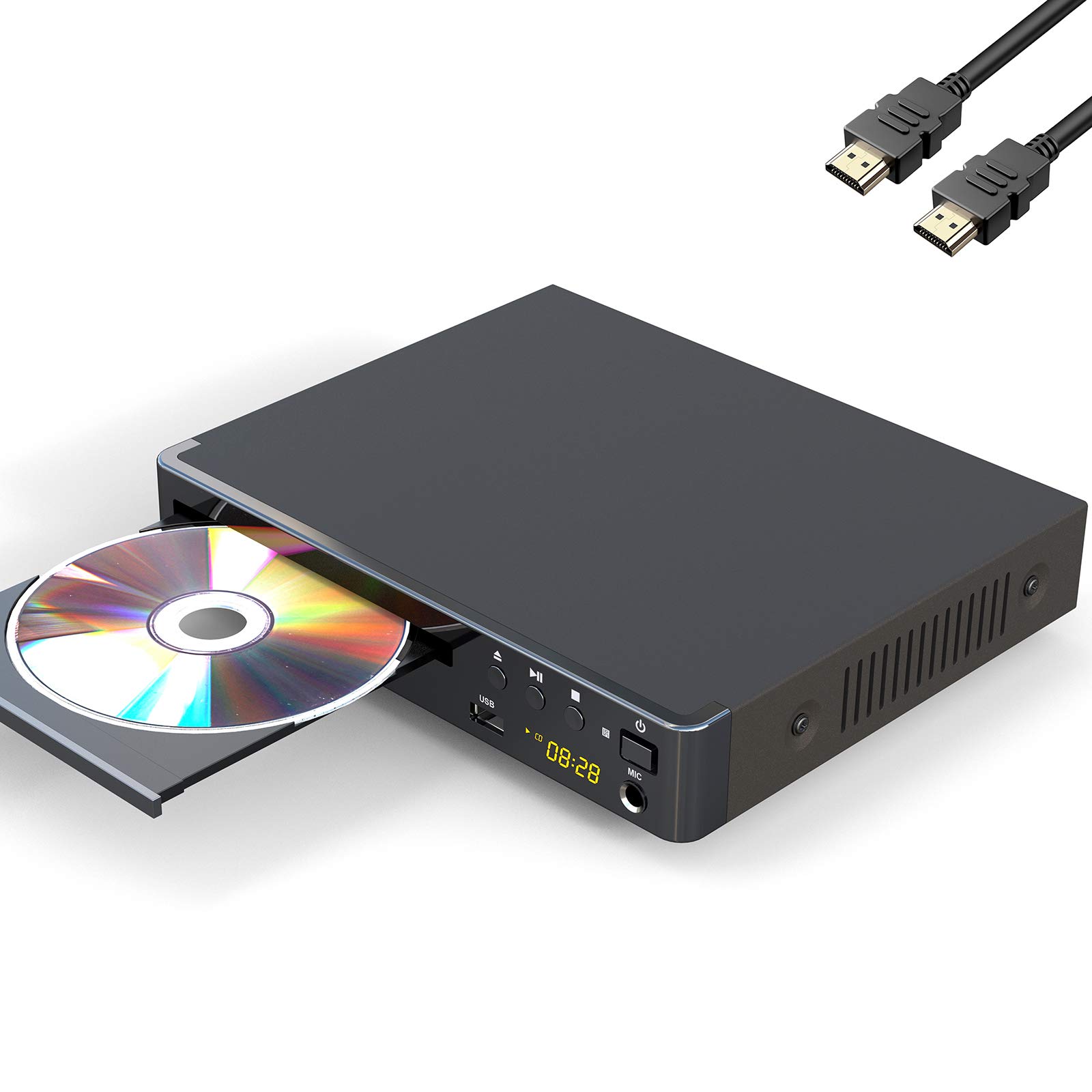
Image 1: The LONPOO LP-077 Multi-Region DVD Player.
2. Obsah balení
Ověřte, zda jsou v balení obsaženy všechny níže uvedené položky:
- 1 x LONPOO LP-077 DVD Player
- 1 x HDMI kabel
- 1 x RCA kabel
- 1 x Uživatelská příručka (tento dokument)
- 1 x dálkové ovládání (vyžaduje 2 baterie AAA, nejsou součástí balení)
3. Vlastnosti produktu
The LONPOO LP-077 DVD Player offers a range of features for versatile media playback:
- Přehrávání ve více regionech: Compatible with DVDs from any country or region worldwide.
- Kompaktní design: A space-saving 2-channel HD DVD player with an easy-to-read digital display. Note: This is not a Blu-ray player.
- Přehrávání médií USB: Built-in USB 2.0 port supports flash drives up to 32GB for playing digital media (AVI(Xvid), VOB, MP3, JPG) on your TV. Note: Does not support USB 3.0 or MP4 file přehrávání přes USB.
- Video System Compatibility: Supports PAL/NTSC/Auto TV systems and progressive scan.
- Poměr stran: Selectable 16:9 and 4:3 aspect ratios for optimal viewIng.
- Konektivita: HDMI, RCA, and USB connection options.
- Dálkové ovládání: Full-function remote control included for convenient operation.
4. Bezpečnostní informace
Pro zajištění bezpečného provozu a prevenci poškození dodržujte prosím následující:
- Nevystavujte jednotku dešti nebo vlhkosti.
- Nezakrývejte ventilační otvory.
- Nepokládejte jednotku na nestabilní povrchy.
- Během bouřek nebo pokud přístroj delší dobu nepoužíváte, odpojte napájecí kabel.
- Veškerý servis svěřte kvalifikovanému personálu.
5. Nastavení
5.1 Připojení k televizi
Your DVD player can be connected to your TV using either an HDMI cable or an RCA cable.
Připojení HDMI (doporučeno pro nejlepší kvalitu)
- Connect one end of the HDMI cable to the HDMI OUT port on the DVD player.
- Připojte druhý konec kabelu HDMI k volnému portu HDMI IN na televizoru.
- Pomocí dálkového ovladače vyberte na televizoru odpovídající vstup HDMI.
Připojení RCA (standardní rozlišení)
- Connect the yellow plug of the RCA cable to the VIDEO OUT (yellow) port on the DVD player.
- Connect the red and white plugs of the RCA cable to the AUDIO OUT (red and white) ports on the DVD player.
- Connect the other end of the RCA cable's yellow plug to the VIDEO IN (yellow) port on your television.
- Connect the other end of the RCA cable's red and white plugs to the AUDIO IN (red and white) ports on your television.
- Pomocí dálkového ovladače vyberte na televizoru odpovídající AV vstup.
5.2 Připojení napájení
Plug the power cord of the DVD player into a standard electrical outlet.
5.3 Nastavení dálkového ovládání
Vložte dvě baterie typu AAA (nejsou součástí balení) do dálkového ovladače a dbejte na správnou polaritu.

Obrázek 2: Příkladample setup of a DVD player connected to a television for home entertainment.
6. Návod k obsluze
6.1 Základní přehrávání disků
- Stiskněte tlačítko MOC button on the DVD player or remote control to turn on the unit.
- Stiskněte tlačítko OTEVŘÍT/ZAVŘÍT tlačítko pro otevření zásuvky na disk.
- Place a DVD, CD, SVCD, or VCD disc onto the tray with the label side facing up.
- Stiskněte tlačítko OTEVŘÍT/ZAVŘÍT znovu stiskněte tlačítko pro zavření přihrádky na disk. Přehrávač automaticky začne číst disk.
- Použijte tlačítka přehrávání na dálkovém ovladači (HRÁT, PAUZA, ZASTÁVKA, FF, REW) pro ovládání přehrávání.
6.2 Přehrávání médií z USB
- Insert a USB 2.0 flash drive (up to 32GB) into the USB port on the front of the DVD player.
- Přehrávač by měl automaticky detekovat USB zařízení a zobrazit nabídku. Pokud ne, stiskněte tlačítko DVD / USB button on the remote to switch to USB mode.
- Procházejte svým files (AVI(Xvid), VOB, MP3, JPG) using the arrow keys on the remote and press ENTER vybrat a přehrát.
6.3 Nastavení systému
Přístup k nastavení systému a jeho úprava:
- Stiskněte tlačítko NASTAVENÍ tlačítko na dálkovém ovladači.
- Use the arrow keys to navigate through the menu options (e.g., TV System, Aspect Ratio, Audio Settings).
- Stiskněte ENTER pro potvrzení výběrů a NASTAVENÍ znovu pro opuštění nabídky.
7. Údržba
7.1 Čištění jednotky
Wipe the exterior of the DVD player with a soft, dry cloth. Do not use liquid cleaners or abrasive materials.
7.2 Péče o disk
Handle discs by their edges. Clean discs with a soft, lint-free cloth, wiping from the center outwards. Avoid touching the playback surface.
8. Řešení problémů
If you encounter issues with your DVD player, refer to the following common problems and solutions:
| Problém | Možná příčina | Řešení |
|---|---|---|
| Žádná síla | Napájecí kabel není připojen; zásuvka je vadná. | Ujistěte se, že je napájecí kabel bezpečně zapojený. Vyzkoušejte zásuvku s jiným zařízením. |
| Žádný obraz/zvuk | Incorrect TV input selected; cables loose or damaged. | Vyberte na televizoru správný vstup HDMI/AV. Zkontrolujte všechna kabelová připojení. |
| Disk se nepřehrává | Disc inserted incorrectly; disc dirty or scratched; unsupported disc format. | Insert disc with label side up. Clean or replace the disc. Ensure the disc type is supported (DVD, CD, SVCD, VCD). |
| Dálkové ovládání nefunguje | Batteries depleted or inserted incorrectly; obstruction between remote and player. | Replace batteries, ensuring correct polarity. Remove any obstructions. Point remote directly at the player. |
| Zařízení USB nebylo rozpoznáno | Unsupported USB version or capacity; unsupported file formát. | Ensure USB is 2.0 and up to 32GB. Verify file formats are AVI(Xvid), VOB, MP3, or JPG. |
9. Specifikace
| Funkce | Popis |
|---|---|
| Značka | LONPOO |
| Číslo modelu | LP-077 |
| Typ média | CD, DVD, SVCD, VCD |
| Speciální funkce | Compact, Multi-Region |
| Typ konektoru | HDMI |
| Technologie připojení | HDMI, RCA, USB |
| Barva | Šedá |
| Kompatibilita vstupního videa | NTSC (PAL/Auto selectable) |
| Počet kanálů | 2 |
| File Formáty (USB) | Video: AVI(Xvid), VOB; Audio: MP3; Image: JPG (USB 2.0 up to 32GB, no MP4) |
10. Záruka a podpora
Your LONPOO LP-077 DVD Player comes with the following:
- Záruka 18-měsíc: Kryje výrobní vady a poruchy při běžném používání.
- 90denní záruka vrácení peněz: Pokud nejste s nákupem spokojeni, můžete jej do 90 dnů vrátit a obdržíte plnou náhradu.
- Doživotní technická podpora: V případě jakýchkoli dotazů nebo potřeby pomoci se prosím obraťte na náš tým zákaznické podpory.
For technical support or warranty claims, please refer to the contact information provided on the LONPOO official webwebu nebo v dokumentaci k nákupu.