
Zavedení
The DoorBird IP Door Chime is designed to integrate seamlessly with DoorBird intercom systems. This device can be mounted on a wall or ceiling and connects to your local area network (LAN) via either a Cat5 network cable or Wi-Fi. Power over Ethernet (PoE) is supported for network cable installations, simplifying the setup process. The chime's settings, including volume, ringtone, and 'do not disturb' features, are configurable through the DoorBird app. It can be connected to an unlimited number of DoorBird intercoms.
Vlastnosti
- Konektivita: Supports Wi-Fi, Ethernet, and Power over Ethernet (PoE).
- Konfigurace: Easily configurable via the DoorBird mobile application.
- Přizpůsobení: Adjustable volume and ringtone settings.
- Pohodlí: Includes a 'do not disturb' feature.
- Škálovatelnost: Connects to an unlimited number of DoorBird intercoms.
- Původ: Vyrobeno v Německu.
Nastavení a instalace
Before beginning installation, ensure all power to the existing doorbell system is turned off at the circuit breaker. Electrical work should be performed in accordance with local and national electrical codes. If you are unsure, consult a qualified electrician.
Rozbalení a komponenty
The DoorBird IP Door Chime comes with the main chime unit and necessary mounting hardware. Familiarize yourself with the components before proceeding.
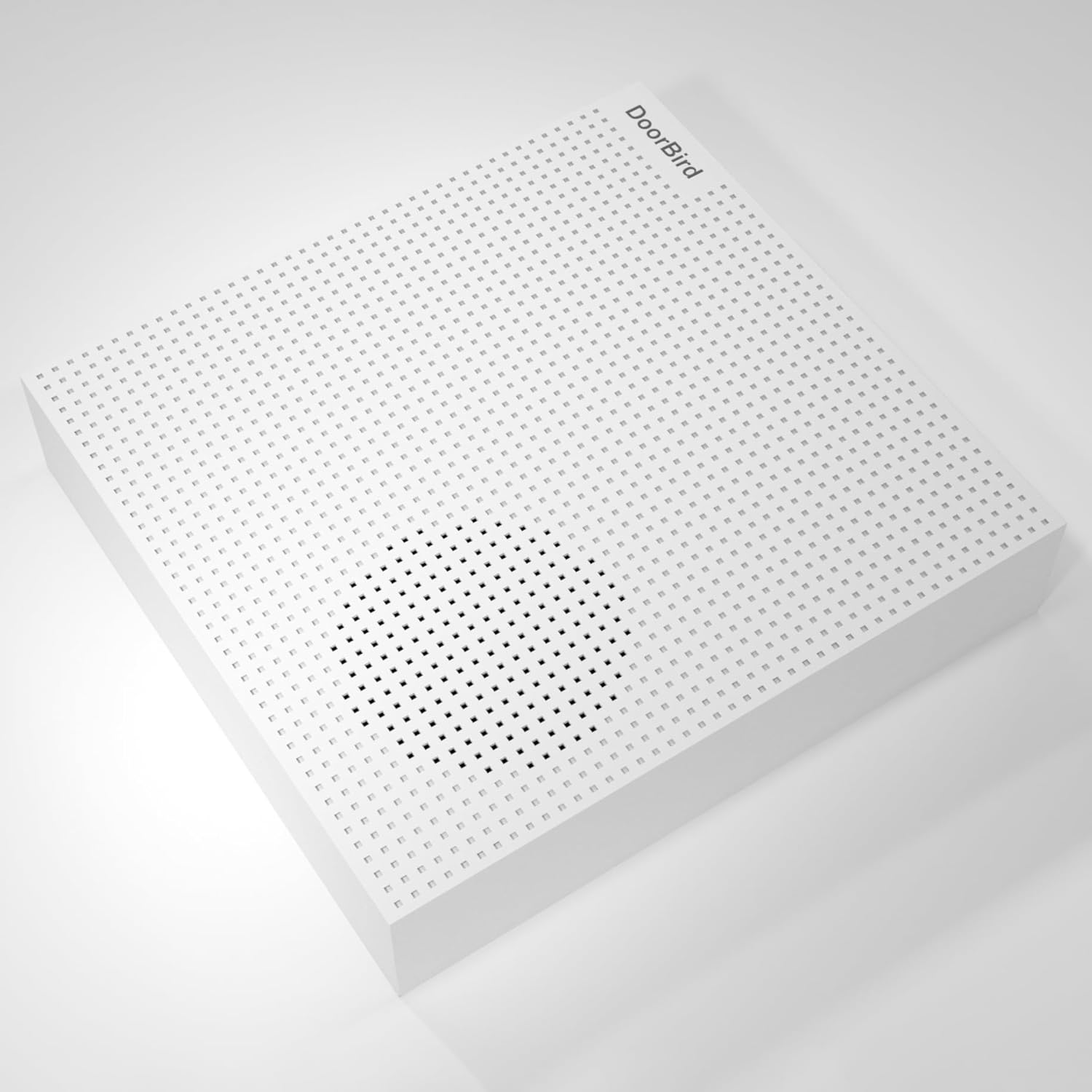
Obrázek: Přední strana view of the DoorBird IP Door Chime unit.

Obrázek: Boční view of the DoorBird IP Door Chime unit, highlighting the mounting points and internal components.
Zapojení a montáž
The chime can be connected to your network using either a Cat5 cable (supporting PoE) or Wi-Fi. For wired installations, connect the appropriate wires from your existing doorbell system to the chime's terminals. Ensure secure connections to prevent intermittent operation. The unit can be mounted on a wall or ceiling using the provided hardware.
For a visual guide on the installation process, please refer to the product overview video níže:
Video: Produkt skončilview Video demonstrating the features and basic installation steps of a doorbell chime.
Návod k obsluze
The DoorBird IP Door Chime is primarily controlled and configured through the dedicated DoorBird mobile application. After successful installation and network connection, open the app to access the chime's settings.
- Ovládání hlasitosti: Adjust the chime volume to your preferred level within the app settings.
- Výběr vyzváněcího tónu: Choose from various available ringtones for different DoorBird intercoms or events.
- Nerušit: Activate or deactivate the 'do not disturb' feature to silence the chime during specific periods.
- Párování interkomu: The chime can be paired with multiple DoorBird intercoms for comprehensive coverage.
Údržba
The DoorBird IP Door Chime requires minimal maintenance. Keep the unit clean by wiping it with a soft, dry cloth. Avoid using abrasive cleaners or solvents. Ensure the unit is free from dust and debris to maintain optimal performance. Regularly check the DoorBird app for firmware updates to ensure your device has the latest features and security enhancements.
Odstraňování problémů
- Žádný zvuk: Check the volume settings in the DoorBird app. Ensure the 'do not disturb' feature is not active. Verify all wiring connections are secure if using a wired setup.
- Problémy s připojením: For Wi-Fi, ensure the chime is within range of your router and the network credentials are correct in the app. For Ethernet/PoE, check the network cable and ensure your PoE injector/switch is functioning correctly.
- App Configuration Problems: Ensure your DoorBird app is updated to the latest version. Try restarting the app or your mobile device.
- Přerušovaný provoz: This could indicate loose wiring connections or an unstable network connection. Recheck all physical connections and network stability.
Specifikace
| Funkce | Detail |
|---|---|
| Název modelu | A1061W |
| Značka | DoorBird |
| Barva | Bílý |
| Rozměry produktu | 1.02"H x 4.69"Š x 4.92"V |
| Hmotnost položky | 7.1 unce (200 gramů) |
| Typ montáže | Tabletop Mount (can also be wall/ceiling mounted) |
| Technologie připojení | Ethernet, Wi-Fi |
| Technologie bezdrátové komunikace | Wi-Fi |
| Kontrolní metoda | App |
| Vstupní objemtage | 240 voltů (AC) |
| Zdroj napájení | Battery Powered (also supports PoE) |
| Typ reproduktoru | Zvonek dveří |
| Maximální výstupní výkon reproduktoru | 60 wattů |
| Frekvenční odezva | 2.4 GHz |
| Vnitřní/venkovní použití | Uvnitř, venku |
| Úroveň odolnosti proti vodě | Není odolný vůči vodě |
Záruka
The DoorBird IP Door Chime comes with a Omezená zárukaViz obal produktu nebo oficiální informace výrobce. webkonkrétní podmínky týkající se záručního krytí a doby trvání naleznete na webových stránkách.
Podpora
For further assistance, technical support, or to report any issues, please visit the official DoorBird website or contact their customer service. Ensure you have your product model number (A1061W) and purchase details ready when seeking support.