
1. Úvod
This manual provides detailed instructions for the Symcode MJ-2030-W Barcode Scanner. This device offers both 2.4GHz wireless and USB 2.0 wired connectivity, designed for efficient and reliable barcode scanning in various environments. Please read this manual thoroughly before operating the scanner to ensure proper use and to maximize its performance.
2. Konec produktuview
The Symcode MJ-2030-W is a versatile handheld laser barcode scanner. Key features include:
- Duální konektivita: Supports both 2.4GHz wireless and USB 2.0 wired connections.
- Rozšířený rozsah: Effective wireless communication up to 200 meters outdoors and 100 meters indoors.
- Dlouhá výdrž baterie: Equipped with a 2000mAh rechargeable battery, providing extended operation.
- Dva provozní režimy: Instant upload and storage modes for flexible data handling.
- Customizable Scanning: Supports prefix/suffix settings and character manipulation.
- Odolný design: Features a shock-resistant silicone casing (IP54 rated) for enhanced protection.
3. Nastavení
3.1 Obsah balení
Před zahájením se ujistěte, že balení obsahuje všechny položky:
- Symcode MJ-2030-W Barcode Scanner
- Mini USB Receiver (2.4GHz wireless dongle)
- USB kabel (pro nabíjení a kabelové připojení)
- Uživatelská příručka (tento dokument)
3.2 Připojení skeneru
The scanner offers two primary connection methods:
3.2.1 Bezdrátové připojení 2.4 GHz
- Insert the mini USB receiver into an available USB 2.0 port on your computer.
- Turn on the barcode scanner. It will automatically pair with the receiver.
- A successful connection is indicated by a specific sound or LED indicator on the scanner.

Figure 1: The reliable mini USB receiver for wireless connection.

Figure 2: Scanner in use with 2.4GHz wireless connection.
3.2.2 Kabelové připojení USB
- Připojte jeden konec dodaného kabelu USB k portu USB skeneru.
- Connect the other end of the USB cable to an available USB 2.0 port on your computer.
- The scanner will be recognized as a HID keyboard device, and no additional drivers are typically required.
4. Návod k obsluze
4.1 Základní skenování
To scan a barcode, aim the laser beam at the center of the barcode and press the trigger button. A successful scan is usually indicated by a beep and/or a green LED light.
4.2 Režimy nahrávání dat
The scanner supports two modes for uploading scanned data:
4.2.1 Režim okamžitého nahrávání
In this mode, scanned barcodes are immediately transmitted to the connected computer. This is suitable for real-time data entry.
4.2.2 Režim úložiště
When the scanner is out of range of the receiver or disconnected, it can store scanned barcodes internally. The scanner supports storing approximately 1000 barcodes in offline memory. To upload stored data, reconnect the scanner to your computer (either wirelessly or via USB) and scan the specific 'Upload Data' barcode (refer to the programming guide for this barcode, if provided). The stored data will then be transmitted to your computer.
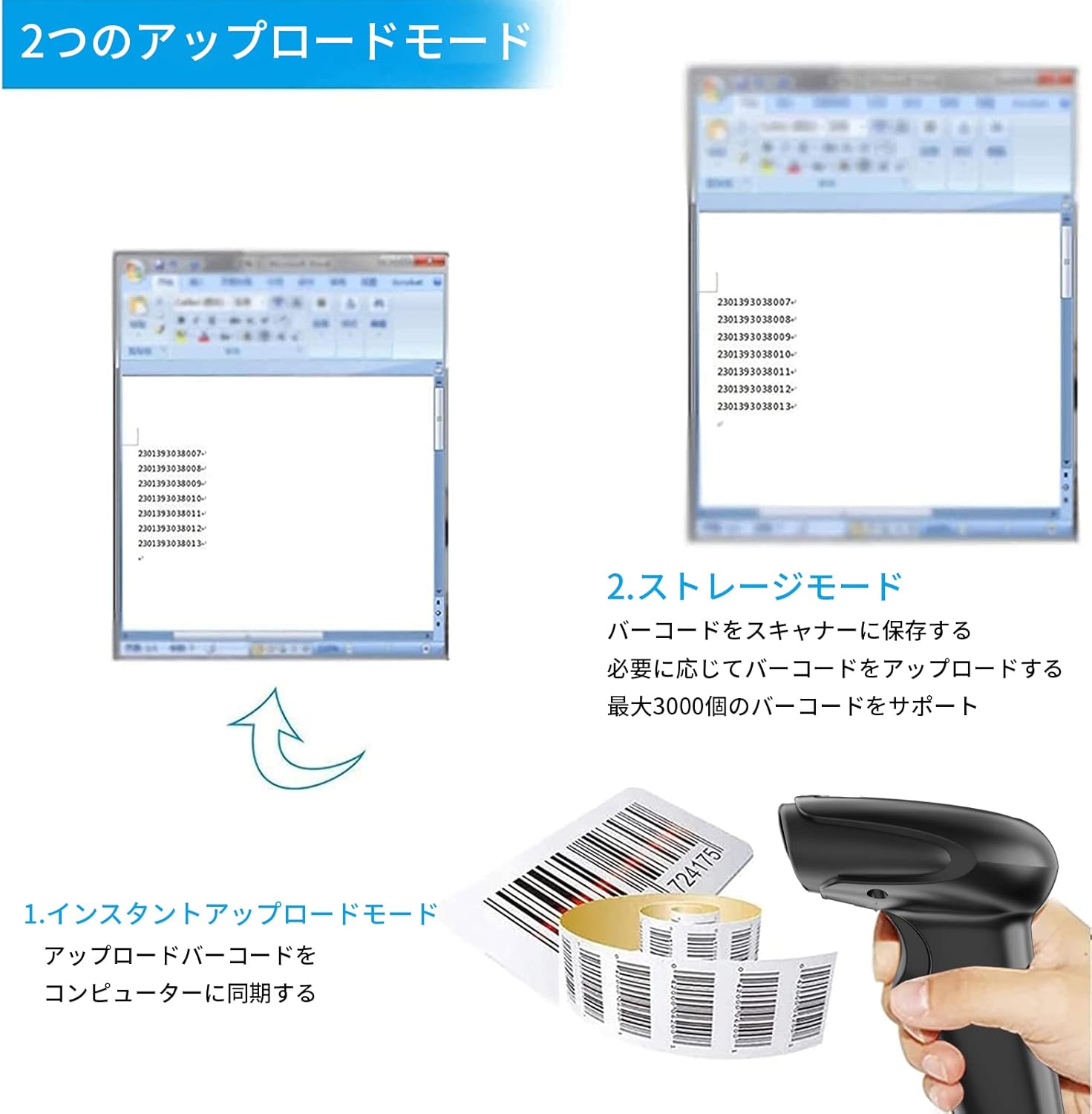
Figure 3: Illustration of Instant Upload and Storage Modes.
4.3 Programmable Barcodes
The Symcode MJ-2030-W scanner allows for customization of barcode data output:
- Nastavení předpony a přípony: You can configure the scanner to add a specific prefix or suffix to each scanned barcode data.
- Character Insertion/Deletion: Specific characters can be inserted or deleted from the scanned data.
Refer to the separate programming guide (if included) or the manufacturer's website for detailed instructions on how to program these settings by scanning specific configuration barcodes.

Figure 4: Scanner demonstrating programmable barcode features.
5. Baterie a nabíjení
The scanner is equipped with a 2000mAh rechargeable battery. For optimal performance, ensure the battery is fully charged before first use.
- Doba nabíjení: Plné nabití trvá přibližně 3–4 hodiny.
- Provozní doba: A full charge can provide up to 12,000 hours of standby time or approximately 74,000 scans.
- Způsob nabíjení: Connect the scanner to a computer or a USB power adapter using the provided USB cable.

Figure 5: Battery specifications and shock-resistant design.
6. Údržba
- Čištění: Use a soft, dry cloth to clean the scanner's exterior. For the scanning window, use a soft, lint-free cloth slightly dampOmyjte vodou nebo jemným čisticím roztokem. Nepoužívejte abrazivní čisticí prostředky ani rozpouštědla.
- Skladování: Skener skladujte na chladném a suchém místě mimo dosah přímého slunečního záření a extrémních teplot.
- Trvanlivost: The scanner features a black silicone protective cover with IP54 rating, designed to protect the glass window from scratches and the unit from drops up to 6.56 feet (2 meters).
7. Řešení problémů
7.1 Skener nereaguje
- Ensure the scanner is turned on and fully charged.
- For wireless connection, verify the mini USB receiver is securely plugged into the computer and the scanner is within range. Try re-pairing if necessary (refer to the programming guide for pairing instructions).
- For wired connection, ensure the USB cable is properly connected to both the scanner and the computer. Try a different USB port.
7.2 Čárové kódy se neskenují
- Ensure the barcode is clear, undamaged, and well-lit.
- Upravte vzdálenost a úhel mezi skenerem a čárovým kódem.
- Check if the scanner is in the correct operating mode (e.g., not in a configuration mode).
7.3 Unexpected Sound Volume
If the scanner's beep volume is too loud or too quiet, refer to the programming guide for specific barcodes that allow adjustment of the sound settings.
7.4 Chybějící komponenty
If any components, such as the receiver or a programming code sheet, are missing from your package, please contact customer support immediately.
8. Specifikace
| Funkce | Specifikace |
|---|---|
| Značka | symkód |
| Číslo modelu | MJ-2030-W |
| Barva | Bílý |
| Rozměry | 17.53 x 8.38 x 11.43 cm |
| Hmotnost | 280.66 g |
| Zdroj napájení | Napájení z baterie |
| Technologie připojení | 2.4GHz Wireless, USB Cable |
| Kapacita baterie | 2000 XNUMX mAh |
| Bezdrátový dosah (venkovní) | Do 200m |
| Bezdrátový dosah (vnitřní) | Do 100m |
| Kapacita úložiště | Approx. 1000 barcodes (offline mode) |
| Odolnost proti pádu | Až 6.56 stop (2 metrů) |
| Hodnocení ochrany | IP54 |

Figure 6: Wireless transmission distance capabilities.
9. Záruka a podpora
Symcode products are designed for reliability and performance. For warranty information, technical support, or service inquiries, please refer to the contact information provided with your purchase or visit the official Symcode website. Please have your product model number (MJ-2030-W) and purchase details ready when contacting support.