
1. Úvod
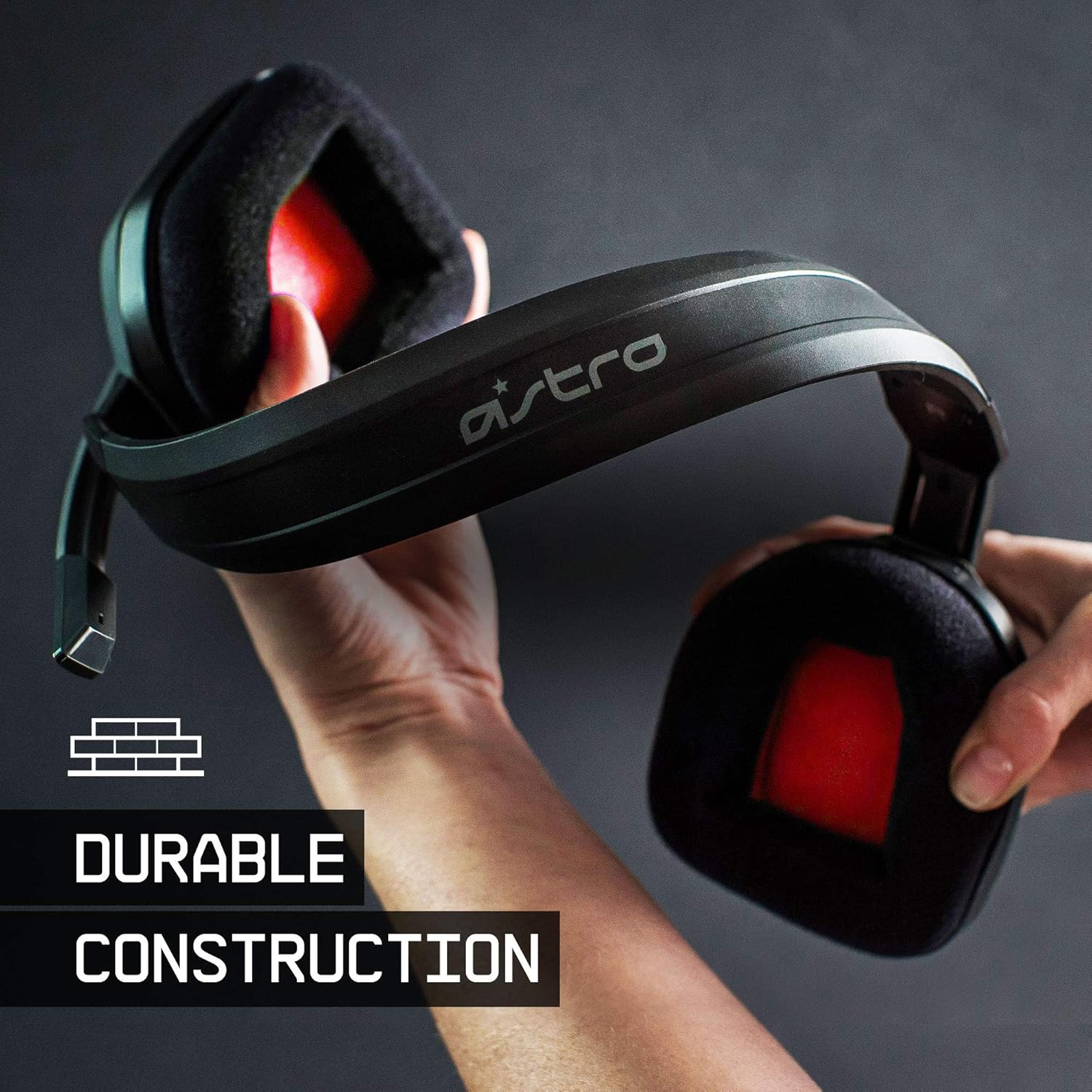
The ASTRO Gaming A10 Headset is engineered for gaming, offering durable construction and extended comfort for prolonged use. It features ASTRO Audio for clear and precise sound, an omnidirectional microphone with flip-up mute functionality, and in-line volume control for a comprehensive audio experience.
2. Co je v krabici
Upon unboxing your ASTRO Gaming A10 Headset, you should find the following components:
- ASTRO Gaming A10 Headset
- A10 Volume Cable (3.5mm jack)

3. Vlastnosti produktu
- Trvanlivost: The A10 Headset is constructed with a durable headband made of anodized aluminum and a damage-resistant polycarbonate blend, designed to withstand rigorous use.
- Pohodlí: Featuring extended comfort memory foam ear-cushions, the headset is designed to minimize fatigue during long gaming sessions.
- Sdělení: An omnidirectional microphone with flip-up mute functionality and in-line volume control ensures clear communication with teammates.
- Kvalita zvuku: Tuned with ASTRO Audio, the A10 delivers immersive and accurate audio, providing low latency and precise voice communication.
- Kompatibilita: The headset is compatible with multiple platforms including PS5, PC/MAC, XBOX SERIES X|S, NINTENDO SWITCH, VR, and streaming devices.



4. Pokyny k nastavení
- Connect the A10 Volume Cable: Insert the smaller end of the A10 Volume Cable into the 3.5mm port located on the left earcup of the ASTRO A10 Headset. Ensure it is securely connected.
- Připojit k zařízení: Plug the larger end of the A10 Volume Cable into the 3.5mm headphone jack on your gaming controller (e.g., Xbox, PlayStation), PC, Mac, Nintendo Switch, or other compatible device.
- Upravit hlasitost: Use the in-line volume control wheel on the A10 Volume Cable to adjust the audio level to your preference.
- Pozice mikrofonu: Lower the microphone boom arm to activate the microphone. Position it appropriately for clear voice capture.

5. Návod k obsluze
Použití mikrofonu (ztlumení překlopením)
The ASTRO A10 Headset features a convenient flip-to-mute microphone. To activate the microphone, simply lower the boom arm into the speaking position. To mute the microphone, flip the boom arm upwards until it clicks into the vertical position. This action instantly mutes your voice input.
Ovládání hlasitosti
Adjust the audio volume using the in-line control wheel located on the A10 Volume Cable. Rotate the wheel upwards to increase volume and downwards to decrease volume.
6. Kompatibilita
The ASTRO Gaming A10 Headset is designed for broad compatibility across various gaming and media platforms:
- PlayStation 5 (PS5)
- PlayStation 4 (PS4)
- Xbox Series X|S
- Xbox One
- Nintendo Switch
- PC
- Mac
- VR devices
- Streamovací zařízení
- Most mobile phones and tablets with a 3.5mm jack

7. Údržba
- Čištění: K čištění sluchátek s mikrofonem používejte měkký, suchý hadřík. Nepoužívejte agresivní chemikálie ani abrazivní materiály.
- Skladování: Sluchátka skladujte na chladném a suchém místě mimo dosah přímého slunečního záření a extrémních teplot.
- Péče o kabely: Vyhněte se ostrým ohybům nebo nadměrnému tahání za kabel, abyste předešli jeho poškození.
- Polštářky do uší: Periodically check ear cushions for wear and tear. Replacement cushions may be available from the manufacturer.
8. Řešení problémů
- No Audio / Low Audio:
- Ujistěte se, že je 3.5mm kabel zcela zasunut do sluchátek i zařízení.
- Check the in-line volume control and ensure it is turned up.
- Verify that the audio output settings on your device are correctly configured for the headset.
- Vyzkoušejte sluchátka s mikrofonem s jiným zařízením, abyste vyloučili problém s konkrétním zařízením.
- Mikrofon nefunguje:
- Ensure the microphone boom arm is fully lowered into the speaking position (not flipped up for mute).
- Check the microphone input settings on your device to ensure the headset microphone is selected and not muted.
- Vyzkoušejte mikrofon s jinou aplikací nebo zařízením.
- Static or Distorted Audio:
- Ensure the 3.5mm cable connections are secure and free from debris.
- Try using a different 3.5mm cable if available, to rule out a faulty cable.
- Reduce the volume on your device or headset if the audio is clipping.
9. Specifikace
| Funkce | Detail |
|---|---|
| Značka | ASTRO hry |
| Název modelu | ASTRO Gaming A10 |
| Číslo modelu | 939-001508 |
| Technologie připojení | Kabelové |
| Jack pro sluchátka | Zásuvka 3.5 mm |
| Hmotnost položky | 12.35 uncí |
| Frekvenční rozsah | 20 Hz - 20 kHz |
| Typ zvukového ovladače | Dynamický ovladač |
| Materiál pouzdra | Hliník |
| Další funkce | Microphone Included, Volume Control |
| Kompatibilní zařízení | PS5, PC/MAC, XBOX SERIES X|S, NINTENDO SWITCH, VR, STREAMING, most mobile phones, tablets |
10. Záruka a podpora
The ASTRO Gaming A10 Headset comes with a 2letá záruka výrobce. For warranty claims, technical support, or additional product information, please visit the official ASTRO Gaming webwebu nebo se přímo obraťte na jejich zákaznický servis.
11. Produktová videa
ASTRO A10 Experience
Video: Oficiální videoprezentaceasing the overall experience and key aspects of the ASTRO A10 Headset. This video provides a visual overview designu a funkčnosti produktu.