
Zavedení
The Riwbox WT-7S Kids Bluetooth Headphones are designed to provide an engaging audio experience for children, featuring LED lights that synchronize with music. These headphones offer both wireless Bluetooth 5.3 connectivity and a wired mode for continuous use. They are foldable for portability and include a built-in microphone for communication.
Klíčové vlastnosti
- Dynamická LED světla: LED lights on both sides of the headphones flash with the music's frequency, adding a fun visual element.
- Technologie Bluetooth 5.3: Ensures stable and efficient wireless connection with powerful 40mm speakers for natural sound and strong bass.
- ON/OFF LED Light Function: Users can turn off the LED blinking effect in Bluetooth mode to conserve battery life.
- Dual Mode (Wired/Wireless): Seamlessly switch between Bluetooth wireless mode and wired mode using the included Riwbox D1 audio cable when the battery is low.
- Integrované ovládání: Convenient controls on the headphone allow for easy navigation of songs and volume adjustment.
- Skládací design: The headphones can be folded for compact storage and portability, making them ideal for travel.
- Vestavěný mikrofon: Enables hands-free calls and voice chat.
Co je v krabici
- Riwbox WT-7S Kids Bluetooth Headphones (Blue)
- Riwbox D1 Audio Cable (3.5mm Jack)
- USB nabíjecí kabel
Průvodce nastavením
1. Nabíjení sluchátek
Before first use, fully charge your Riwbox WT-7S headphones. Connect the provided USB charging cable to the USB charge port on the headphones and the other end to a compatible USB power source (e.g., computer USB port, wall adapter). The LED indicator will show charging status and turn off when fully charged. Charging time is approximately 3 hours.

Image: Diagram showing the location of the USB charge port and LED indicator on the Riwbox WT-7S headphones.
2. Párování Bluetooth
- Ujistěte se, že jsou sluchátka vypnutá.
- Stiskněte a podržte tlačítko napájení, dokud LED indikátor nezačne střídavě blikat modře a červeně, což signalizuje režim párování.
- Na svém zařízení (chytrý telefon, tablet, počítač) povolte Bluetooth a vyhledejte dostupná zařízení.
- Select "WT-7S" from the list of found devices.
- Po připojení bude LED indikátor svítit modře nebo pomalu blikat.

Image: Riwbox WT-7S headphones connected wirelessly to a smartphone, illustrating the Bluetooth connection and power display.
The headphones support Bluetooth 5.3 and have a range of up to 10 meters.
3. Kabelové připojení (režim AUX)
To use the headphones in wired mode, connect the Riwbox D1 audio cable (3.5mm jack) to the AUX port on the headphones and the other end to your audio device's 3.5mm audio output. This mode allows you to continue listening even when the headphone battery is depleted.

Image: Riwbox WT-7S headphones connected via a 3.5mm audio cable, demonstrating wired compatibility with devices like computers, iPads, smartphones, and MP3/MP4 players.
Návod k obsluze
Ovládání je ukončenoview
Image: Detailed diagram of the Riwbox WT-7S headphone controls, including ON/OFF switch, microphone, LED indicator, USB charge port, and 3.5mm audio AUX port.
| Tlačítko/ovládání | Function (Bluetooth Mode) |
|---|---|
| Vypínač ON/OFF | Zapíná nebo vypíná sluchátka. |
| Tlačítko Přehrát/Pozastavit | Short press to play or pause music. Press to answer/hang up calls. |
| Zvýšení hlasitosti (+) | Krátkým stisknutím zvýšíte hlasitost. |
| Snížit hlasitost (-) | Krátkým stisknutím snížíte hlasitost. |
| Tlačítko Další píseň | Long press to skip to the next song. |
| Tlačítko Předchozí píseň | Dlouhým stisknutím přejdete na předchozí skladbu. |
| Ovládání LED světla | Long press to open/close the LED light effect. |
| Mikrofon | For hands-free calls and voice input. |
The LED lights on the earcups will flash according to the music's rhythm, enhancing the listening experience. You can turn off the LED lights to save battery life, extending playtime up to 39.99 hours.

Obrázek: Přední strana view of the Riwbox WT-7S Kids Bluetooth Headphones in blue, showcasing the illuminated LED lights on the earcup.
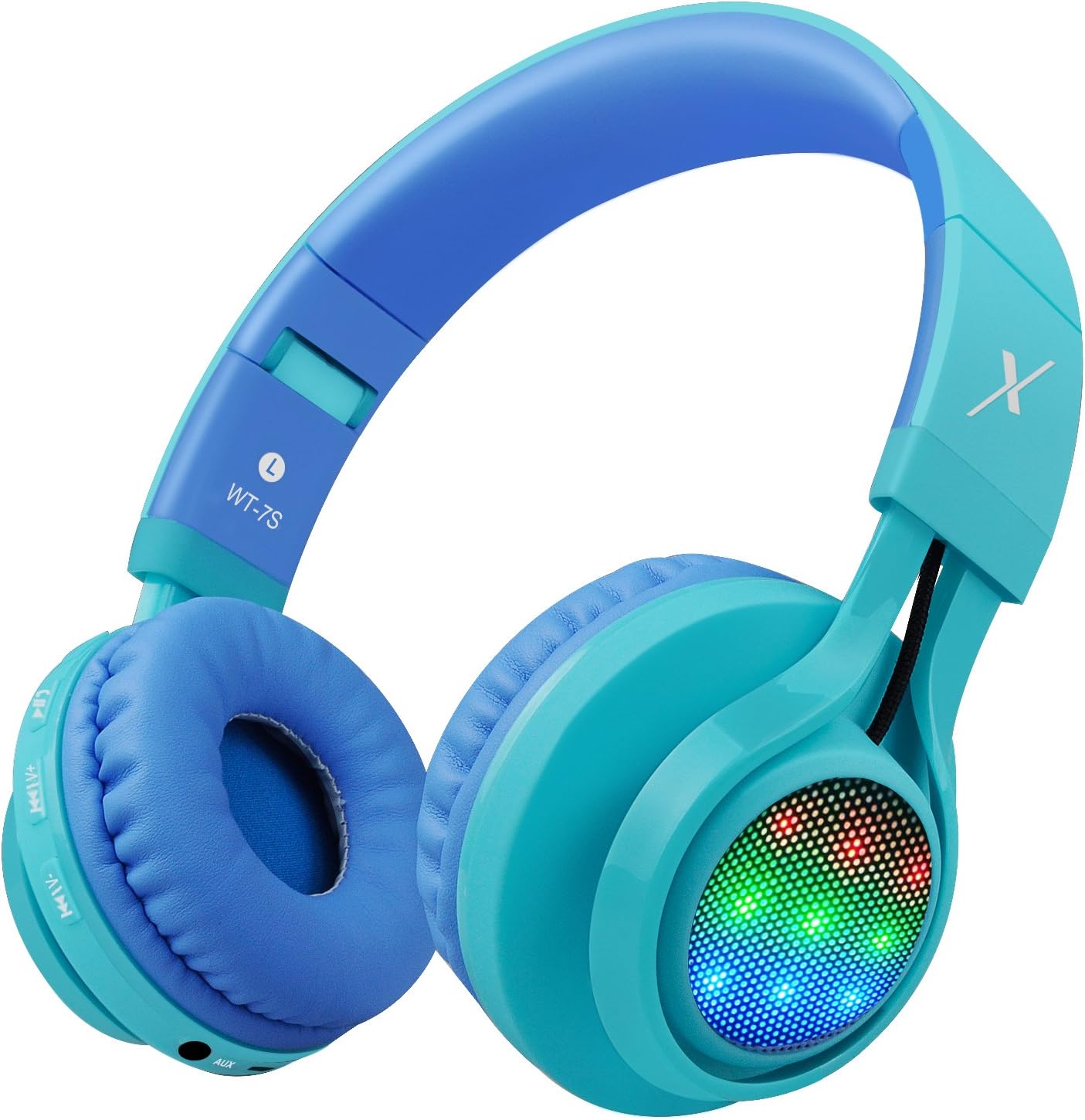
Obrázek: Boční view of the Riwbox WT-7S Kids Bluetooth Headphones in blue, highlighting the LED lights on the earcup and the control buttons.
Údržba a péče
- Čištění: K čištění sluchátek používejte měkký, suchý hadřík. Nepoužívejte abrazivní čisticí prostředky ani rozpouštědla.
- Skladování: When not in use, store the headphones in a cool, dry place. The foldable design allows for compact storage, minimizing space.
- Péče o baterie: Chcete-li prodloužit životnost baterie, vyvarujte se častého úplného vybíjení sluchátek. Pravidelně je nabíjejte, i když je nepoužíváte neustále.
- Voděodolnost: Sluchátka jsou voděodolná, ale ne vodotěsná. Neponořujte je do vody ani je nevystavujte silnému dešti.

Image: The Riwbox WT-7S headphones shown in their collapsed, folded state, demonstrating how they minimize storage space and fit easily into a backpack or drawer.
Odstraňování problémů
| Problém | Možné řešení |
|---|---|
| Sluchátka se nezapnou. | Ensure the headphones are charged. Connect to a power source using the USB charging cable. |
| Nelze spárovat se zařízením Bluetooth. |
|
| V bezdrátovém režimu není slyšet žádný zvuk. |
|
| V kabelovém režimu není žádný zvuk. |
|
| LED světla neblikají. | Long press the LED light control button to ensure the feature is enabled. If enabled, ensure music is playing. |
Specifikace produktu
| Specifikace | Detail |
|---|---|
| Název modelu | WT-7S |
| Značka | ripbox |
| Barva | Modrý |
| Technologie připojení | Bluetooth |
| Technologie bezdrátové komunikace | Bluetooth |
| Verze Bluetooth | 5.3 (Note: Product data shows 4.0, but feature bullets state 5.3. Using 5.3 as it's more recent and likely correct for current models.) |
| Dosah Bluetooth | 10 metrů |
| Velikost zvukového ovladače | 40 milimetrů |
| Frekvenční odezva | 20 Hz - 20 kHz |
| Citlivost | 108 dB |
| Impedance | 32 Ohmy |
| Jack pro sluchátka | Zásuvka 3.5 mm |
| Doba nabíjení | 3 hodiny |
| Životnost baterie | 39.99 hodiny |
| Hmotnost položky | 210 gramů (7.4 unce) |
| Rozměry produktu | 7.09 x 5.91 x 3.15 palce |
| Úroveň odolnosti proti vodě | Vodě odolný |
| Typ ovládání | Ovládání hlasitosti, Dotykové |
| Materiál | Plast |
Záruka a podpora
For warranty information and customer support, please refer to the product packaging or visit the official Riwbox webUschovejte si doklad o koupi pro případné reklamace.
Můžete také navštívit Obchod Riwbox na Amazonu pro více informací o produktu a zdroje podpory.
Produktová videa
Video: An official product video titled "Top Best Headphones for Kids with LED and Mic" by Cotico (Seller). This video demonstrates the features and usage of the Riwbox WT-7S headphones, including the LED lights and overall design, in a family setting.