
1. Úvod
This manual provides detailed instructions for the safe and proper installation, operation, and maintenance of your MANHATTAN Universal Flat-Panel TV Articulating Wall Mount, Model 461399. This single-arm mount is designed to securely hold flat-panel televisions ranging from 13 to 42 inches and weighing up to 20 kg (44 lbs). It offers adjustable tilt, swivel, and level functionalities to optimize your viewzkušenosti.

Obrázek 1.1: Úhlové view of the MANHATTAN Universal Flat-Panel TV Articulating Wall Mount.
2. Bezpečnostní informace
VAROVÁNÍ: Read all instructions carefully before installation. Improper installation can result in property damage, serious injury, or death. If you do not understand these instructions or have doubts about the safety of the installation, contact a qualified installer.
- Ujistěte se, že montážní povrch bezpečně unese celkovou hmotnost držáku a televizoru.
- Nepřekračujte maximální nosnost 20 kg (44 liber).
- Tento výrobek je určen pouze pro vnitřní použití.
- Use only the provided mounting hardware. If any parts are missing or damaged, contact customer support.
- Always use a stud finder to locate wall studs for secure mounting in wood stud walls.
- Wear appropriate safety gear during installation, including eye protection.
3. Obsah balení
Verify that all components are present and undamaged before beginning installation. If any parts are missing or defective, do not proceed with installation and contact customer support.
- Wall Mount Assembly (Single Arm)
- TV Mounting Brackets (VESA Plate)
- Hardware Kit (Screws, Washers, Spacers, Wall Anchors)
- Návod k použití
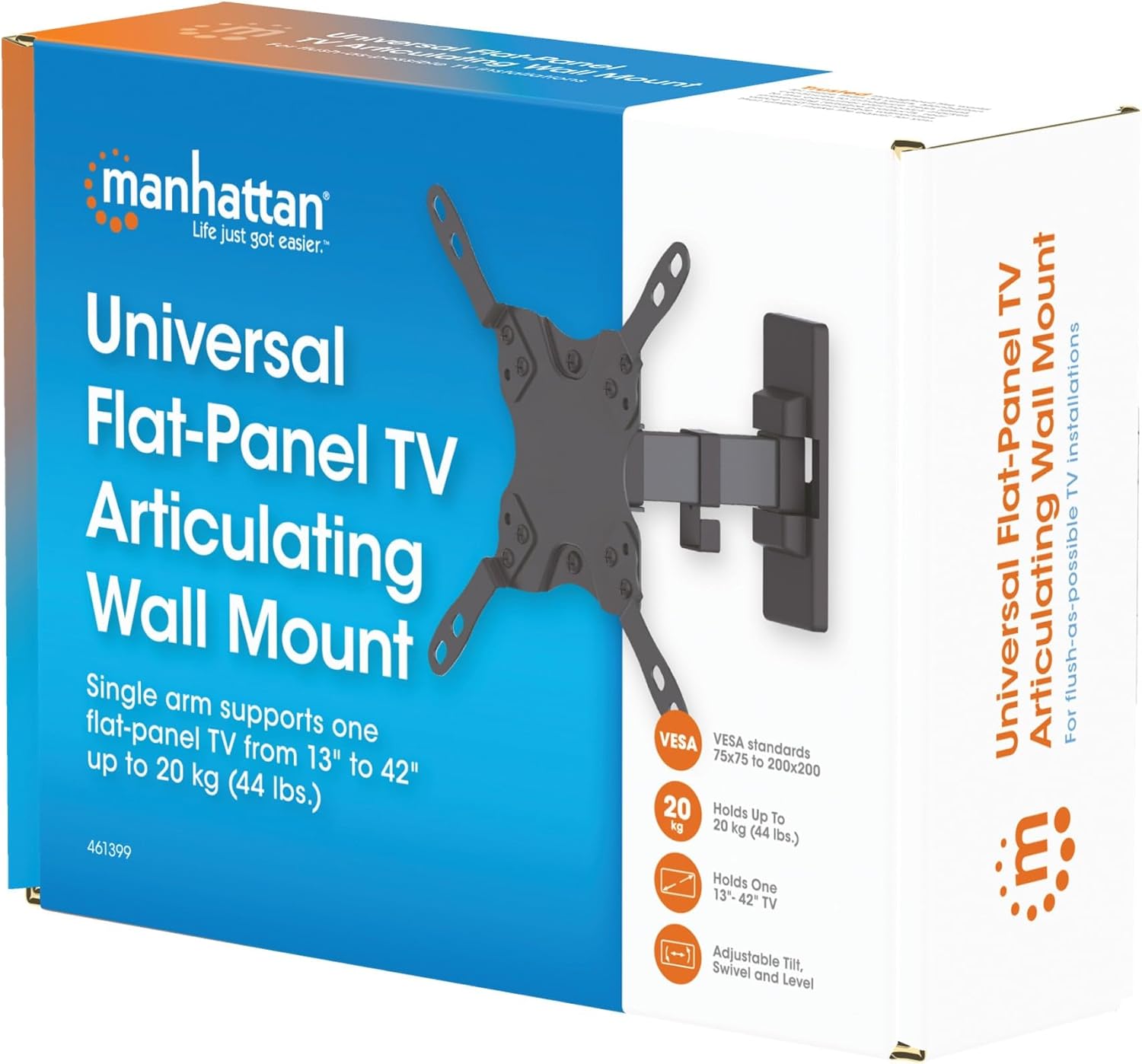
Image 3.1: Packaging of the MANHATTAN Universal Flat-Panel TV Articulating Wall Mount.
4. Nastavení a instalace
4.1 Kontroly před instalací
- TV kompatibilita: Ensure your TV's weight is within 20 kg (44 lbs) and its screen size is between 13 and 42 inches. Check the VESA mounting pattern on your TV (typically 75x75mm, 100x100mm, 200x100mm, or 200x200mm).
- Typ stěny: Determine your wall type (wood stud, concrete, brick). Different wall types require specific mounting hardware and techniques.
- Požadované nástroje: Pencil, drill, stud finder (for wood walls), level, Phillips head screwdriver, socket wrench.
4.2 Připevnění držáků televizoru k televizoru
- Opatrně položte televizor displejem dolů na měkký, čistý povrch, abyste zabránili poškození obrazovky.
- Identifikujte montážní otvory VESA na zadní straně televizoru.
- Vyberte z dodané sady šroubů, podložek a distančních podložek vhodné pro montážní otvory vašeho televizoru.
- Attach the TV mounting brackets to the back of your TV using the selected hardware. Ensure they are securely fastened but do not overtighten.

Obrázek 4.2.1: Zadní strana view of the VESA plate, showing mounting holes for TV attachment.

Obrázek 4.2.2: Přední strana view of the VESA plate, showing mounting holes for TV attachment.
4.3 Montáž nástěnné desky
- Determine the desired height and position for your TV. Use a pencil to mark the top center of where the mount will be.
- Place the wall plate against the wall at the marked position and use a level to ensure it is perfectly horizontal. Mark the drill holes.
- Pro dřevěné stěny s nosníky: Use a stud finder to locate the center of a wood stud. Drill pilot holes (recommended size in manual, typically 5mm) into the stud. Secure the wall plate using the lag bolts and washers.
- Pro betonové/cihlové zdi: Drill pilot holes (recommended size in manual, typically 10mm) into the solid concrete or brick. Insert wall anchors into the holes. Secure the wall plate using the lag bolts and washers.
- Ujistěte se, že je nástěnná deska pevně a bezpečně připevněna ke zdi.

Obrázek 4.3.1: Boční strana view of the mount, illustrating its extension from the wall.
4.4 Zavěšení televizoru
- S pomocí opatrně zvedněte televizor s připojenými držáky a zavěste je na nástěnnou desku.
- Ujistěte se, že je televizor bezpečně upevněn na nástěnné desce.
- Tighten any safety screws or locking mechanisms to prevent accidental dislodgement.
5. Návod k obsluze (Úpravy)
This articulating wall mount allows for flexible positioning of your TV to achieve optimal viewing úhly.
- Nastavení sklonu: Loosen the tilt knobs on the VESA plate, adjust the TV to the desired vertical angle (+5° to -12°), and then retighten the knobs.
- Nastavení otáčení: Gently push or pull the TV to swivel it horizontally (up to 180° depending on TV size and wall distance).
- Úprava úrovně: If your TV is slightly unlevel after installation, there may be a mechanism to adjust the horizontal level (typically +/-3°). Consult the specific diagram for your model.

Image 5.1: Technical diagram showing dimensions and available adjustment angles (tilt, swivel, level).
5.1 Správa kabelů
Utilize the integrated cable clips on the arm to route and organize your TV cables, ensuring a neat appearance and preventing damage.

Image 5.1.1: Detail of the mount arm showing cable management clips.
6. Údržba
- Pravidelně kontrolujte všechny šrouby a spoje, abyste se ujistili, že jsou pevně utažené a bezpečné.
- Držák čistěte měkkým, suchým hadříkem. Nepoužívejte abrazivní čisticí prostředky ani rozpouštědla.
- If the mount becomes stiff, a small amount of silicone-based lubricant can be applied to the articulating joints.
7. Řešení problémů
| Problém | Možná příčina | Řešení |
|---|---|---|
| Televizor není vodorovně | Wall plate not level during installation; level adjustment needed. | Re-check wall plate level and adjust if necessary. Use the mount's level adjustment feature if available. |
| Držák je uvolněný nebo nestabilní | Mounting screws are not fully tightened; wall anchors not properly installed; wall surface is inadequate. | Ensure all mounting screws are securely tightened. Verify wall anchors are correctly installed for your wall type. If the wall is inadequate, consult a professional. |
| Difficulty moving/adjusting TV | Joints are too tight or require lubrication. | Loosen adjustment screws slightly. Apply silicone-based lubricant to articulating joints if needed. |
8. Specifikace
| Číslo modelu | 461399 |
| Značka | MANHATTAN |
| Typ montáže | Kloubový držák na stěnu |
| Typ pohybu | Artikulační |
| Materiál | Kov |
| Barva | Černý |
| Kompatibilní zařízení | Television (13" - 42") |
| Maximální nosnost | 20 kg (44 lb) |
| Kompatibilita VESA | 75x75mm, 100x100mm, 200x100mm, 200x200mm |
| Rozsah náklonu | +5° až -12° |
| Otočný rozsah | Up to 180° (depending on TV size) |
| Nastavení úrovně | +/-3° |
| Rozměry produktu | 7.48 x 8.66 x 8.66 inches (approximate, folded) |
| Hmotnost položky | 2.31 libry |
9. Záruka a podpora
For warranty information or technical support, please refer to the documentation included with your purchase or visit the official MANHATTAN webUschovejte si doklad o koupi pro případ reklamace.
Výrobce: MANHATTAN
Datum první dostupnosti: 9. června 2017