
Zavedení
This manual provides essential instructions for the safe and effective use of your Stack-On SHD-SU-BG-E Stand Up Home Defense Safe. Please read this manual thoroughly before installation and operation to ensure proper functionality and security. This safe is designed to secure up to 3 long guns and 4 handguns, featuring an electronic lock for quick access and a carpeted interior with a removable shelf.
Bezpečnostní informace
- Always store firearms unloaded and secured within the safe.
- Keep the safe locked and the keys (if applicable) or electronic code stored in a secure location, inaccessible to unauthorized individuals, especially children.
- Anchor the safe to a wall or floor to prevent tipping, especially when the door is open. This is crucial for stability and security.
- Neskladujte hořlavé materiály ani otevřené nádoby s kapalinami uvnitř trezoru.
- Ensure the safe is placed on a level surface.
Obsah balení
Před zahájením instalace ověřte, zda jsou všechny komponenty přítomny:
- Stack-On SHD-SU-BG-E Home Defense Safe
- Electronic Lock (pre-installed)
- Záložní klíče (2)
- Odnímatelná police
- Mounting Hardware (bolts/screws for anchoring)
- Uživatelská příručka (tento dokument)
Nastavení
1. Vybalování
Carefully remove the safe from its packaging. Inspect the safe for any signs of damage. Retain packaging materials for potential future transport or returns.
2. Mounting and Anchoring
It is highly recommended to anchor the safe to a wall or floor to prevent unauthorized removal and to ensure stability, especially when the door is open. The safe is designed to be top-heavy when the door is open and not anchored.
- Choose a suitable location for the safe, ensuring it is level and has sufficient clearance for the door to open fully.
- Using the provided mounting hardware, secure the safe to a structural wall stud or concrete floor. Drill pilot holes as necessary.
- Ujistěte se, že všechny šrouby jsou bezpečně utažené.
3. Battery Installation for Electronic Lock
The electronic lock requires batteries to operate. Access the battery compartment, typically located on the inside of the door or behind the keypad. Insert the specified number and type of batteries (usually AA or 9V), ensuring correct polarity.
4. Setting Your Electronic Lock Code
Refer to the specific instructions provided with your electronic lock for setting your personal access code. Typically, this involves:
- Open the safe using the backup key or the factory default code (if provided).
- Locate the reset button inside the safe, usually on the back of the lock mechanism.
- Press the reset button. The lock will usually beep or flash an indicator light.
- Enter your new desired code (typically 3-8 digits) on the keypad.
- Confirm the code by pressing a designated button (e.g., 'Enter' or '#').
- Test the new code multiple times with the door open before closing it.
5. Using the Backup Key
The safe includes backup keys for manual access in case of electronic lock failure or dead batteries. Insert the key into the keyhole, turn it, and then operate the handle to open the safe. Keep backup keys in a secure location away from the safe.
Obsluha trezoru
1. Opening with Electronic Lock
- Enter your personal access code on the keypad.
- The lock will indicate successful entry (e.g., green light, beep).
- Within a few seconds, turn the handle to open the door.
2. Storing Firearms and Handguns
The safe features a patent-pending barrel rest design for long guns and handgun holders. The carpeted interior protects your items.
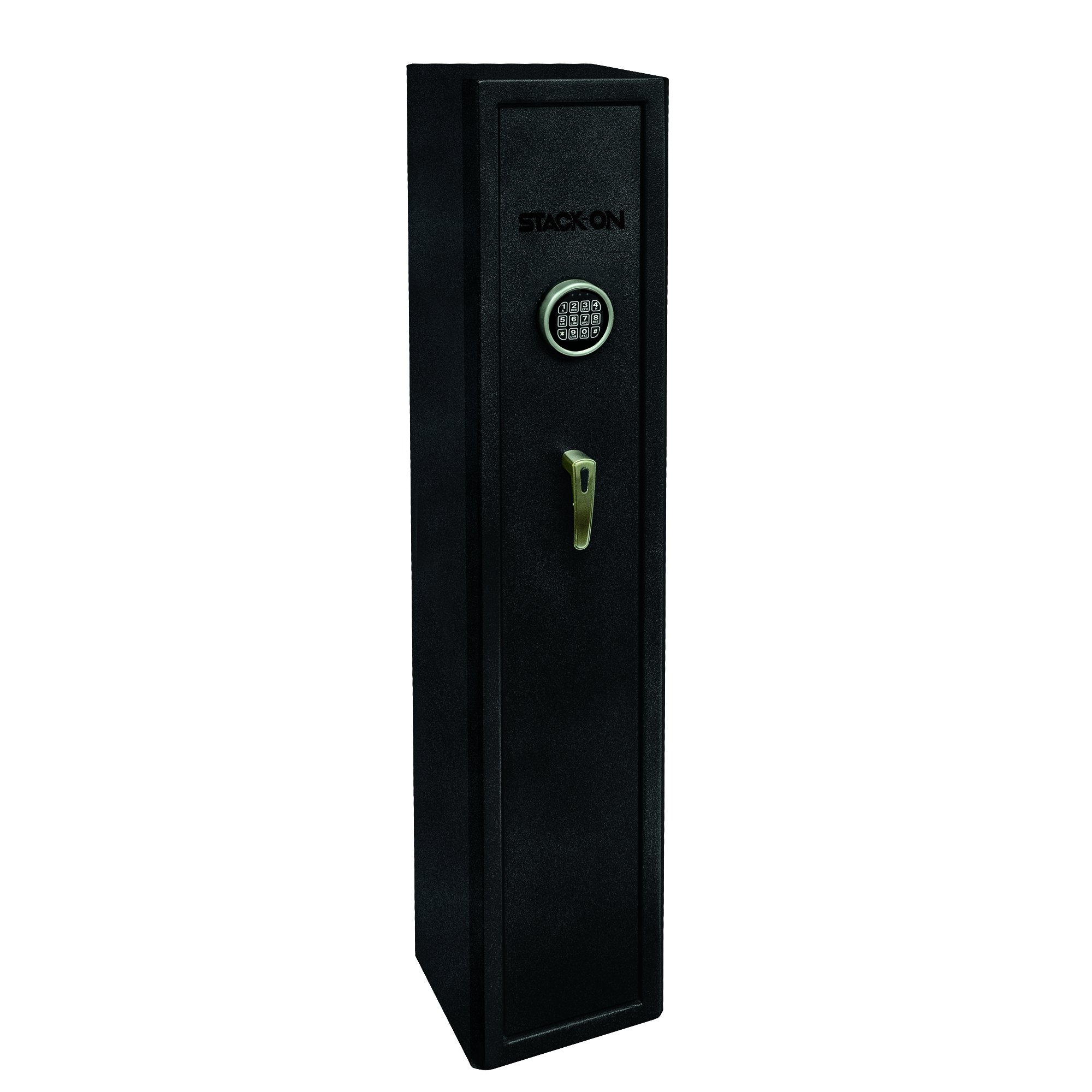
Image: Interior of the safe with firearms and ammunition.
- Place long guns into the barrel rests, ensuring they are stable and do not obstruct the door mechanism.
- Utilize the handgun holders to secure up to four handguns.
- The removable shelf can be used for ammunition, accessories, or other valuables.
3. Closing and Securing the Safe
- Ensure all items are placed securely and do not interfere with the door closing.
- Dvířka pevně zavřete.
- Turn the handle to engage the 3 live-action locking bolts and 3 dead bolts.
- The electronic lock will automatically re-lock, or you may need to press a button to secure it, depending on the lock model.
Údržba
1. Výměna baterie
The electronic lock features a low battery warning system. When indicated, replace the batteries promptly to avoid being locked out. Use only new, high-quality batteries of the specified type.
2. Čištění
Vnější povrch trezoru očistěte měkkým hadříkem.amp cloth. Avoid abrasive cleaners or solvents that could damage the finish. The interior carpeted surfaces can be vacuumed or wiped with a damp tkanina.
3. Checking Locking Bolts
Periodically inspect the locking bolts and door mechanism for any obstructions or signs of wear. Ensure they engage smoothly and fully when the door is closed.
Odstraňování problémů
- Safe will not open with electronic code:
Ensure batteries are fresh and correctly installed. Try entering the code again carefully. If unsuccessful, use the backup key. - Upozornění na vybitou baterii:
Replace batteries immediately. The lock may still function for a short period, but performance will degrade. - Door will not close properly:
Check for any obstructions inside the safe, such as firearms or accessories, that might be preventing the door from fully closing. Ensure the safe is on a level surface and properly anchored. - Klávesnice nereaguje:
Check battery connection. If the keypad remains unresponsive, use the backup key and contact customer support.
Specifikace
| Funkce | Detail |
|---|---|
| Číslo modelu | SHD-SU-BG-E |
| Značka | Stack-On |
| Typ zámku | Electronic with Backup Key |
| Vnější rozměry (Š x H x V) | 12 x 11 x 55 palce |
| Vnitřní rozměry (Š x H x V) | 11.5 x 10.75 x 54 palce |
| Materiál | Legovaná ocel |
| Hmotnost položky | 44.45 kg (přibližně 98 liber) |
| Kapacita | Up to 3 long guns and 4 handguns |
| Typ montáže | Flooring / Wall |
| Zahrnuté komponenty | Safe, Instructions, Backup Key |
Informace o záruce
Stack-On products are manufactured to high-quality standards. For specific warranty details regarding your SHD-SU-BG-E safe, please refer to the warranty card included with your purchase or visit the official Stack-On webUschovejte si doklad o koupi pro případné reklamace.
Zákaznická podpora
If you encounter any issues or have questions not covered in this manual, please contact Stack-On customer support. Contact information can typically be found on the manufacturer's webmístě nebo na obalu produktu.
Webmísto: www.stack-on.com (Napřampprosím ověřte oficiální webweb)