
Zavedení
The UBeesize Flexible Mini Phone Tripod is a versatile and portable camera stand designed for capturing stable shots from various angles. Its adjustable octopus-style legs allow for flexible positioning on almost any surface, while the wireless remote provides convenient control from a distance. This manual provides detailed instructions for setting up, operating, maintaining, and troubleshooting your tripod to ensure optimal performance.

The UBeesize Flexible Mini Phone Tripod, showcasing its main components and versatility with different devices.
Komponenty
Your UBeesize Flexible Mini Phone Tripod package includes the following items:
- Flexible Mini Tripod
- Univerzální držák na telefon
- Bezdrátová dálková závěrka
- Adaptér GoPro

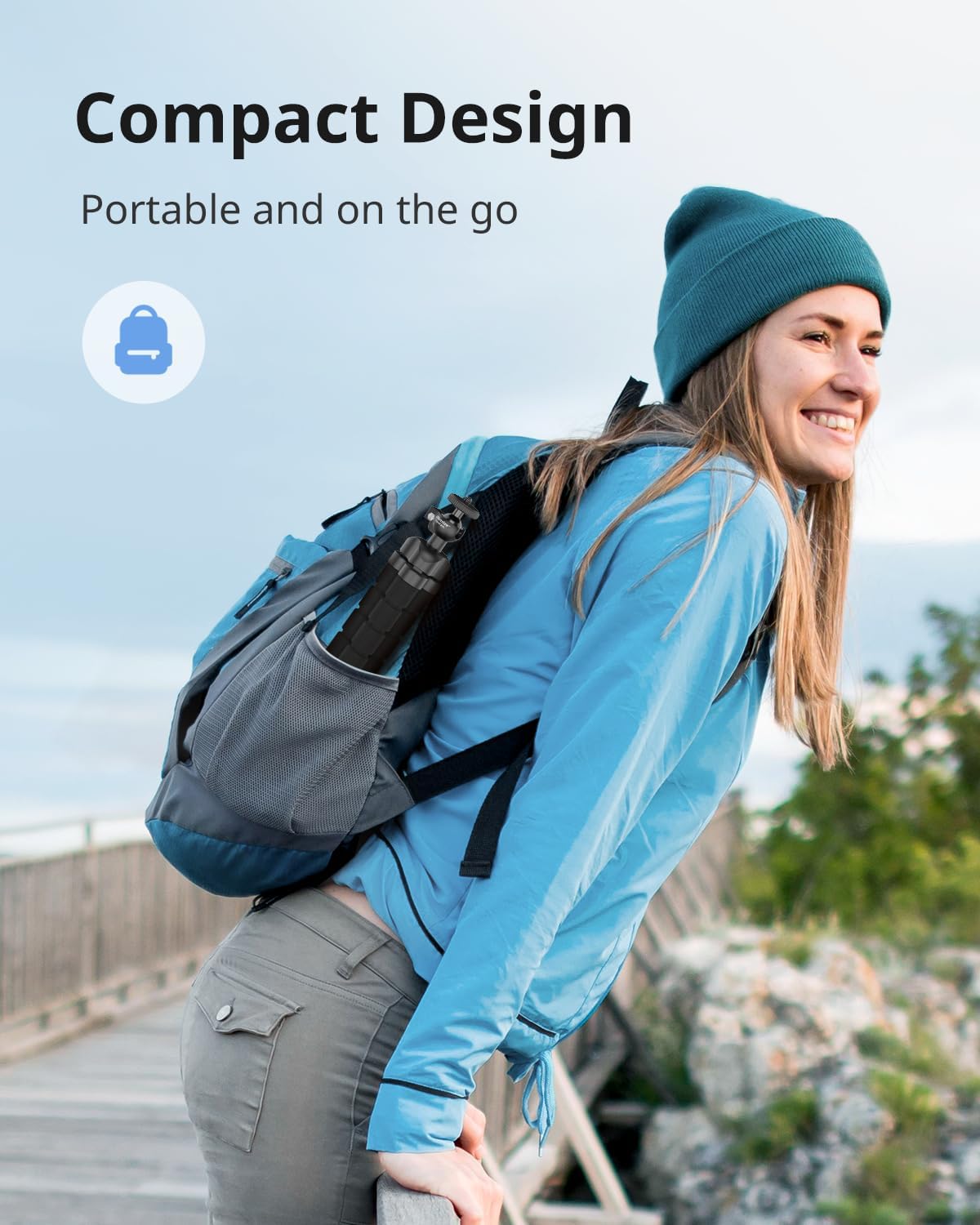
The compact design allows for easy portability, fitting into a backpack.
Průvodce nastavením
Attaching Your Device
- Pro chytré telefony: Extend the retractable phone holder (2.7"-5.3" wide) and securely place your smartphone within its grips. Ensure the phone is centered for balance.
- For Digital Cameras/GoPro: The tripod features a standard 1/4" screw. Attach your digital camera directly to this screw. For GoPro cameras, use the included GoPro adapter to mount it onto the tripod.
- Zabezpečené připojení: Tighten the screw connection to ensure your device is firmly attached to the tripod head.

The retractable phone holder accommodates devices from 2.7 to 5.3 inches wide.

The standard 1/4" screw ensures wide compatibility with various devices.
Průvodce nastavením videa
Watch this official UBeesize video for a visual guide on setting up and using your Flexible Mini Phone Tripod.
Návod k obsluze
Adjusting the Tripod Legs
The tripod features flexible, octopus-style legs that can be bent and wrapped around objects to secure your device. To adjust:
- Bend each leg individually to achieve the desired height and angle.
- Wrap the legs around poles, branches, or uneven surfaces for stable mounting.
- Ensure all three legs are firmly positioned to prevent tipping.

The flexible legs allow for creative positioning, such as wrapping around a bike handle.
Pomocí bezdrátového dálkového ovladače
The included wireless remote allows you to capture photos and videos from up to 30 feet away.
- Párování: Turn on the remote. On your smartphone, enable Bluetooth and search for 'UBeesize' or a similar device name. Select it to pair.
- Operace: Once paired, press the appropriate button on the remote (iOS or Android) to trigger your phone's camera shutter or start/stop video recording.
Horizontální a vertikální snímání
The tripod head allows for 360-degree rotation, enabling both horizontal and vertical shooting orientations.
- Adjust the ball head to tilt your device to the desired orientation.
- Tighten the locking knob on the ball head to secure the position.
Achieve perfect shots with 360-degree rotation for both horizontal and vertical orientations.
Údržba
To ensure the longevity and optimal performance of your UBeesize Flexible Mini Phone Tripod, follow these maintenance guidelines:
- Čištění: Wipe down the tripod legs and body with a damp hadříkem k odstranění prachu a nečistot. Vyhněte se používání agresivních chemikálií nebo abrazivních čisticích prostředků.
- Skladování: Store the tripod in a cool, dry place away from direct sunlight and extreme temperatures. Ensure it is clean and dry before storage.
- Vyhněte se nadměrnému ohýbání: While the legs are flexible, avoid excessive or sharp bending that could damage the internal structure.
- Zkontrolujte připojení: Pravidelně kontrolujte všechny šrouby a spoje, abyste se ujistili, že jsou bezpečně utažené.
Odstraňování problémů
If you encounter any issues with your UBeesize Flexible Mini Phone Tripod, refer to the following table for common problems and solutions:
| Problém | Možná příčina | Řešení |
|---|---|---|
| Tripod is unstable/tips over | Uneven leg distribution; device too heavy or off-center. | Ensure legs are spread evenly and firmly planted. Center your device on the holder. Check device weight against limit. |
| Wireless remote not pairing | Remote not turned on; Bluetooth off on phone; remote battery low. | Ensure remote is ON. Turn on phone's Bluetooth. Recharge/replace remote battery. Try re-pairing. |
| Telefon se nevejde do držáku | Phone too wide for holder. | Check phone dimensions against holder's 2.7"-5.3" range. Remove bulky phone cases if necessary. |
| Device not securely attached | Mounting screw loose; device not properly seated. | Tighten the 1/4" screw firmly. Ensure phone/camera is correctly seated in the holder/mount. |
Specifikace
| Funkce | Detail |
|---|---|
| Značka | Velikost UBees |
| Barva | Černý |
| Kompatibilní zařízení | iPhone, GoPro, Camera, Android |
| Speciální funkce | Přenosný, nastavitelný |
| Materiál | Plast |
| Hmotnost položky | 5.28 unce |
| Hmotnostní limit | 6.6 libry |
| Název modelu | FBA_TRIPODFOAMBLACK1 |
| Maximální výška | 4.5 centimetrů |
| Typ stativové hlavy | Kulové hlavy |
Záruka a podpora
UBeesize products are designed for durability and performance. This product is backed by UBeesize's commitment to quality. For specific warranty details, product support, or to contact customer service, please visit the official UBeesize store or contact their support team directly.
Official UBeesize Store: Navštivte obchod