
1. Úvod
Děkuji za nákupasing the iHome IB90 Bluetooth Headphones. These headphones are designed to provide rich, detailed sound with an enhanced bass response, offering a comfortable listening experience with wireless freedom and extended battery life. This manual will guide you through the setup, operation, and maintenance of your new headphones.
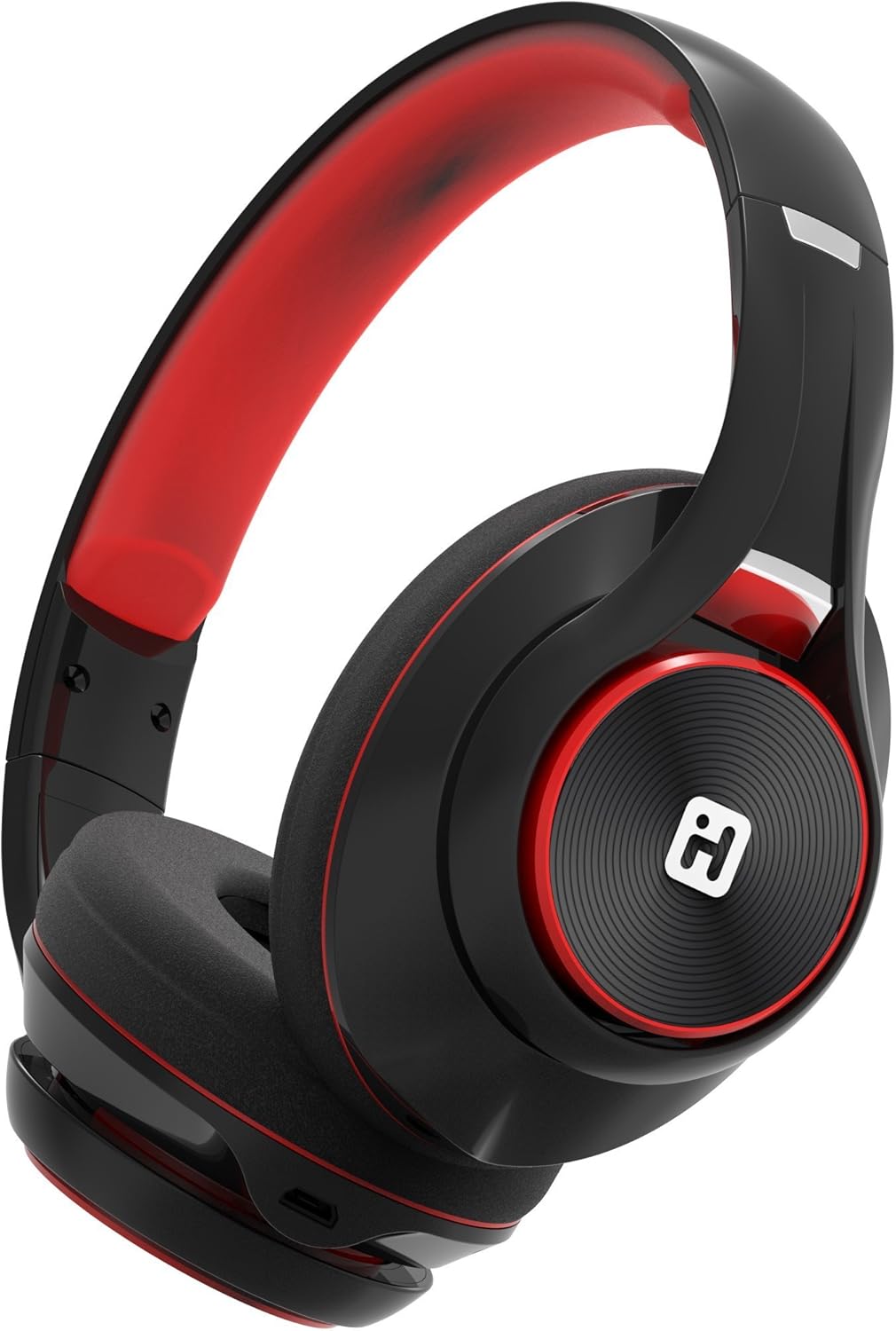
Image: iHome IB90 Bluetooth Headphones, featuring a comfortable over-ear design in black and red.
2. Obsah balení
- iHome IB90 Bluetooth Headphones
- Audio Cable (for wired mode)
- USB Charging Cable (not explicitly listed but implied for rechargeable battery)
3. Nastavení
3.1 Nabíjení sluchátek
Before initial use, fully charge your headphones. The extra-long life rechargeable battery provides up to 46 hours of continuous use on a single charge. A 10-minute charge can provide 1 hour of play when the battery is low.
- Připojte dodaný nabíjecí kabel USB k nabíjecímu portu na sluchátkách.
- Druhý konec kabelu USB připojte k napájenému portu USB (např. k počítači, síťovému adaptéru).
- Kontrolka nabíjení se během nabíjení rozsvítí a po úplném nabití zhasne.
3.2 Párování Bluetooth
Pair your iHome IB90 headphones with your Bluetooth-enabled device to enjoy wireless audio.
- Ujistěte se, že jsou sluchátka nabitá a vypnutá.
- Press and hold the Power/Bluetooth button on the headphones until the indicator light flashes, indicating pairing mode. Voice prompts will confirm Bluetooth connection status.
- Na svém zařízení (chytrý telefon, tablet, počítač) přejděte do nastavení Bluetooth a povolte Bluetooth.
- Select "iHome IB90" (or similar model name) from the list of available devices.
- Once connected, a voice prompt will confirm successful pairing, and the indicator light will change.
3.3 Melody Voice Assistant Setup
The iHome IB90 headphones are compatible with the free Melody voice-powered personal music assistant app, allowing you to control music from services like Spotify and iHeartRadio using voice commands. The voice control button on the earcup also works with Siri and Google Assistant.
Image: Melody Personal Music Assistant app logo.
- Download the Melody app from your device's app store (App Store for iOS, Google Play for Android).
- Open the Melody app and follow the on-screen instructions to set up your account and link your preferred music streaming services.
- Ensure your headphones are paired with your device.
- Use the voice control button on the earcup to activate Melody or your device's native voice assistant (Siri/Google Assistant) and issue commands.
Video: This video demonstrates the features and functionality of the Melody voice-powered personal music assistant, highlighting its integration with iHome products for hands-free music control and access to various streaming platforms.
4. Ovládání sluchátek
4.1 On-Ear Remote Control
The earcup features convenient controls for managing your audio and calls:
- Přehrát/pozastavit: Press the designated button to play or pause audio.
- Výběr skladby: Use the track buttons to skip forward or backward.
- Ovládání hlasitosti: Upravte hlasitost pomocí tlačítek hlasitosti.
- Přijmout/ukončit hovory: The built-in echo-cancelling microphone allows for hands-free phone calls. Press the call button to answer or end a call.

Image: Close-up of the iHome IB90 headphone earcup, illustrating the location of control buttons.
4.2 Hlasové ovládání
Activate your personal voice assistant (Melody, Siri, or Google Assistant) by pressing the dedicated voice control button on the earcup. You can then use voice commands to:
- Play specific songs, artists, albums, or playlists.
- Check weather, set reminders, and make phone calls (via Siri/Google Assistant).
- Access music from various streaming platforms (via Melody app).
4.3 Drátový režim
The headphones can also be used in wired mode with the provided audio cable, ensuring you can continue listening even if the battery is depleted. Simply connect the audio cable to the headphone's audio input and your device's audio output.
5. Údržba
5.1 Čištění
Pro udržení sluchátek v dobrém stavu:
- Otřete náušníky a hlavový most měkkým, suchým hadříkem.
- Vyhněte se používání abrazivních čisticích prostředků, rozpouštědel nebo agresivních chemikálií.
- Neponořujte sluchátka do vody, protože nejsou voděodolná.
5.2 Skladování
When not in use, store your headphones in a cool, dry place away from direct sunlight and extreme temperatures. The foldable design allows for compact storage and portability.
6. Řešení problémů
If you encounter issues with your iHome IB90 headphones, refer to the following common solutions:
- Bez napájení: Ujistěte se, že jsou sluchátka plně nabitá. Připojte je ke zdroji napájení pomocí nabíjecího kabelu USB.
- Nelze spárovat přes Bluetooth: Make sure the headphones are in pairing mode (flashing indicator light). Turn off and on your device's Bluetooth, then try re-pairing. Ensure the headphones are not already connected to another device.
- Žádný zvuk nebo nízká hlasitost: Check the volume levels on both the headphones and your connected device. Ensure the headphones are properly paired. If using wired mode, ensure the audio cable is securely connected.
- Mikrofon nefunguje: Verify that the headphones are properly connected via Bluetooth. Check your device's audio input settings to ensure the headphone microphone is selected.
- Únik zvuku: The iHome IB90 headphones feature passive noise isolation, not active noise cancellation (ANC). While they provide an immersive sound environment, they may not completely block out all external noise, and some sound may be audible to others at higher volumes.
7. Specifikace
| Funkce | Detail |
|---|---|
| Značka | iHome |
| Číslo modelu | IB90v2BRC |
| Umístění uší | Přes ucho |
| Form Factor | Na uchu |
| Kontrola hluku | None (Passive Noise Isolation) |
| Technologie připojení | Bluetooth |
| Bezdrátová technologie | Bluetooth |
| Typ ovládání | Dálkové ovládání |
| Vestavěná média | Sluchátka |
| Hmotnost položky | 0.5 libry |
| Materiál pouzdra | Plast |
| Specifické použití pro produkt | Cestovat |
| Úroveň odolnosti proti vodě | Není odolný vůči vodě |
8. Záruka a podpora
For warranty information and customer support, please refer to the documentation included with your product or visit the official iHome webTato příručka neobsahuje konkrétní podrobnosti o záruce.