
Konec produktuview
The NEC ST-401 is a versatile tabletop stand designed for use with NEC Pxx4 and Vxx4 series monitors. It provides a stable base and allows for height adjustment to optimize viewing úhly.
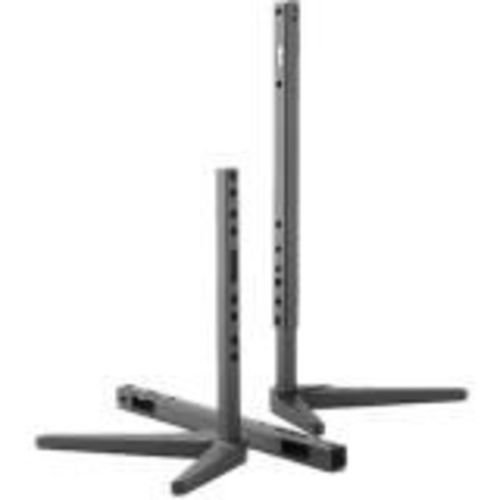
Image: The NEC ST-401 Tabletop Stand, showing its adjustable vertical posts and stable base. The stand is designed to connect to the VESA hole pattern on the back of compatible monitors.
This stand connects directly to the VESA hole pattern on the back of your monitor, offering two distinct height adjustments: 30mm or 50mm from the table surface to the bottom of the monitor.
Pokyny pro nastavení
- Rozbalte komponenty: Opatrně vyjměte všechny součásti z obalu. Zkontrolujte, zda jsou všechny díly přítomny.
- Identify VESA Mounting Points: Locate the VESA mounting holes on the back of your compatible NEC Pxx4 or Vxx4 series monitor.
- Attach Stand to Monitor: Align the stand's mounting plate with the VESA holes on the monitor. Secure the stand using the provided screws. Ensure a firm connection.
- Upravit výšku: The stand allows for 30mm or 50mm adjustment from the table to the bottom of the monitor. Select the desired height by adjusting the vertical posts and securing them in place. Refer to the stand's design for specific locking mechanisms.
- Position Monitor: Place the assembled monitor and stand on a stable, flat tabletop surface.
Poznámka: Always ensure the monitor is securely attached to the stand before placing it on a surface. Refer to your monitor's manual for specific VESA mounting instructions if needed.
Obsluha stojanu
The NEC ST-401 stand is primarily a static support and height adjustment accessory. Once set up, its operation involves maintaining its position and ensuring stability.
- Nastavení výšky: To change the height (between 30mm and 50mm), carefully lift the monitor slightly, disengage the locking mechanism on the vertical posts, adjust to the desired height, and re-engage the lock. Always support the monitor during adjustment.
- Kontrola stability: Periodically check that the monitor is stable on the stand and that all connections remain secure.
Údržba
Proper maintenance ensures the longevity and continued stability of your NEC ST-401 tabletop stand.
- Čištění: K otření stojanu použijte měkký, suchý hadřík. V případě odolných skvrn použijte lehceamp Lze použít hadřík s jemným mýdlem a poté důkladně osušit. Nepoužívejte abrazivní čisticí prostředky ani rozpouštědla.
- Inspekce: Regularly inspect the stand for any signs of wear, damage, or loose connections. Ensure all screws are tight.
- Skladování: If storing the stand separately, keep it in a dry, cool place away from direct sunlight and extreme temperatures.
Odstraňování problémů
This section addresses common issues you might encounter with the NEC ST-401 tabletop stand.
- Stojan je vratký:
- Ujistěte se, že stojan je umístěn na rovném a stabilním povrchu.
- Check that all screws connecting the stand to the monitor and any internal components of the stand are securely tightened.
- Verify that the monitor's weight does not exceed the stand's capacity (though this stand is designed for specific NEC monitors, always ensure compatibility).
- Obtížnost nastavení výšky:
- Ensure the locking mechanism for height adjustment is fully disengaged before attempting to move the posts.
- Do not force the adjustment. If resistance is met, re-check the mechanism.
If issues persist, contact NEC customer support for further assistance.
Specifikace
| Atribut | Detail |
|---|---|
| Číslo modelu | ST-401 |
| Značka | NEC |
| Kompatibilní zařízení | NEC Pxx4 and Vxx4 Series Monitors |
| Typ montáže | Tabletop, VESA Hole Pattern |
| Nastavení výšky | 30mm or 50mm from table to bottom of monitor |
| Materiál | Plast |
| Barva | Černý |
| Rozměry produktu | 18.5 x 12.7 x 5.2 palce (přibližně, sestaveno) |
| Hmotnost položky | 1 libra (přibližně) |
| Země původu | Čína |
Záruka a podpora
For warranty information and technical support regarding your NEC ST-401 Tabletop Stand, please refer to the official NEC website or contact NEC customer service directly.
Výrobce: Nec
Datum první dostupnosti: 4. března 2017
Nejnovější zdroje podpory naleznete na adrese: www.necdisplay.com