
Zavedení
Děkuji za nákupasing the ipega PG-9087S Wireless Game Controller. This device is designed to enhance your mobile gaming experience on Android and iOS smartphones and tablets. Please read this manual carefully before use to ensure proper operation and to maximize the lifespan of your controller.
Bezpečnostní informace
- Nevystavujte regulátor extrémním teplotám, vlhkosti ani přímému slunečnímu záření.
- Zabraňte pádu ovladače na zem nebo jeho vystavení silným nárazům.
- Do not attempt to disassemble or modify the controller. This will void the warranty and may cause damage.
- Uchovávejte ovladač mimo dosah dětí a domácích zvířat.
- Používejte pouze dodaný nebo doporučený nabíjecí kabel.
Obsah balení
- ipega PG-9087S Wireless Game Controller
- USB nabíjecí kabel
- Uživatelská příručka (tento dokument)
Konec produktuview

Figure 1: Controller Layout. This image displays the ipega PG-9087S controller with its various buttons and components labeled, including the Left 3D joystick, D-Pad, TURBO button, battery/mode indicators, Home Button, R1/R2, ABXY Action buttons, Right 3D joystick, START, and SELECT buttons.

Obrázek 2: Klíčové vlastnosti. This image highlights specific design elements: a textured rocker for improved grip, LED red button lights for visibility, scrub and non-slip trigger construction for precise control, and a classic cross key design for the D-Pad.
Klíčové vlastnosti:
- Připojení Bluetooth 4.0: Ensures stable and high-speed transmission.
- Prodloužitelné rameno: Accommodates devices with a maximum extending size of 6.2 inches (70-158mm) and a thickness of up to 9mm.
- Ergonomický design: Poskytuje pohodlí při delších herních sezeních.
- High Sensitivity Buttons: Designed for quick and accurate responses.
- Custom Function/Button Mapping: Allows users to customize button functions according to personal preferences for various games.
- Podpora více platforem: Compatible with Android 6.0 and above, and iOS devices.
Nastavení
1. Nabíjení regulátoru
Before first use, fully charge the controller. Connect the provided USB charging cable to the controller's charging port and to a USB power source (e.g., computer, USB wall adapter). The battery charging indicators (1, 2, 3, 4) will illuminate to show charging status and battery level.
2. Zapnutí/vypnutí

Figure 3: Power Switch and Connection Methods. This image shows the physical on/off switch located at the bottom of the controller and provides visual instructions for Android and iOS direct connection methods.
- Zapnutí: Locate the power switch (labeled 'switch:on/off' in Figure 3) on the bottom of the controller and slide it to the 'ON' position.
- Vypnutí: Slide the power switch to the 'OFF' position.
3. Párování Bluetooth
The PG-9087S supports direct connection without needing to download a separate application.
- Pro zařízení se systémem iOS: S vypnutým ovladačem stiskněte a podržte tlačítko Y button + HOME button simultaneously for 2 seconds until the indicator light flashes rapidly.
- Pro zařízení Android: S vypnutým ovladačem stiskněte a podržte tlačítko A button + HOME button simultaneously for 2 seconds until the indicator light flashes rapidly.
Once the indicator light flashes, enable Bluetooth on your mobile device and search for "PG-9087S". Select it to pair. The indicator light will become solid once successfully connected.
4. Instalace zařízení
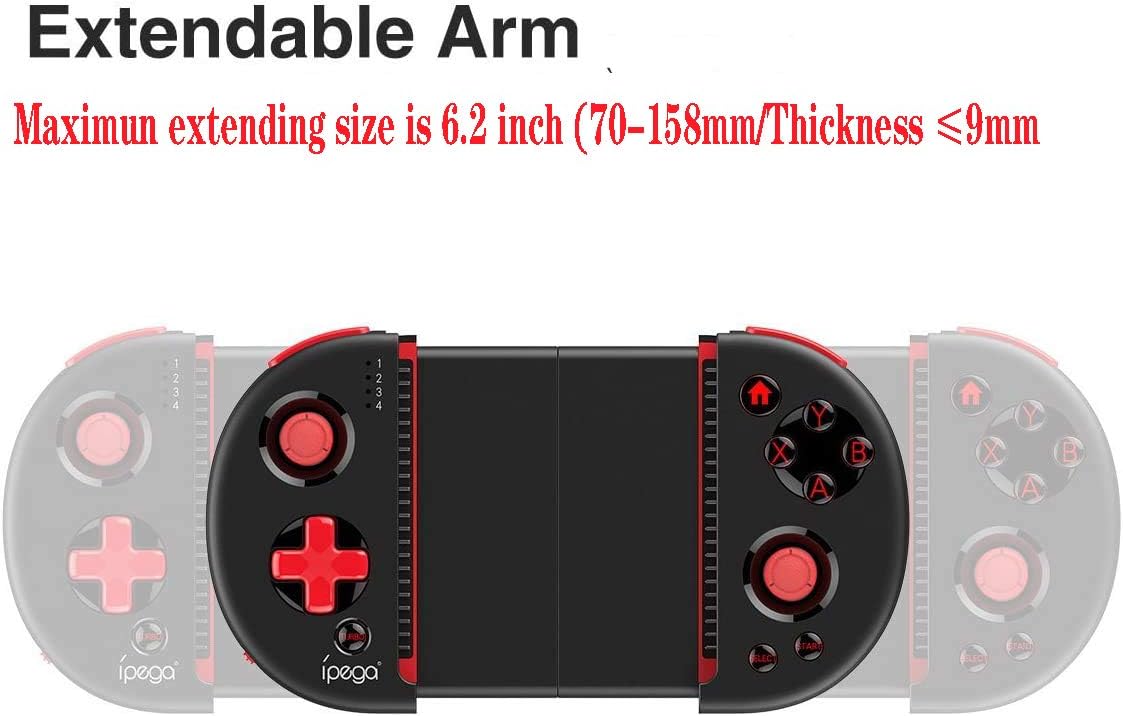
Figure 4: Extendable Arm. This image illustrates the extendable arm feature of the controller, showing its maximum extension size of 6.2 inches (70-158mm) and a maximum device thickness of 9mm.
Gently extend the arms of the controller to fit your smartphone or tablet. Ensure your device is securely seated within the extendable arm. The arm supports devices up to 6.2 inches (158mm) in length and 9mm in thickness.
Návod k obsluze
1. Základní ovládací prvky
Refer to Figure 1 for the layout of the buttons and joysticks. The controller features:
- Left/Right 3D Joysticks: Pro přesný pohyb a ovládání kamery.
- D-Pad (směrový ovladač): Pro směrový vstup.
- ABXY Action Buttons: Standardní herní akční tlačítka.
- L1/L2/R1/R2 Triggers: Shoulder buttons and triggers for various in-game actions.
- Tlačítka START/SELECT: For in-game menu navigation and selections.
- Tlačítko Domů: Returns to the device's home screen or controller menu.
- Tlačítko TURBO: Activates rapid-fire functionality for assigned buttons.
2. Mapování a přizpůsobení tlačítek
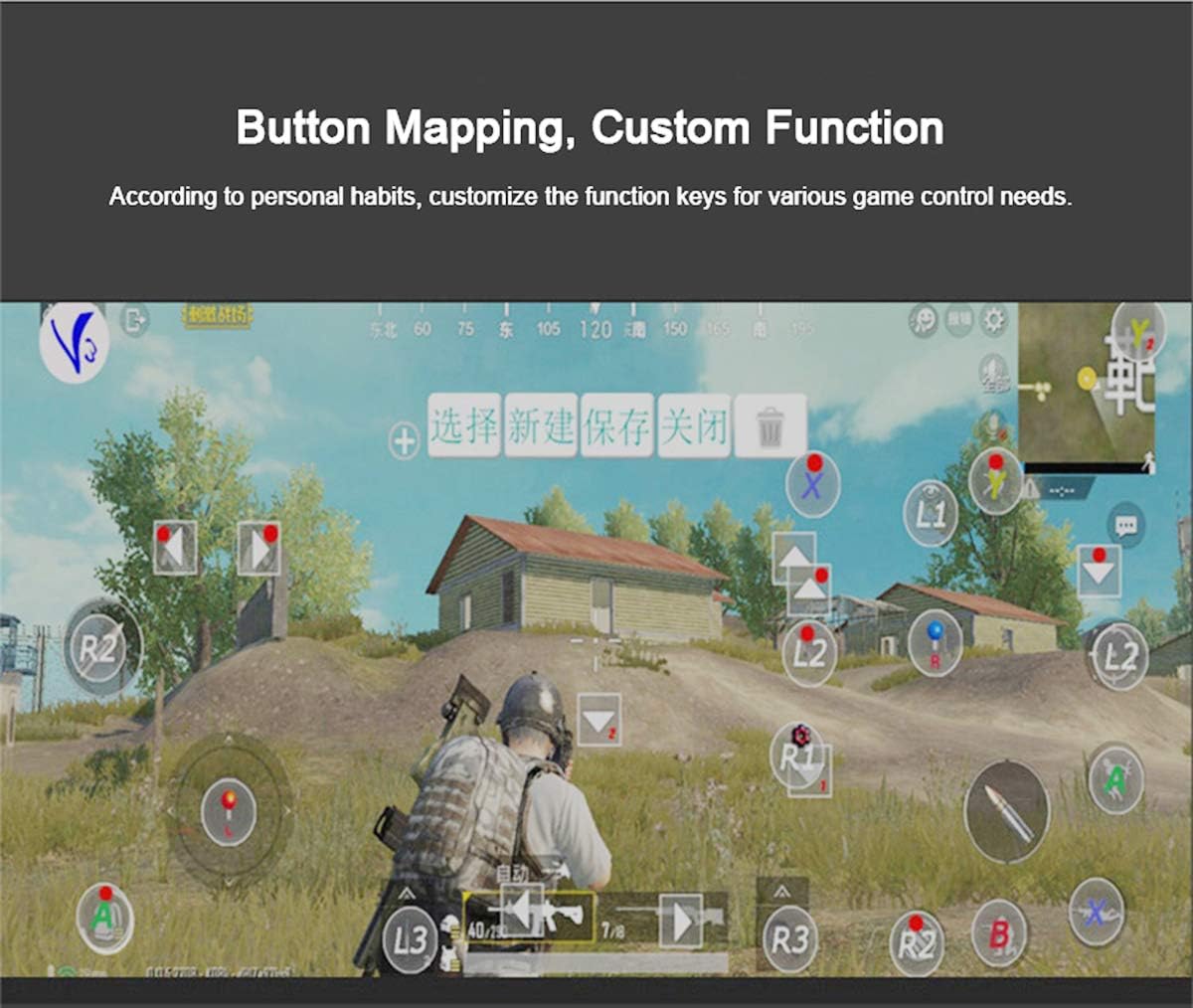
Figure 5: Button Mapping Interface. This image demonstrates the concept of button mapping within a game, allowing users to customize the function keys to suit their individual gaming preferences and needs.
The PG-9087S supports custom function key mapping. This feature allows you to assign specific in-game actions to the controller's buttons according to your personal habits. The method for customizing button functions typically depends on the game or emulator you are using. Refer to the specific game's settings or the emulator's configuration options for detailed instructions on how to remap controls.
3. Screen Orientation Support
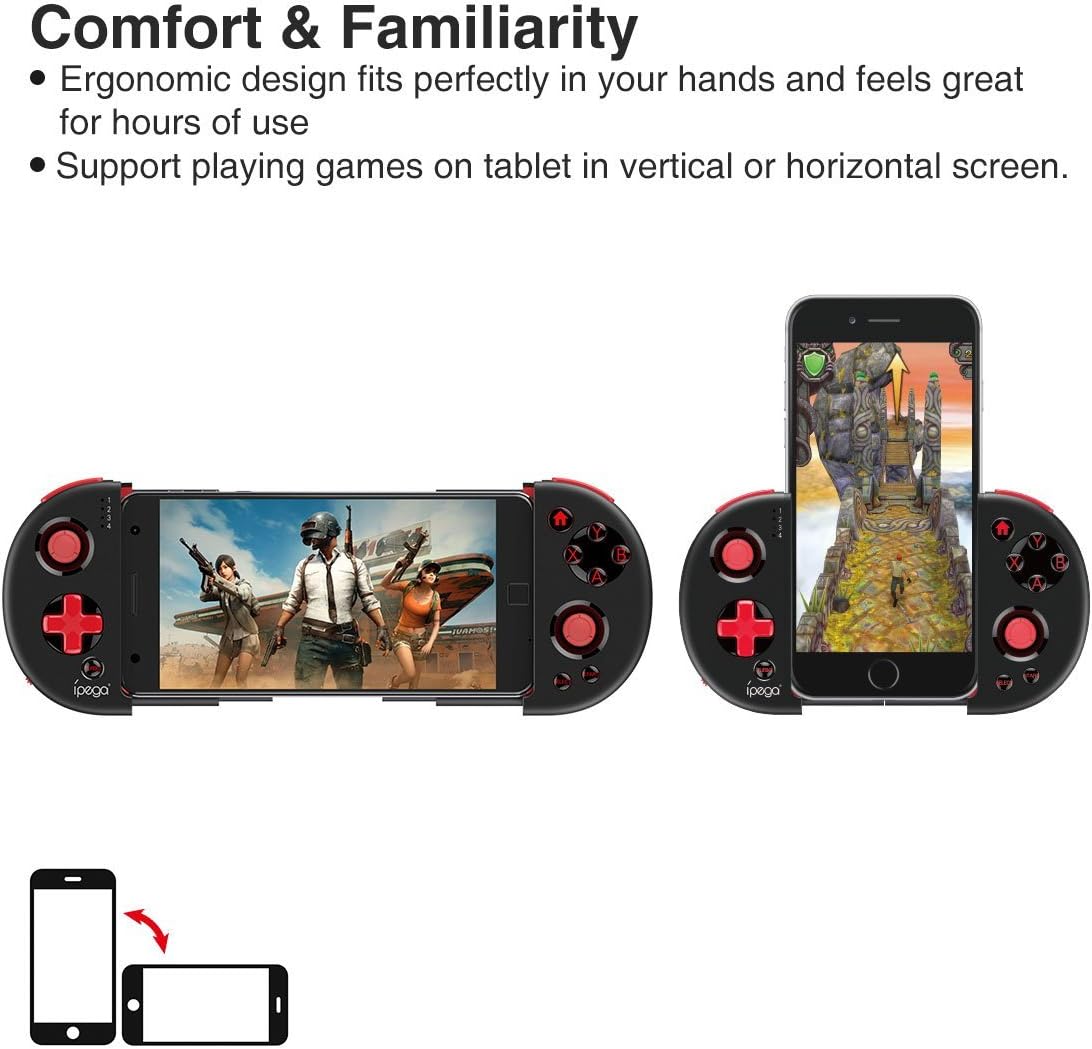
Figure 6: Orientation Support. This image illustrates the controller's ability to support gaming on tablets or smartphones in both vertical (portrait) and horizontal (landscape) screen orientations.
The controller supports playing games on your tablet or smartphone in both vertical (portrait) and horizontal (landscape) screen orientations, providing flexibility for various game types.
Údržba
- Čištění: K čištění ovladače používejte měkký, suchý hadřík. Nepoužívejte agresivní chemikálie ani abrazivní čisticí prostředky.
- Skladování: Store the controller in a cool, dry place away from direct sunlight when not in use.
- Péče o baterie: Pro prodloužení životnosti baterie se vyvarujte častého úplného vybíjení. Ovladač pravidelně nabíjejte, i když jej nepoužíváte neustále.
Odstraňování problémů
- Ovladač se nezapne: Ensure the battery is charged. Connect the controller to a power source using the USB cable.
- Controller does not pair with device:
- Ensure the controller is in pairing mode (indicator light flashing rapidly).
- Vypněte a zapněte Bluetooth na vašem zařízení.
- Zapomeňte na zařízení v nastavení Bluetooth a zkuste jej spárovat znovu.
- Ensure you are using the correct pairing combination (Y+HOME for iOS, A+HOME for Android).
- Buttons are unresponsive or laggy:
- Ensure the controller is fully charged. Low battery can affect performance.
- Move closer to your device to ensure a strong Bluetooth connection.
- Restart both the controller and your mobile device.
- Check the game's settings to ensure controller input is enabled and correctly configured.
- Device does not fit in the extendable arm: Check the dimensions of your device. The arm supports devices up to 6.2 inches (158mm) in length and 9mm in thickness. Remove any bulky cases from your device.
Specifikace
| Model | PG-9087S |
| Značka | ipega |
| Technologie připojení | Bluetooth 4.0, USB (for charging) |
| Typ ovladače | Gamepad, Joystick |
| Kompatibilní zařízení | Android (6.0 and above), iOS |
| Baterie | 1 lithium-iontová baterie (vyžadováno) |
| Extendable Arm Max Size | 6.2 palců (158 mm) |
| Extendable Arm Max Thickness | 9 mm |
| Hmotnost položky | 6.9 unce |
| Barva | Černý |
| Rozměry balení | 6.8 x 5.15 x 1.6 palce |
Záruka a podpora
Warranty information for the ipega PG-9087S Wireless Game Controller is typically provided with your purchase or can be found on the manufacturer's official webstránky. Uschovejte si prosím doklad o koupi pro případ reklamace.
For technical support or further assistance, please refer to the contact information provided by your retailer or visit the official ipega support channels.