
Zavedení
This manual provides essential information for setting up, operating, maintaining, and troubleshooting your HP Pro 6200 Mini Tower Desktop PC. Please read this manual thoroughly before using your computer to ensure proper function and longevity.

Image: The HP Pro 6200 Mini Tower Desktop PC shown with a wired keyboard and mouse, illustrating the complete system setup.
Pokyny pro nastavení
Follow these steps to set up your HP Pro 6200 Mini Tower Desktop PC:
- Rozbalte komponenty: Carefully remove the computer, keyboard, mouse, and power cord from their packaging.
- Připojení periferií:
- Connect the keyboard and mouse to the available USB ports on the front or back of the computer.
- Connect your monitor to the appropriate video output port (VGA or DisplayPort) on the back of the computer.
- If using a wired network connection, connect an Ethernet cable to the RJ-45 port on the back.
- If using Wi-Fi, ensure the included Wi-Fi adapter is connected (if applicable).
- Připojení napájení: Connect the power cord to the computer's power input and then to a grounded electrical outlet.
- Počáteční zapnutí: Press the power button on the front of the computer. The system will boot into Windows 10 Home.
- Nastavení systému Windows: Follow the on-screen prompts to complete the initial Windows 10 Home setup, including language, region, and user account creation.

Image: The rear panel of the HP Pro 6200 Mini Tower, displaying ports for power, video (VGA, DisplayPort), USB, Ethernet, and audio connections.
Návod k obsluze
Your HP Pro 6200 Mini Tower PC comes pre-loaded with Windows 10 Home 64-bit. Here are some basic operating guidelines:
- Zapnutí/vypnutí: Press the power button to turn the computer on. To shut down, click the Start button, then Power, and select "Shut down."
- Windows Activation: For Windows activation guidance, refer to the User Guide & Manual section in the Technical Specifications.
- Software: The system includes a Microsoft Office 365 FREE TRIAL, 90 Days Antivirus, and 30 Days Winzip Software.
- Optická mechanika: The integrated DVD-ROM drive supports reading CD and DVD media. Insert discs gently into the drive slot.
- Konektivita: Utilize the multiple USB 2.0 ports (10 total) for connecting external devices. Wi-Fi connectivity is also available.
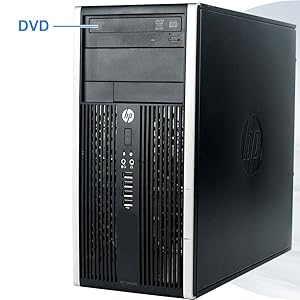
Image: A close-up of the HP Pro 6200 Mini Tower's front panel, highlighting the DVD-ROM drive for optical media access.
Údržba
Regular maintenance helps ensure the optimal performance and longevity of your desktop PC:
- Aktualizace softwaru: Regularly check for and install Windows updates to ensure system security and performance.
- Antivirové kontroly: Perform regular scans with your antivirus software to protect against malware.
- Fyzické čištění: Keep the computer's exterior clean. Use a soft, dry cloth to wipe dust. Ensure ventilation grilles are free from obstructions to prevent overheating.
- Záloha dat: Pravidelně zálohujte důležitá data na externí disk nebo cloudové úložiště, abyste předešli jejich ztrátě.
Odstraňování problémů
If you encounter issues with your HP Pro 6200 Mini Tower PC, consider the following common solutions:
- Bez napájení:
- Verify the power cord is securely connected to both the computer and the electrical outlet.
- Test the outlet with another device to ensure it is functional.
- Bez displeje:
- Ensure the monitor is powered on and the video cable is firmly connected to both the computer and the monitor.
- Zkuste jiný video kabel nebo monitor, pokud je k dispozici.
- Peripheral Not Responding (Keyboard/Mouse):
- Check USB connections. Try plugging the device into a different USB port.
- Restartujte počítač.
- Pomalý výkon:
- Zavřete nepotřebné aplikace běžící na pozadí.
- Ujistěte se, že systém Windows a ovladače jsou aktuální.
- Spusťte úplnou kontrolu systému pomocí antivirového softwaru.
- DVD-ROM Not Reading Discs:
- Ujistěte se, že je disk čistý a bez škrábanců.
- Zkuste jiný disk, abyste vyloučili vadný disk.
- Zkontrolujte správce zařízení, zda se nevyskytují problémy s ovladači.
Specifikace
| Funkce | Detail |
|---|---|
| Procesor | Intel Core i3-2100 3.1 GHz (Dual Core) |
| BERAN | 6 GB DDR3 SDRAM |
| Pevný disk | 500 GB HDD (Serial ATA) |
| Grafika | Intel HD Graphics (Dedicated) |
| Optická mechanika | DVD-ROM |
| Operační systém | Windows 10 Home 64-bit |
| Porty USB 2.0 | 10 |
| Konektivita | Wi-Fi, Ethernet |
| Rozměry (DxŠxV) | 14.9 x 7 x 17 palce |
| Hmotnost položky | 20 libry |
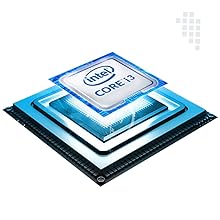
Image: An illustration of the Intel Core i3 processor, the central processing unit of the desktop.
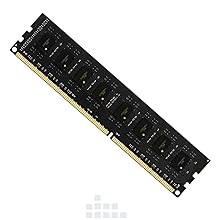
Image: A DDR3 RAM module, representing the system's memory component.
Informace o záruce
This product comes with a Limited 1 Year Warranty for Labor and Parts. This warranty is designed to provide peace of mind regarding your purchase. For specific terms and conditions, please refer to the warranty card included in the package.
Zákaznická podpora
Should you have any inquiries or require assistance, please feel free to contact our Customer Support Team. We are committed to resolving your issues promptly.
Contact information for customer support can be found on the warranty card or product packaging.