
Casio AEQ-200W-9A
Casio AEQ-200W-9A Analog-Digital Watch User Manual
Model: AEQ-200W-9A
Zavedení
This manual provides detailed instructions for the proper use and maintenance of your Casio AEQ-200W-9A Analog-Digital watch. Please read this manual thoroughly to ensure optimal performance and longevity of your timepiece.
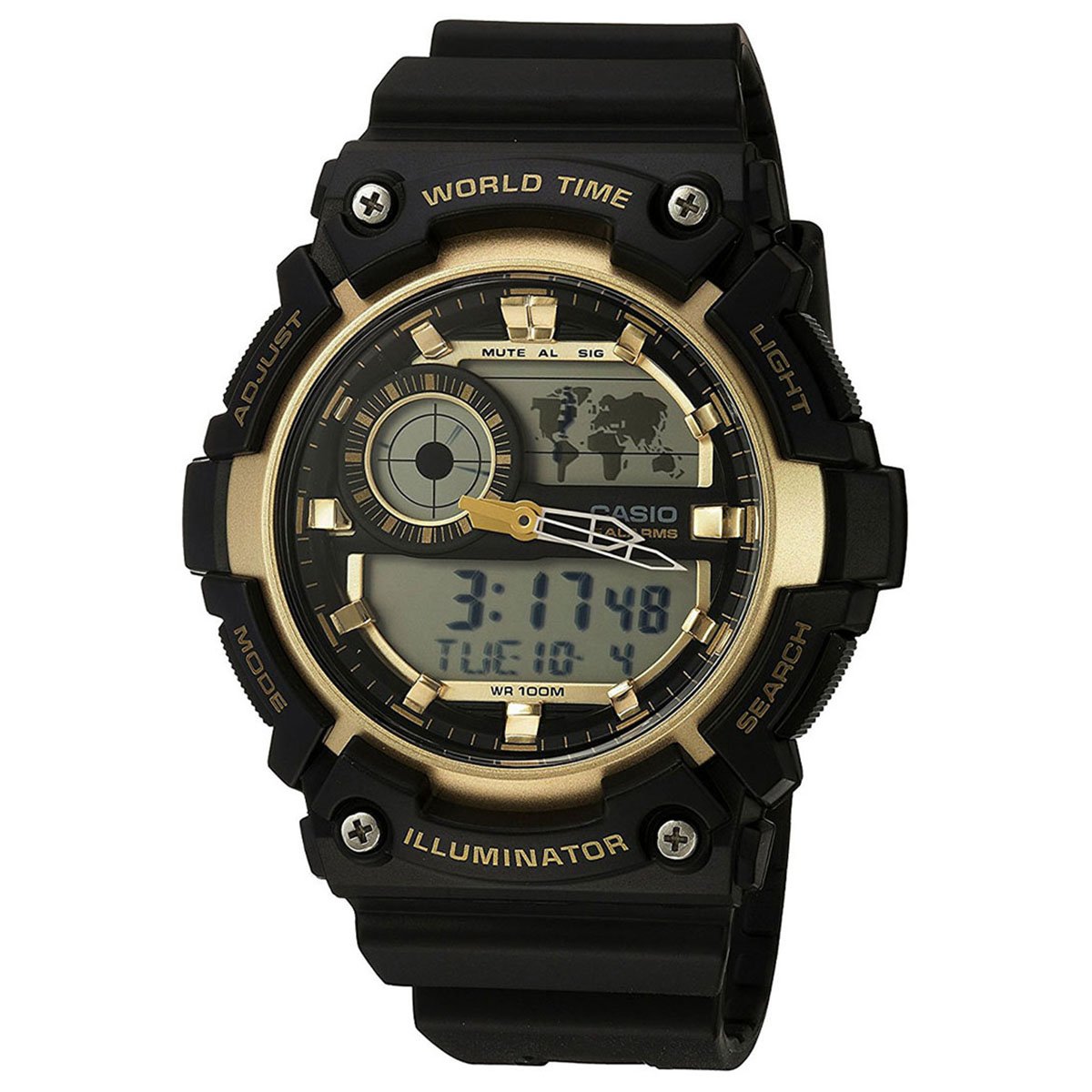
Obrázek: Přední strana view of the Casio AEQ-200W-9A Analog-Digital watch, showcasing its black resin band and gold-tone dial with both analog hands and digital displays.
Nastavení
Before using your watch, it is important to set the current time, date, and home city. Refer to the diagrams below for button identification.
Funkce tlačítek
- ADJUST (A): Používá se pro vstup a výstup z režimů nastavení a pro potvrzení výběru.
- REŽIM (B): Cycles through different watch modes (Timekeeping, World Time, Alarm, Stopwatch, Timer).
- LIGHT (C): Aktivuje podsvícení pro osvětlení.
- SEARCH (D): Used to change settings or search in certain modes.
Nastavení času a data
- V režimu měření času podržte stisknuté tlačítko NASTAVIT (A) button until the city code starts to flash, indicating the setting mode.
- Použijte SEARCH (D) button to select your desired city code (Home City).
- Stiskněte tlačítko REŽIM (B) button to cycle through the settings: DST (Daylight Saving Time) → 12/24-hour format → Seconds → Hour → Minute → Year → Month → Day.
- Použijte SEARCH (D) tlačítko pro změnu blikající hodnoty.
- Jakmile jsou všechna nastavení nakonfigurována, stiskněte tlačítko NASTAVIT (A) tlačítko pro opuštění režimu nastavení.
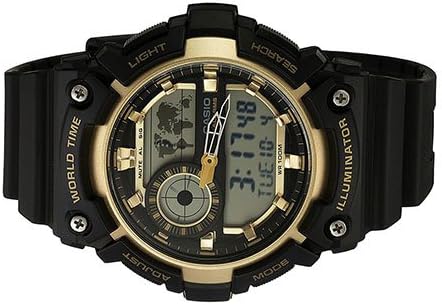
Image: Close-up of the Casio AEQ-200W-9A watch face, highlighting the four control buttons on the sides: ADJUST, MODE, LIGHT, and SEARCH.
Obsluha hodinek
Navigace v režimu
Stiskněte tlačítko REŽIM (B) tlačítko pro procházení různých funkcí hodinek:
- Režim měření času: Zobrazuje aktuální čas a datum.
- Režim světového času: Displays the current time in various cities around the world.
- Režim alarmu: Nastavte si denní budíky.
- Režim stopek: Změřte uplynulý čas.
- Režim časovače: Odpočítávací časovač.
Using World Time
- V režimu měření času stiskněte REŽIM (B) until "WT" (World Time) appears on the digital display.
- Použijte SEARCH (D) button to scroll through different city codes. The digital display will show the time for the selected city.
Nastavení budíku
- V režimu měření času stiskněte REŽIM (B) until "ALM" (Alarm) appears.
- Podržte tlačítko NASTAVIT (A) button until the alarm hour starts to flash.
- Použijte SEARCH (D) tlačítko pro nastavení hodiny. lis REŽIM (B) přejděte na nastavení minut.
- Použijte SEARCH (D) tlačítko pro nastavení minut.
- Stiskněte NASTAVIT (A) pro potvrzení a ukončení.
- Chcete-li zapnout/vypnout budík, stiskněte SEARCH (D) in Alarm Mode (without holding ADJUST).
Používání stopek
- V režimu měření času stiskněte REŽIM (B) dokud se neobjeví „STW“ (stopky).
- Stiskněte SEARCH (D) pro spuštění stopek.
- Stiskněte SEARCH (D) znovu zastavit.
- Stiskněte NASTAVIT (A) pro vynulování stopek.
Údržba
Proper care will ensure the longevity and accuracy of your Casio watch.
- Čištění: Wipe the watch regularly with a soft, dry cloth. For resin bands, a mild soap solution and water can be used, followed by thorough rinsing and drying.
- Voděodolnost: This watch is water resistant up to 100 meters (10 BAR). It is suitable for swimming and snorkeling, but not for scuba diving. Do not operate buttons while the watch is wet or submerged.
- Teplota: Nevystavujte hodinky extrémním teplotám, ať už horkým nebo chladným, po delší dobu.
- Chemikálie: Keep the watch away from gasoline, cleaning solvents, aerosols, adhesives, paints, etc. These can cause discoloration or damage to the resin case and band.
- Výměna baterie: The watch uses a CR2025 battery. Battery life is approximately 10 years. When the display becomes dim or functions become erratic, it's time to replace the battery. It is recommended to have battery replacement performed by an authorized Casio service center to ensure proper water resistance sealing.
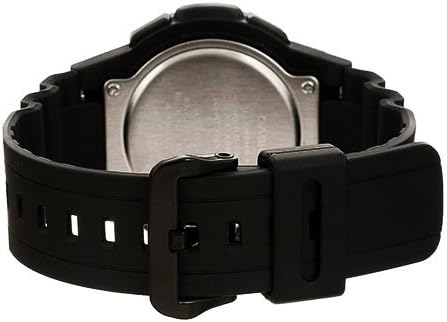
Obrázek: Zadní view of the Casio AEQ-200W-9A watch, showing the stainless steel case back and the attachment of the resin band.
Odstraňování problémů
| Problém | Řešení |
|---|---|
| Digitální displej je prázdný nebo tmavý. | The battery may be low. Replace the battery (CR2025) at an authorized service center. |
| Analogové ručičky neodpovídají digitálnímu času. | Perform a hand alignment adjustment. Refer to the full module manual for specific steps, usually involving holding a button in Timekeeping mode to enter hand setting. |
| Tlačítka nereagují. | Ensure the watch is not wet. If dry, try resetting the watch by performing an AC reset (refer to full module manual). |
| Uvnitř hodinek se objevuje voda. | Hodinky ihned odneste do autorizovaného servisního střediska. Nepokoušejte se je sami otevřít. |
Specifikace
- Číslo modelu: AEQ-200W-9A
- Rozměry pouzdra: 51 (H) x 51 (W) x 16 mm (thickness)
- Průměr ciferníku: 39 mm
- Voděodolnost: 100 metrů (10 barů)
- Typ baterie: CR2025
- Životnost baterie: Přibližně 10 let
- Přesnost: ±30 sekund za měsíc
- Funkce: Analog and Digital Timekeeping, World Time (31 time zones, 48 cities + UTC), Daylight Saving On/Off, 1/100-second Stopwatch (23:59'59.99'' max), Countdown Timer (24-hour max), 5 Daily Alarms, Hourly Time Signal, Full Auto-calendar (to year 2099), 12/24-hour format, LED light (Illuminator) with Afterglow.
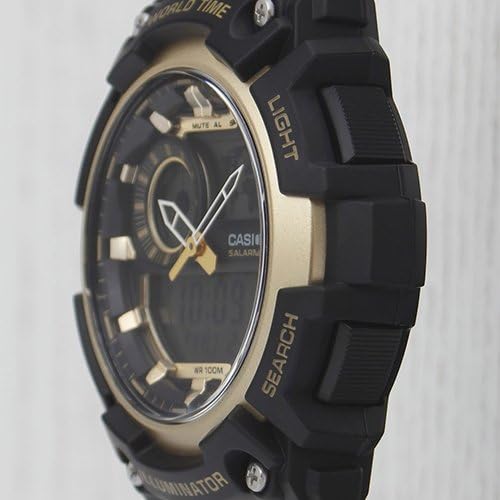
Obrázek: Side profile of the Casio AEQ-200W-9A watch, showing the robust case design and the textured buttons for easy operation.
Záruka a podpora
Your Casio AEQ-200W-9A watch is covered by a manufacturer's warranty. Please refer to the warranty card included with your purchase for specific terms and conditions, including warranty period and coverage details.
For technical support, service, or to locate an authorized service center, please visit the official Casio webnebo se obraťte na jejich zákaznický servis. Uschovejte si doklad o koupi pro případ reklamace.
Oficiální Casio Webmísto: www.casio.com
Ask a question about this manual
Ask about setup, troubleshooting, compatibility, parts, safety, or missing instructions. Manuals+ will review the question and use this page’s manual context to help answer it.