
1. Úvod
Děkuji za nákupasing the FIFINE K669 USB Condenser Microphone. This microphone is designed for high-quality audio capture with a simple plug-and-play setup, making it ideal for various applications including gaming, streaming, online calls, and home recording. Its durable metal construction and compact design ensure reliability and portability. Please read this manual carefully to ensure proper use and optimal performance.
2. Obsah balení
Ověřte, zda jsou v balení obsaženy všechny níže uvedené položky:
- FIFINE K669 USB Condenser Microphone
- Foldable Tripod Stand
- USB Cable (1.8m, integrated)
- Uživatelská příručka

Image: All components included with the FIFINE K669 USB Condenser Microphone, showing the microphone, tripod stand, and integrated USB cable.
3. Pokyny k nastavení
- Sestavení stativu: Unfold the legs of the included tripod stand and place it on a stable, flat surface.
- Připojení mikrofonu: Screw the microphone onto the tripod stand. Ensure it is securely fastened. The microphone's angle can be adjusted up to 180 degrees for optimal positioning.
- Připojte se k vašemu zařízení: Plug the USB cable directly into an available USB port on your computer (Windows/Mac) or PlayStation console (PS4/PS5). The device will automatically recognize the microphone without requiring additional drivers.
- Vyberte jako vstupní zařízení: After connecting, go to your device's sound settings and select the FIFINE K669 as your default audio input device.

Image: The FIFINE K669 microphone mounted on its tripod, illustrating the 180-degree adjustable angle for flexible positioning.
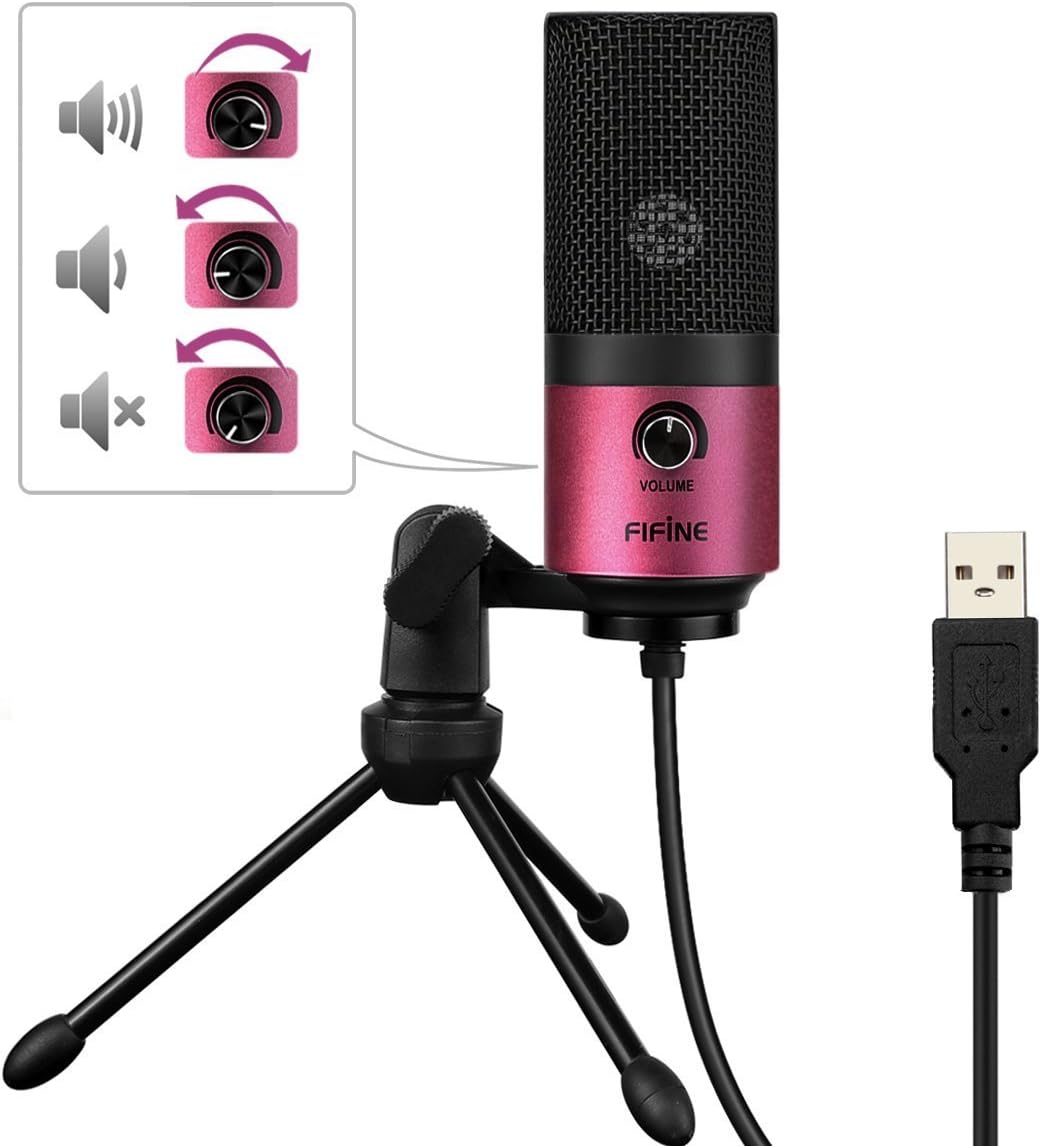
Image: A close-up of the FIFINE K669 microphone's USB cable being plugged into a laptop, demonstrating the plug-and-play connection.
Video: Krátká předmluvaview demonstrating the setup and key features of the FIFINE K669 microphone, including its plug-and-play functionality and volume control.
4. Návod k obsluze
- Ovládání hlasitosti: The microphone features a volume knob on its body. Rotate the knob clockwise to increase the input volume and counter-clockwise to decrease it.
- Optimal Placement (Cardioid Pattern): The K669 utilizes a cardioid polar pattern, meaning it primarily picks up sound from the front. For best results, position the microphone directly in front of the sound source (e.g., your mouth) within a 30cm range. This helps to minimize background noise and capture clear audio.
Image: The volume control knob on the front of the FIFINE K669 microphone, indicating its function for adjusting audio input levels.

Image: A polar pattern diagram illustrating the cardioid pickup pattern of the FIFINE K669 microphone, highlighting its sensitivity to sounds directly in front (approximately 130-degree range).
5. Vlastnosti
- Odolná kovová konstrukce: Both the microphone body and stand are made from a robust alloy, providing excellent durability and stability.
- High Sensitivity & Noise Reduction: Equipped with special noise suppression technology and a cardioid pickup pattern, the microphone effectively reduces ambient noise and white noise, capturing clear and faithful sound from up to 30cm away.
- Připojení typu „plug & play“: Connects easily via a single USB cable to PC, Mac, PS4, or PS5 without the need for complex driver installations.
- Přenosný design: The included foldable tripod stand allows for easy storage and transport, making the microphone convenient for use anywhere.
- Široká kompatibilita: Suitable for a broad range of applications including gaming, Skype calls, web conferences, live streaming, YouTube video creation, home recording, narration, and game commentary.

Image: A person using the FIFINE K669 microphone with a laptop during an online video call, demonstrating its use for communication.
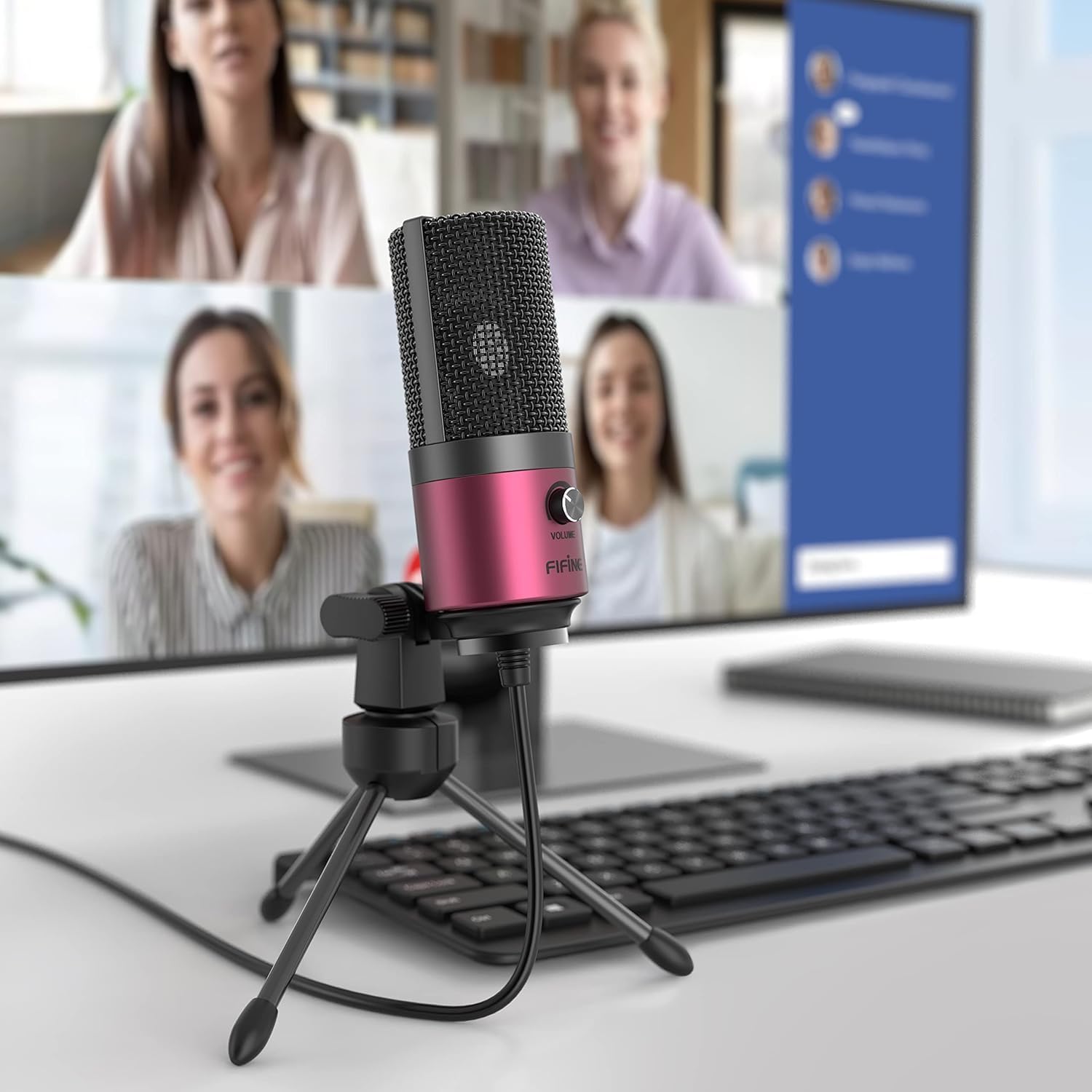
Image: The FIFINE K669 microphone positioned on a desk in front of a computer monitor displaying a video conference, highlighting its suitability for professional and casual online meetings.
6. Specifikace
| Funkce | Popis |
|---|---|
| Značka | FIFINE |
| Číslo modelu | K669 |
| Technologie připojení | USB |
| Typ konektoru | USB typu A |
| Speciální funkce | Stojan, ovládání hlasitosti |
| Kompatibilní zařízení | Herní konzole, notebook, počítač |
| Barva | Růžový |
| Zahrnuté komponenty | USB kabel, uživatelská příručka |
| Polární vzor | Jednosměrný (kardioidní) |
| Tvarový faktor mikrofonu | Pin mikrofon |
| Typ napájení | Elektrický kabel |
| Poměr signálu k šumu (S/N) | 78 dB |
| Hardwarová platforma | Game Console, Desktop PC, Laptop |
| Frekvenční odezva | 20 Hz - 20 kHz |
| Materiál | Kov |
| UPC | 712383826909 |
7. Řešení problémů
- Mikrofon nebyl rozpoznán:
- Ujistěte se, že je kabel USB bezpečně připojen k mikrofonu i k zařízení.
- Try a different USB port on your computer or console.
- Restartujte počítač nebo konzoli.
- Check your device's sound settings to ensure the FIFINE K669 is selected as the input device.
- Nízká hlasitost nebo žádný zvuk:
- Adjust the volume knob on the microphone itself.
- Increase the input volume level in your device's sound settings.
- Ujistěte se, že je mikrofon správně umístěn a směřuje přímo ke zdroji zvuku.
- Check if any other applications are muting or lowering the microphone input.
- Hluk na pozadí:
- The K669 has a cardioid pattern; ensure you are speaking directly into the front of the microphone.
- Minimize ambient noise in your environment (e.g., close windows, turn off fans).
- Adjust microphone sensitivity in your device's sound settings if necessary.
8. Záruka a podpora
The FIFINE K669 USB Condenser Microphone comes with a 1letá záruka výrobce.
For further assistance, technical support, or warranty claims, please contact FIFINE customer service. You can typically find contact information on the official FIFINE webwebu nebo prostřednictvím prodejce, u kterého jste produkt zakoupili.
When contacting support, please have your product model (K669) and proof of purchase readily available.