
1. Úvod
The UDIAG A200 is a professional-grade OBD2 diagnostic scan tool designed for comprehensive vehicle analysis. It offers full system diagnostics, bi-directional control, and a wide range of reset services specifically tailored for BMW, Mini, and Rolls Royce vehicles manufactured after 1996. This manual provides essential information for setting up, operating, and maintaining your A200 device to ensure accurate and efficient vehicle diagnostics.
2. Co je v krabici
Upon opening your UDIAG A200 package, please verify that all the following items are included:
- A200 Diagnostic Scan Tool
- Kabel OBD II
- Čtečka karet TF
- Ochranné pouzdro
- Uživatelská příručka (tento dokument)

Image: The UDIAG A200 diagnostic scan tool, OBD II cable, TF card reader, protective case, and user manual as packaged.
3. Průvodce nastavením
Follow these steps to prepare your UDIAG A200 for first use:
- Vyhledejte port OBDII: The OBDII (On-Board Diagnostics II) port is typically located under the dashboard on the driver's side of your vehicle. Refer to your vehicle's owner's manual if you cannot find it.
- Připojení kabelu OBDII: Plug one end of the provided OBDII cable into the A200 device and the other end into your vehicle's OBDII port. Ensure a secure connection.
- Zapnutí zařízení: The A200 device is powered directly by your vehicle's 8-18V electrical system through the OBDII port. Turn your vehicle's ignition key to the 'ON' position (do not start the engine). The device should power on automatically.
- Počáteční výběr jazyka: If this is your first time using the device, you may be prompted to select your preferred language. Use the navigation buttons to select English or another supported language (Spanish, French, German) and confirm.

Image: The UDIAG A200 scanner's main screen showing options for various diagnostic functions like TPMS, EPB, DPF, BRT, Suspension, ABS, Injector Coding, Throttle Reset, Sun Roof, Airbag, and SAS.
4. Návod k obsluze
The UDIAG A200 offers a range of diagnostic and service functions. Navigate through the menus using the directional buttons and confirm selections with the 'OK' button.
4.1. Veškerá diagnostika systému
The A200 can perform fast and accurate diagnoses for all available control modules in your vehicle, including ABS, SRS, Engine, Transmission, Brake System, Suspension System, Fuel system, and more. Select the 'BMW', 'Mini', or 'Rolls Royce' application from the main menu to access these functions.

Image: A visual representation of various diagnostic functions such as ABS/ASC/DSC, CBS, Clear Adaptions, Battery Health Check, TPMS ECU Function, Adjustment Steering-Angle Sensor, Fuel Pump Function, DPF Regeneration Function, and DME/DDE Functions.
4.2. ABS Scan Tool and Bleeding
This unique feature allows for ABS bleeding, which is crucial after replacing brake components like calipers, wheel cylinders, master cylinders, brake lines, or hoses. The tool cycles the pump and valves to remove air from the brake system, ensuring a firm brake pedal and safe driving.
4.3. 40+ Special Service Functions
The A200 supports over 40 special service functions for maintenance and resets. These include, but are not limited to:
- Resetování elektronické parkovací brzdy (EPB)
- Kalibrace snímače úhlu řízení (SAS).
- Throttle Body Alignment (TBA/TPS)
- Reset systému sledování tlaku v pneumatikách (TPMS)
- Resetování servisu oleje
- Suspension Adaptation
- Registrace baterie
- Adaptivní reset převodovky
- Kódování vstřikovače
- Regenerace filtru pevných částic (DPF)

Image: The UDIAG A200 screen showing a list of special functions available, such as ABS Bleeding, EPB Reset, Battery Reset, SAS Learning, Oil Reset, EGR, DPF Regeneration, TPMS, and Injector Coding.
4.4. Active Test (Bi-Directional Control) and DTC Lookup
The A200 supports bi-directional control, allowing you to send commands to vehicle components to test their functionality. This includes actuating components like folding mirrors, rolling windows, electric fans, injectors, A/C clutch, wipers, electronic fuel pump, and deactivating brakes. The device also features an onboard DTC library to help interpret error codes without needing external resources.
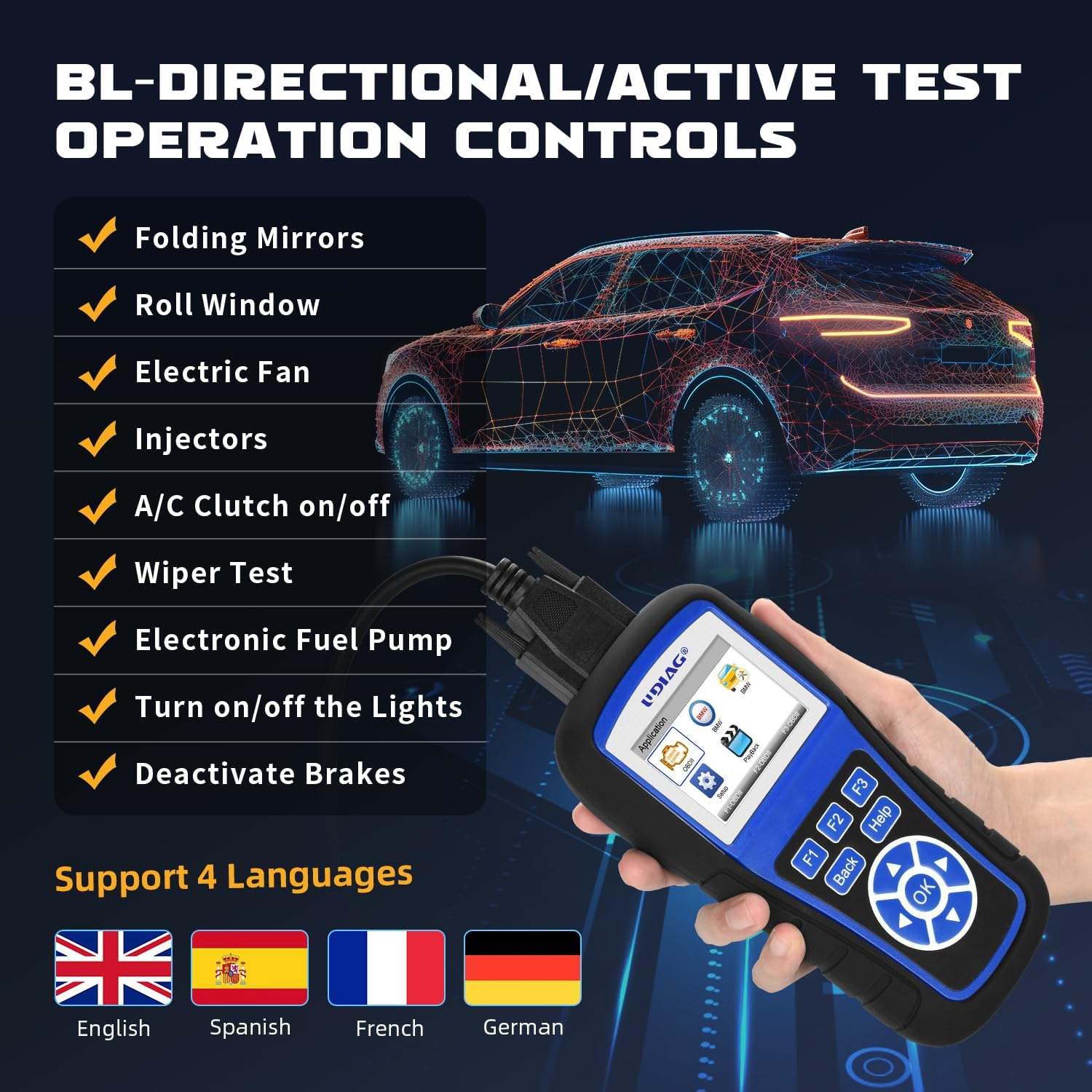
Image: The UDIAG A200 screen showing a list of bi-directional/active test operations, such as Folding Mirrors, Roll Window, Electric Fan, Injectors, A/C Clutch on/off, Wiper Test, Electronic Fuel Pump, Turn on/off the Lights, and Deactivate Brakes.
4.5. Plné funkce OBDII
Beyond specific BMW/Mini/Rolls Royce functions, the A200 also serves as a universal OBDII car code reader, supporting all 10 OBDII test modes for checking engine lights, reading, and erasing codes on any OBDII compliant vehicle (SUVs, light trucks, and 12V diesel vehicles). These functions include:
- Číst kódy
- Vymazat kódy
- Datový tok
- Zmrazit data snímku
- Systémové informace
- Test palubního monitoru
- Připravenost I/M
- Test součásti
- Test monitoru EVAP
- Test O2 Monitoru

Image: The UDIAG A200 screen showing a comprehensive list of full OBDII functions, such as On-Board Monitor Test, I/M Readiness, Code Lookup, Freeze Frame, Read codes, Component Test, EVAP Monitor Test, O2 Monitor Test, Erase/Clear Codes, Live Data / Data Stream, and Vehicle Information.
5. Kompatibilita s vozidly
The UDIAG A200 is specifically designed for BMW, Mini, and Rolls Royce vehicles manufactured after 1996. Additionally, its universal OBDII functions are compatible with most other car makes worldwide, including SUVs, light trucks, and 12V diesel vehicles equipped with an OBD2 system.
6. Údržba
To ensure the longevity and optimal performance of your UDIAG A200, consider the following maintenance guidelines:
- Aktualizace softwaru: The UDIAG A200 comes with lifetime free software updates. Regularly check for and install updates to ensure compatibility with the latest vehicle models and diagnostic protocols. Use the provided TF card reader to facilitate updates via a computer.
- Čištění: Otřete zařízení měkkým, suchým hadříkem. Nepoužívejte abrazivní čisticí prostředky ani rozpouštědla, která by mohla poškodit obrazovku neboasing.
- Skladování: Store the device in its protective case when not in use to prevent dust accumulation and physical damage. Keep it in a cool, dry place away from direct sunlight and extreme temperatures.
- Péče o kabely: Inspect the OBDII cable regularly for any signs of wear or damage. Replace if necessary to maintain a reliable connection.
7. Řešení problémů
If you encounter issues while using your UDIAG A200, try the following common troubleshooting steps:
- Zařízení se nezapíná: Ensure the OBDII cable is securely connected to both the device and the vehicle's OBDII port. Verify that the vehicle's ignition is in the 'ON' position. Check your vehicle's fuse box for any blown fuses related to the OBDII port.
- Chyba komunikace: Confirm that your vehicle is OBDII compliant and that the ignition is on. Try disconnecting and reconnecting the cable. Ensure the vehicle's battery has sufficient charge.
- Nesprávné hodnoty/funkce: Ensure the device software is up to date. Verify that you have selected the correct vehicle make/model within the device's menu.
- Zamrznutí obrazovky: Disconnect the device from the vehicle, wait a few seconds, and then reconnect it. If the issue persists, perform a software update.
For persistent issues or advanced troubleshooting, please refer to the support section.
8. Specifikace
| Funkce | Detail |
|---|---|
| Model | A200 for BMW |
| Značka | udiag |
| Zdroj napájení | 8-18V Provided by Vehicle |
| Operační systém | Vestavěný systém |
| Velikost obrazovky | 2.8 palce |
| Výrobce | UDIAG |
9. Záruka a podpora
UDIAG is committed to providing high-quality products and excellent customer service. Your satisfaction is our priority.
9.1. UDIAG Quality Assurance
The UDIAG A200 is manufactured under strict quality control standards. We stand behind the reliability and performance of our products.
9.2. Kontaktování podpory
If you have any questions, concerns, or require technical assistance with your UDIAG A200, please do not hesitate to contact our customer support team. Refer to the contact information provided on our official website or the product packaging for the most up-to-date support channels.