
1. Úvod
This manual provides detailed instructions for the proper use, setup, and maintenance of your FreedConn BM2-S Bluetooth Motorcycle Helmet. Please read thoroughly before first use to ensure safe and effective operation.
The FreedConn BM2-S Bluetooth Motorcycle Helmet is designed to enhance your riding experience with integrated communication features. Key features include:
- DOT Certified for safety.
- Bluetooth 3.0 technology for stable connections.
- Intercom connectivity for 2-3 riders with a range up to 1640 feet.
- Hands-free calling, MP3 music playback, FM radio, and GPS voice prompts.
- Advanced DSP echo cancellation and noise suppression for clear audio.
- Long battery life: 8 hours intercom talk time, 110 hours standby.
- Modular flip-up design with changeable liners for comfort and fit.

Image: FreedConn BM2-S Helmet highlighting its key features including Bluetooth, intercom, and hands-free capabilities.
2. Nastavení
2.1 Instalace baterie
The FreedConn BM2-S helmet requires battery installation before first use. Carefully follow these steps to ensure proper connection.

Image: A hand inserting the battery into the designated slot within the helmet's interior.
Video: Demonstrates the process of installing the battery into the FreedConn BM2-S helmet.
2.2 Pairing with Phone Bluetooth
To connect your helmet to a mobile device, ensure the helmet is off. Long press the MFB button for approximately 6 seconds until both blue and red lights flash rapidly, indicating pairing mode. Then, turn on your phone's Bluetooth, search for "BM2-S" or "BM 12", and select to pair. Once successfully paired, you can play music, adjust volume, and make calls.
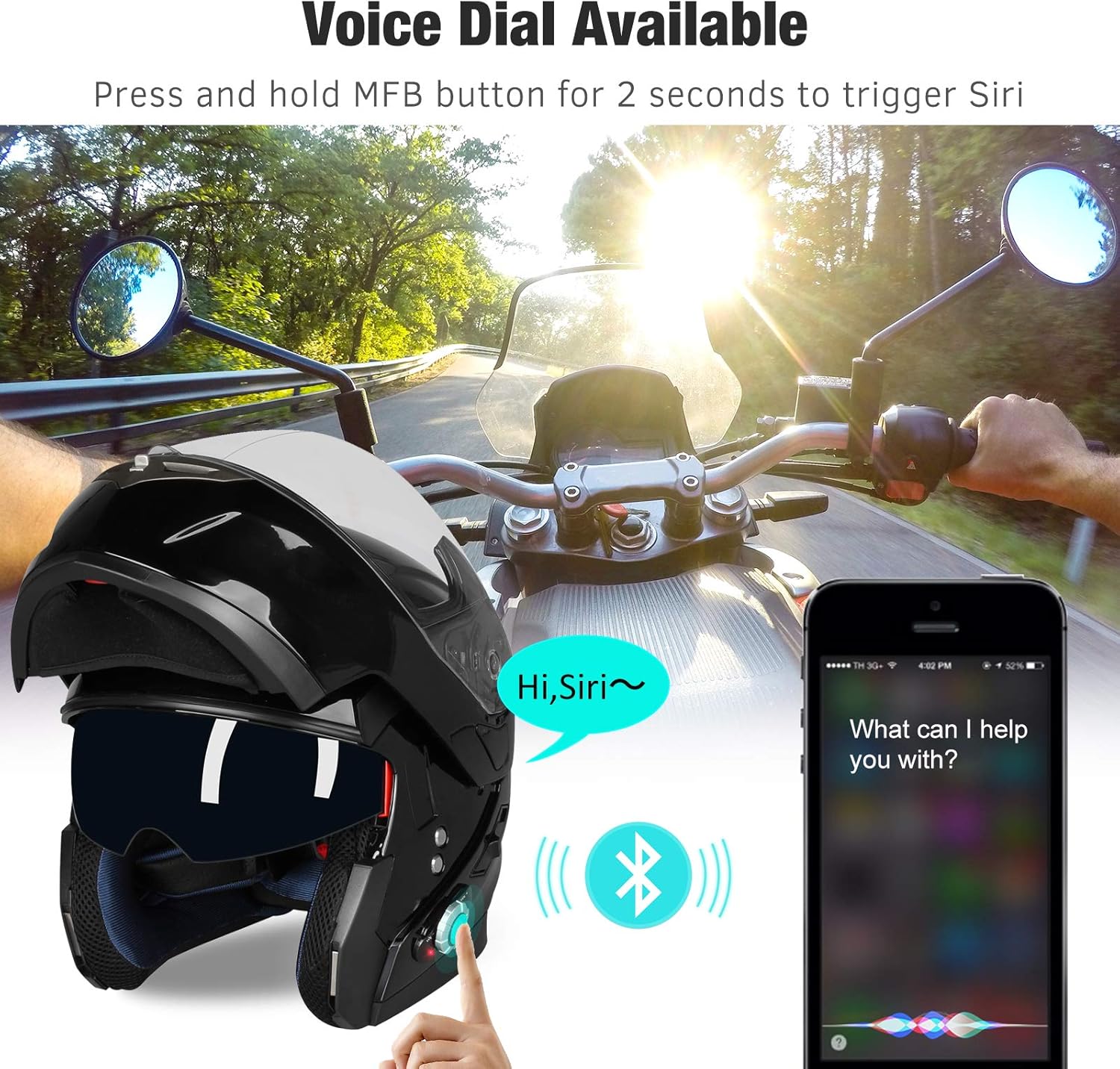
Image: The helmet next to a smartphone, illustrating the voice dial feature and Bluetooth connectivity.
Video: Shows how to pair the helmet with a mobile phone via Bluetooth, including entering pairing mode and adjusting volume.
2.3 Intercom Pairing (Two Riders)
For direct communication between two riders, ensure both helmets are off. Long press the MFB button on each helmet for about 6 seconds to enter pairing mode (blue and red indicators will flash). Then, short press the MFB button on one of the helmets to initiate pairing. Once successfully paired, you will hear a short melody, and you can speak freely to your partner. Press the MFB button at any time to terminate intercom mode.

Image: Two riders on motorcycles, visually representing the 2-rider intercom functionality.
Video: Instructions for pairing two FreedConn BM2-S helmets for intercom communication.
2.4 Intercom Pairing (Three Riders)
To set up a three-rider intercom, first ensure no Bluetooth devices are in discovery mode nearby. Long press the MFB buttons on helmets A and B for 6 seconds to pair them (blue and red lights will turn blue after successful pairing). Then, turn off helmet B. Long press the MFB buttons on helmets B and C for 6 seconds to pair them. Finally, turn off helmets A and C. The three helmets are now paired. Short press A to terminate A&C intercom, double press A for A&B intercom. Short press B to terminate A&B intercom, double press B for B&C intercom. Short press C to terminate B&C intercom, double press C for C&A intercom.
Video: Detailed steps for setting up a three-rider intercom system with FreedConn BM2-S helmets.
3. Návod k obsluze
3.1 Přehrávání hudby a ovládání hlasitosti
Once paired with your phone, you can control music playback and adjust volume directly from the helmet's multi-functional button (MFB). Short rotate the MFB for volume adjustment (V- for decrease, V+ for increase). Long rotate V+ and hold for 5 seconds to play/pause music.
3.2 FM rádio
To turn on the FM radio, rotate and hold the MFB V- (anti-clockwise). To switch channels, short rotate V- (cycled). To adjust FM volume, short rotate V+ (cycled). To turn off the FM radio, rotate and hold the MFB V- (anti-clockwise).
Video: Demonstrates how to operate the FM radio function on the helmet, including turning it on/off, changing channels, and adjusting volume.
3.3 Memory Matching (Automatic Reconnection)
After the first successful pairing, your helmet will automatically reconnect to previously paired devices when turned on. Simply turn on the devices and wait for 6 seconds. Short press the MFB button on one of the helmets, and the devices will connect automatically.
Video: Explains the memory matching feature, showing how helmets automatically reconnect after initial pairing.
4. Údržba
4.1 Disassembly for Cleaning and Liner Removal
Regular cleaning and maintenance of your helmet's liner and visor are essential for hygiene and longevity. To remove the helmet liner, pay attention to the microphone placement to avoid damage. Carefully detach the liner components as shown.

Obrázek: Detailní záběr view of hands carefully removing the helmet liner, emphasizing attention to the microphone.
Video: Demonstrates the process of removing the visor and liner from the FreedConn BM2-S Bluetooth Motorcycle Helmet for cleaning or replacement.
4.2 Péče o baterii
To preserve battery life, charge the helmet at least once a month, even if not in use, especially in winter. If the battery enters "deep sleep mode" due to long periods without charging, reactivate it by charging for 0.5 hours with a standard 5V 1A charger. To protect the battery port, do not plug in the charge cable completely; leave a little space while charging. There is no indicator light if the battery is not plugged into the helmet while charging. When the helmet is on, the red light will flash while charging and turn blue when fully charged.

Image: The helmet with visual indicators for charging time, talk time, and standby time, emphasizing battery longevity.
5. Řešení problémů
Issue: Helmet size feels too small or too large.
Řešení: The outer shell sizes are standard, but changeable liners determine the fit. If the size doesn't fit well, contact customer support for a larger or smaller replacement liner. FreedConn also provides 2 extra size paddings (M-U between S and M, XL-U between XL and XXL) for a better fit.
Issue: Helmet not entering pairing mode (only blue light flashes).
Řešení: Ensure the helmet is completely off before attempting to pair. Long press and hold the MFB button until both the blue and red lights flash fast. If only the blue light flashes, turn off the helmet and try again.
Issue: Battery not charging or device not turning on after long storage.
Řešení: The battery may enter "deep sleep mode" if not charged for a long time. Charge it for 0.5 hours with a standard 5V 1A charger to reactivate it. To prevent this, charge the helmet at least once a month, even if not in use.
Issue: Missing or damaged accessories (USB cable, gloves, visor latch).
Řešení: Contact customer support for replacements. New cables, gloves, or visors can be sent.
6. Specifikace
| Specifikace | Detail |
|---|---|
| Sport | Motorcycling, Snowmobiling |
| Typ certifikátu | DOT, FCC |
| Typ dokončení | Lesklý |
| Typ skořepiny | Powersports Bluetooth Helmet |
| Specifikace splněna | DOT FMVSS-218 |
| Tvar | Kolo |
| Typ uzávěru | Suchý zip |
| Název modelu | 953 Motorcycle Helmet Bluetooth |
| UPC | 605749290523 |
| Hmotnost položky | 4.05 libry |
| Rozměry balení | 17 x 12 x 11 palce |
| Země původu | Čína |
| Číslo modelu položky | Motocyklová Bluetooth přilba BM2-S |
| Baterie | Jsou vyžadovány 1 lithium-polymerové baterie. (v ceně) |
| Hodnocení bezpečnosti | Certifikováno DOT |
| Barva | 2. Gloss Black |
| Materiál | Akrylonitrilbutadienstyren (ABS) |
| Typ služby vozidla | Motorcycle, ATV, Racing Car, UTV, Snowmobile |
7. Co je v krabici
- Motorcycle Helmet with Accessories
8. Záruka a podpora
For any questions, technical support, or warranty claims, please refer to the official FreedConn support channels. A detailed user manual in PDF format is also available for download: