
1. Úvod
Thank you for choosing the 2BOOM HPBT500K Wireless Headphone System. This manual provides essential information for the proper setup, operation, and maintenance of your new headphones. Please read it thoroughly before use to ensure optimal performance and longevity of the product.
The HPBT500K headphones offer a wireless audio experience with a built-in microphone for hands-free calling, enhanced bass sound, and comfortable wear.
2. Co je v krabici
- 2BOOM HPBT500K Wireless Headphone
- USB nabíjecí kabel
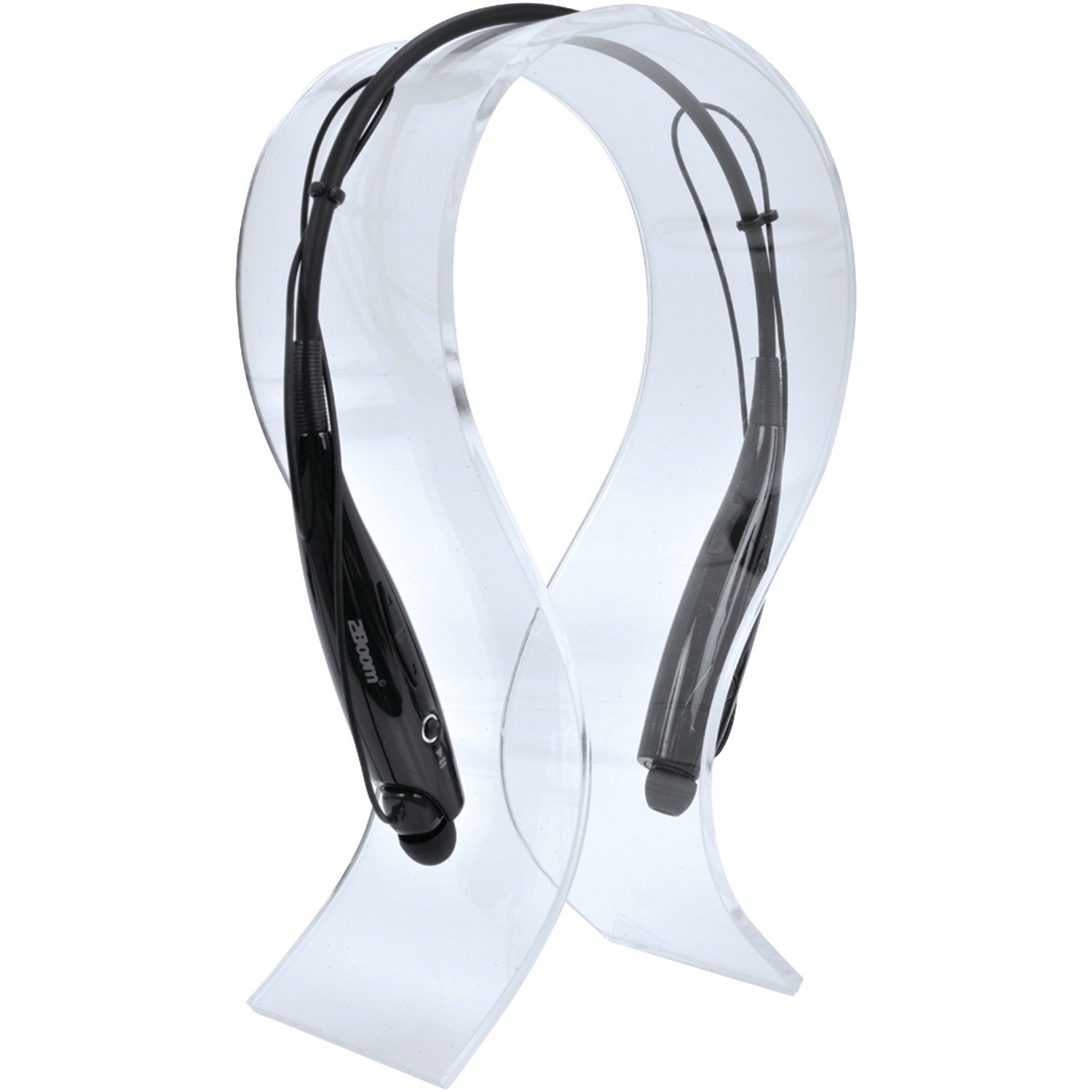
Image: The 2BOOM HPBT500K Wireless Headphone, showcasinjeho design.
Image: The included USB charging cable for the headphones.
3. Konec produktuview
Familiarize yourself with the various parts and controls of your HPBT500K headphones.

Obrázek: Boční view of the 2BOOM HPBT500K Wireless Headphone, highlighting control buttons and ports.
Ovládací prvky a indikátory:
- Vypínač: Slouží k zapnutí/vypnutí sluchátek a k párování.
- Zvýšení hlasitosti/další skladba: Zvyšuje hlasitost nebo přeskočí na další skladbu.
- Snížit hlasitost/předchozí stopa: Sníží hlasitost nebo přejde na předchozí skladbu.
- Multifunkční tlačítko (MFB): Přehrát/Pozastavit, Přijmout/Ukončit hovor.
- Mikrofon: Pro komunikaci bez použití rukou.
- LED indikátor: Zobrazuje stav napájení, režim párování a stav nabíjení.
- Nabíjecí port micro USB: Pro připojení nabíjecího kabelu.
4. Nabíjení sluchátek
Before first use, fully charge your headphones. A full charge typically takes about 2-3 hours.
- Connect the small end of the USB charging cable to the Micro USB charging port on your headphones.
- Connect the larger end of the USB charging cable to a USB power source (e.g., computer USB port, USB wall adapter). Ensure the power source provides DC 5V.
- The LED indicator will illuminate during charging and change color or turn off once charging is complete.
Poznámka: Nepoužívejte nabíječky s napětímtage higher than DC 5V, as this may damage the headphones.
5. Nastavení a párování Bluetooth
Follow these steps to pair your HPBT500K headphones with your Bluetooth-enabled device.
- Zapnutí: Press and hold the Power button on the headphones until the LED indicator flashes, usually alternating blue and red, indicating pairing mode.
- Aktivujte Bluetooth: On your smartphone, tablet, or other Bluetooth device, go to the Bluetooth settings and ensure Bluetooth is turned on.
- Hledat Zařízení: Vaše zařízení vyhledá dostupná zařízení Bluetooth.
- Select 'HPBT500K': From the list of found devices, select 'HPBT500K'.
- Potvrdit spárování: Once paired, the LED indicator on the headphones will typically flash blue slowly or remain solid blue, and your device may confirm the connection.
The operating distance for Bluetooth connectivity is up to 33 feet (10 meters) in an open environment. Obstacles may reduce this range.
6. Návod k obsluze
Přehrávání hudby:
- Přehrát/pozastavit: Stiskněte jednou multifunkční tlačítko (MFB).
- Další skladba: Stiskněte a podržte tlačítko pro zvýšení hlasitosti.
- Předchozí skladba: Stiskněte a podržte tlačítko snížení hlasitosti.
- Zvýšit hlasitost: Krátce stiskněte tlačítko pro zvýšení hlasitosti.
- Snížit hlasitost: Krátce stiskněte tlačítko pro snížení hlasitosti.
Music playback time is up to 3 hours on a full charge.
Hands-free volání:
- Přijmout hovor: Press the MFB once when a call comes in.
- Ukončit hovor: Během hovoru stiskněte jednou multifunkční tlačítko.
- Odmítnout hovor: Press and hold the MFB for approximately 2 seconds when a call comes in.
- Znovu vytočit poslední číslo: Dvakrát stiskněte MFB.
Talk time is up to 3 hours on a full charge.
7. Údržba
Abyste zajistili dlouhou životnost a optimální výkon vašich sluchátek, dodržujte tyto pokyny pro údržbu:
- Keep the headphones dry. Avoid exposure to moisture, rain, or liquids.
- Clean the headphones with a soft, dry cloth. Do not use harsh chemicals or abrasive cleaners.
- Sluchátka skladujte na chladném a suchém místě mimo dosah extrémních teplot.
- Zabraňte pádu sluchátek na zem nebo jejich vystavení silným nárazům.
- Nepokoušejte se sluchátka rozebírat ani upravovat, jinak by došlo ke ztrátě záruky.
8. Řešení problémů
If you encounter issues with your HPBT500K headphones, refer to the following common problems and solutions:
- Sluchátka se nezapínají:
Ensure the headphones are fully charged. Connect them to a power source using the provided USB cable. - Nelze spárovat se zařízením:
Make sure Bluetooth is enabled on your device and the headphones are in pairing mode (LED flashing blue/red). Move the headphones closer to your device. Try turning both devices off and on again. - Žádný zvuk nebo nízká hlasitost:
Zkontrolujte úroveň hlasitosti na sluchátkách i na připojeném zařízení. Ujistěte se, že jsou sluchátka správně spárována. - Špatná kvalita zvuku nebo výpadky signálu:
Ensure there are no obstructions between the headphones and your device. Move closer to your device. Avoid environments with strong Wi-Fi or other wireless interference. - Mikrofon nefunguje:
Ensure the headphones are properly connected and selected as the audio input device on your phone/computer.
9. Specifikace
| Funkce | Specifikace |
|---|---|
| Verze Bluetooth | 2.1 + EDR |
| Provozní vzdálenost | Až 33 stop (10 metrů) |
| Doba přehrávání hudby | Až 3 hodin |
| Doba hovoru | Až 3 hodin |
| Nabíjecí vstup Voltage | DC 5V |
| Doba nabíjení | Přibližně 2-3 hodiny |
| Výstup reproduktoru | 2 x 40 mW |
| Vestavěná baterie | 3.7V, 150mAh |
| Hmotnost položky | 113 g |
| Rozměry produktu (DxŠxV) | 23.11 x 16.76 x 3.81 cm |
| Zahrnuté komponenty | Headphone with charging cable |
| Kontrolní metoda | Dotek |
| Speciální funkce | Lehký, mikrofon je součástí balení |
10. Záruka a podpora
For warranty information or technical support, please refer to the documentation provided at the time of purchase or contact 2BOOM customer service. Keep your proof of purchase for warranty claims.