
Logitech MK850
Uživatelská příručka k bezdrátové klávesnici a myši Logitech MK850 Performance
Model: MK850 | Značka: Logitech
1. Konec produktuview
The Logitech MK850 Performance Wireless Keyboard and Mouse Set offers a comfortable and productive computing experience. This versatile set features dual connectivity options (Logitech Unifying USB receiver or Bluetooth Smart technology) and Easy-Switch functionality, allowing seamless transition between multiple devices. The keyboard includes a padded palm rest and carefully designed keys for extended comfort, while the ergonomically shaped mouse for right-handers boasts a hyper-fast scroll wheel and customizable buttons via Logitech DuoLink software.

Obrázek 1.1: The Logitech MK850 Performance Wireless Keyboard and Mouse Set, showcasing the full-size keyboard with integrated palm rest and the ergonomic mouse.
2. Průvodce nastavením
2.1 Obsah balení
- Bezdrátová klávesnice Logitech MK850
- Logitech MK850 Wireless Mouse
- Logitech Unifying USB Receiver
- AA Batteries (for mouse)
- Baterie AAA (do klávesnice)
2.2 Instalace baterie
The keyboard requires 2 AAA batteries and the mouse requires 1 AA battery. Batteries are typically included.
- Locate the battery compartments on the underside of the keyboard and mouse.
- Otevřete kryty baterií.
- Vložte baterie se správnou polaritou (+/-).
- Bezpečně zavřete kryty baterií.
2.3 Připojení zařízení
The MK850 set offers two connection methods: Logitech Unifying USB Receiver or Bluetooth Smart technology.
2.3.1 Using the Logitech Unifying Receiver
- Zapojte USB přijímač Logitech Unifying do volného USB portu v počítači.
- Zapněte klávesnici a myš pomocí příslušných vypínačů.
- The devices should automatically connect to the receiver. If not, press and hold one of the Easy-Switch buttons (1, 2, or 3) on the keyboard and mouse until the LED blinks rapidly, then release. The device is now in pairing mode.
- For advanced pairing, download and install the Logitech Options software from the official Logitech webmísto.
2.3.2 Using Bluetooth Smart Technology
- Zapněte klávesnici a myš pomocí příslušných vypínačů.
- Press and hold one of the Easy-Switch buttons (1, 2, or 3) on the keyboard and mouse until the LED blinks rapidly. This indicates pairing mode.
- V počítači nebo zařízení otevřete nastavení Bluetooth.
- Select "Logitech MK850 Keyboard" and "Logitech MK850 Mouse" from the list of available devices to pair.
- Dokončete proces párování podle pokynů na obrazovce.
3. Návod k obsluze
3.1 Funkce klávesnice
- Padded Palm Rest: Provides ergonomic support for comfortable typing over extended periods.
- Funkční klávesy (F1–F12): Perform various system functions. Some keys may have secondary functions accessible via the 'Fn' key.
- QWERTZ Layout: Standard German keyboard layout.
- Easy-Switch Buttons (1, 2, 3): Located above the numeric keypad, these buttons allow you to instantly switch the keyboard's connection between up to three paired devices.
3.2 Funkce myši
- Ergonomický tvar: Designed for comfortable use by right-handed users.
- Hyper-Fast Scroll Wheel: Allows for rapid scrolling through long documents or web pages. Press the button behind the scroll wheel to toggle between hyper-fast and click-to-click scrolling.
- Programovatelná tlačítka: The mouse features additional buttons that can be customized using Logitech Options software for specific functions.
- Easy-Switch Buttons (1, 2, 3): Located on the side of the mouse, these buttons allow you to instantly switch the mouse's connection between up to three paired devices.
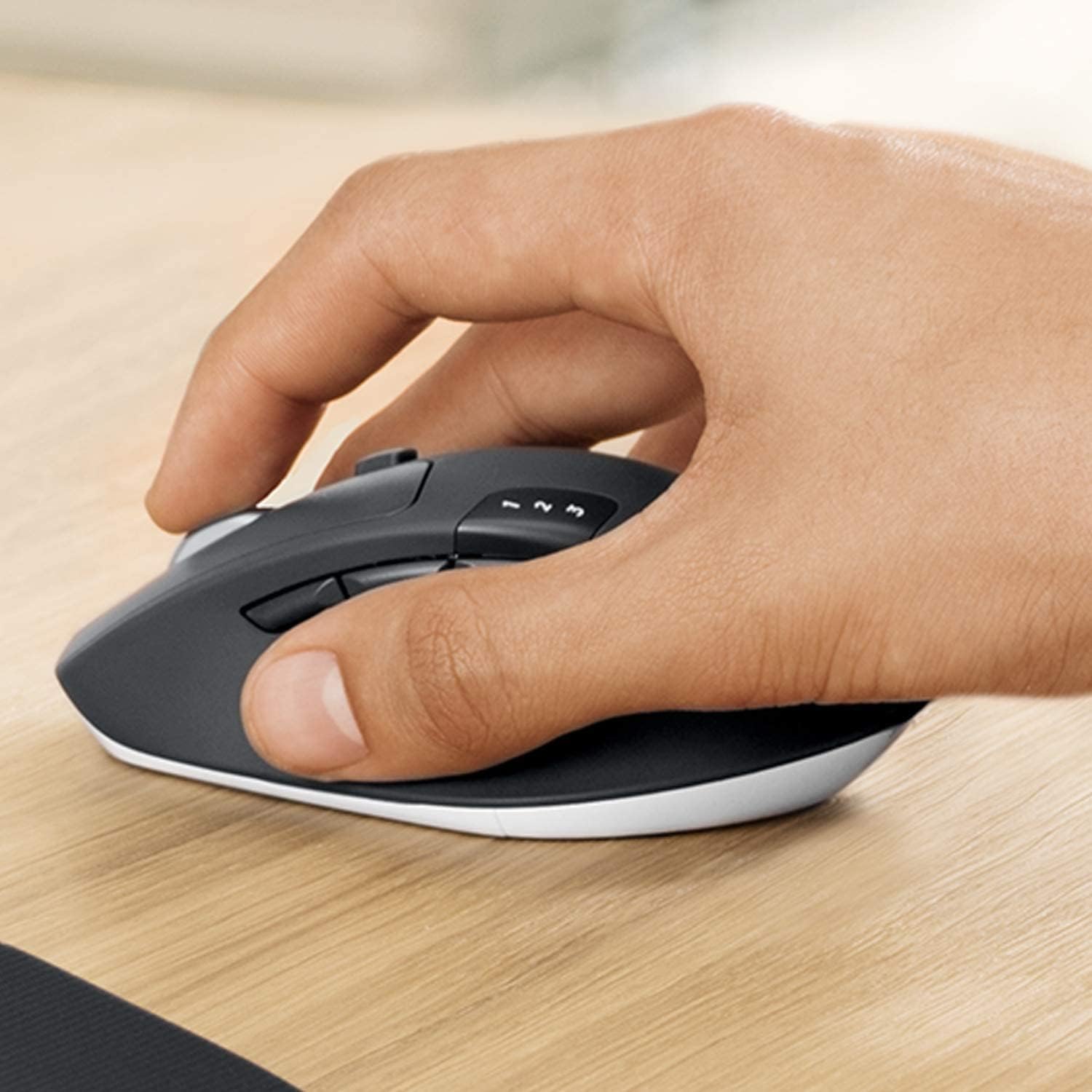
Obrázek 3.1: A hand demonstrating the ergonomic grip on the Logitech MK850 mouse.

Obrázek 3.2: Detailní view of the Logitech MK850 mouse, highlighting its scroll wheel and Easy-Switch buttons.
3.3 DuoLink Software
Logitech DuoLink is a feature within Logitech Options software that allows the mouse and keyboard to work together for enhanced functionality. For example, holding the Fn key on the keyboard can change the mouse's button functions.
Download Logitech Options from the official Logitech website to customize your device settings, program buttons, and enable DuoLink.
4. Péče a údržba
- Čištění: Použijte měkký hadřík, který nepouští vlákna dampPovrchy klávesnice a myši omyjte vodou nebo jemným čisticím roztokem. Nepoužívejte agresivní chemikálie ani abrazivní materiály.
- Výměna baterie: Replace batteries when the low battery indicator light illuminates. Ensure to use the correct battery type (AAA for keyboard, AA for mouse).
- Skladování: Pokud zařízení delší dobu nepoužíváte, vypněte jej, abyste šetřili baterii. Skladujte na chladném a suchém místě.
5. Řešení problémů
5.1 Problémy s připojením
- Žádné připojení: Ensure the keyboard and mouse are turned on. Check battery levels. For Unifying receiver, try plugging it into a different USB port. For Bluetooth, ensure Bluetooth is enabled on your device and the devices are in pairing mode.
- Rušení: Move the devices closer to the receiver or Bluetooth-enabled device. Avoid placing them near other wireless devices that might cause interference (e.g., Wi-Fi routers, cordless phones).
- Opětovné spárování: If connection is lost, try re-pairing the devices using the steps in Section 2.3.
5.2 Problémy s výkonem
- Zpoždění nebo zpoždění: Ensure sufficient battery power. Reduce distance between devices and receiver/Bluetooth host. Close other applications that might be consuming system resources.
- Problémy se sledováním myši: Clean the mouse sensor. Use the mouse on a suitable surface (non-reflective, non-transparent).
6. Technické specifikace
| Funkce | Specifikace |
|---|---|
| Značka | Logitech |
| Model | MK850 |
| Technologie připojení | Bluetooth Smart, Logitech Unifying (2.4 GHz wireless) |
| Kompatibilní zařízení | PC (Windows 10/11 or later), Mac (macOS 10.15 or later), Chrome OS, Linux, iPadOS 13.4 or later, Android 7 or later |
| Rozměry klávesnice (D x Š x V) | Cca. 43 x 21 x 2.5 cm |
| Rozměry myši (D x Š x V) | Cca. 99 x 60 x 39 mm |
| Hmotnost položky | Approx. 845 g (total for set) |
| Typ baterie | Keyboard: 2 x AAA; Mouse: 1 x AA |
| Životnost baterie | Up to 36 months (keyboard), up to 24 months (mouse) - May vary based on usage. |
| Barva | Černý |

Obrázek 6.1: Dimensions of the Logitech MK850 mouse.
7. Záruka a podpora
Logitech products are manufactured to high quality standards and are designed to provide reliable performance. For detailed warranty information specific to your region and product, please refer to the warranty card included with your product or visit the official Logitech support webmísto.
For technical support, FAQs, and driver downloads, please visit the Logitech support webmísto:
- Podpora Logitech Webmísto: support.logi.com
When contacting support, please have your product model (MK850) and serial number ready.