
Biconic Bluetooth Tough Weatherproof Portable Wireless Speaker User Manual
Model: ABC-AU-BS-103-BK
Značka: Bytech
1. Konec produktuview
The Biconic Bluetooth Tough Weatherproof Portable Wireless Speaker is designed for robust outdoor and indoor use, providing enhanced bass and clear audio. Its wireless capabilities allow for easy connection to various devices, and its durable, weatherproof construction ensures reliable performance in diverse environments.

Obrázek 1.1: Přední strana view of the Biconic Bluetooth Speaker, showcasinjeho robustní konstrukce a mřížka reproduktoru.
Klíčové vlastnosti:
- Bezdrátové připojení: Seamless Bluetooth pairing with smartphones, tablets, and other compatible devices.
- Design odolný vůči povětrnostním vlivům: IPX6 water resistance protects against strong jets of water, making it suitable for outdoor use.
- Vylepšené basy: Delivers rich, deep bass for a superior audio experience.
- Přenosný: Compact design with a durable strap for easy transport.
- Dlouhá doba hraní: Up to 4 hours of continuous audio playback on a single charge.
2. Bezpečnostní informace
Před použitím tohoto produktu si pečlivě přečtěte všechna bezpečnostní varování a pokyny, abyste zajistili bezpečný provoz a předešli poškození.
- Nevystavujte reproduktor extrémním teplotám (horkým ani nízkým).
- Do not immerse the speaker in water. While it is IPX6 water resistant, it is not designed for submersion.
- Keep the speaker away from direct heat sources, open flames, and flammable liquids.
- Use only the provided charging cable and a compatible power adapter (5V/1A recommended) to charge the device.
- Nepokoušejte se reproduktor rozebírat, opravovat ani upravovat. Zrušíte tak platnost záruky a můžete způsobit újmu na zdraví.
- Uchovávejte mimo dosah dětí.
- Reproduktor čistěte měkkým, suchým hadříkem. Nepoužívejte abrazivní čisticí prostředky ani rozpouštědla.
3. Obsah balení
Po vybalení zkontrolujte, zda jsou v balení přítomny všechny položky:
- Biconic Bluetooth Tough Weatherproof Portable Wireless Speaker
- USB nabíjecí kabel
- Uživatelská příručka (tento dokument)
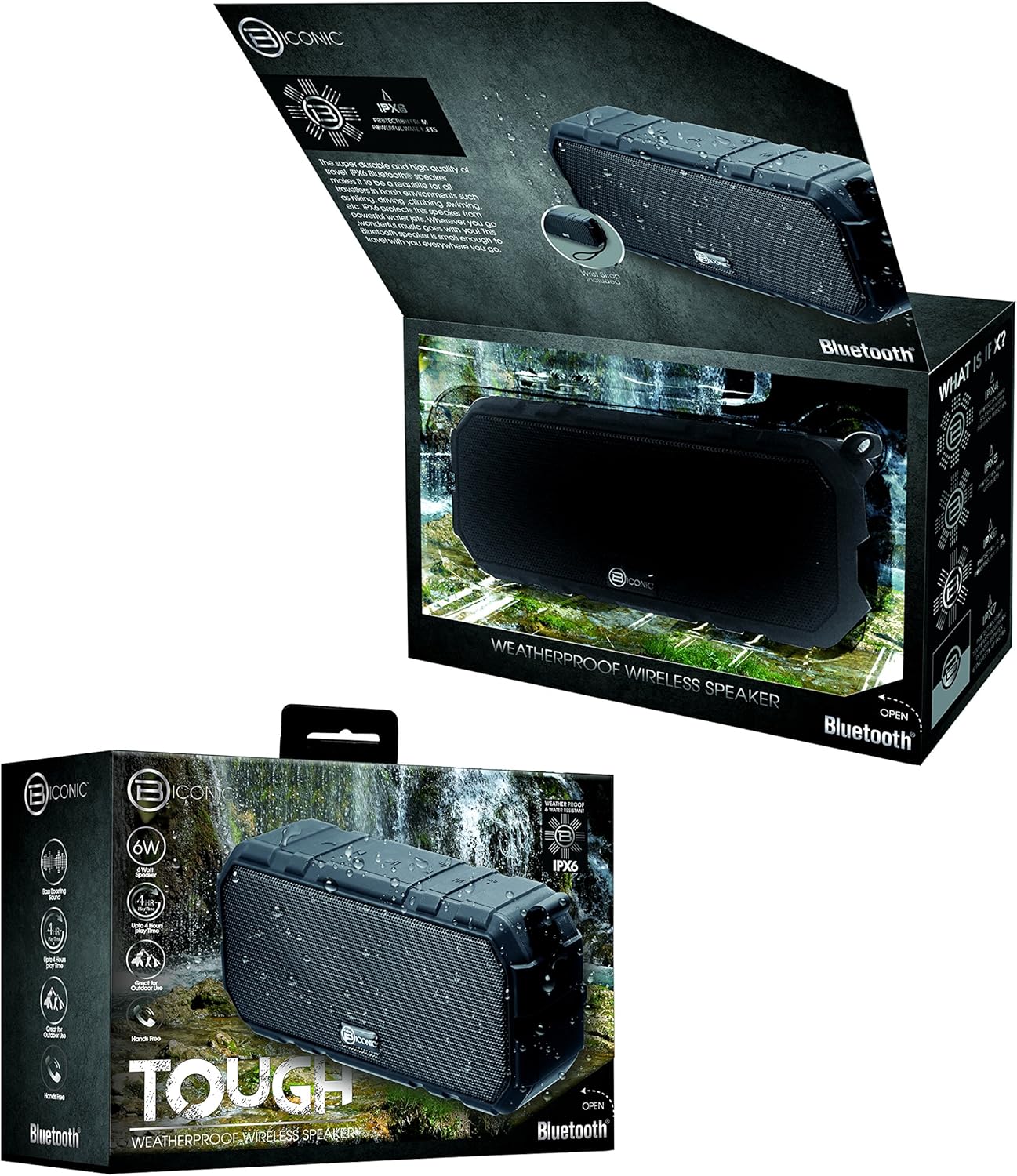
Figure 3.1: The Biconic Bluetooth Speaker shown with its retail packaging, indicating typical package contents.
4. Nastavení
4.1 Nabíjení reproduktoru
- Locate the charging port on the side of the speaker. This port is typically protected by a rubber flap to maintain water resistance.
- Otevřete gumovou klapku.
- Připojte menší konec dodaného nabíjecího kabelu USB k nabíjecímu portu reproduktoru.
- Připojte větší konec kabelu USB ke zdroji napájení USB (např. k portu USB počítače, adaptéru USB do zásuvky).
- Kontrolka nabíjení se rozsvítí, obvykle červeně, což znamená, že se reproduktor nabíjí.
- Once fully charged (approximately 2-3 hours), the indicator light will change color (e.g., turn off or turn blue/green). Disconnect the charging cable and close the rubber flap securely to maintain water resistance.
4.2 Zapnutí/vypnutí
- Zapnutí: Press and hold the Power button (usually marked with a power symbol) for a few seconds until you hear an audible tone or see an indicator light illuminate.
- Vypnutí: Press and hold the Power button again for a few seconds until you hear an audible tone or the indicator light turns off.
5. Návod k obsluze
5.1 Párování Bluetooth
Before first use, you need to pair the speaker with your Bluetooth-enabled device.
- Ensure the speaker is fully charged and powered on. It will automatically enter pairing mode, indicated by a flashing blue LED light.
- On your smartphone, tablet, or other Bluetooth device, go to the Bluetooth settings menu.
- Povolte Bluetooth, pokud již není povoleno.
- Scan for available devices. You should see "Biconic Speaker" or a similar name appear in the list.
- Select "Biconic Speaker" to connect. Once successfully paired, you will hear a confirmation tone, and the blue LED light on the speaker will stop flashing and remain solid.
- Pokud budete vyzváni k zadání hesla, zadejte „0000“.
- Reproduktor se po zapnutí automaticky znovu připojí k poslednímu spárovanému zařízení, pokud je zařízení v dosahu a je povoleno připojení Bluetooth.
5.2 Přehrávání hudby
Once paired, you can control music playback directly from your connected device or using the speaker's controls.
- Přehrát/pozastavit: Press the Play/Pause button (often marked with a triangle or || symbol) once to play or pause music.
- Zvýšit hlasitost: Stisknutím tlačítka pro zvýšení hlasitosti (+) zvýšíte hlasitost.
- Snížit hlasitost: Stisknutím tlačítka pro snížení hlasitosti (-) snížíte hlasitost.
- Další skladba: Press and hold the Volume Up button (+) for a few seconds to skip to the next track.
- Předchozí skladba: Press and hold the Volume Down button (-) for a few seconds to go to the previous track.

Obrázek 5.1: Nahoře view of the Biconic Bluetooth Speaker, highlighting the control buttons for power, volume, and playback.
5.3 Přijímání hovorů (funkce handsfree)
The speaker supports hands-free calling when connected to a smartphone.
- Přijmout hovor: Když přichází hovor, stiskněte jednou tlačítko Přehrát/Pozastavit pro jeho přijetí.
- Ukončit hovor: Během hovoru stiskněte jednou tlačítko Přehrát/Pozastavit pro ukončení hovoru.
- Odmítnout hovor: Press and hold the Play/Pause button for a few seconds to reject an incoming call.
6. Údržba
Správná údržba zajistí dlouhou životnost a optimální výkon vašeho reproduktoru.
- Čištění: Reproduktor otřete měkkým, damp cloth. Do not use harsh chemicals, solvents, or abrasive cleaners. Ensure the charging port flap is closed before cleaning with a damp tkanina.
- Skladování: Pokud reproduktor delší dobu nepoužíváte, skladujte jej na chladném a suchém místě mimo dosah přímého slunečního záření a extrémních teplot.
- Péče o baterie: To preserve battery life, fully charge the speaker before storing it for long periods. Recharge every 3-6 months if not used regularly.
- Voděodolnost: Always ensure the rubber flap covering the charging port is securely closed to maintain the IPX6 water resistance rating.

Figure 6.1: The Biconic Bluetooth Speaker demonstrating its water-resistant capabilities, highlighting the importance of proper sealing for maintenance.
7. Řešení problémů
| Problém | Možná příčina | Řešení |
|---|---|---|
| Reproduktor se nezapne. | Baterie je vybitá. | Plně nabijte reproduktor. |
| Nelze spárovat se zařízením Bluetooth. | Bluetooth is off on your device; speaker is not in pairing mode; device is too far. | Ensure Bluetooth is enabled on your device. Power off and on the speaker to re-enter pairing mode. Move device closer to the speaker (within 10 meters). Forget the device on your phone and try pairing again. |
| Žádný zvuk nebo nízká hlasitost. | Hlasitost reproduktoru nebo zařízení je příliš nízká; reproduktor není připojen. | Zvyšte hlasitost na reproduktoru i na připojeném zařízení. Ujistěte se, že je reproduktor správně spárovaný a připojený. |
| Zkreslení zvuku. | Příliš vysoká hlasitost; rušení; slabá baterie. | Snižte hlasitost. Přemístěte reproduktor dále od ostatních elektronických zařízení. Nabijte reproduktor. |
8. Specifikace
| Funkce | Detail |
|---|---|
| Číslo modelu | ABC-AU-BS-103-BK |
| Značka | Bytech |
| Technologie připojení | Bluetooth |
| Maximální výstupní výkon reproduktoru | 3 wattů |
| Režim zvukového výstupu | Stereo |
| Hodnocení odolnosti proti vodě | IPX6 (Water resistant, not submersible) |
| Typ baterie | 1 lithium-iontová baterie (vyžadováno) |
| Čas přehrávání | Až 4 hodin |
| Rozměry produktu | 2.54 x 2.54 x 2.54 cm |
| Hmotnost položky | 522 g |
| Typ montáže | Stolní deska |
9. Záruka a podpora
For warranty information and technical support, please contact Bytech customer service. Details are typically provided on the product packaging or the official Bytech webmísto.
Uschovejte si prosím doklad o koupi pro případné reklamace.
Poznámka: Záruční podmínky se mohou lišit v závislosti na regionu.