
Logitech 910-004916
Uživatelská příručka bezdrátové myši Logitech M331 SILENT PLUS
Model: 910-004916
Zavedení
Thank you for choosing the Logitech M331 SILENT PLUS Wireless Mouse. This manual provides detailed instructions for setting up, operating, maintaining, and troubleshooting your new wireless mouse. Designed for comfort and quiet operation, the M331 SILENT PLUS offers a reliable and precise navigation experience.
Obsah balení
- Bezdrátová myš Logitech M331 SILENT PLUS
- Nano přijímač
- 1 baterie AA (předinstalovaná)
- Uživatelská dokumentace

Image: The Logitech M331 SILENT PLUS Wireless Mouse in red, showing its top view with the scroll wheel and Logitech logo.
Průvodce nastavením
1. Instalace baterie
The Logitech M331 SILENT PLUS mouse comes with one AA battery pre-installed. If you need to replace it:
- Najděte kryt přihrádky na baterie na spodní straně myši.
- Posunutím otevřete kryt.
- Insert a new AA battery, ensuring the positive (+) and negative (-) terminals align correctly with the indicators inside the compartment.
- Bezpečně zavřete kryt bateriového prostoru.
2. Connecting the Nano Receiver
The Nano Receiver provides the wireless connection between your mouse and computer.
- Locate the Nano Receiver. It is typically stored inside the battery compartment of the mouse for safekeeping during transport.
- Plug the Nano Receiver into an available USB port on your computer.
- Váš počítač by měl automaticky detekovat a nainstalovat potřebné ovladače. Může to chvíli trvat.
3. Turning the Mouse On/Off
To conserve battery life, the mouse features an on/off switch.
- Vyhledejte vypínač na spodní straně myši.
- Slide the switch to the "ON" position to use the mouse.
- Slide the switch to the "OFF" position when not in use for extended periods, such as overnight or during travel.

Image: A diagram highlighting key features of the Logitech M331 mouse, including silent clicks, wide rubber scroll wheel, contoured grips, high precision tracking, the storage location for the unifying receiver, and its 10-meter wireless range.
Návod k obsluze
Základní funkce myši
- Levé kliknutí: Press the left mouse button to select items, open filenebo aktivovat funkce.
- Klikněte pravým tlačítkem myši: Press the right mouse button to open context menus or access additional options.
- Rolovací kolečko: Otáčením kolečka nahoru nebo dolů můžete procházet dokumenty a web stránky. Rolovací kolečko funguje také jako prostřední tlačítko.
Tichý provoz
The M331 SILENT PLUS mouse is engineered for quiet operation, offering over 90% noise reduction on click sounds compared to standard Logitech mice. This feature ensures a quiet environment for you and those around you.
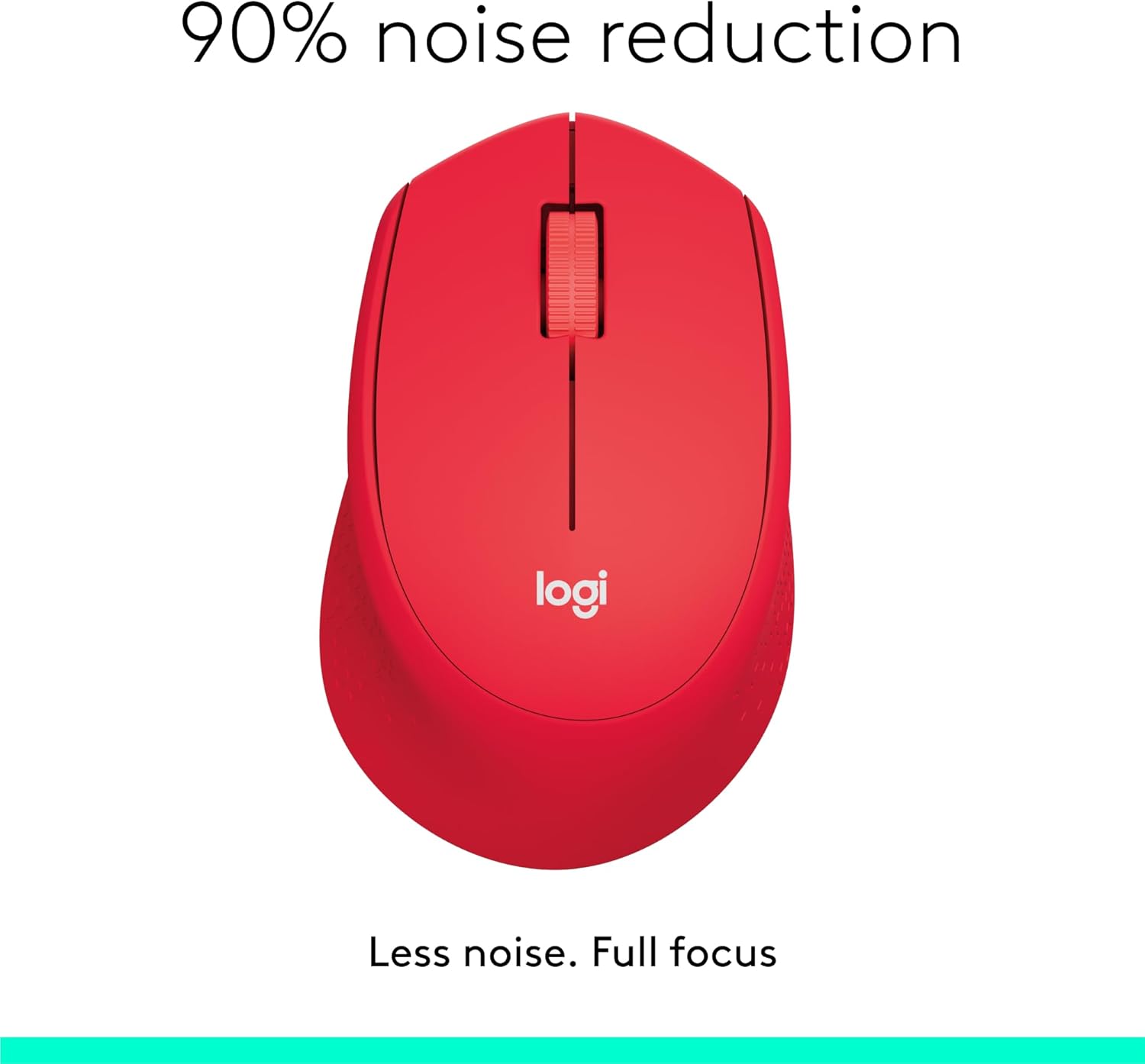
Image: The Logitech M331 mouse illustrating its 90% noise reduction capability, promoting a focused work environment.
Ergonomický design
The mouse is crafted with contoured grips and a curved shape to fit comfortably in your right hand, providing improved control and reducing strain during extended use.

Image: A hand demonstrating the comfortable grip on the Logitech M331 mouse, highlighting its contoured side grips designed for right-hand use.
Údržba
Čištění vaší myši
Pro udržení optimálního výkonu a hygieny myš pravidelně čistěte:
- Turn off the mouse and unplug the Nano Receiver from your computer.
- Lehce používejte měkký hadřík, který nepouští vlákna dampened with water or an electronics-safe cleaning solution to wipe the surface of the mouse.
- Zabraňte vniknutí vlhkosti do jakýchkoli otvorů.
- Z optického senzoru na spodní straně jemně odstraňte prach a nečistoty suchým vatovým tamponem.
Výměna baterie
The M331 SILENT PLUS mouse boasts an impressive battery life of up to 24 months. When the battery is low, you may notice erratic behavior or the mouse becoming unresponsive. Refer to the "Installing the Battery" section under Setup Guide for replacement instructions.
Odstraňování problémů
| Problém | Možná příčina | Řešení |
|---|---|---|
| Mouse is unresponsive or not moving. |
|
|
| Erratic or jumpy cursor movement. |
|
|
| Clicks are not registering. |
|
|
Specifikace
| Funkce | Detail |
|---|---|
| Model | 910-004916 |
| Rozměry (myš) | 105.4 mm (výška) x 67.9 mm (šířka) x 38.4 mm (hloubka) |
| Weight (Mouse) | 91.0 g (with battery: 78 g / 2.75 oz) |
| Nano Receiver Dimensions | 14.4 mm x 18.7 mm x 6.1 mm |
| Nano Receiver Weight | 1.8 g |
| Typ připojení | 2.4GHz Wireless connection |
| Bezdrátové Dosah | 10 metrů (33 stop) |
| technologie Sensor | Pokročilé optické sledování Logitech |
| Rozlišení snímače | 1000 dpi |
| Počet tlačítek | 3 (Left/Right-click, Middle click/Scroll wheel) |
| Rolovací kolečko | Yes, 2D, optical, wide rubber wheel |
| Typ baterie | 1 x AA baterie |
| Životnost baterie | Až 24 měsíců (může se lišit v závislosti na uživateli a podmínkách výpočetní techniky) |
| Vypínač zapnuto/vypnuto | Ano |
| Systémové požadavky | Windows 10 or later, Windows 8, Windows RT, Windows 7, Mac OS X 10.5 or later, Chrome OS, Linux Kernel 2.6+2, USB connection (available USB port required) |
| Orientace rukou | Právo |
| Typ materiálu | Plastic (58% Recycled Plastic) |

Image: Detailed dimensions of the Logitech M331 mouse, showing its length, width, height, and weight with batteries.
Záruka a podpora
For warranty information and technical support, please refer to the user documentation included in your package or visit the official Logitech support website. Logitech products typically come with a limited hardware warranty. Please retain your proof of purchase for warranty claims.
For further assistance, you may visit the Logitech support page: support.logi.com