
Zavedení
This manual provides instructions for the assembly, operation, and maintenance of your BONTEC MTR-B2 2-Tier Wood Monitor Stand Riser. This product is designed to elevate your monitor to an ergonomic height, reduce neck and back strain, and organize your workspace with its integrated storage and cable management features.
Vlastnosti produktu
- Materiály prémiové kvality: Constructed from eco-friendly MDF wood with a smooth finish for durability and stability.
- Ergonomický design: Elevates your screen by 5.6 inches to eye level, promoting healthier posture and reducing strain.
- Spacious 2-Tier Storage: Poskytuje ample space (21.3 inches wide) for laptops, keyboards, and other desk essentials.
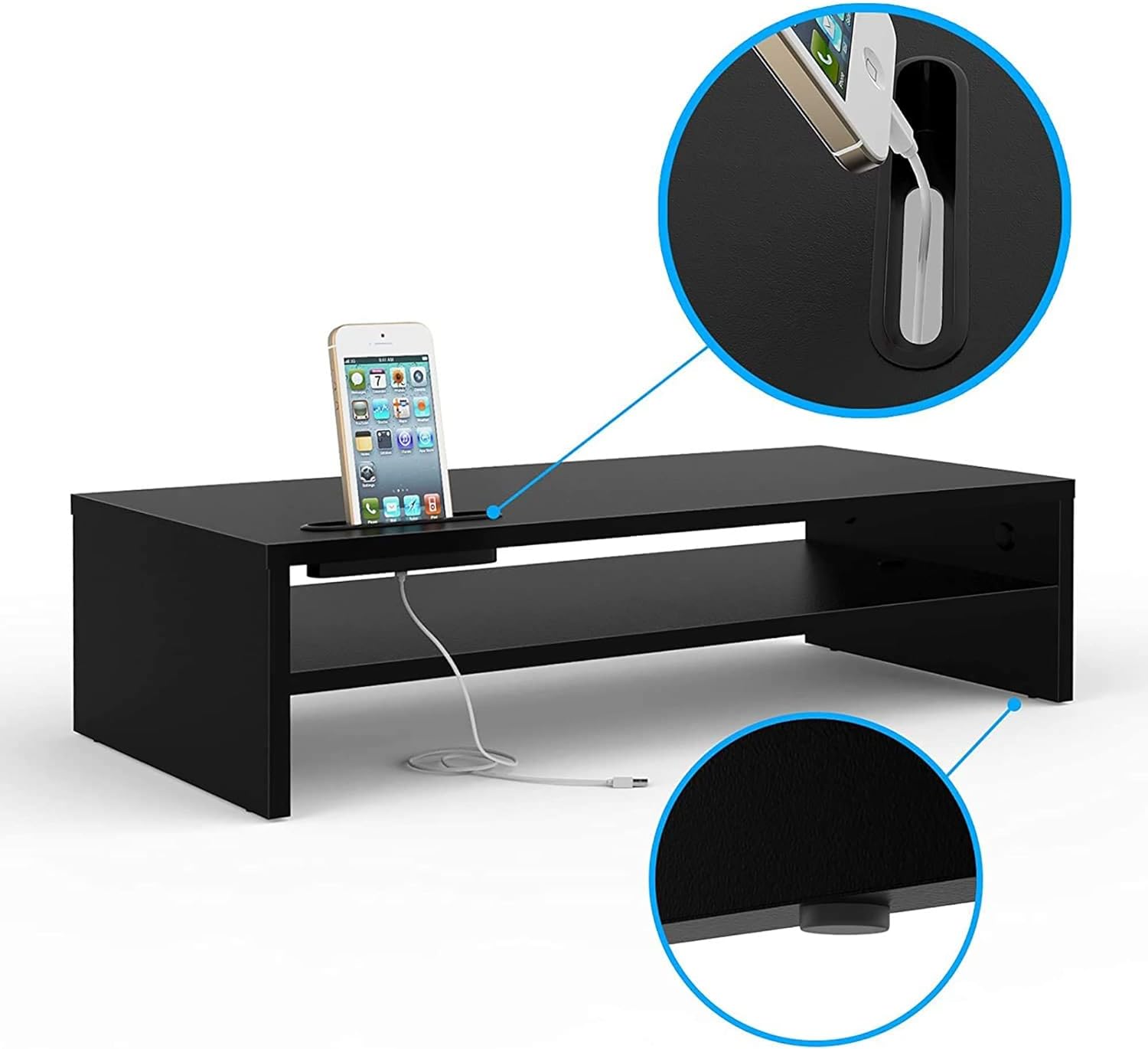
- Integrovaná správa kabelů: Features a built-in system and cellphone holder to keep your workspace organized and clutter-free.
- Snadná montáž: Navrženo pro rychlou a snadnou montáž.
- Stabilní design: Includes soft rubber feet to ensure stability and protect your desk surface.

Obsah balení
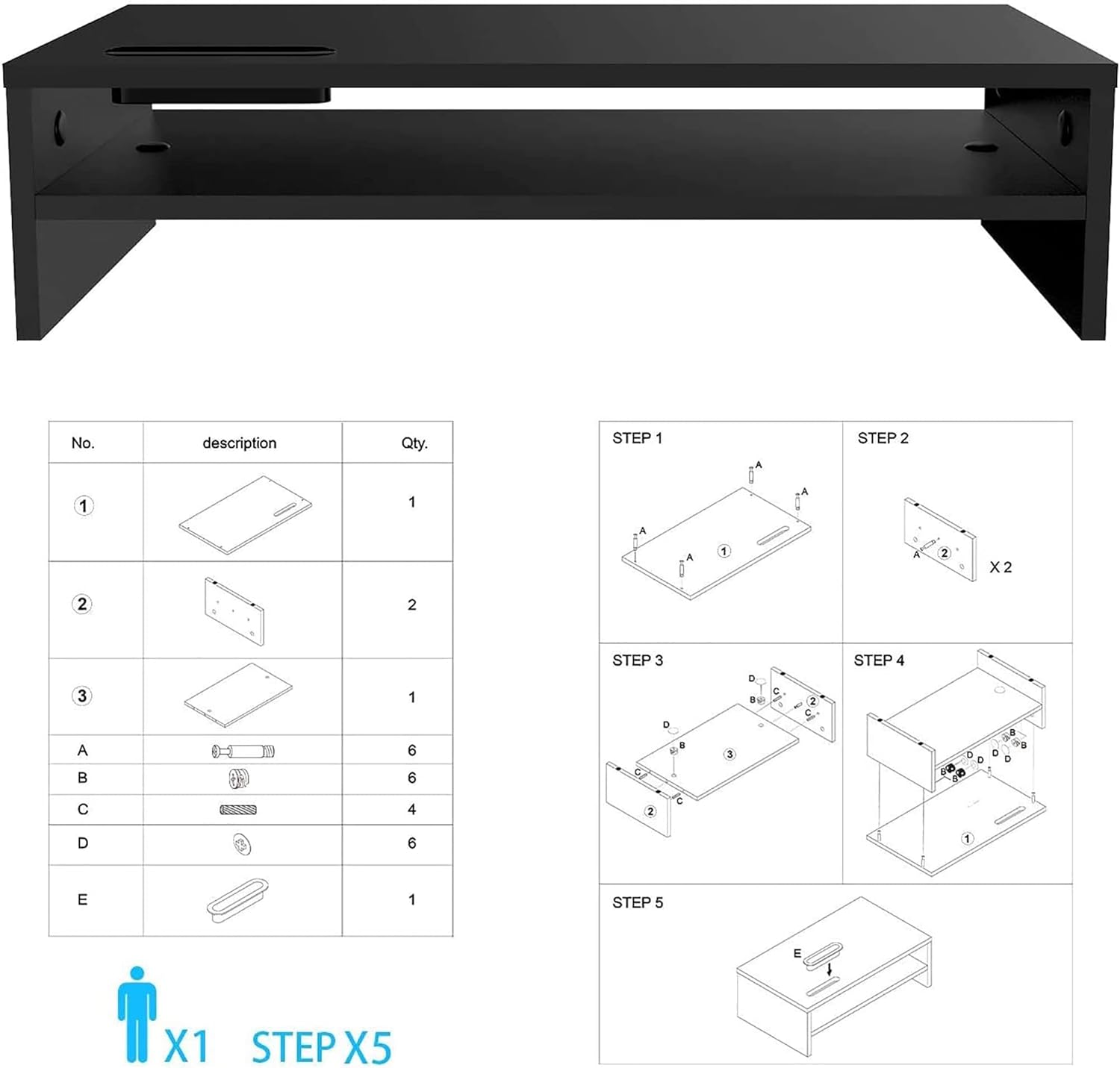
Please verify that all components are present before beginning assembly. Refer to the assembly diagram for visual identification.
- Top Shelf Board (x1)
- Side Support Boards (x2)
- Middle Shelf Board (x1)
- Connecting Screws (Type A, x6)
- Cam Locks (Type B, x6)
- Wooden Dowels (Type C, x4)
- Rubber Feet (Type D, x6)
- Cable Management Clip (Type E, x1)
Montážní návod
Follow these steps to assemble your BONTEC MTR-B2 Monitor Stand Riser. A screwdriver is required (not included).
- Step 1: Attach Connecting Screws to Top Shelf. Insert 4 connecting screws (Type A) into the pre-drilled holes on the underside of the top shelf board. Ensure they are securely fastened.
- Step 2: Attach Wooden Dowels to Side Supports. Insert 2 wooden dowels (Type C) into the corresponding holes on the inner side of each side support board.
- Step 3: Connect Side Supports to Middle Shelf. Align the middle shelf board with the wooden dowels on the side support boards. Secure the middle shelf to the side supports using 2 cam locks (Type B) on each side. Turn the cam locks clockwise until tight.
- Step 4: Attach Top Shelf to Assembled Base. Align the top shelf (with connecting screws from Step 1) with the holes on the top edges of the assembled side and middle shelves. Secure the top shelf using the remaining 2 cam locks (Type B) on each side. Turn clockwise until tight.
- Step 5: Apply Rubber Feet. Attach the 6 rubber feet (Type D) to the bottom corners and center of the stand to prevent scratching and ensure stability.
- Step 6: Install Cable Management Clip. Attach the cable management clip (Type E) to the desired side of the stand for organizing cables.
Note: Do not overtighten screws to avoid damaging the wood.
Návod k obsluze
Your BONTEC MTR-B2 Monitor Stand Riser is designed for versatile use to enhance your workspace.
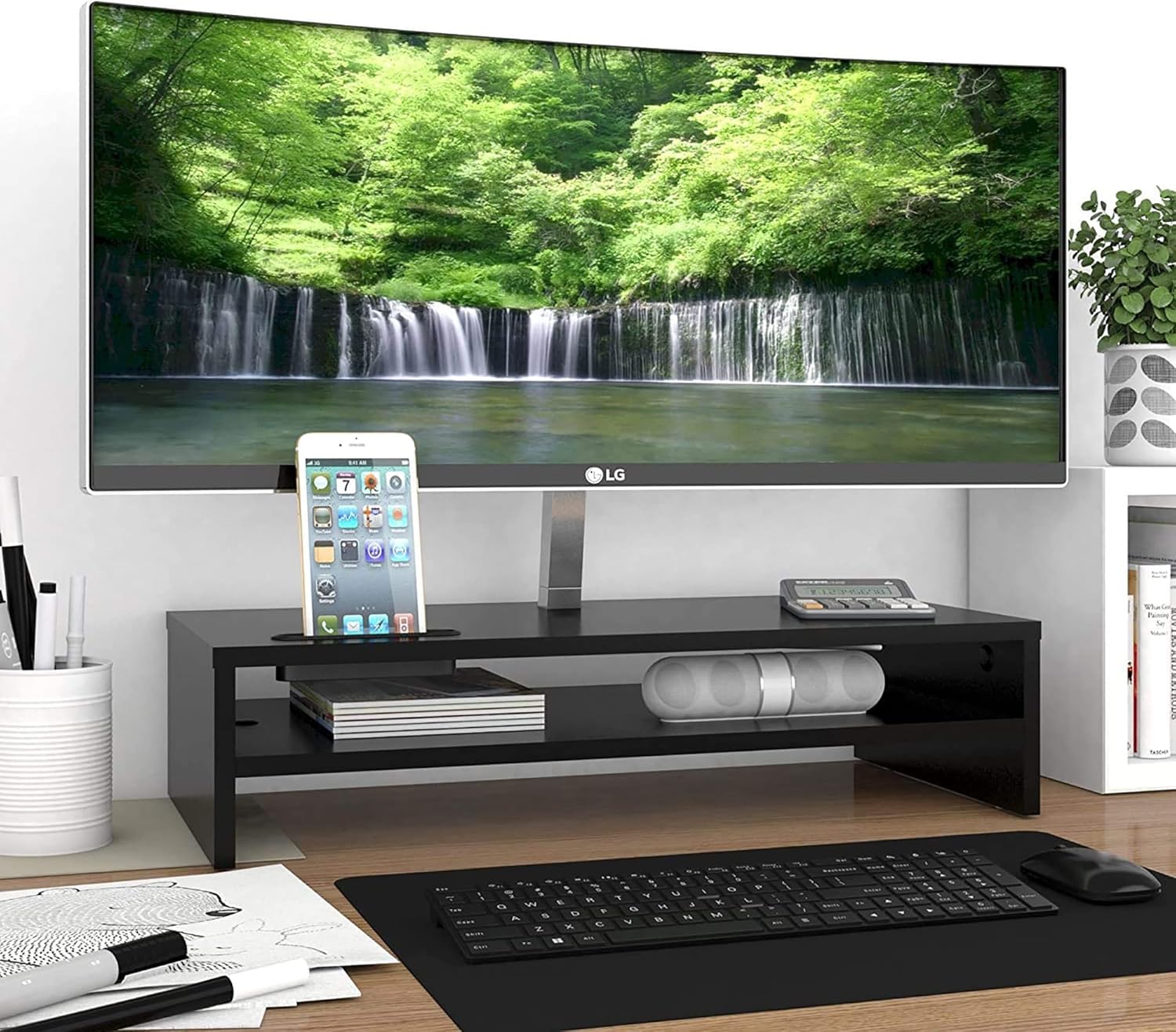
- Umístění monitoru: Place your monitor securely on the top surface of the stand. Ensure the monitor's base fits within the dimensions of the stand.
- Keyboard Storage: Utilize the space beneath the middle shelf to store your full-size keyboard when not in use, freeing up desk space.
- Úložiště příslušenství: The middle shelf and side compartments are ideal for organizing notebooks, pens, external hard drives, or other small office supplies.
- Držák na mobilní telefon: Use the integrated slot on the top surface to hold your cellphone upright. The slot is designed to allow charging cables to pass through for convenience.
- Správa kabelů: Route power cords and data lines through the attached cable management clip to keep them tidy and prevent tangles.


Údržba
Abyste zajistili dlouhou životnost a vzhled stojanu na monitor, dodržujte tyto jednoduché pokyny pro údržbu:
- Čištění: Otřete povrch měkkým, damp hadříkem. Nepoužívejte agresivní chemikálie nebo abrazivní čisticí prostředky, protože by mohly poškodit povrchovou úpravu.
- Utírat prach: Pravidelně stírejte prach ze stojanu, abyste zabránili usazování nečistot.
- Kontrola stability: Pravidelně kontrolujte všechny šrouby a spoje, zda jsou pevně utažené. V případě potřeby je dotáhněte.
- Vyhněte se nadměrné hmotnosti: Do not exceed the maximum load capacity of 66 pounds (30 kg) to prevent damage or instability.
- Chraňte před vlhkostí: Keep the stand away from excessive moisture or direct sunlight to prevent warping or discoloration of the wood.
Odstraňování problémů
If you encounter any issues with your BONTEC MTR-B2 Monitor Stand Riser, refer to the following common solutions:
| Problém | Možná příčina | Řešení |
|---|---|---|
| Stojan je vratký nebo nestabilní. | Screws are loose; uneven surface; missing rubber feet. | Ensure all connecting screws and cam locks are tightened. Place the stand on a flat, stable surface. Verify all rubber feet are attached. |
| Obtížnost během montáže. | Nesprávná orientace součástek; chybějící hardware. | Review the assembly instructions and diagrams carefully. Ensure parts are oriented correctly. Check package contents against the list. Do not force parts together. |
| Monitor does not fit on the stand. | Monitor base is too large for the stand's top surface. | Verify your monitor's base dimensions against the stand's top surface dimensions (21.26 x 10.04 inches). |
Specifikace
| Atribut | Detail |
|---|---|
| Číslo modelu | MTR-B2 |
| Značka | BONTEC |
| Materiál | Technické dřevo (MDF) |
| Barva | Černý |
| Rozměry produktu (D x Š x V) | 21.26 x 10.04 x 5.59 palce (540 x 255 x 142 mm) |
| Hmotnost položky | 7 libry (3.17 kg) |
| Kapacita zatížení | 66 liber (30 kg) |
| Montáž Vyžadována | Ano |
| Speciální funkce | Lightweight, 2-Tier Storage, Cable Management, Cellphone Holder |

Produktová videa
BONTEC 2-Tier Wood Monitor Stand Riser Overview
Video 1: Product Features and Installation Steps. Toto video poskytuje komplexní přehledview of the BONTEC 2-Tier Wood Monitor Stand Riser, highlighting its key features, dimensions, and a visual guide for assembly. It demonstrates how the stand helps organize your desktop and supports a full-size keyboard.
BONTEC Extra Long 21.3 Inch 2 Tiers Wood Monitor Stand
Video 2: Detailed Product View. This video offers a closer look at the extra-long 21.3-inch BONTEC monitor stand, emphasizing its two-tier design and how it accommodates various desk setups for improved organization and ergonomics.
Záruka a zákaznická podpora
BONTEC is committed to providing high-quality products and exceptional customer service. If you encounter any issues with your monitor stand, please do not hesitate to contact our dedicated support team.
Our customer support is available to address any concerns you may have and ensure your experience is satisfactory. Please refer to your purchase documentation or the BONTEC webPodrobnosti o záruce a kontaktní informace naleznete na webových stránkách.