
1. Úvod
This manual provides essential instructions for the installation, operation, maintenance, and troubleshooting of your APC Smart-UPS SRT 3000VA RM 230V (SRT3000RMXLI). This Uninterruptible Power Supply (UPS) is designed to provide high-density, true double-conversion online power protection for critical electronic equipment, including servers, voice/data networks, medical labs, and light industrial applications. Please read this manual thoroughly before installing or operating the UPS to ensure proper and safe usage.
2. Bezpečnostní informace
Observe all warnings and operating instructions in this manual. Failure to do so may result in injury or equipment damage. This UPS contains hazardous voltages. Do not attempt to disassemble the unit. There are no user-serviceable parts inside.
Obecná bezpečnost
- Tato UPS je určena pouze pro vnitřní použití.
- Neprovozujte tuto UPS na přímém slunci, v kontaktu s tekutinami nebo tam, kde je nadměrná prašnost nebo vlhkost.
- Ensure the ventilation openings on the UPS are not blocked. Maintain adequate clearance around the unit for proper airflow.
- Connect the UPS power cable directly to a grounded wall outlet. Do not use extension cords or surge suppressors.
Bezpečnost baterie
- Batteries are heavy. Remove the battery module before installing the UPS in a rack or tower configuration.
- Battery service should be performed or supervised by personnel knowledgeable of batteries and the required precautions.
- Nevhazujte baterie do ohně. Baterie mohou explodovat.
- Baterie neotevírejte ani nepoškozujte. Uvolněný elektrolyt je škodlivý pro kůži a oči. Může být toxický.
- Vyměňte baterie za stejný typ a počet baterií, jaké byly původně nainstalovány.
3. Obsah balení
Carefully unpack the unit and inspect for shipping damage. If any damage is found, notify the carrier and dealer. The package should contain the following items:
- APC Smart-UPS SRT 3000VA RM 230V (SRT3000RMXLI) unit
- Battery module (may be pre-installed or separate)
- Rack-mounting hardware (rails, brackets)
- Tower stand (for tower configuration)
- USB komunikační kabel
- Sériový komunikační kabel
- CD s dokumentací
- Safety information and warranty guide
4. Konec produktuview
The APC Smart-UPS SRT 3000VA RM 230V is a high-performance Uninterruptible Power Supply designed to protect your critical equipment from power disturbances. It features a rack/tower convertible form factor for flexible deployment.
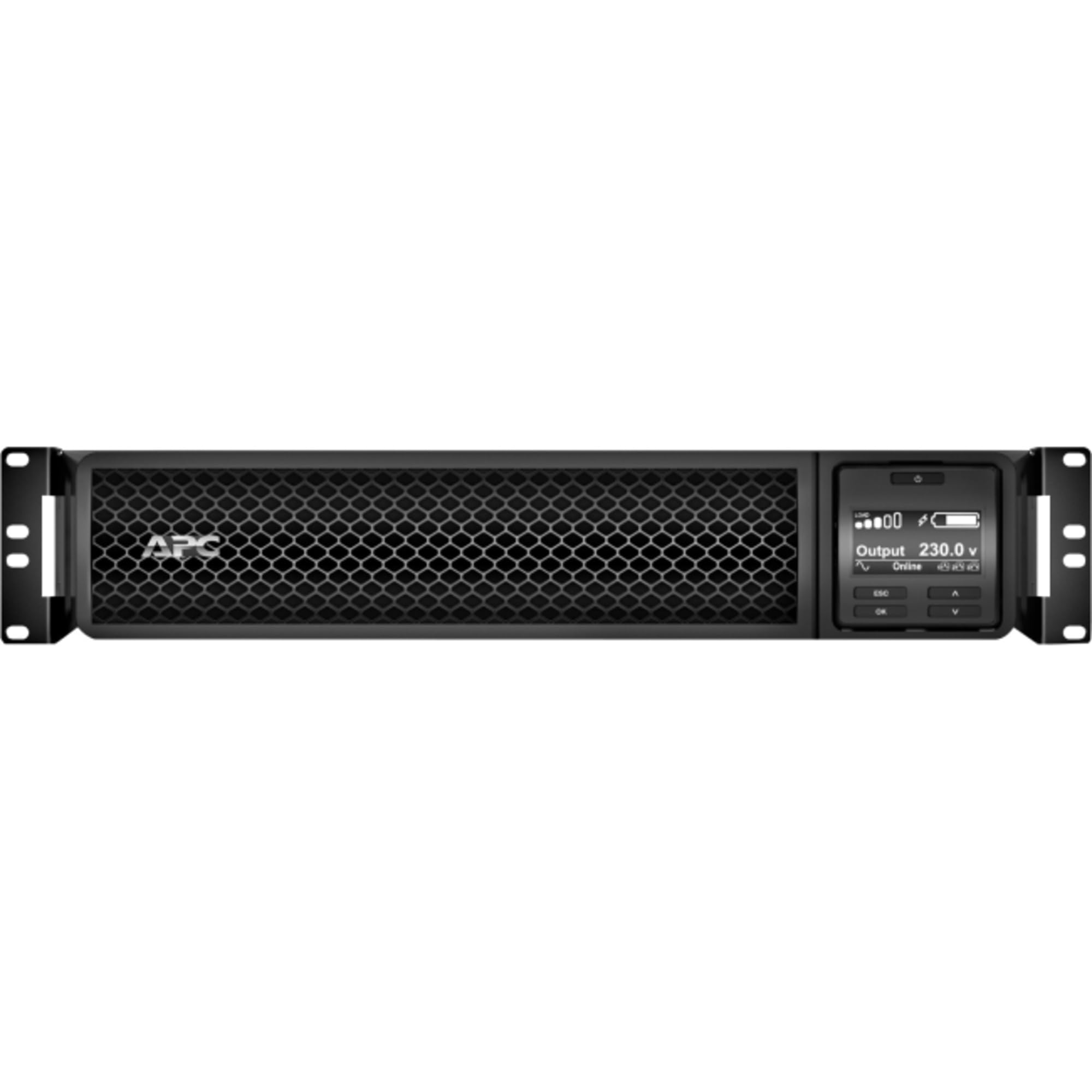
Obrázek 1: Přední strana view of the APC Smart-UPS SRT 3000VA RM 230V. This image displays the front panel with the LCD display, control buttons, and ventilation grilles.
Klíčové komponenty
- Front Panel LCD Display: Provides real-time status information, configuration options, and alarm notifications.
- Ovládací tlačítka: Used to navigate the LCD menu, power on/off the UPS, and perform self-tests.
- Bateriový modul: Poskytuje záložní napájení běhemtages. Hot-swappable for easy replacement.
- Vstupní napájecí konektor: Připojuje UPS k elektrické síti.
- Output Receptacles (IEC 320): Provide protected power to connected equipment.
- Communication Ports (USB, Serial): For connecting to a computer or network management card for monitoring and control.
- Port EPO (nouzové vypnutí): Umožňuje dálkové nouzové vypnutí UPS.
5. Nastavení
Follow these steps for initial setup of your UPS.
Krok 1: Vyberte umístění
- Place the UPS on a sturdy, level surface or install it in a standard 19-inch rack.
- Ujistěte se, že okolní teplota je mezi 0 °C a 40 °C (32 °F a 104 °F).
- Maintain at least 10 cm (4 inches) of clearance at the front and rear of the unit for proper ventilation.
Step 2: Install the Battery Module
If the battery module is not pre-installed, slide it into the battery bay until it clicks into place. Connect the battery cables as indicated by the labels.
Step 3: Connect to Utility Power
- Connect the UPS input power cord to a grounded 230V AC outlet.
- The UPS will perform a self-test and the LCD display will illuminate.
Krok 4: Připojte zařízení
- Connect your critical equipment (servers, network devices, etc.) to the output receptacles on the rear of the UPS.
- Ensure the total load does not exceed the UPS capacity (3000VA / 2700W).
Step 5: Connect Communication Cables (Optional)
- Pro monitorování a plynulé vypnutí připojte UPS k počítači nebo serveru pomocí kabelu USB nebo sériového kabelu.
- Install the PowerChute software (available from APC website) on your computer for advanced management.
6. Obsluha UPS
Zapnutí UPS
Press and hold the power button on the front panel until you hear a beep. The UPS will start up and provide power to connected equipment.
Powering Off the UPS
Press and hold the power button until the UPS shuts down. Ensure all connected equipment is safely shut down before powering off the UPS.
LCD displej a navigace
The LCD display provides detailed information about the UPS status, battery charge, load level, and various settings. Use the navigation buttons (up, down, enter, escape) to browse through the menus and adjust settings.
Autotest
Regularly perform a self-test to ensure the UPS battery and internal components are functioning correctly. This can typically be initiated via the LCD menu or PowerChute software.
7. Údržba
Výměna baterie
The UPS batteries have a typical lifespan of 3-5 years. The UPS will indicate when the batteries need replacement. Refer to the safety information before attempting battery replacement. Use only APC-approved replacement battery modules (APCRBC152).
Čištění
Clean the exterior of the UPS with a soft, damp cloth. Do not use solvents or abrasive cleaners. Ensure ventilation openings are free from dust and debris.
Ohledy na životní prostředí
Store the UPS in a cool, dry place when not in use. Avoid extreme temperatures and humidity, which can shorten battery life.
8. Řešení problémů
This section provides solutions to common issues you may encounter with your UPS.
| Problém | Možná příčina | Řešení |
|---|---|---|
| UPS se nezapne | No utility power; Battery not connected; UPS fault | Check power outlet; Ensure battery cables are connected; Contact APC support if fault persists. |
| UPS nepřetržitě pípá | On battery power; Overload; Low battery | Check utility power; Reduce connected load; Allow battery to recharge. |
| Baterie se nenabíjí | Battery disconnected; Battery fault; Internal fault | Verify battery connection; Replace battery if faulty; Contact APC support. |
| Připojené zařízení ztrácí energii | UPS overload; Battery depleted; UPS fault | Reduce load; Allow battery to recharge; Contact APC support. |
9. Specifikace
Detailed technical specifications for the APC Smart-UPS SRT 3000VA RM 230V (SRT3000RMXLI).
| Funkce | Detail |
|---|---|
| Číslo modelu | SRT3000RMXLI |
| Značka | APC |
| Kapacita | 3000 2700 VA / XNUMX XNUMX wattů |
| Vstupní objemtage | 230 voltů |
| Výstupní objemtage | 230 voltů |
| Form Factor | Rack/Tower Convertible (2U) |
| Typ baterie | Olověná kyselina |
| Typical Runtime (Full Load) | Přibližně 4 minut |
| Počet vývodů | 8 x IEC 320 C13, 2 x IEC 320 C19 |
| Komunikační porty | USB, Serial (RJ45), SmartSlot |
| Rozměry (V x Š x H) | 8.5 cm x 43.2 cm x 63.5 cm (3.35 palce x 17.0 palce x 25.0 palce) |
| Hmotnost | 31.3 kg (69 lb) |
| Barva | Černý |
10. Záruka a podpora
Informace o záruce
APC provides a standard warranty for this product. Please refer to the warranty card included in your package or visit the official APC webPodrobné záruční podmínky platné pro váš region naleznete na webových stránkách. Uschovejte si doklad o koupi pro případ reklamace.
Technická podpora
For technical assistance, troubleshooting beyond this manual, or to inquire about replacement parts, please contact APC customer support. Support contact information can typically be found on the APC website or in the documentation provided with your unit. When contacting support, please have your model number (SRT3000RMXLI) and serial number ready.