
1. Úvod
This manual provides instructions for the proper use and maintenance of your Casio GX-12B Value Series Desk Top/Compact Desk Type Calculator. Please read this manual thoroughly before using the calculator to ensure optimal performance and longevity.
Klíčové vlastnosti:
- Extra Large 12-Digit Display
- Two-Way Power (Solar and Battery)
- 2 Independent Memories
- Item Counter Function
- Mark-up Percentage Funkce
- Durable Plastic Keys
- Compact Desk Type Design
2. Nastavení a napájení
Zdroj napájení:
The Casio GX-12B calculator operates on a two-way power system, utilizing both solar power and a single LR44 button-cell battery. For optimal performance, ensure the solar panel is exposed to sufficient light. In low-light conditions, the battery automatically takes over.
Instalace/výměna baterie:
- Ujistěte se, že je kalkulačka vypnutá.
- Najděte kryt přihrádky na baterie na zadní straně kalkulačky.
- Using a small screwdriver, carefully remove the screw and open the battery compartment cover.
- Remove the old LR44 battery (if replacing) and insert a new LR44 battery with the positive (+) side facing up.
- Nasaďte kryt prostoru pro baterie a zajistěte jej šroubem.
- Stiskněte tlačítko AC (All Clear) button to reset the calculator.
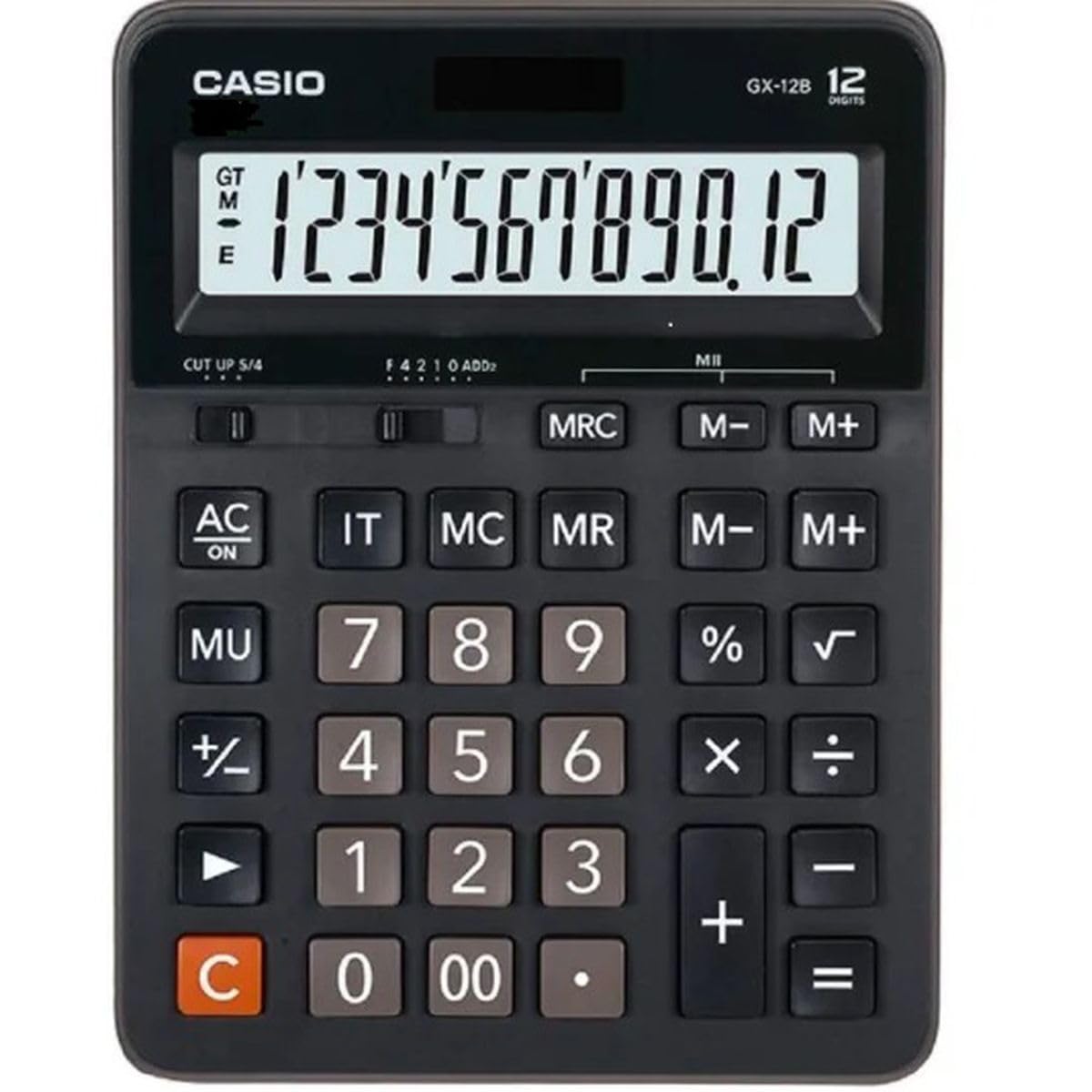
This image displays the Casio GX-12B calculator, highlighting its approximate length of 8.8 inches (22 cm) for scale. The calculator features a large display and clearly labeled keys.
3. Základní operace
Familiarize yourself with the key functions to perform calculations efficiently.
Funkce kláves Overview:
- AC: All Clear. Clears all values and operations, resetting the calculator.
- C: Clear Entry. Clears the last entered number.
- + / - / × / ÷Základní aritmetické operace.
- =: Executes the pending calculation.
- %: Procentatage key. Used for percentage calculations (e.g., 100 + 10% = 110).
- MU: Mark-up key. Used for profit margin calculations.
- M+: Přičte zobrazenou hodnotu do paměti.
- M-: Odečte zobrazenou hodnotu z paměti.
- MRC: Memory Recall/Clear. Press once to recall the memory value. Press twice to clear the memory.
- IT: Item Counter. Counts the number of entries in a series of calculations.
Example Calculations:
- Přidání: To calculate 123 + 456:
- Stiskněte AC
- Vstupte 123
- Stiskněte +
- Vstupte 456
- Stiskněte = (Výsledek: 579)
- Procenttage: To add 10% to 200:
- Stiskněte AC
- Vstupte 200
- Stiskněte +
- Vstupte 10
- Stiskněte % (Výsledek: 220)
- Funkce paměti: To calculate (5 × 3) + (8 × 2):
- Stiskněte AC
- Vstupte 5 × 3 M+ (15 is added to memory)
- Vstupte 8 × 2 M+ (16 is added to memory)
- Stiskněte MRC (Výsledek: 31)
- Stiskněte MRC again to clear memory.
4. Péče a údržba
- Čištění: Wipe the calculator with a soft, dry cloth. For stubborn dirt, use a cloth lightly dampened with water and a mild detergent, then wipe dry immediately. Avoid using strong solvents or abrasive cleaners.
- Skladování: Kalkulačku skladujte na chladném a suchém místě mimo dosah přímého slunečního záření a extrémních teplot.
- Vyhněte se dopadu: Kalkulačku nepouštějte na zem ani ji nevystavujte silným nárazům, mohlo by dojít k poškození vnitřních součástí nebo displeje.
- Životnost baterie: If the display becomes dim or unresponsive, replace the LR44 battery.
5. Řešení problémů
| Problém | Možná příčina | Řešení |
|---|---|---|
| Displej je prázdný nebo tmavý. | Nedostatek světla pro solární panel nebo slabá baterie. | Move the calculator to a brighter area. Replace the LR44 battery if the issue persists. |
| Nesprávné výsledky výpočtu. | Incorrect key input, or memory not cleared. | Stiskněte AC to clear all operations and memory, then re-enter the calculation. Ensure correct order of operations. |
| Klávesy nereagují. | Low battery, or internal malfunction. | Replace the LR44 battery. If the problem continues, contact customer support. |
6. Specifikace
- Model: GX-12B
- Zobrazit: 12-Digit Extra Large LCD
- Zdroj napájení: Two-Way Power (Solar and 1 x LR44 Battery)
- Rozměry (D x Š): Přibližně 20.8 cm x 15.9 cm (8.2 palce x 6.3 palce)
- Hmotnost: Přibližně 0.32 kg (0.7 lb)
- Materiál: Plast
- Funkce: Basic arithmetic, Percentage, Mark-up, Memory (M+, M-, MRC), Item Counter
7. Informace o záruce
This Casio product is covered by a Limited Warranty. For specific terms, conditions, and duration of the warranty, please refer to the warranty card included with your purchase or visit the official Casio webUschovejte si doklad o koupi pro případ reklamace.
8. Zákaznická podpora
If you encounter any issues not covered in this manual or require further assistance, please contact Casio customer support. Contact details can typically be found on the official Casio webmístě nebo na obalu produktu.