
1. Úvod
Thank you for choosing the CableCreation 3.5mm TRRS Headphone Extension Cable. This cable is designed to extend the reach of your 3.5mm audio devices, supporting both audio output and microphone input. Its 4-conductor (TRRS) design ensures compatibility with headsets that include a microphone, making it suitable for a wide range of applications from car stereos to laptops and smartphones. The right-angle connector provides a space-saving solution and reduces strain on the cable.
2. Konec produktuview
The CableCreation 3.5mm TRRS Headphone Extension Cable features a male 3.5mm TRRS connector on one end and a female 3.5mm TRRS jack on the other. The male connector is designed with a 90-degree angle for improved durability and space efficiency. The cable is constructed with TPE material and a braided exterior for flexibility and resistance to wear.

Figure 1: CableCreation 3.5mm TRRS Headphone Extension Cable.
Klíčové vlastnosti:
- 4-Conductor (TRRS) Design: Supports both stereo audio and microphone functions, unlike 3-conductor (TRS) cables which only support audio.
- 90-Degree Right-Angle Connector: Reduces strain on the cable and allows for connections in tight spaces.
- Odolná konstrukce: Features inner enameled wire and a TPE material jacket with a braided exterior for enhanced flexibility and longevity.
- Univerzální kompatibilita: Works with devices equipped with a 3.5mm headphone jack, including smartphones, tablets, laptops, car stereos, and speakers.

Figure 2: Comparison of 4-Conductor (TRRS) vs. 3-Conductor (TRS) functionality.

Figure 3: Right-angle design for space saving.
3. Nastavení
The CableCreation 3.5mm TRRS Headphone Extension Cable is designed for simple plug-and-play operation. No software installation or external power is required.
Kroky připojení:
- Identify the 3.5mm audio output jack on your source device (e.g., smartphone, tablet, laptop, car stereo).
- Vložte male 3.5mm TRRS connector of the extension cable into the audio output jack of your source device. Ensure it is fully inserted for a secure connection.
- Connect your headphones or headset (with microphone) to the female 3.5mm TRRS jack of the extension cable. Ensure it is also fully inserted.
- Verify that both audio playback and microphone input (if applicable) are functioning correctly.
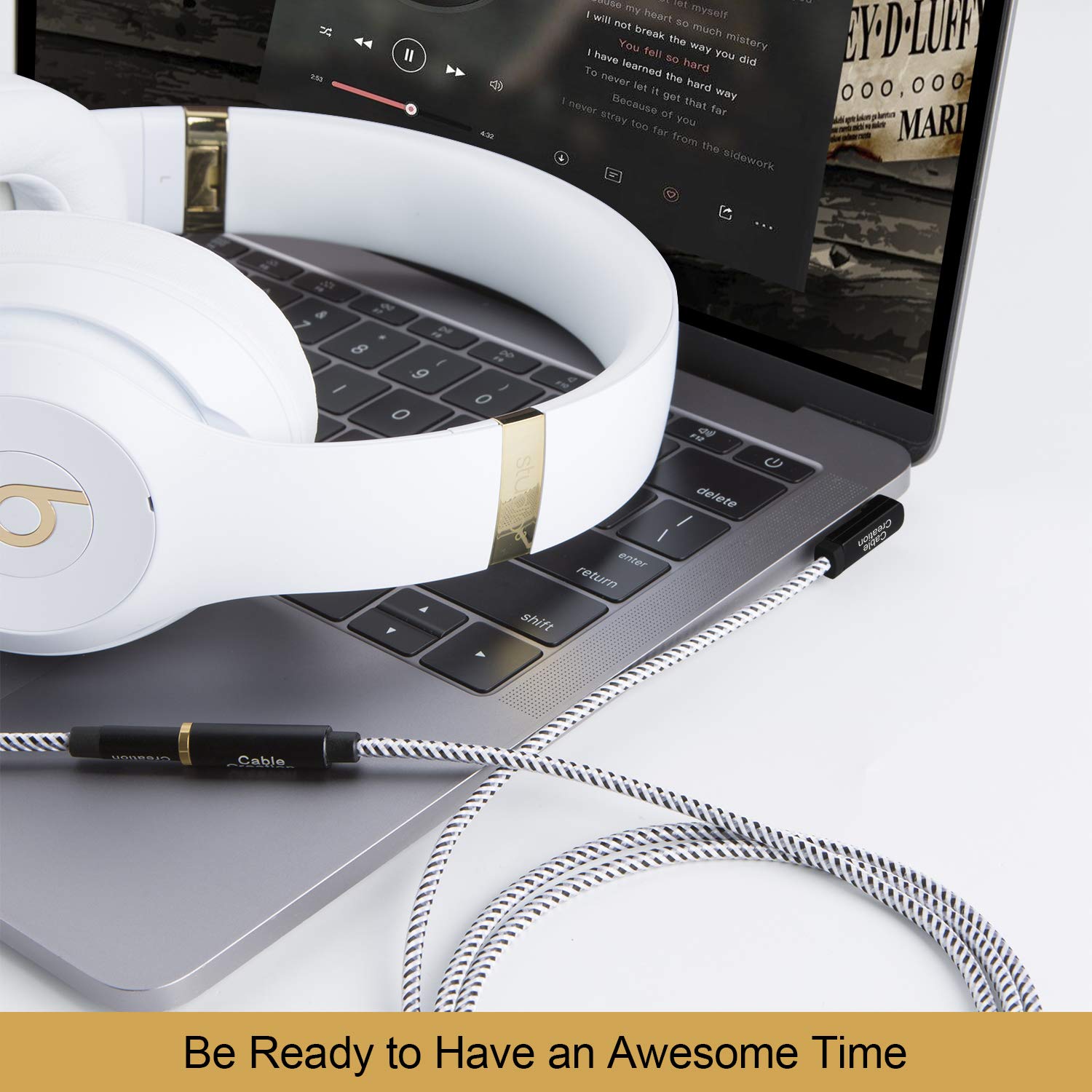
Figure 4: Connecting the extension cable to a laptop and headphones.
4. Návod k obsluze
Once connected, the extension cable operates transparently, extending the reach of your audio connection without requiring any specific user interaction. The cable supports simultaneous audio output and microphone input, allowing for communication during calls or gaming.
Tipy pro použití:
- Adjust volume directly on your source device or headphones.
- Ensure the 90-degree connector is oriented to minimize cable bending and stress, especially in confined spaces.
- Avoid excessive pulling or tugging on the cable to prevent damage to the connectors or internal wiring.

Figure 5: Using the extension cable for video calls with microphone support.
5. Údržba
Proper care and maintenance will prolong the life of your CableCreation extension cable.
Pokyny pro péči:
- Čištění: K otření kabelu a konektorů použijte měkký, suchý hadřík. Nepoužívejte agresivní chemikálie ani abrazivní materiály.
- Skladování: Store the cable in a cool, dry place away from direct sunlight and extreme temperatures. Avoid tightly coiling the cable to prevent internal wire damage.
- Zacházení: Při zapojování nebo odpojování kabelu vždy uchopte kryt konektoru, netahejte za samotný kabel.
- Vyvarujte se ohýbání: While the cable is flexible, repeated sharp bends, especially near the connectors, can reduce its lifespan. The 90-degree connector is designed to mitigate this at the male end.

Figure 6: Cable flexibility and bend lifespan.

Figure 7: Cable resistance to stretching and twisting.
6. Řešení problémů
If you encounter issues with your CableCreation extension cable, refer to the following common problems and solutions:
| Problém | Možná příčina | Řešení |
|---|---|---|
| Žádný audio výstup. | Loose connection, incorrect port, device volume too low, incompatible cable (TRS instead of TRRS). | Ensure both ends of the cable are fully inserted. Check device volume settings. Confirm your headphones/headset are working directly with the source. Verify the cable is a 4-conductor TRRS type if microphone support is needed. |
| Mikrofon nefunguje. | Loose connection, incompatible cable (TRS instead of TRRS), device microphone settings, headset issue. | Ensure all connections are secure. Confirm your headset's microphone works when connected directly to the source. Check your device's audio input/microphone settings. This cable is TRRS, ensuring microphone compatibility. |
| Přerušovaný zvuk nebo statický šum. | Loose connection, damaged cable, interference. | Reseat both connectors. Inspect the cable for visible damage. Test with another audio cable to rule out device issues. Avoid placing the cable near strong electromagnetic fields. |
7. Specifikace
- Číslo modelu: CC0451
- Typ konektoru: 3.5mm TRRS Male to 3.5mm TRRS Female
- Typ kabelu: 4-Conductor Audio Extension Cable
- Connector Angle: 90-Degree (Male end)
- Materiál: TPE jacket, braided exterior
- Kompatibilní zařízení: Headphones, Laptops, Music Players, Smartphones, Speakers, Car Stereos, Tablets
- Rozměry produktu: 8.66 x 5.91 x 0.06 inches (for 3FT/0.9M variant)
- Hmotnost položky: 0.71 ounces (for 3FT/0.9M variant)
8. Záruka a podpora
CableCreation products are designed for reliability and performance. This product is typically covered by a standard manufacturer's warranty against defects in materials and workmanship. Please refer to the product packaging or the official CableCreation webkonkrétní záruční podmínky naleznete na webových stránkách.
Zákaznická podpora:
For technical assistance, warranty claims, or general inquiries, please contact CableCreation customer support through their official channels. You can often find contact information on the product packaging or by visiting the CableCreation Store on Amazon.